Metering support for AWS Concurrent Agreements
Last updated: September 25, 2026
Overview
With AWS concurrent agreements, a single buyer can hold several agreements with the same seller active at the same time. Until now, usage could not be submitted for more than one of a buyer's active agreements. This release adds that capability: each active agreement can be metered separately, whichever route you meter through.

Value it drives
Every active agreement can be billed: Usage is accepted for all of a buyer's concurrent agreements.
Metering on every route: Concurrent agreements can be metered in Clazar — by CSV upload or the guided Add Metering flow, through the metering API, and through your existing Orb integration.
Revenue broken down per agreement: Usage is recorded against the agreement rather than pooled under the buyer, so estimated revenue, the metering lists and the contract export all break down per agreement. Two agreements on the same product for the same buyer no longer land on the same record.
How to get started
CSV Upload
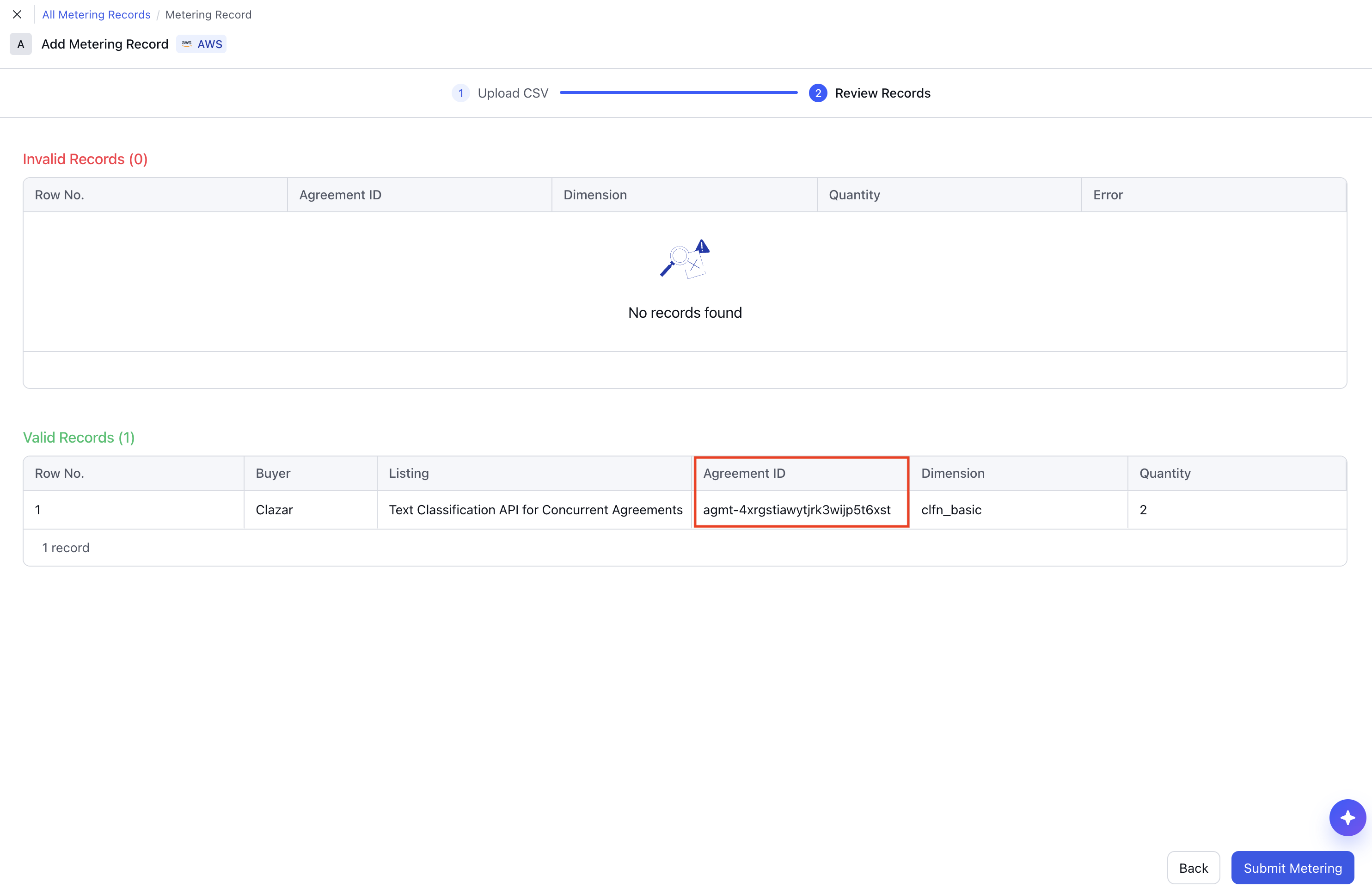
Click Download CSV Template on the metering upload screen and fill in the AWS agreement ID, in the form agmt-…, in place of the product code and customer identifier you used before. Upload the file and check the parsed rows before submitting.
Metering API
Send the agreement's Clazar ID as contract_id on each usage record.
Guided UI on the Clazar platform
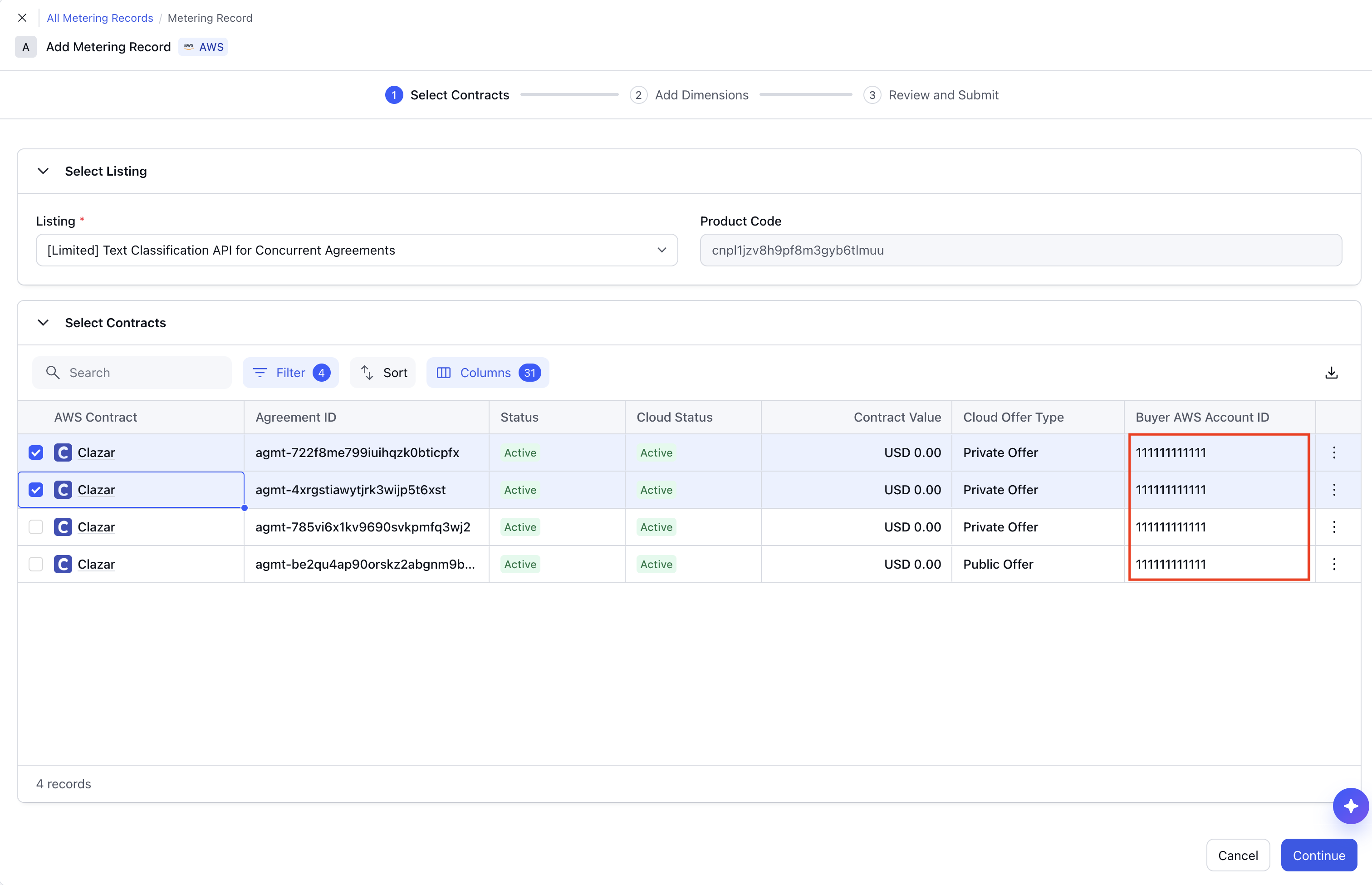
Open Add Metering and choose the agreement(s) you are metering, then the dimension and quantity. Where a buyer holds more than one live agreement, each appears separately with its own agreement ID.
Orb
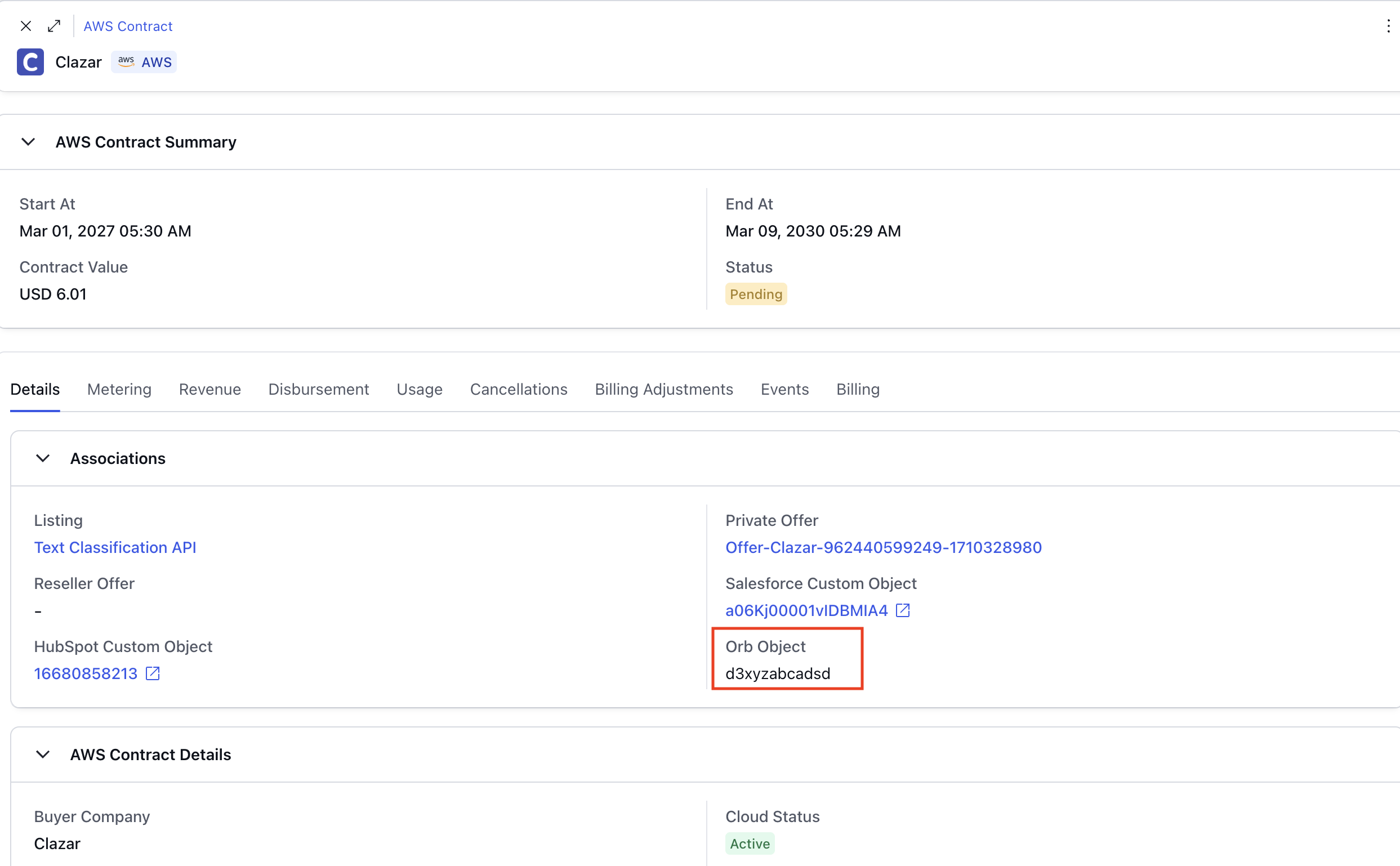
Link each contract to its own Orb subscription. Follow the Orb Integration setup guide, which covers the contract events to act on and which identifier to key the subscription on.
Things to note
Orb subscriptions link to the contract: An Orb subscription is now linked to the contract rather than the buyer, and cannot be split across a buyer's concurrent agreements — each contract needs its own.
The earlier CSV template no longer works: The AWS template now carries an
agreement_idcolumn in place of product code and customer identifier, so download it again before your next upload.