Redesigned offer and contract notification emails for AWS, Azure and GCP
Last updated: September 3, 2026
Overview
Until now, the same notification looked different depending on whether the deal was on AWS, Azure or GCP. All offer and contract emails now use one layout, with content limited to what is safe for every recipient - everyone in Contacts to Notify and your Default Contacts, buyers included.
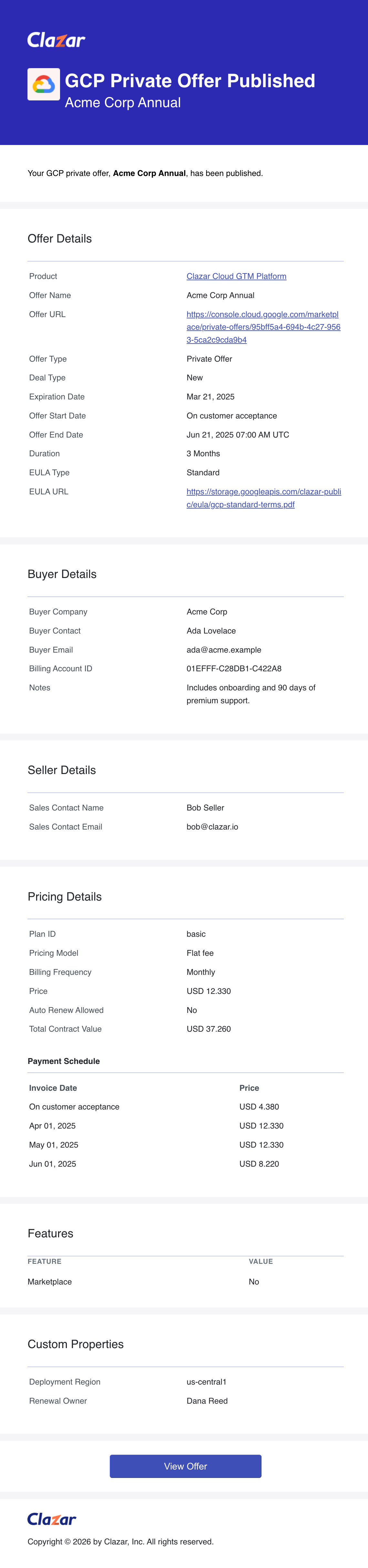
Every email now opens with the deal's details and closes with Custom Properties, with pricing and any marketplace-specific sections in between.
Who receives these emails
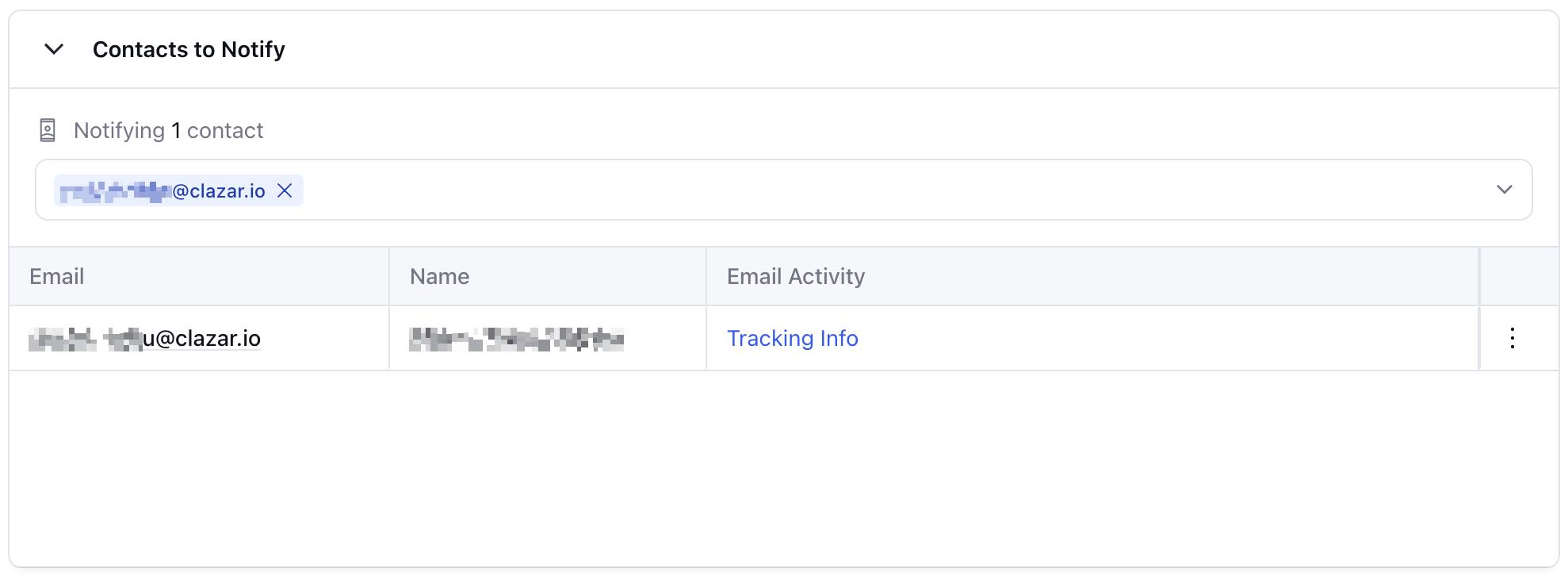
Contacts to Notify is the recipient list on an individual offer - the people, on your side and the buyer's, who are notified about that specific offer. You set it while creating or editing the offer, and you can change it at any time.
Default Contacts, under Settings, are account-level contact groups that receive these notifications without having to be added to each offer one by one.
Value it drives
One layout across clouds: Every offer and contract email now uses the same structure and styling on AWS, Azure and GCP. The sections in between vary with what each marketplace supports.
Seller-only fields removed: Listing fee, net revenue, margin, seller amounts in installment schedules and internal notes no longer appear in any offer or contract email. Buyer-agreed pricing is still shown.
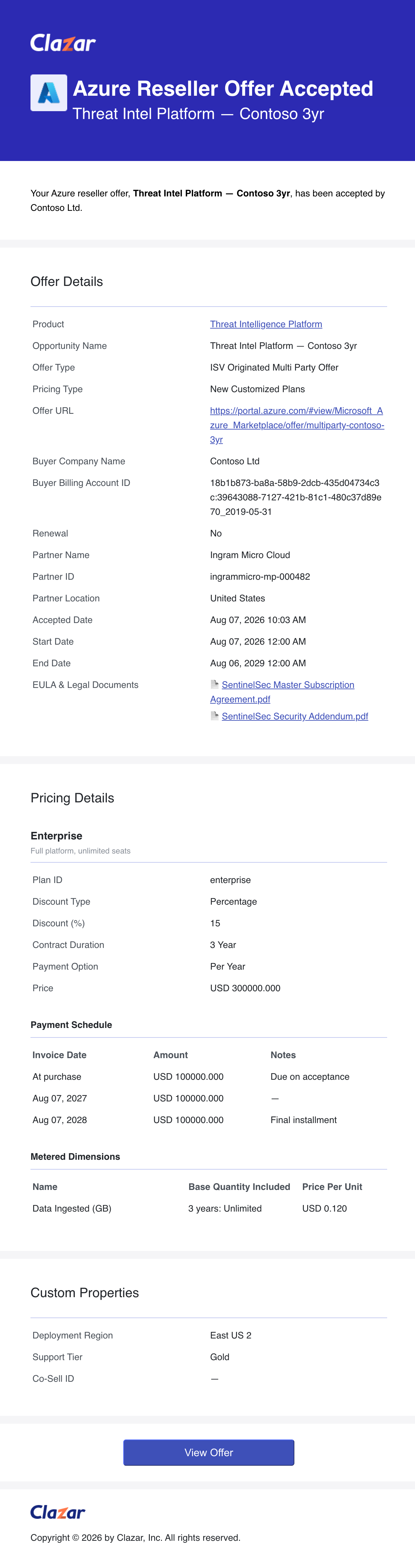
Contract Details: Azure contract emails now include company name, billing account ID, free trial, auto-renewal, EULA type, pricing type, and the accepted date.
Pricing and Dates: Metered dimensions are shown in a table with the unit and the price per unit. Calendar dates no longer show a time, and timestamps are labelled UTC.
Which emails, on which marketplaces
AWS | Azure | GCP | Snowflake | Email Tracking | |
|---|---|---|---|---|---|
Private Offer Published | ✅ | ✅ | ✅ | ✅ | ✅ |
Private Offer Accepted | ✅ | ✅ | ✅ | ✅ | ✅ |
Reseller Offer Published | ✅ | ✅ | ✅ | — | ✅ |
Reseller Offer Accepted | ✅ | ✅ | ✅ | — | ✅ |
Reseller Offer Extended | ✅ | — | — | — | ✅ |
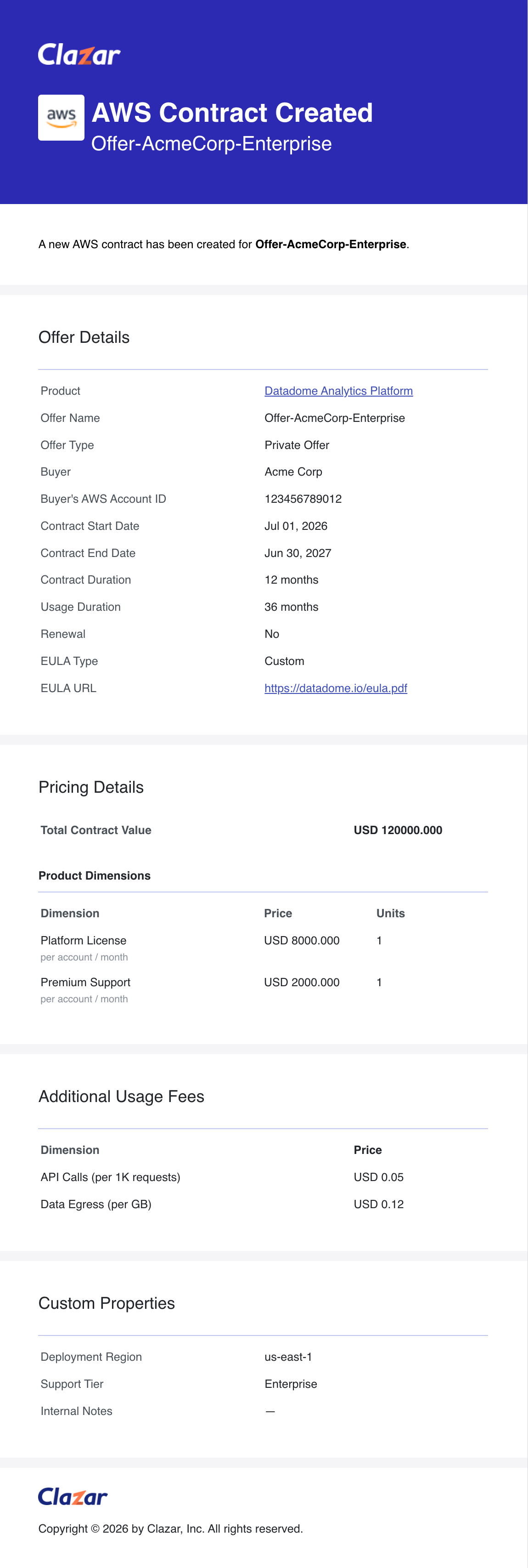
Contract Created | ✅ | ✅ | ✅ | — | — |
RegistrationDetails Updated | ✅ | ✅ | ✅ | — | — |
The row names match the Email Notifications column on Settings → Default Contacts. In the marketplace columns, a dash means that email is not sent on that marketplace. In the Email Tracking column, a dash means the email's activity is not shown in the app - Email Activity appears on offers, and contracts have no equivalent view.
Email Activity Tracking
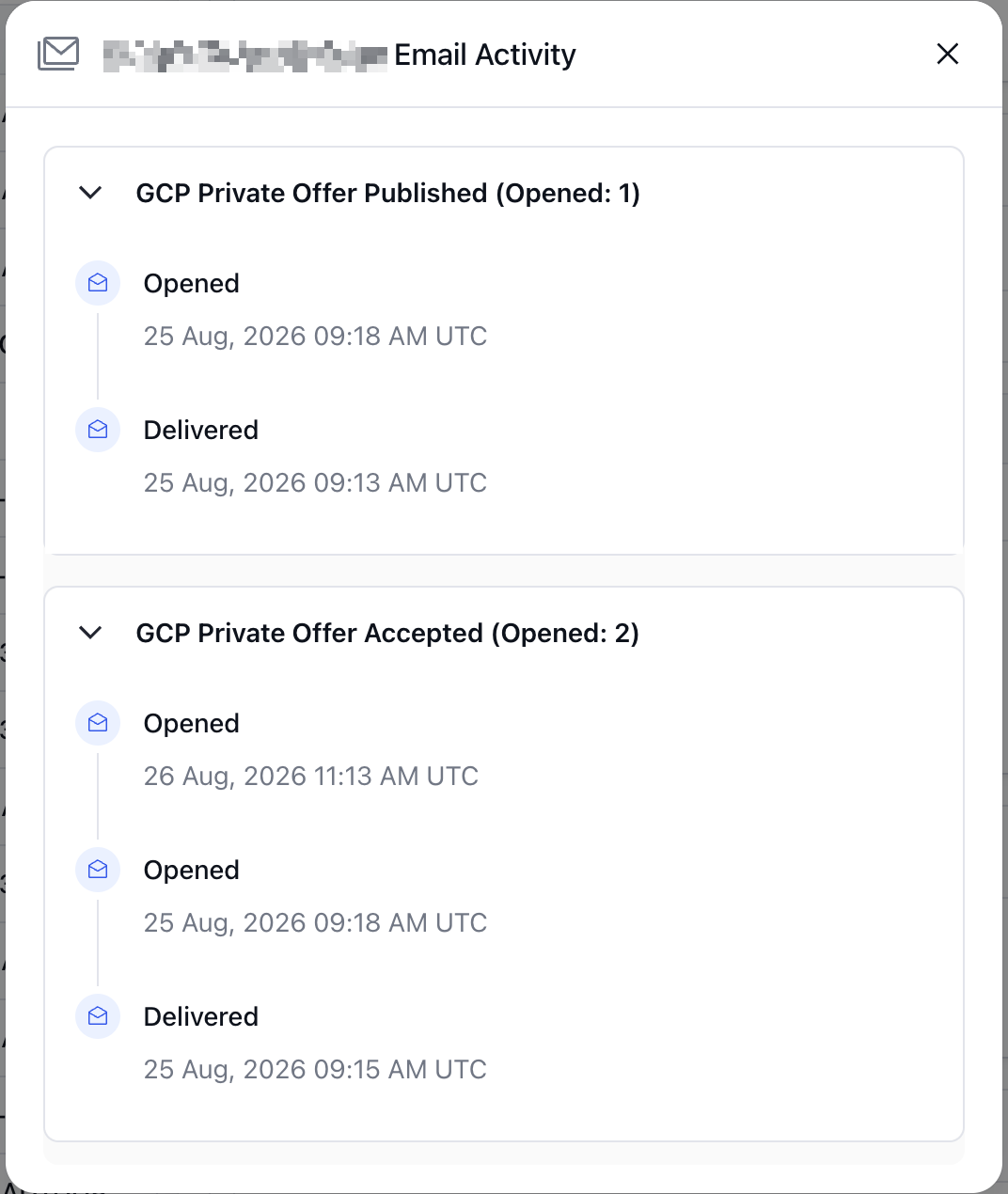
Email Activity tracks each notification after it is sent, per recipient. It appears on an offer's contacts table and records whether the email was delivered, opened, clicked, bounced or dropped.
How to get started
Check who receives these emails: Go to Settings → Default Contacts to see which notification emails each contact group receives.
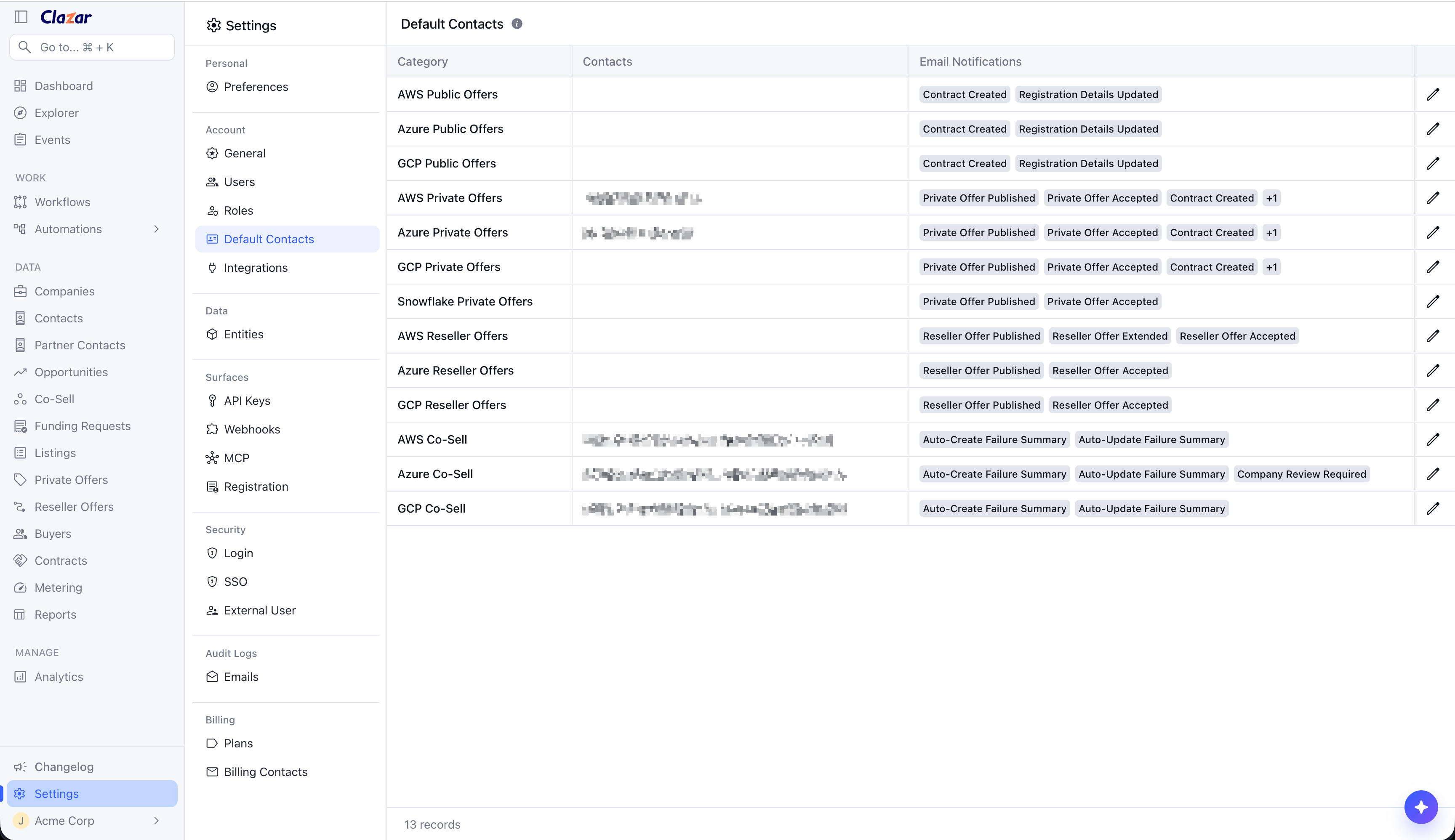
Settings → Default Contacts, showing the Email Notifications column Set recipients per offer: Open an offer and use Contacts to Notify to add or remove recipients for that offer.
Enable custom properties: Reach out to your Clazar support contact to include your offer custom properties in these emails.
Things to note
Cloud scope: AWS, Azure and GCP. Snowflake notification emails are unchanged.
Azure multiparty private offers: Reseller Offer Published and Reseller Offer Accepted emails for Azure multiparty private offers are now sent. These emails did not exist before.
Custom properties: Custom properties are hidden unless they are enabled for your account.
What the new emails look like
Three different notification events, on three different marketplaces.
AWS - Contract Created
Azure - Reseller Offer Accepted
GCP - Private Offer Published