Assign a different registration page to each AWS, Azure and GCP listing
Last updated: October 5, 2026
Overview
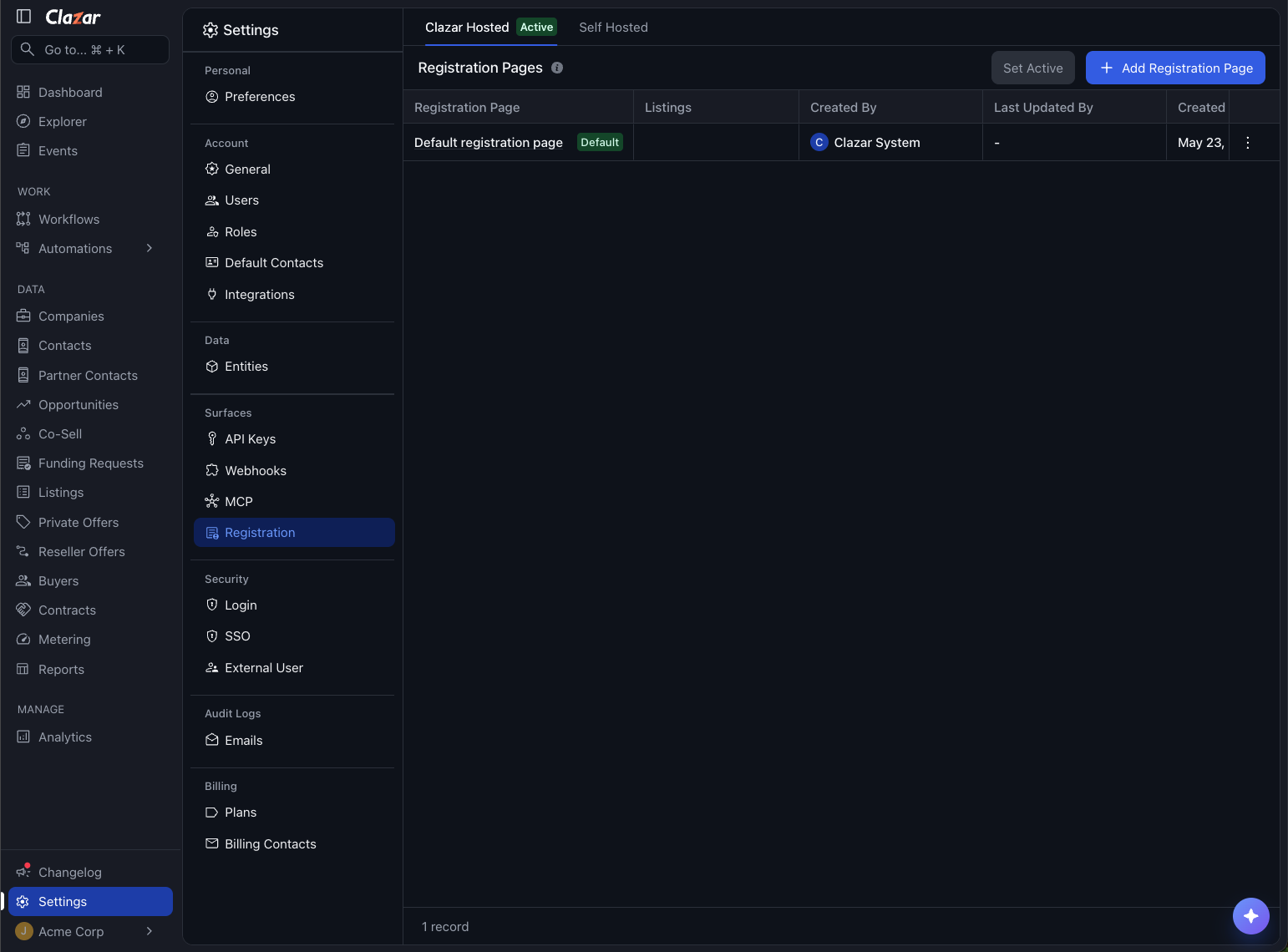
Till now the registration page a marketplace buyer lands on after subscribing was configured once per account and shared by every listing. You can now keep several registration pages and assign one to each listing. A buyer subscribing to a listing lands on the page assigned to that listing, and any listing without an assignment uses your default page.
Value it drives
Sellers can now give each marketplace listing its own registration page. Buyers see the page built for the product they purchased, so sellers collect exactly what they need to onboard and provision them. For example, one product might need a workspace name, another a deployment region. Listings without their own page keep using the seller's default registration page.
How to get started
Open the registration pages list: Go to Settings → Registration Page Setup. The Clazar Hosted tab contains the Registration Pages list, with your existing page already on it and marked Default.
Add a page: Click Add Registration Page, add the fields you want that page to capture, and save. Repeat for every page you want to keep.
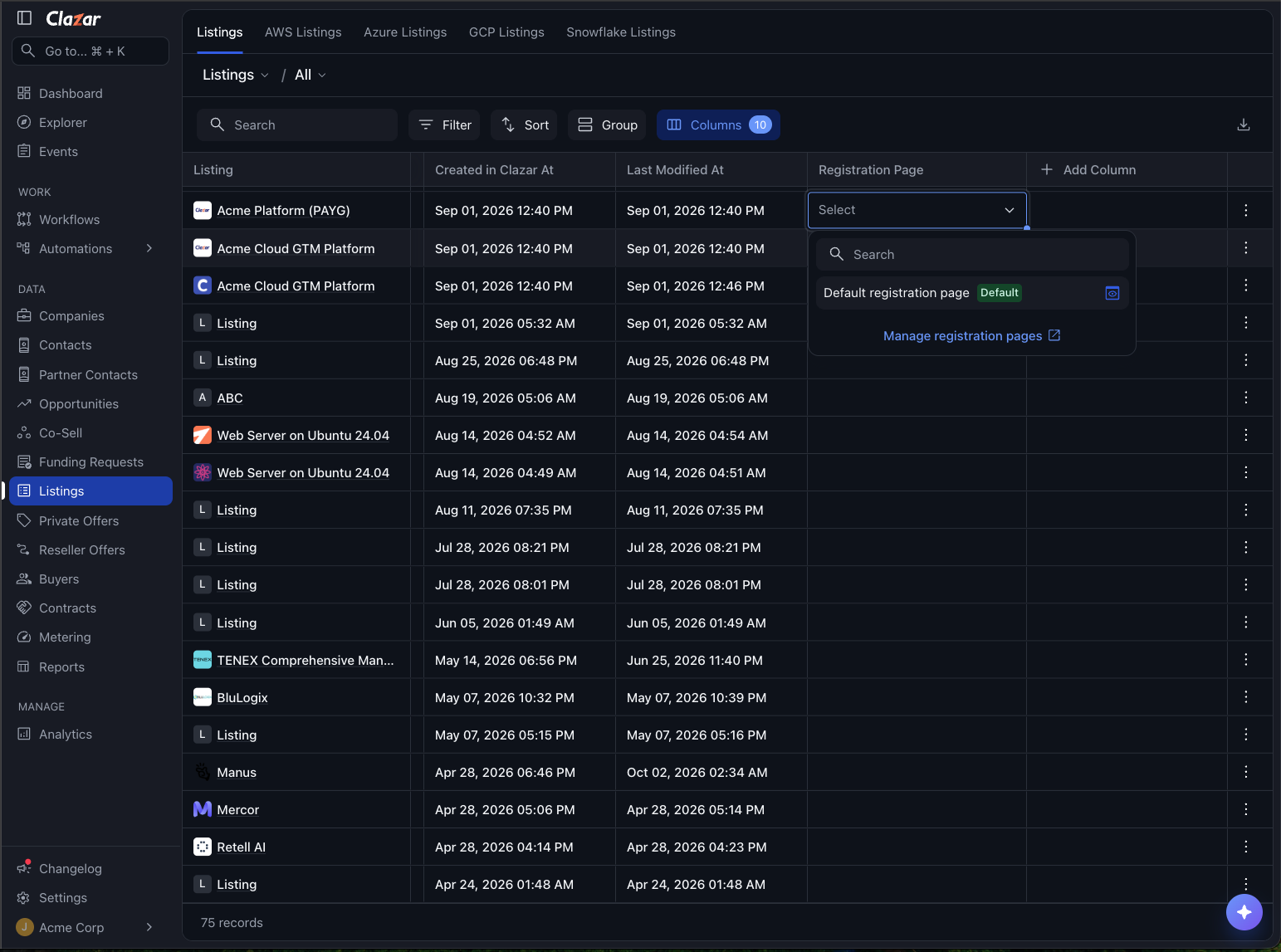
Assign a page to a listing: Open Listings and pick a page in the Registration Page column of a SaaS listing. The same dropdown is on the Details tab of the listing detail page.
Choose your default: On the Registration Pages list, open the row menu on a page and click Set as default. Every listing with no page assigned uses it.
Preview a page: Click the open icon next to an assigned page to open it in a new tab and see what the buyer sees.
Things to note
Cloud availability: Assignment is available for AWS, Azure and GCP listings. Snowflake listings cannot be assigned a registration page.
Listing type: Only SaaS listings can be assigned a registration page. Container, AMI and VM listings do not redirect a buyer to a registration page.
GCP page resolution: A GCP registration link does not name a product, so the page is resolved from the buyer's purchase instead. A buyer whose purchase cannot be identified sees the default page.
Deleting a page: The default page cannot be deleted. Deleting any other page releases the listings assigned to it, and those listings then use the default page.
Self-hosted registration: Buyers only see listing specific pages when Clazar Hosted is active.