Webhooks in Clazar
Last updated: August 6, 2025
Webhooks allow your application to receive real-time event notifications from Clazar via HTTP POST requests to your configured endpoints. This enables seamless integration with your marketplace workflows—such as reacting to contract changes, cancellations, or other buyer events.
What Are Webhooks?
Webhooks are essentially HTTP POST requests sent to a predefined URL when an event occurs. They allow services to notify one another and trigger workflows automatically in external systems.
With Clazar's webhooks, you can:
Get notified when a buyer modifies or cancels a contract
Trigger automatic configuration changes in your application
Monitor marketplace activity in real-time
🔧 Manage your webhook settings at:
Settings → Integrations → Webhooks
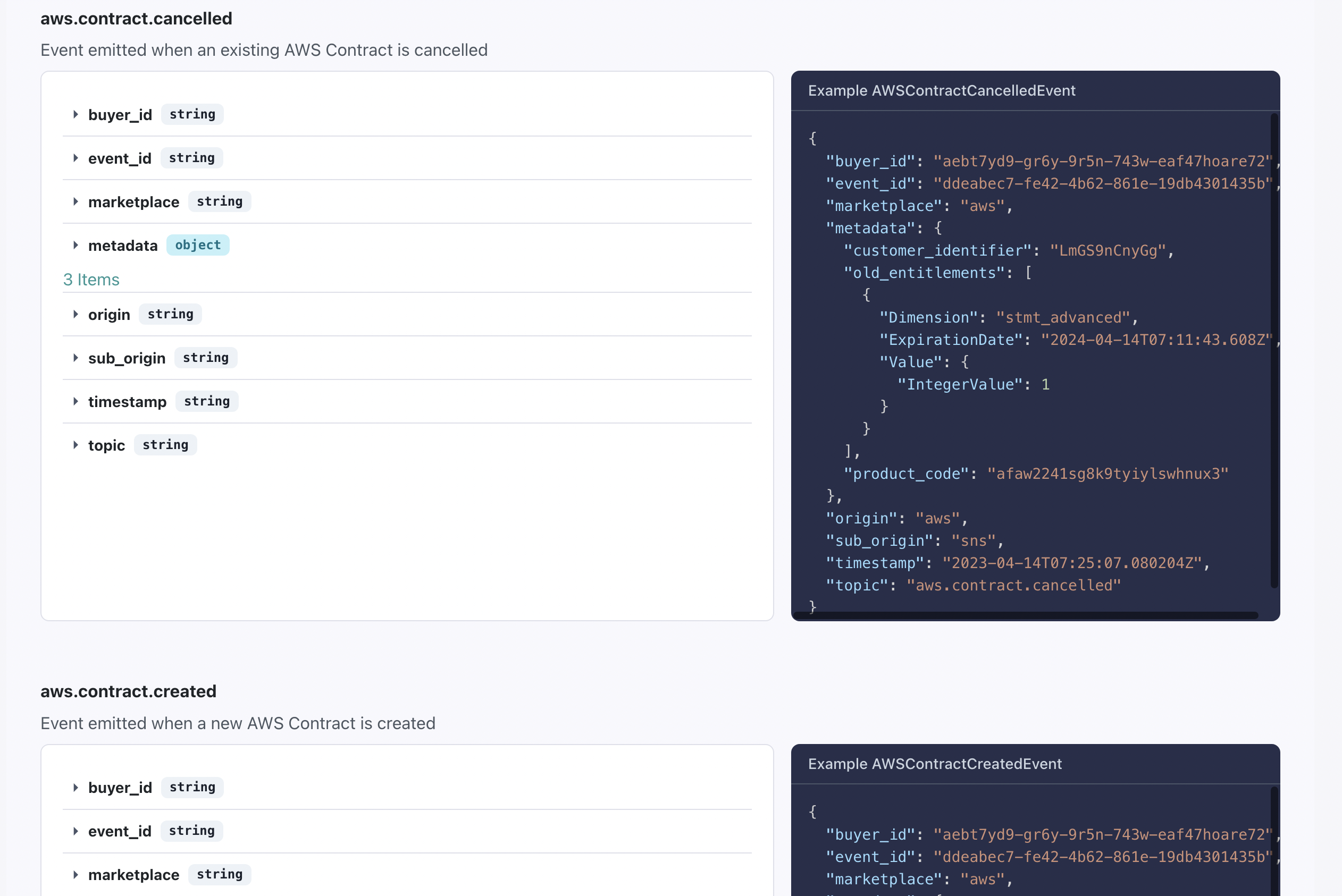
Event Catalog
Clazar provides a comprehensive Event Catalog, listing all event types available for subscription.
View event definitions
Inspect payload structures
See example event payloads
This helps in setting up precise listeners for specific actions within the Clazar platform.
Adding Webhook Endpoints
To start receiving events:
Go to Settings → Integrations → Webhooks
Click Add Endpoint
Specify the URL and choose the event types to subscribe to
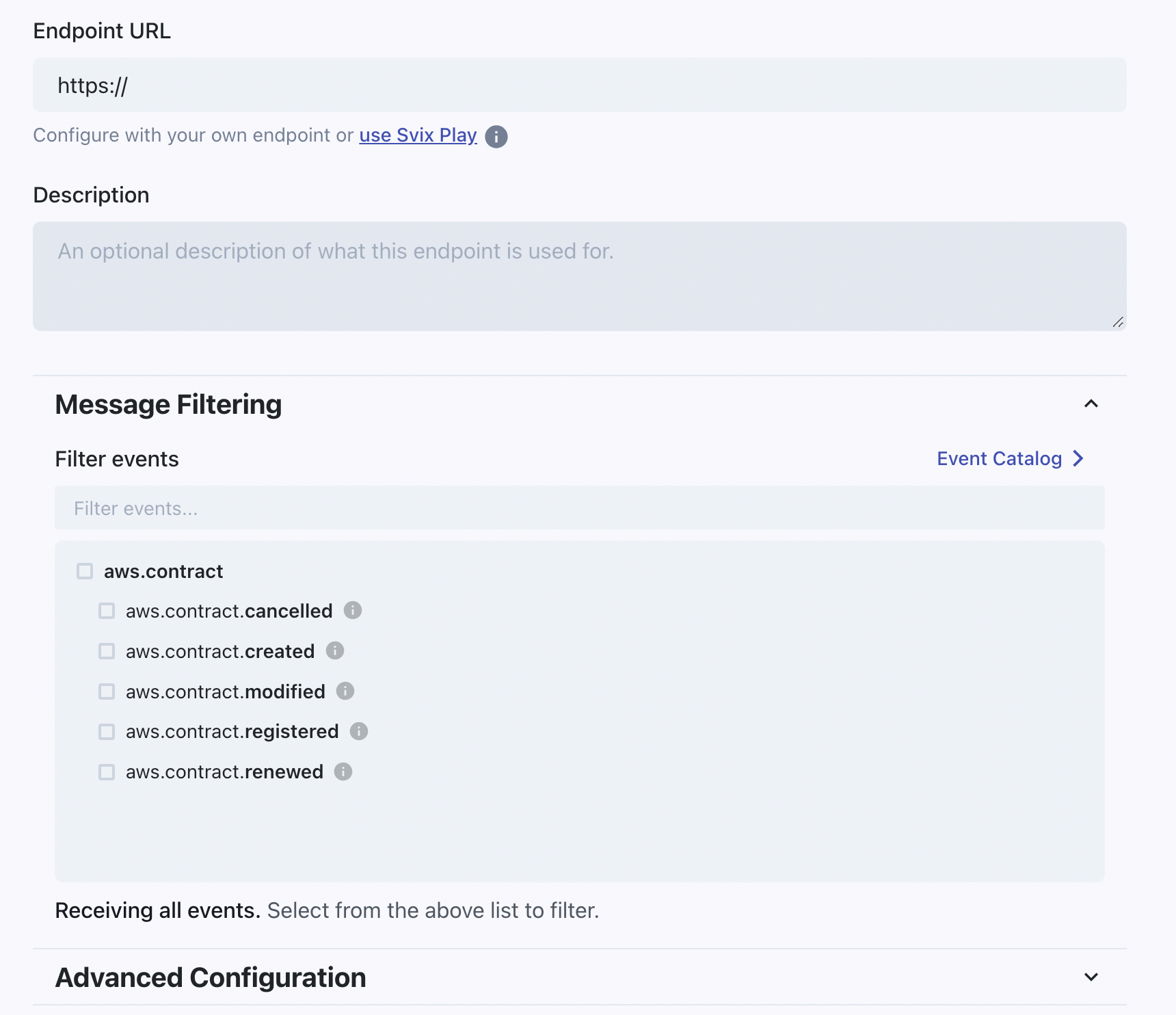
Endpoint Event Filter
When adding a new endpoint:
You must select at least one event type.
Even if "Receiving all events" appears, you cannot proceed without selecting specific event types.
To subscribe to all events, select all available options in the filter list.
⚙ Advanced Options
You can also:
Apply a rate limit to control traffic
Add custom headers (key-value pairs) for security and routing
Endpoint configurations can be updated at any time after creation.
Editing an Existing Endpoint
You can modify:
Subscribed event types
Rate limits
Endpoint URL
Custom headers
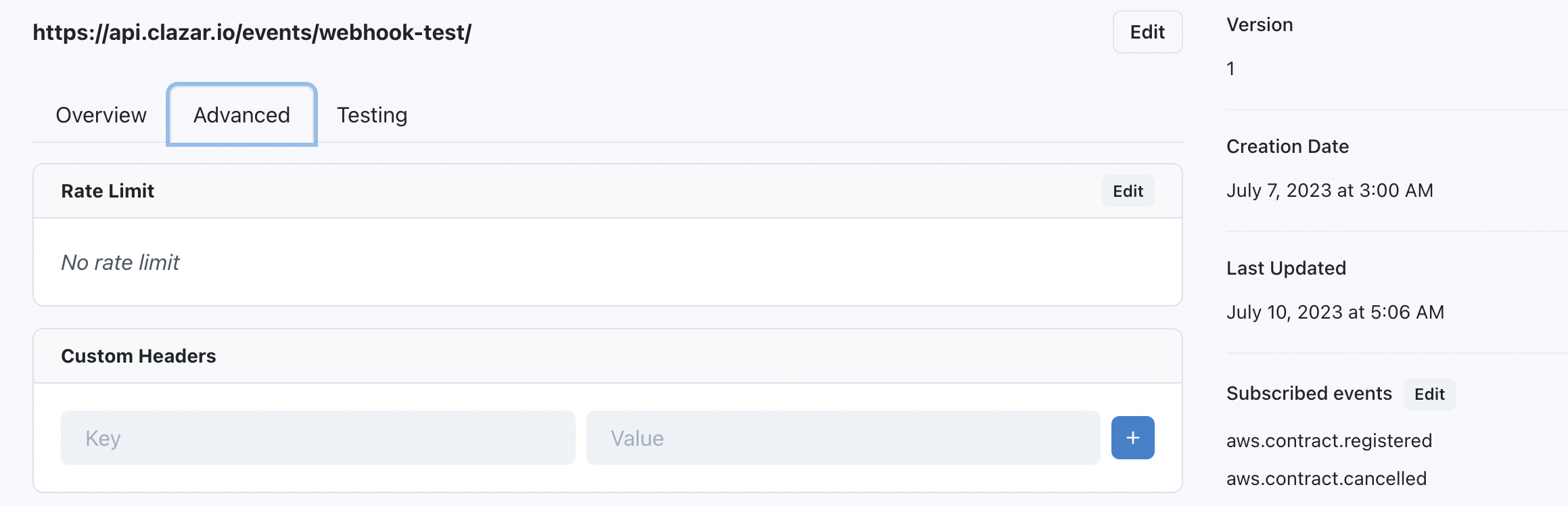
❗ Changing the Endpoint URL
While it's possible to change the URL, it is not recommended.
Doing so will make historical message logs misleading.
✅ Instead, create a new endpoint for a new URL.
Receiving & Acknowledging Messages
When an event your endpoint is subscribed to occurs:
Clazar sends a POST request to your endpoint.
You must respond with a 2xx status code within 15 seconds to acknowledge receipt.
⏱ Retry Intervals if Acknowledgement Fails:
5 seconds
5 minutes
30 minutes
2 hours
5 hours
10 hours (×2)
🚧 Disabling or removing an endpoint also cancels any pending delivery attempts.
Monitoring Attempted Messages
Each endpoint has a Message Log showing:
Every message delivery attempt
The success/failure status
Option to inspect full request/response details
If a message fails all retries, it's marked as Failed.

Manual Retries & Message Replays
You can manually retry failed messages or replay missing ones:
Manual Retry Options
Resend a specific failed message
Resend all failed messages:
Since X hours ago
Since yesterday
Since a specific message
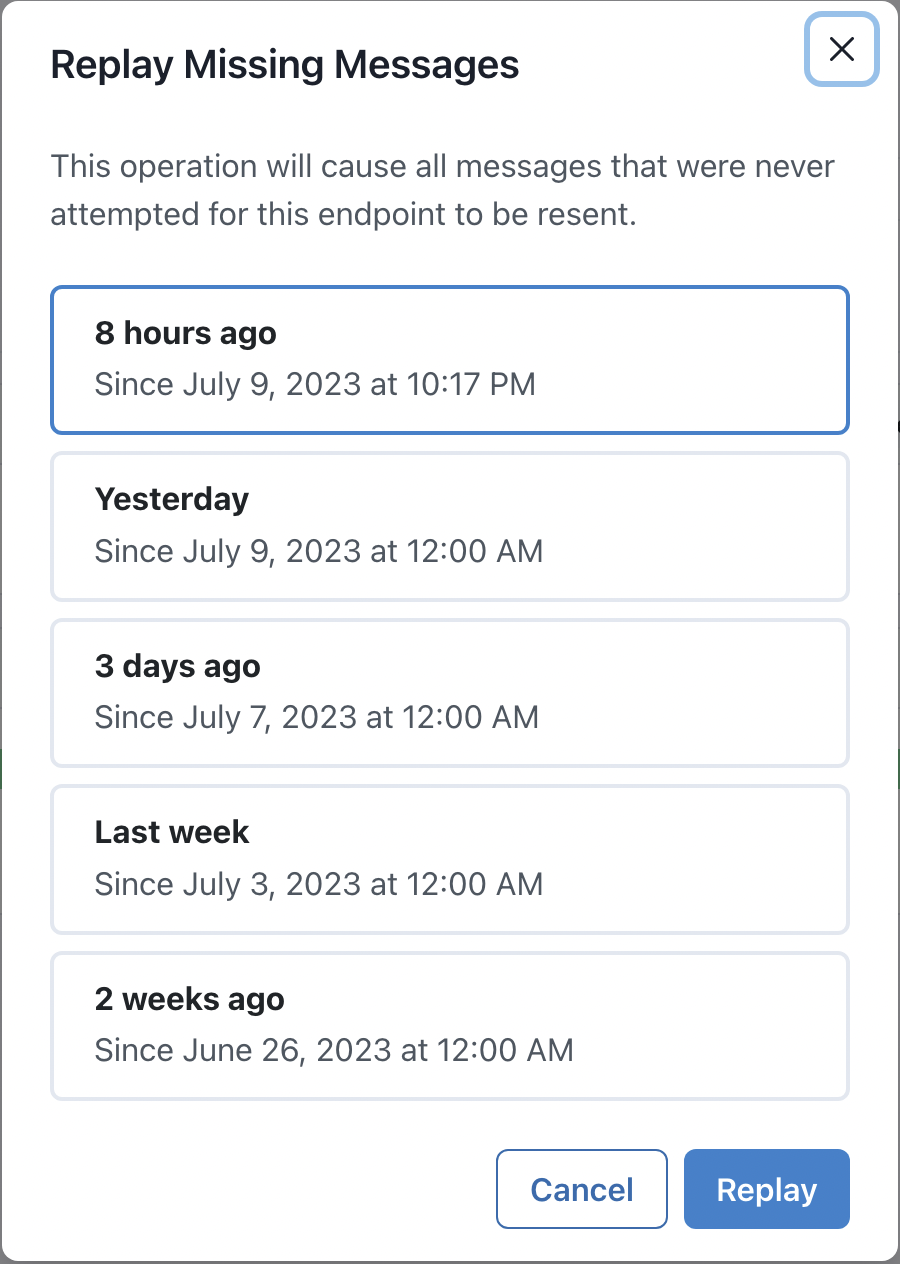
Replay Missing Messages
Replay any messages that were never attempted, useful when:
Endpoint was disabled
Endpoint wasn’t subscribed to that event type
Testing Your Endpoint
Use the Testing tab to:
Send example events to your endpoint
Confirm configuration and connectivity
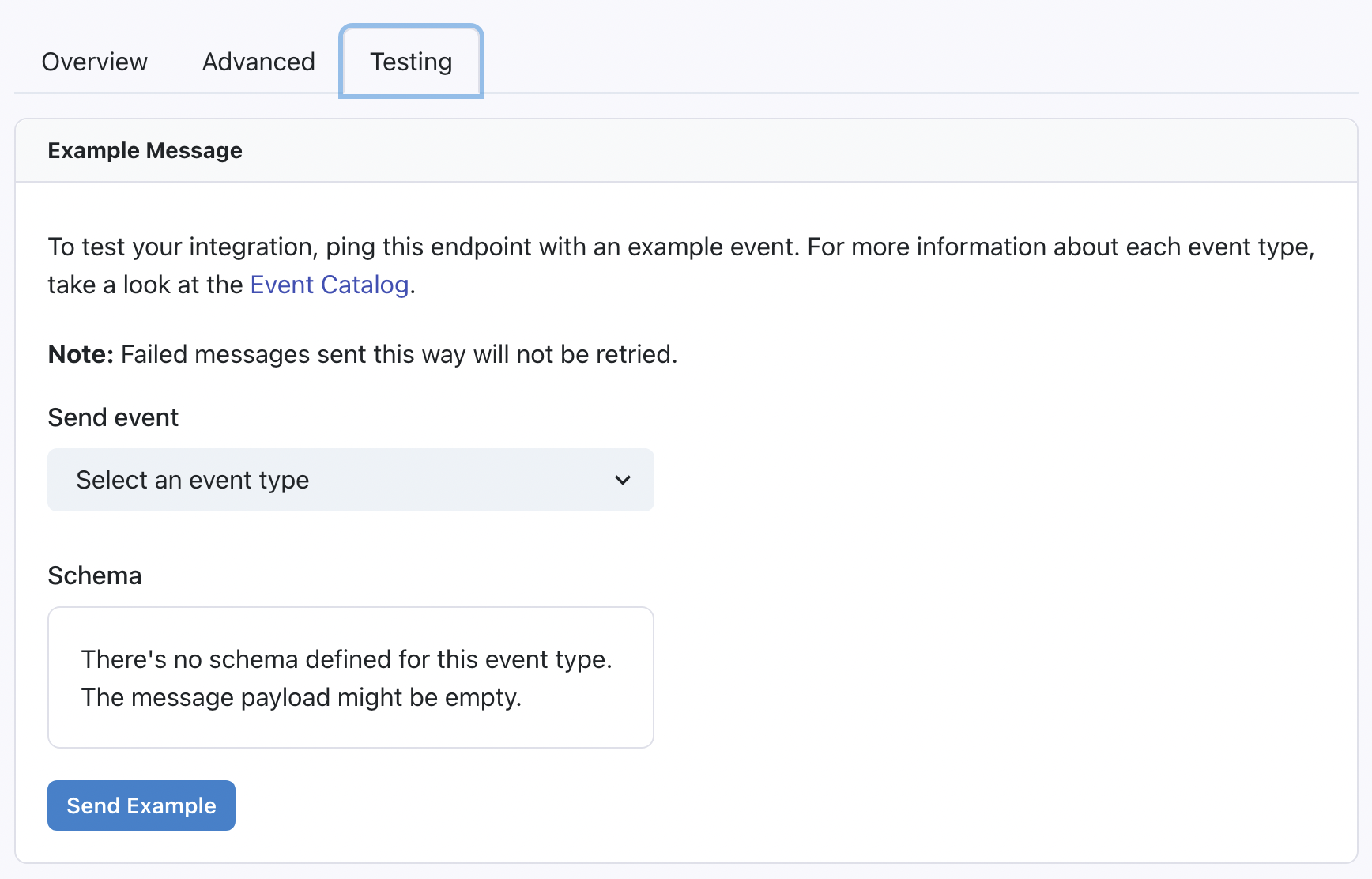
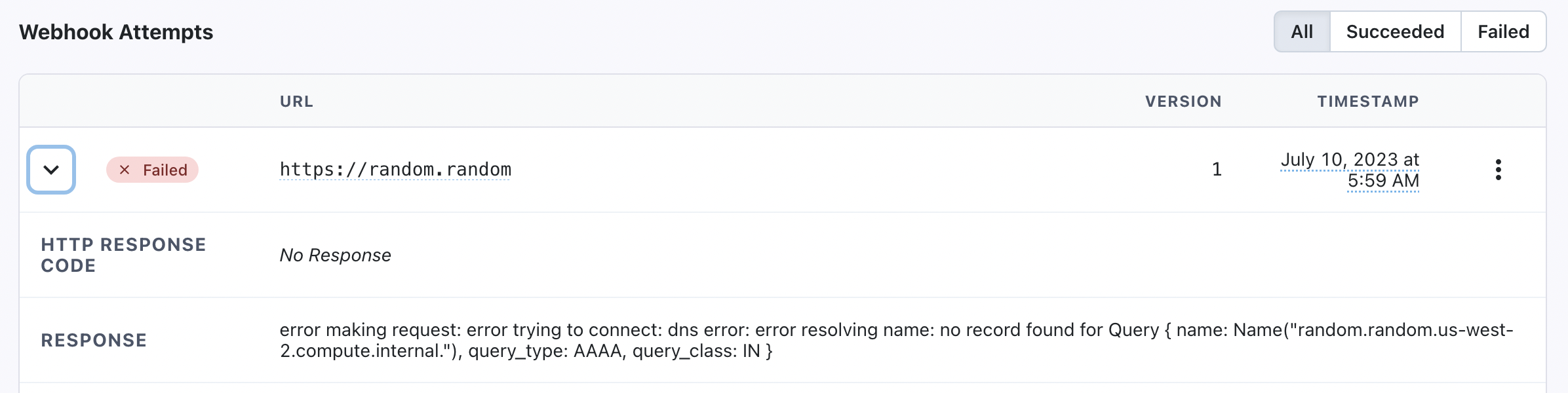
If the test fails:
Go to Message Logs
Click the message and inspect the Webhook Attempts section to debug errors
📘 Message Logs Behavior
Once you enable webhooks, message logs will start collecting events, even if no endpoints are added yet.
However, only subscribed endpoints will receive actual POST requests.
Additional Resources
Clazar’s webhook system is powered by Svix. For advanced features like verifying webhook signatures, refer to the Svix documentation.