Troubleshooting SSO Email Address Mismatches
Last updated: March 27, 2025
Issue description
When setting up or using Single Sign-On (SSO), you may encounter an error indicating that "your email address doesn't match the one used for SSO". This typically occurs due to one of two common causes:
Different Email Login
If you're already logged into your Identity Provider (like Okta or Microsoft Entra) with a different email address than the one registered in Clazar, you'll receive an error message. To resolve this:
Log out of your Identity Provider completely
Log back in with the correct email address that matches your Clazar account
Try the SSO login again
If incase this is a new setup,
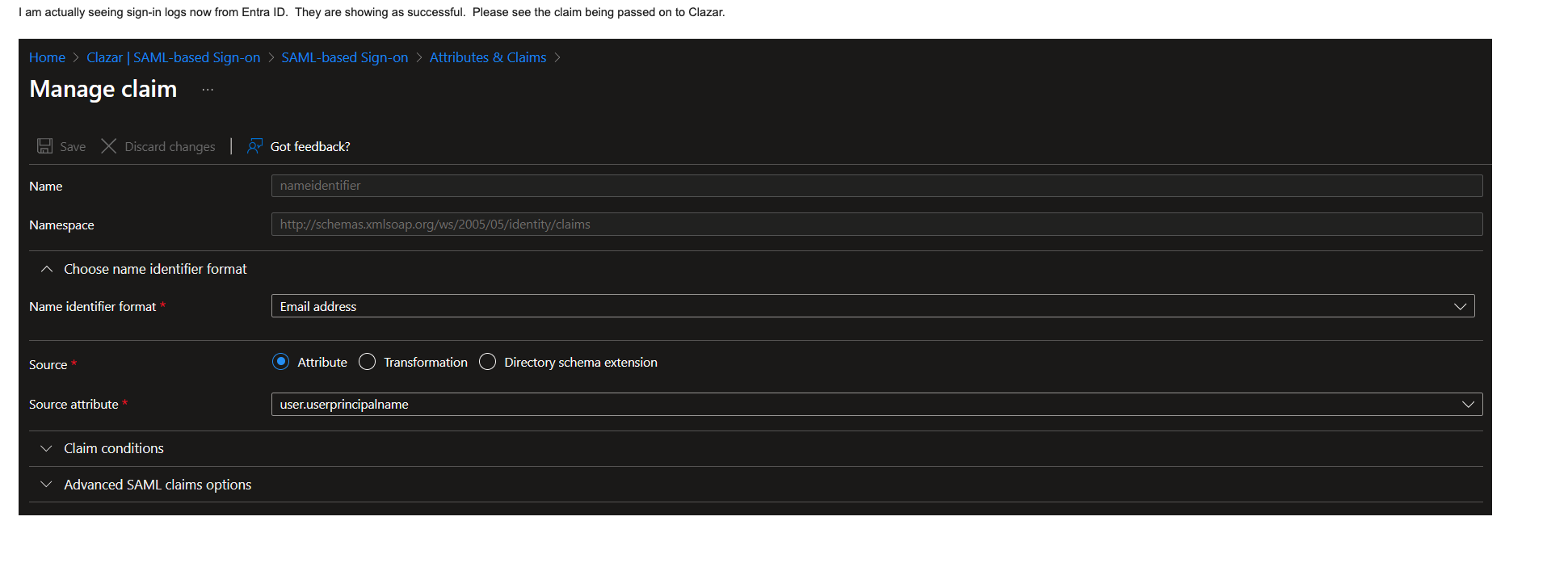
Ensure the email address sent in the SAML response by the Identity provider matches with the email address on your Clazar account
The Name Identifier format should be Email address
For Example: In case of Microsoft Azure identity provider, please ensure the UserPrincipalName or EmailAddress value whichever is selected as SourceAttribute should match with the email address in Clazar account.
In the below scenario Source attribute is selected is userprincipalname
Case Sensitivity Issues
Sometimes the error occurs because of case differences between your email address in Clazar and the Identity Provider. For example:
Email in Identity Provider: Example.User@company.com
Email in Clazar: example.user@company.com
This has been identified and a fix is provided and hence this issue should not occur anymore.
SAML Configuration Tips
When setting up SSO, ensure that:
The Name ID or user principal name in your SAML assertion matches the email address used in Clazar
Your Identity Provider is correctly configured to send the email attribute in the SAML assertion
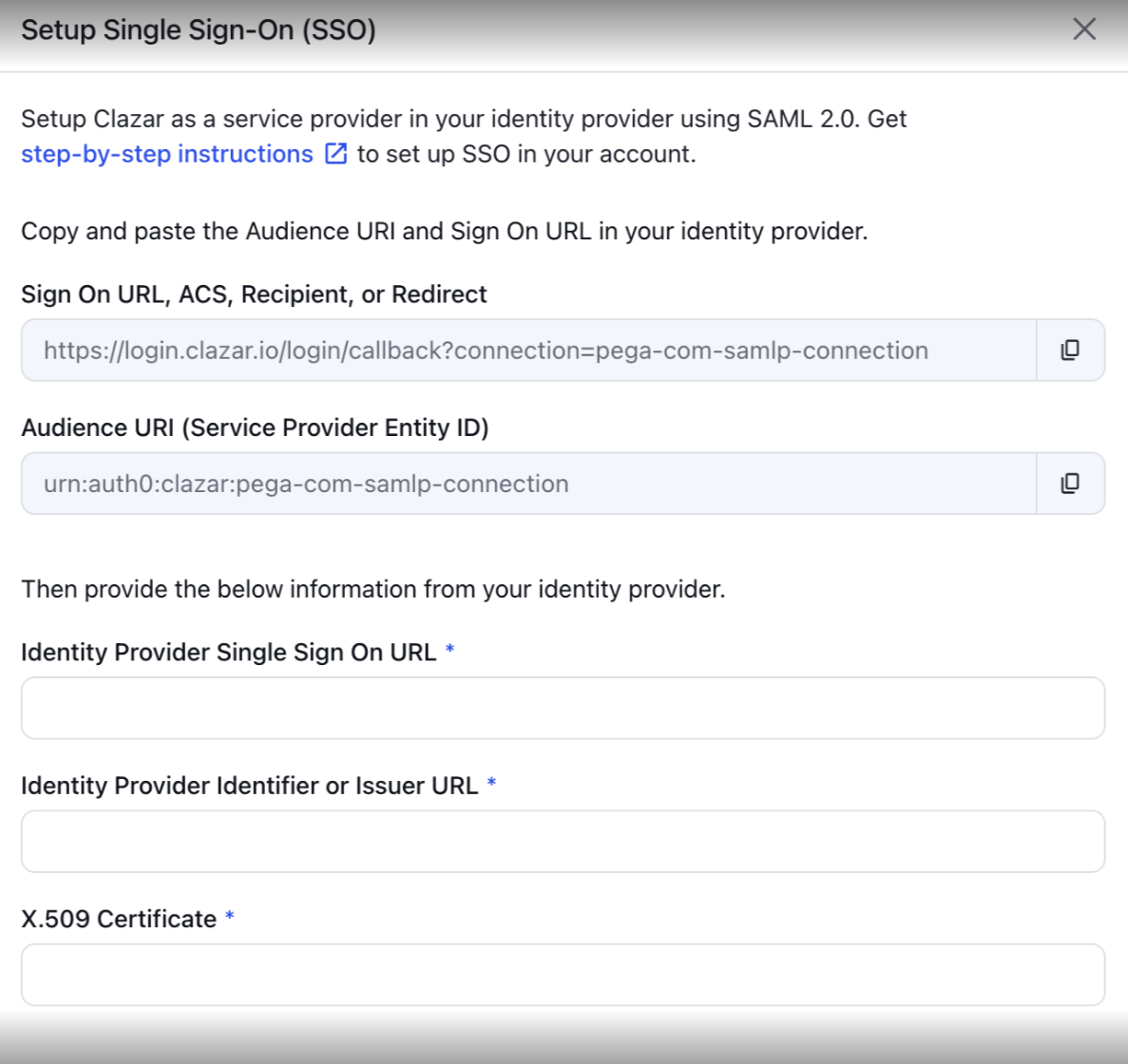
All required SSO configuration fields are properly filled out, including:
Sign On URL
Audience URI
Identity Provider SSO URL
Identifier/Issuer URL
X.509 Certificate
If you continue to experience issues with SSO configuration, please contact Clazar support with details about your Identity Provider and configuration settings.