See how much of each Orb invoice Clazar sent to AWS, Azure and GCP
Last updated: November 4, 2026
Overview
Until now, Clazar did not show Orb invoices. You could not see which metering records Clazar sent for an invoice, or how much of the invoice had been metered so far. Orb invoices and subscriptions are now in Explorer. Each Orb invoice now lists the metering records that Clazar sent for it, with the amount from the invoice in each record.
Value it drives
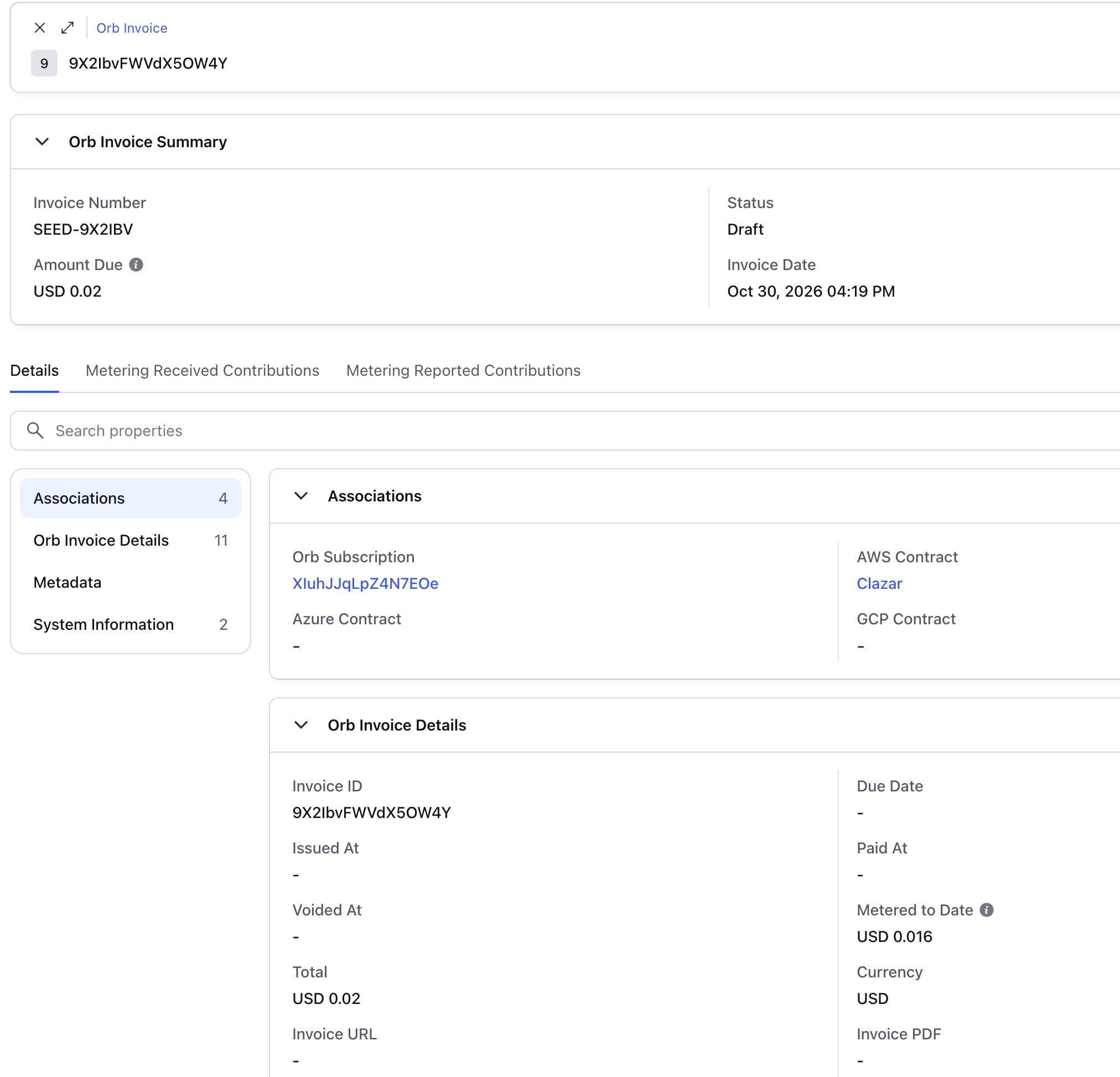
Orb lists in Explorer: Explorer has two new lists, Orb Invoices and Orb Subscriptions. Each Orb invoice shows its status, amount due, invoice date, Orb subscription and contract.
Metered to Date: A new Metered to Date field on each Orb invoice shows the amount of the invoice that Clazar has sent to the cloud so far.
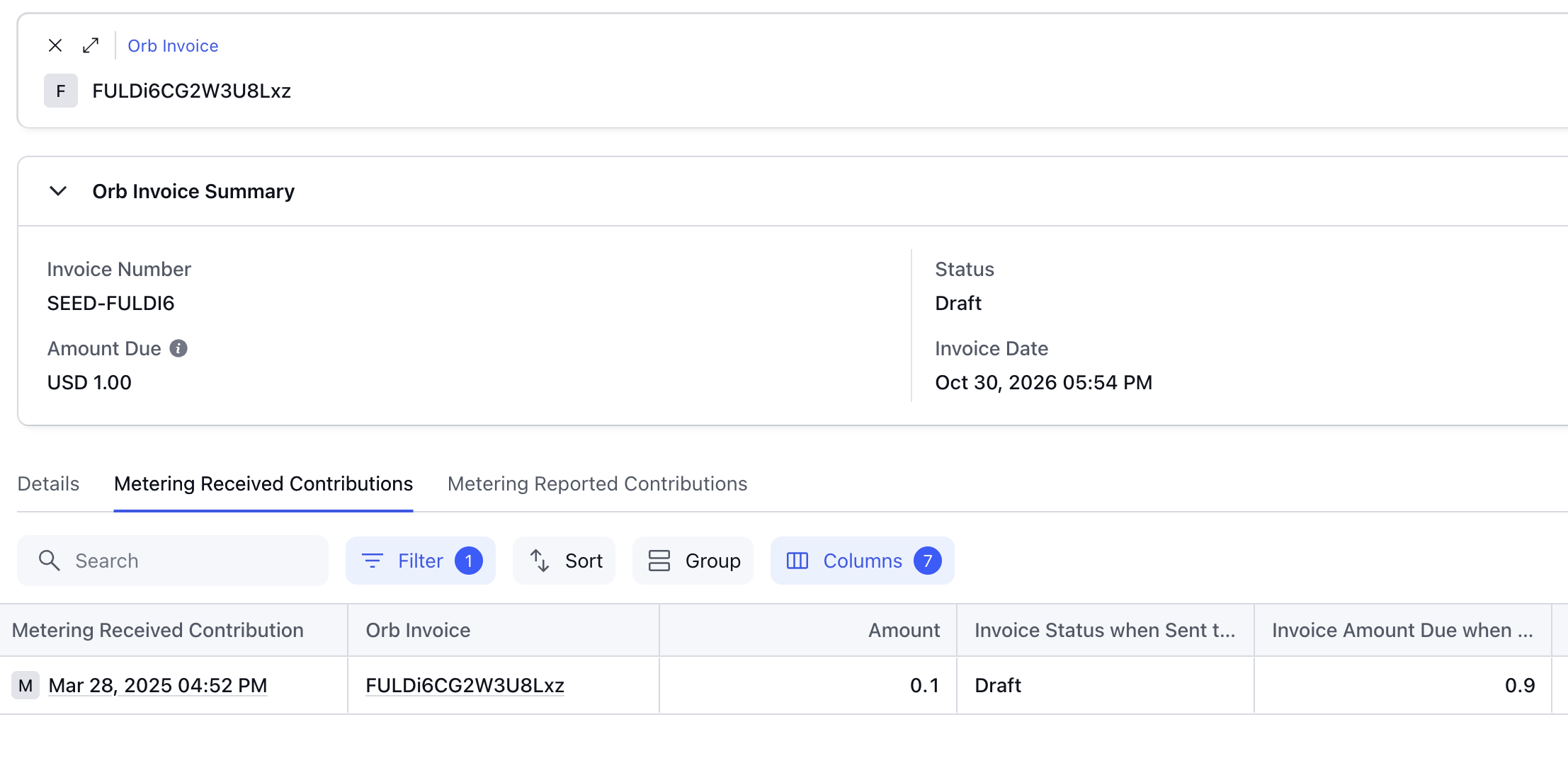
Metering on each invoice: The new Metering Received Contributions tab on an Orb invoice lists each metering record that Clazar sent for the invoice. The Amount column shows how much of each record came from this invoice. The new Metering Reported Contributions tab lists each daily total that Clazar reported to the cloud, with the amount from this invoice.
Invoices on each metering record: A new Orb Invoices tab on Metering Received and Metering Reported records shows which Orb invoices the record includes, and the amount from each invoice.
How to get started
Open Explorer: Select Explorer in the left navigation.
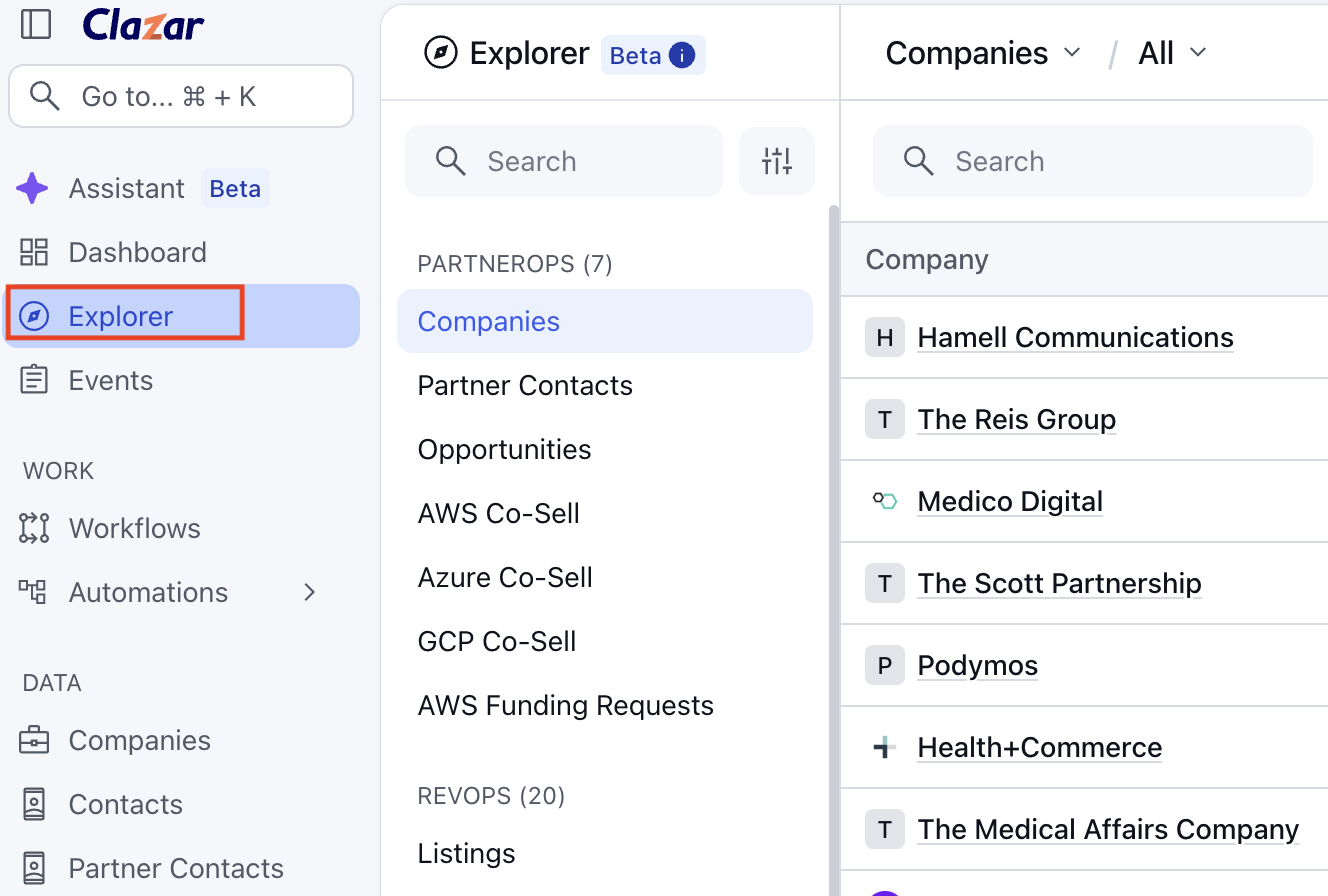
Explorer in Clazar UI See an Orb invoice: In Explorer, select Orb Invoices. Then select an invoice.
See how much of an invoice Clazar sent to the cloud: On the invoice, select the Metering Received Contributions tab. The Amount column shows how much of each metering record came from this invoice.
An Orb invoice's Metering Received Contributions tab See which Orb invoices a metering record includes: In Explorer, open a record from your cloud's Metering Received list, for example Azure Metering Received. Then select the Orb Invoices tab.
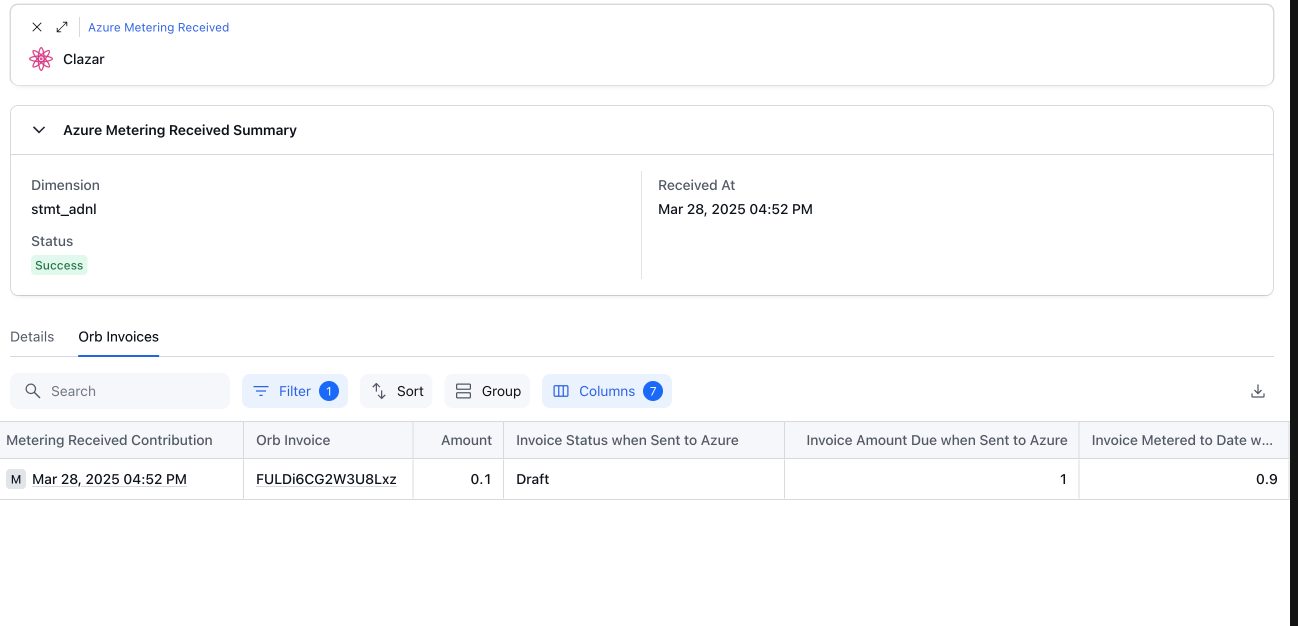
An Azure Metering Received record's Orb Invoices tab
Things to note
Metering sent earlier: The Metering Received Contributions and Metering Reported Contributions tabs include only the metering records that Clazar sent after this feature was turned on. Metered to Date also includes the amounts that Clazar sent before that.
Days not confirmed yet: Each daily total comes from the cloud's daily record of the metering that Clazar reported. AWS, Azure and GCP provide this record after a delay, usually one to two days. A day shows in the Metering Reported Contributions tab only after the cloud provides it.
Days that do not match: If Clazar's total for a day does not match the cloud's daily record, that day shows in the Metering Reported Contributions tab with no amount.