Enable Automatic Offer Approval for Azure and GCP
Last updated: April 10, 2025
Clazar lets you automatically approve contracts on Google Cloud Marketplace and Microsoft Azure Marketplace after a buyer accepts a Private Offer.
Follow these simple steps to enable automatic approval for your cloud marketplace listings:
Log in to your Clazar account.
Navigate to the Integrations section at the bottom of the screen.
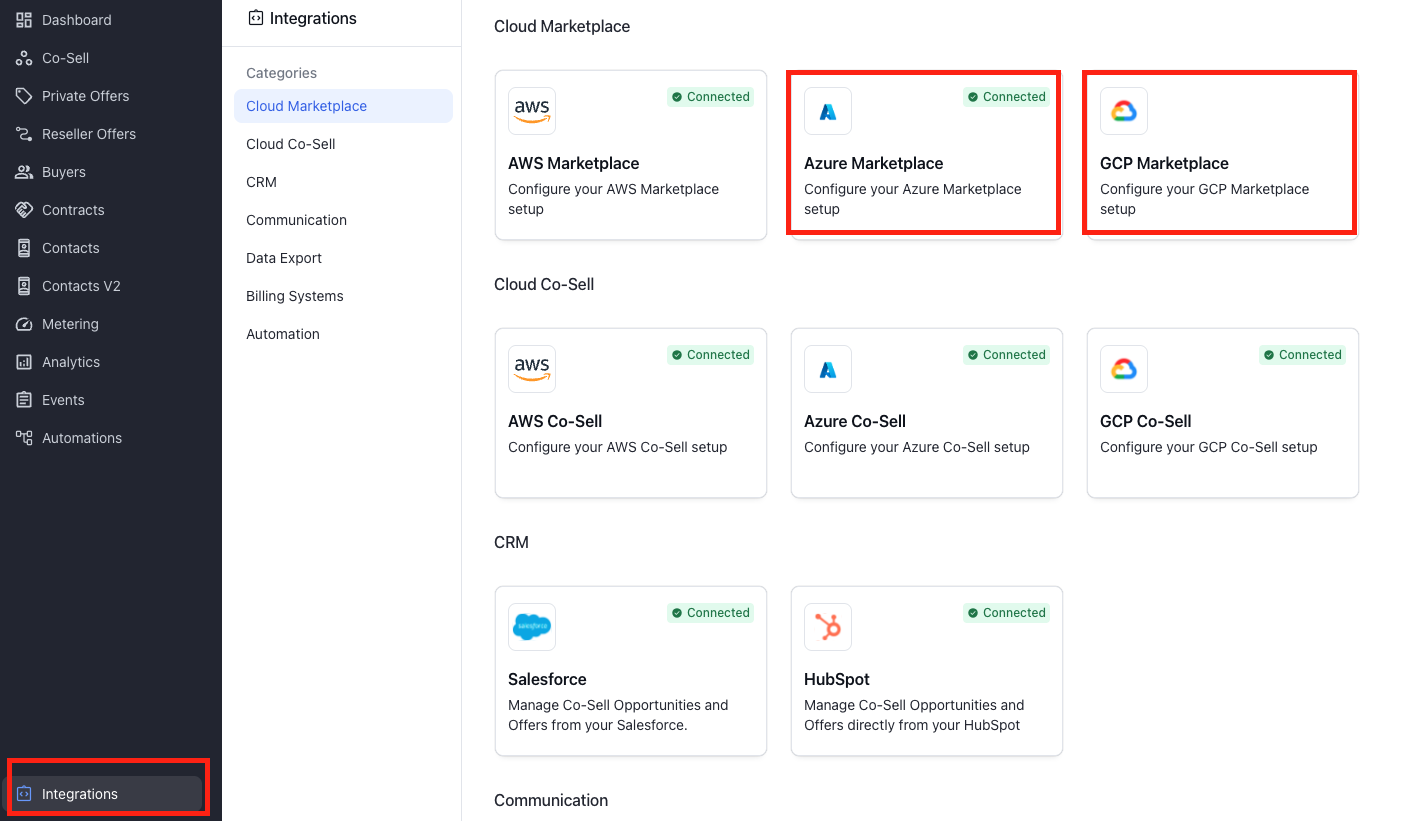
Under Cloud Marketplace, select either Azure or GCP Marketplace.
Click on Settings and toggle Automatic Approval to enable it.
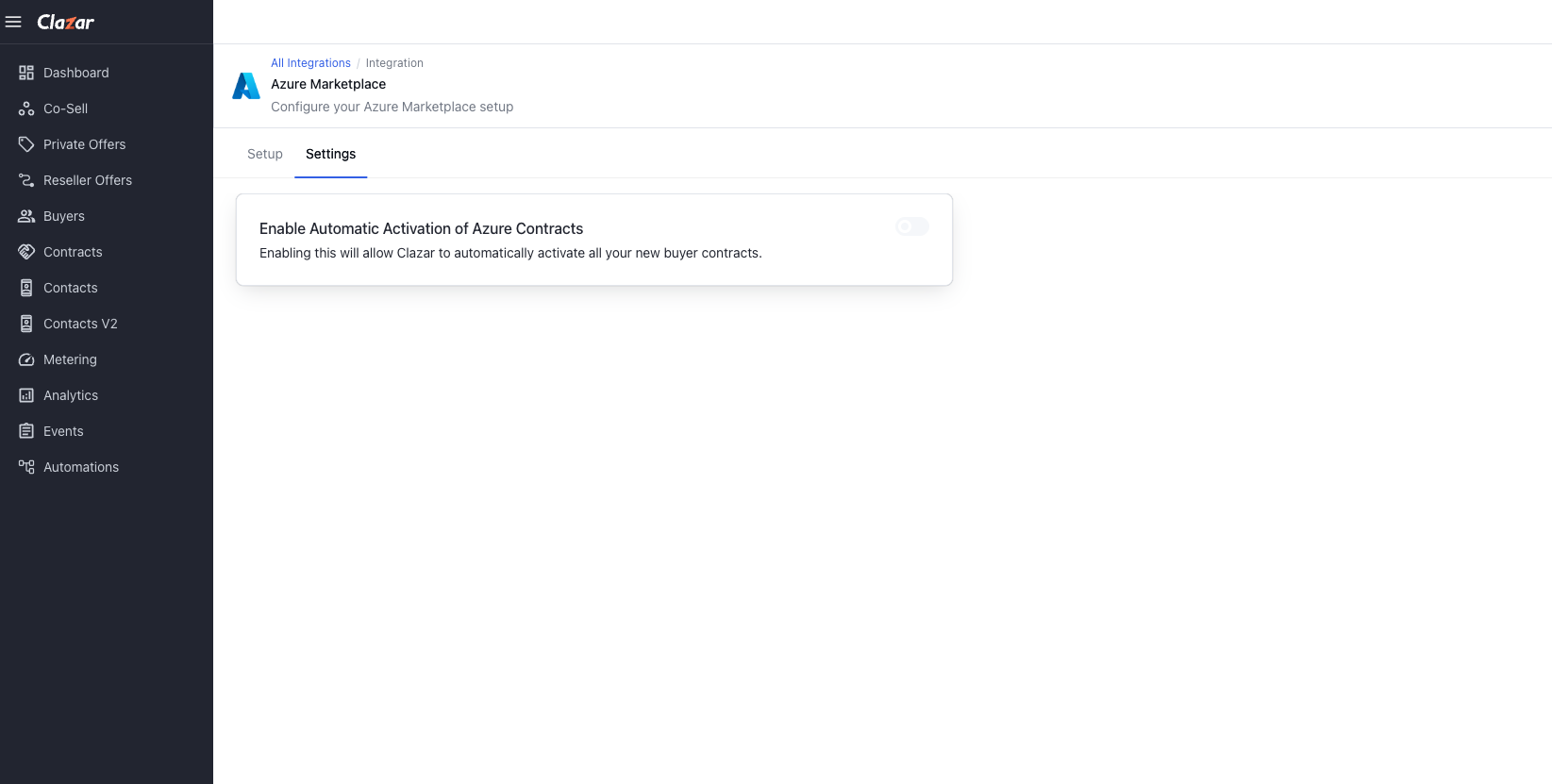
Click Save to apply the changes.