Google Workspace Integration Guide
Last updated: June 17, 2025
Overview
Connect your Google Workspace account to Clazar so you can automatically discover every SaaS application that your organization's users sign into using their Google account. The integration gives you one unified inventory, flags shadow IT, and provides data for license optimization and security reviews.
Connection Setup
Prerequisites
A Google Workspace Business Starter, Business Standard, Business Plus, or Enterprise plan. You can learn more about Google Workspace plans here.
Super admin access to your Google Workspace account. You can learn more about Google Workspace roles here.
Integration Steps
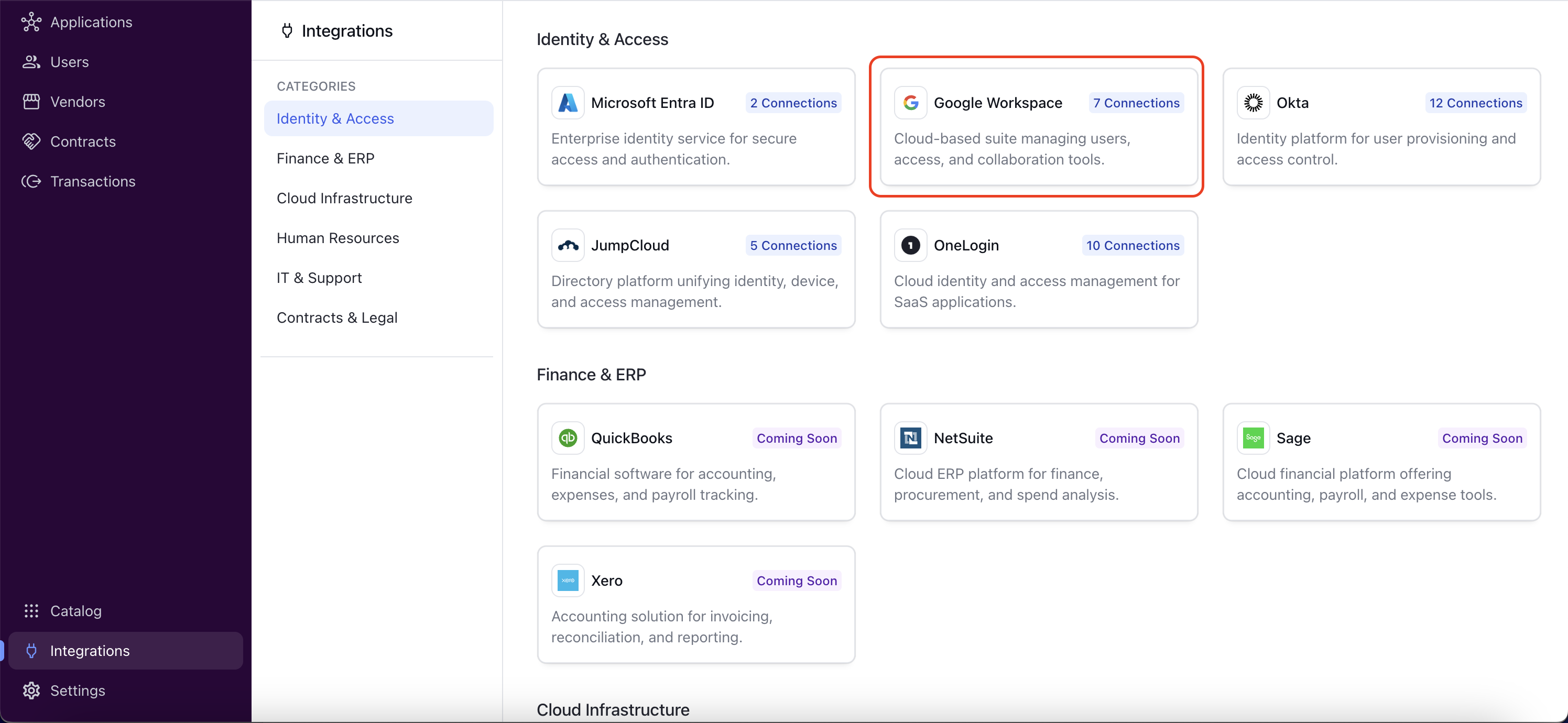
Go to the Integrations and select Google Workspace in the Clazar app.
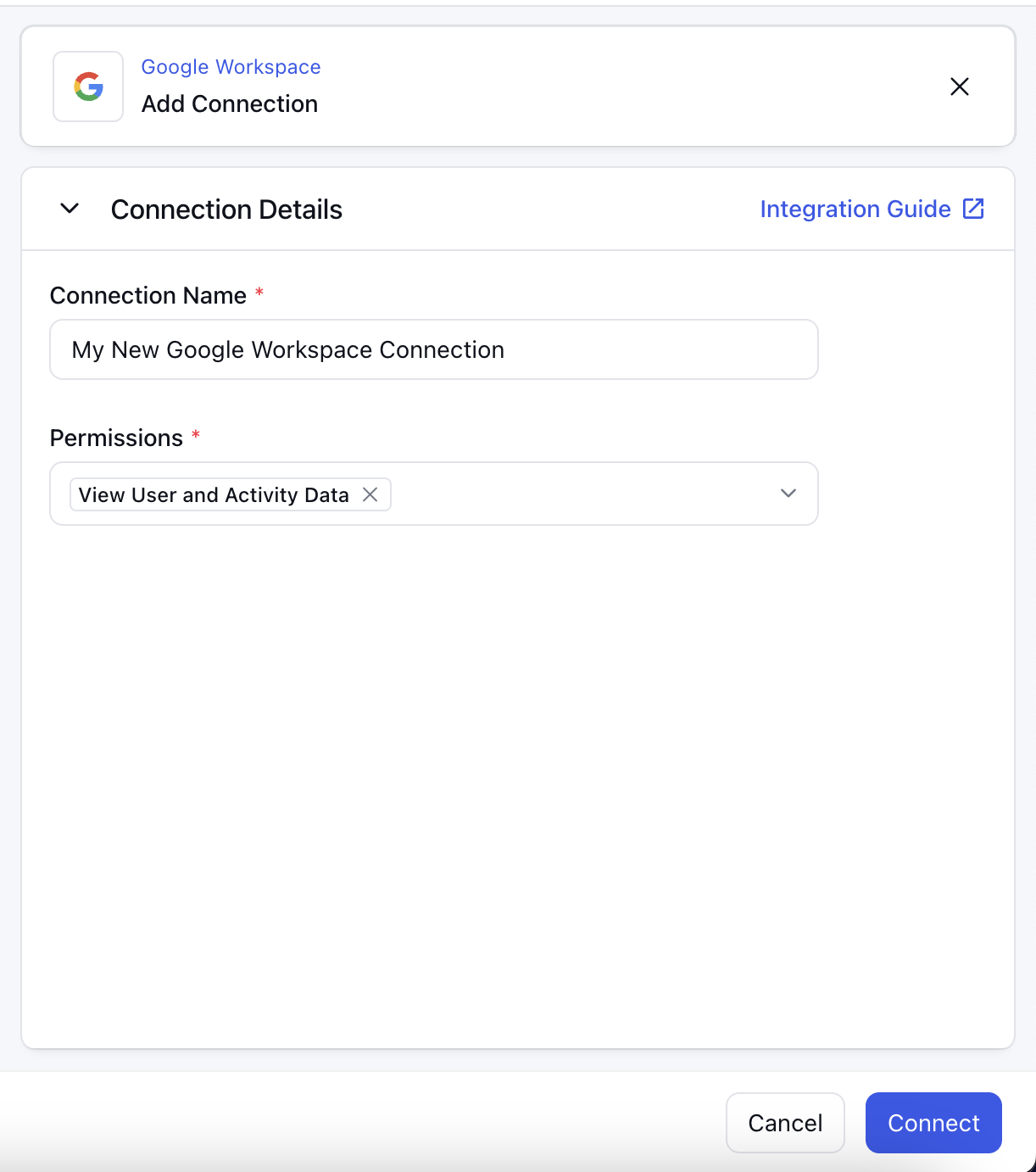
Click on the "Add Connection" button and fill in the details.
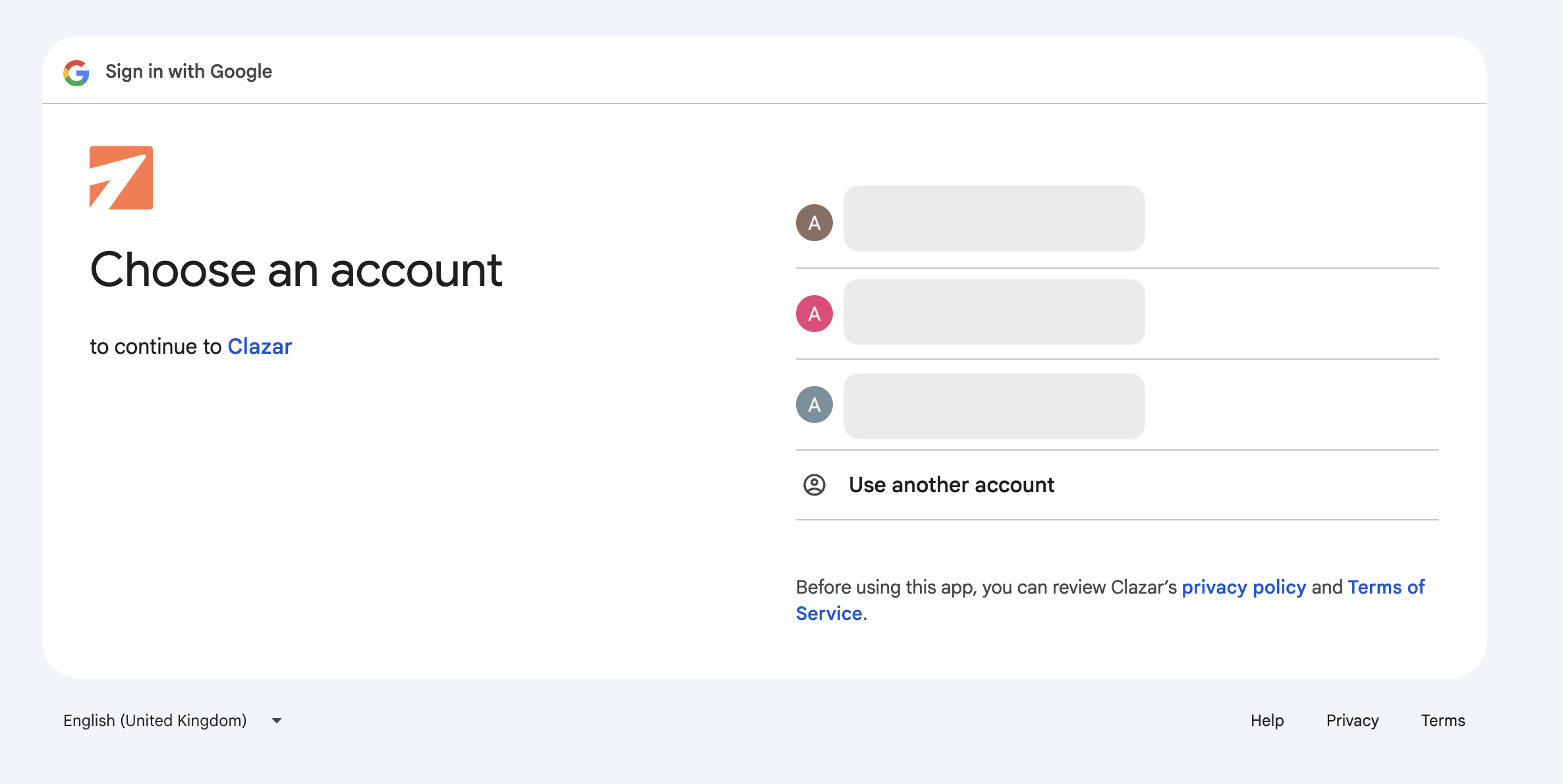
Click on "Connect" and select the right Google account.
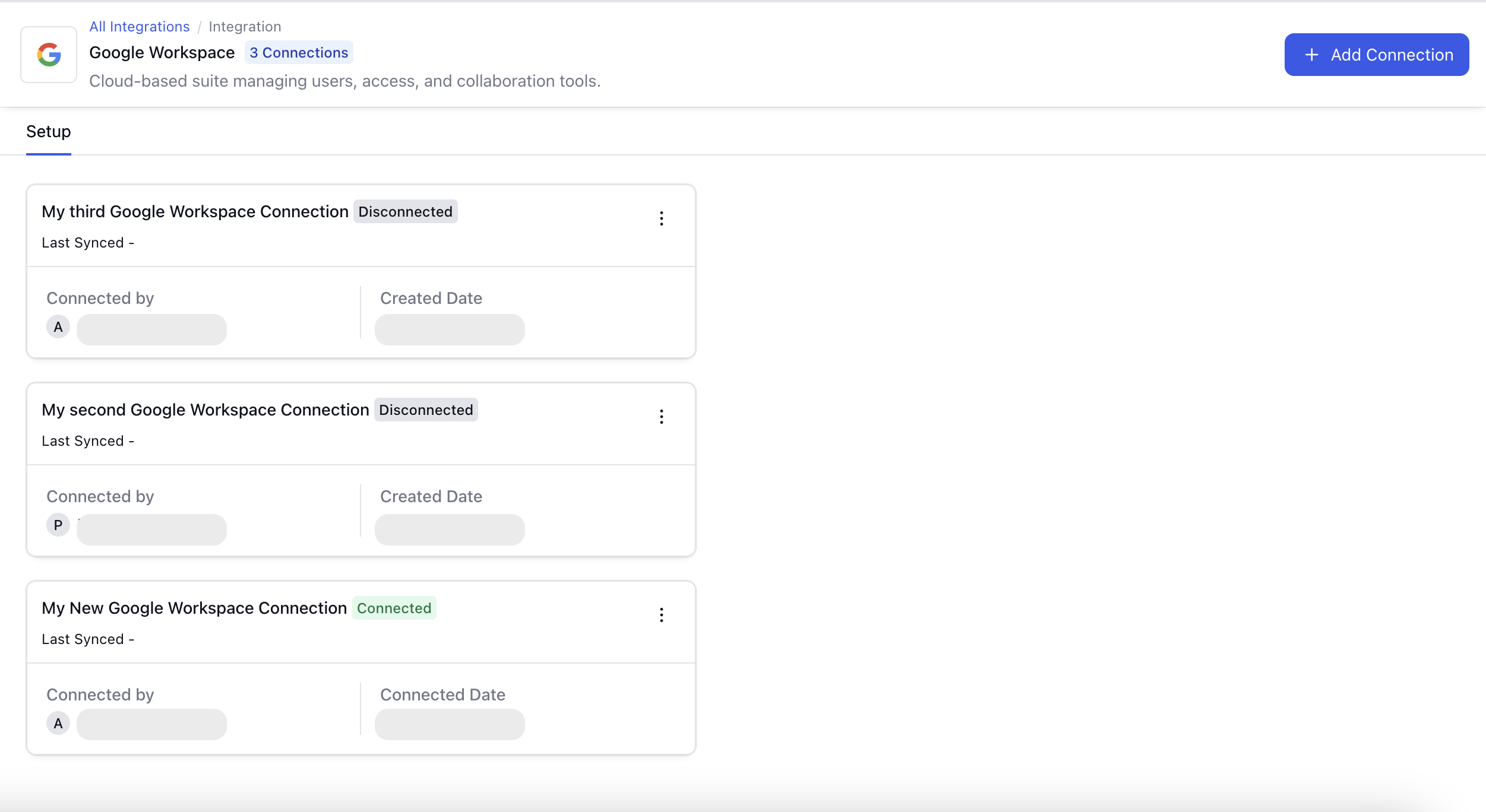
Your connection will be visible on the Google Workspace integration details page.
Release Notes
Version | Date | Notes |
1.0 | May 2025 |
|