Added deal registration for Azure cosell opportunities
Last updated: August 20, 2026
Overview
Until now, registering a won Azure cosell deal for Azure IP cosell incentives meant leaving Clazar and filing the registration in Microsoft Partner Center.
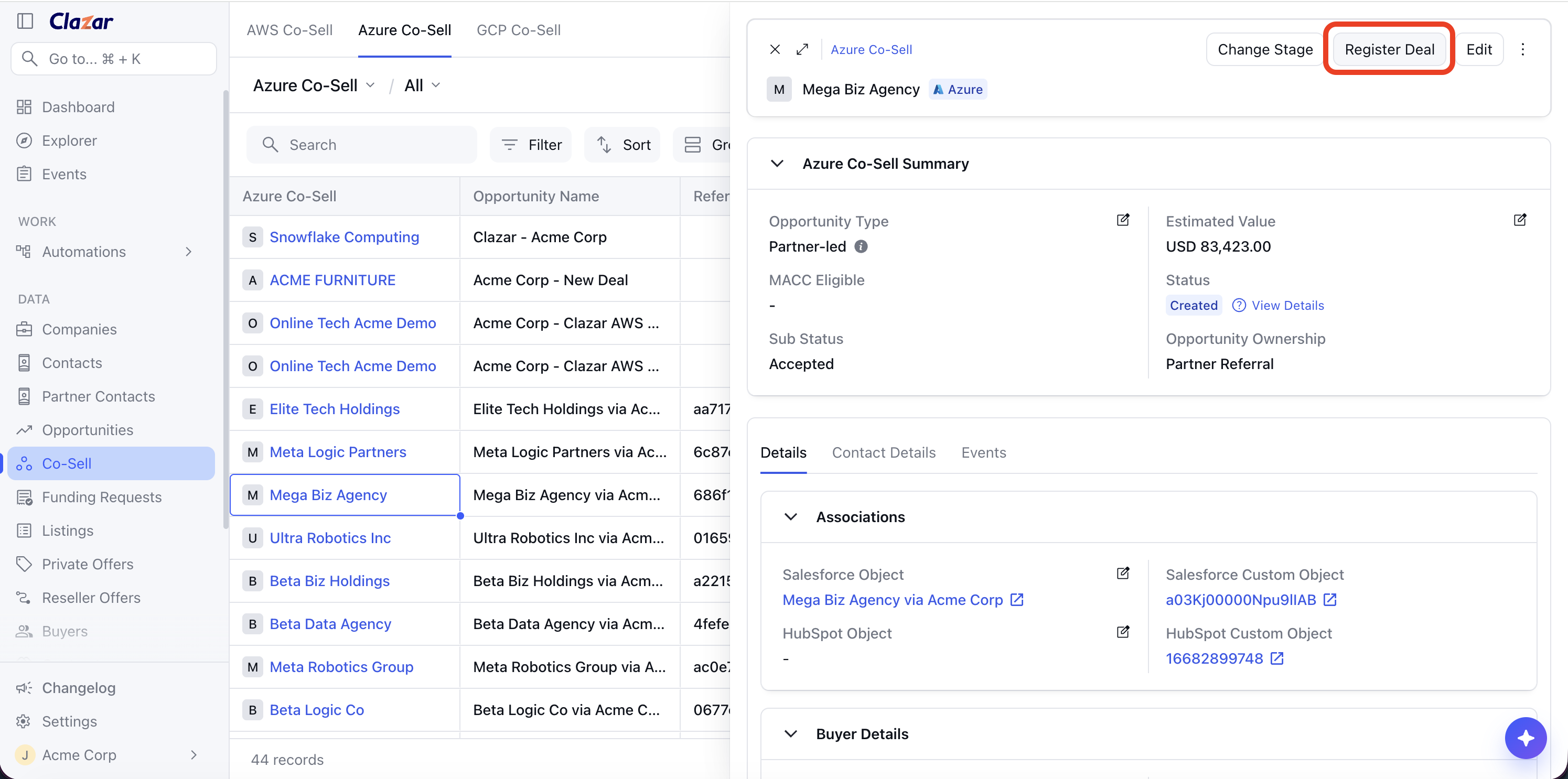
You can now register the deal directly from the Clazar app. Every Azure cosell opportunity carries a Register Deal button at the top of its detail view. Clazar checks Microsoft's requirements before the form opens, files the registration in Partner Center, and shows the registration's status on the opportunity.
Value it drives
In-app registration: Deal registrations are filed directly from Clazar. Logging into Partner Center is no longer needed to complete the cosell lifecycle.
Upfront requirement checks: Microsoft's registration requirements are checked before the form opens. The requirements a deal does not meet are listed in the Register Deal modal.
Registration Details tab: A new tab in the cosell opportunity details view contains the registration's status, status reason and ID, the contract terms as filed, the Marketplace transaction details, and the incentives attached to the solution, such as Azure IP cosell and MACC.
Registration Status filter: A new column and filter in the Azure cosell list can be used to filter opportunities by registration status: Approved, Action Required, Review/Validation Required, Review/Validation Passed, Review/Validation Failed.
How to get started
Open an Azure cosell opportunity and click Register Deal: Clazar checks with Microsoft whether the deal qualifies, and the form opens only if it does. If it does not, the modal lists the requirements the deal fails: the deal must be marked Won, it must be a cosell or partner-led deal, Microsoft must have accepted or won it, it needs a solution eligible for Azure IP cosell, the deal value must be at least USD 25,000, and the customer must be managed by Microsoft. The check runs again on every open, so a corrected deal can be registered on the next attempt. Your Microsoft partner account is checked as well: if it is not approved for Azure IP cosell deal registration, the modal says so, with a link to review your cosell status and approved incentive programs.
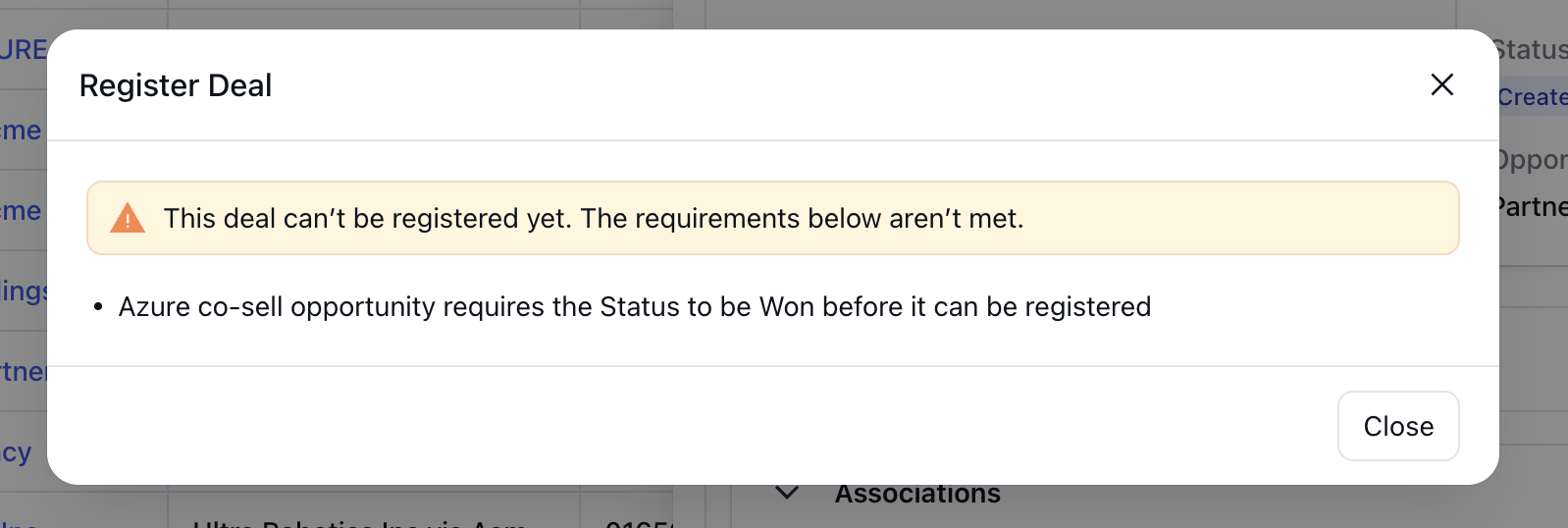
An Azure cosell opportunity in Clazar being checked for deal registration requirements
Fill in the registration form: The form contains the same fields as Partner Center, in the same order. It opens with Will this deal be transacted on Marketplace? and, when the answer is Yes, the estimated transaction date. The Contract section takes the value, currency and term, with the signed, start and end dates (no end date for a perpetual term). The Solution section takes the solution value, pricing model, tenant type, and whether the solution will be deployed on Azure. The solution, contract value and currency are prefilled from Microsoft's records. The form applies Microsoft's validations: the signed date must be within the last 60 days, the start date within the last 90 days, the solution value cannot exceed the contract value, and a warning is shown when the annual contract value is below USD 25,000.
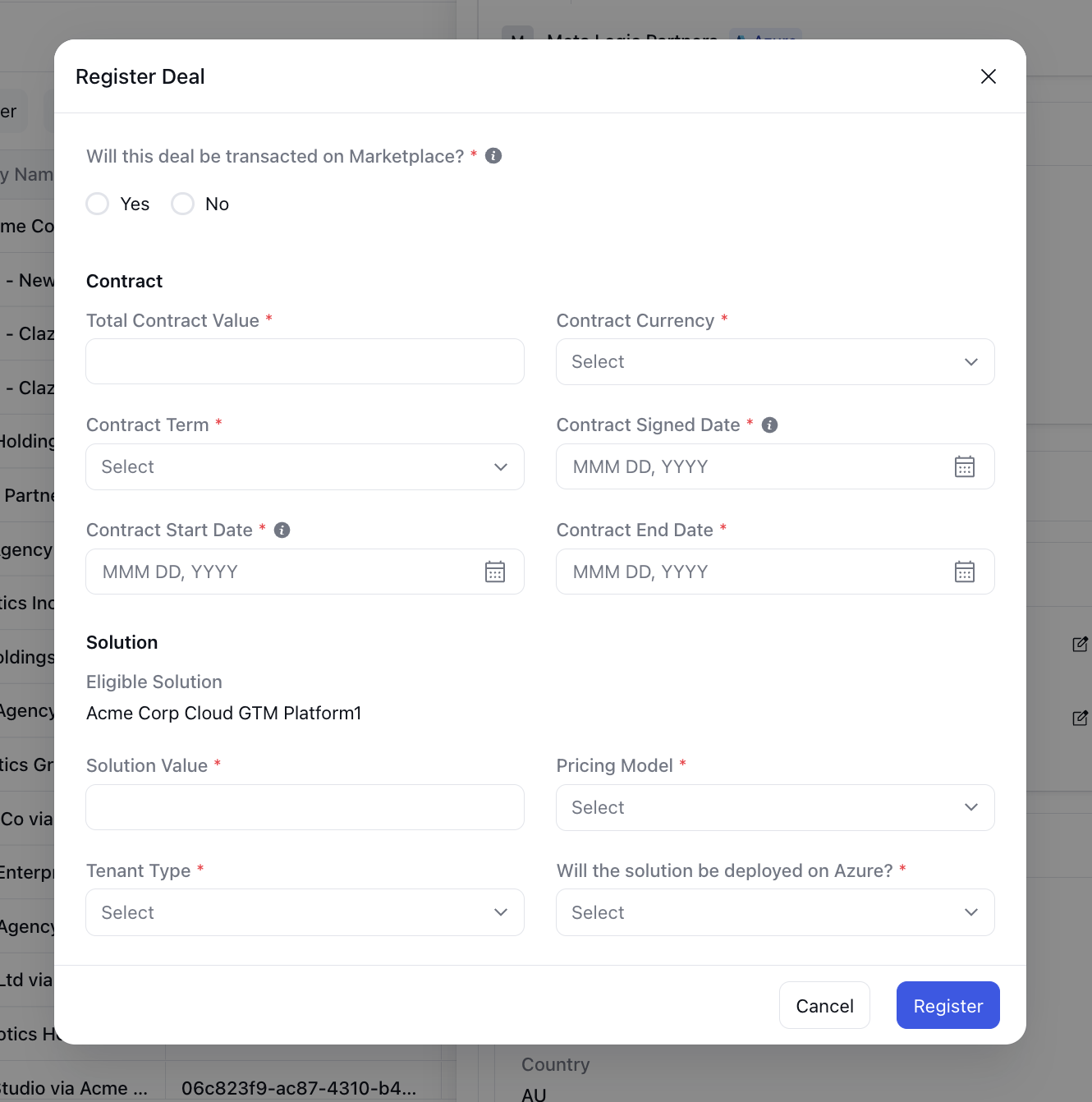
Azure cosell opportunity deal registration form in Clazar Submit: The registration is filed in Partner Center, and a Registration Details tab is added to the opportunity details view, filled from Microsoft's response. It contains:
Status: Registration Status, Registration Status Reason and Registration ID.
Contract: Deal Registered On, Contract Term, Total Contract Value, and the Contract Signed, Start and End Dates as filed.
Marketplace: Marketplace Transaction Deal and Estimated Marketplace Transaction Date, for deals transacted on Marketplace.
Solution: Solution Value, Pricing Model, Tenant Type and Solution Deployed On.
Solutions & Incentives: A table listing the registered solution and the incentives Microsoft attached to it.
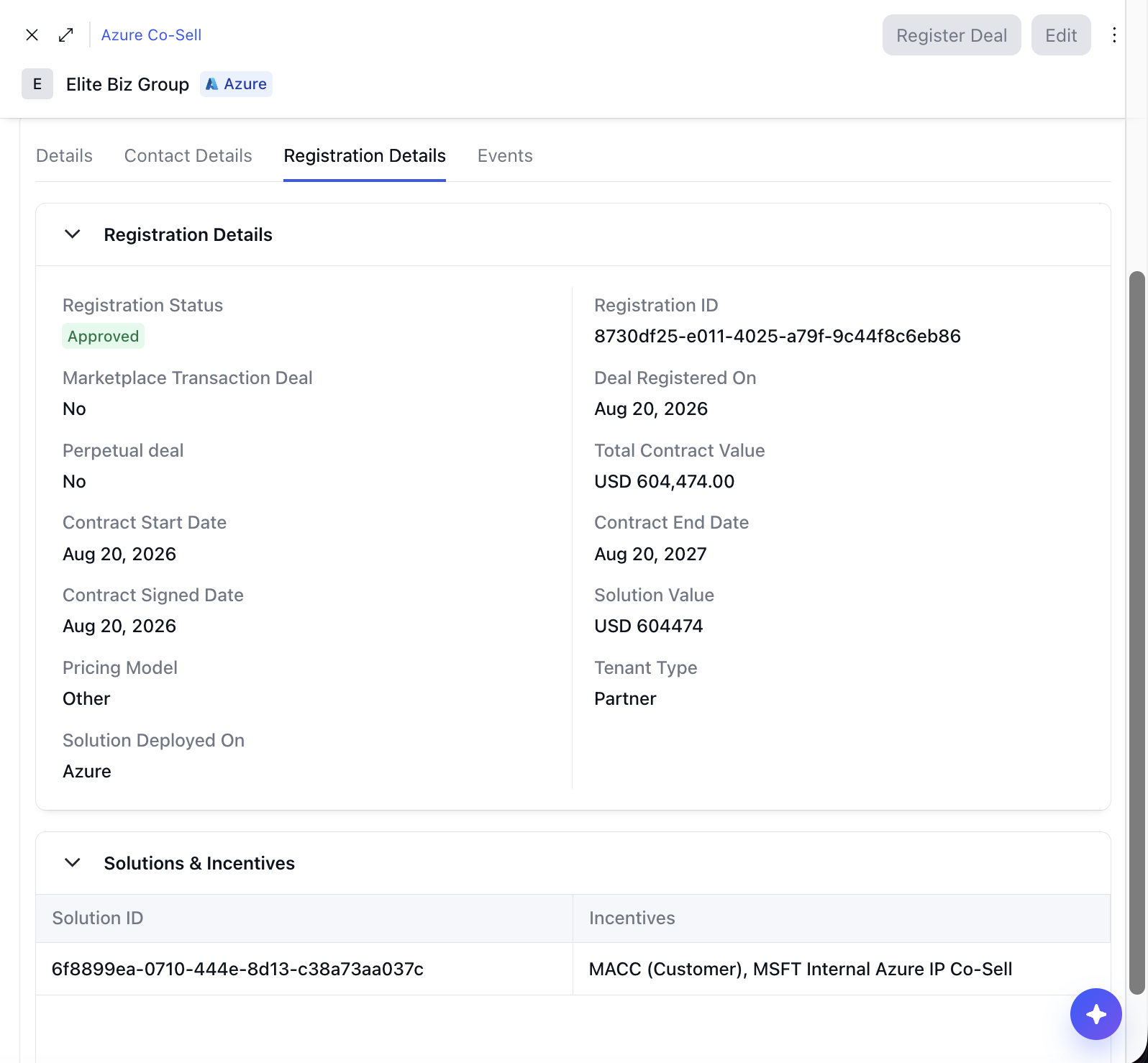
Registration Details tab in Azure cosell opportunity Track the review: The status stepper on the opportunity shows Microsoft's registration steps after Won: a Registered step with the date Microsoft recorded, then Marketplace validation for deals transacted on Marketplace or Review for the rest, with its outcome: Pending, Action required, Passed or Failed. Registrations Microsoft approves outright show an Approved step, and gain a review step only if a review opens later. In the Azure cosell list, the Registration Status column and filter use Partner Center's values, statuses refresh on the regular cosell sync, and deals registered directly in Partner Center are included.
Things to note
One registration per deal: Microsoft does not provide a way to edit a registration after it is filed. Because of this, a filed registration cannot be changed from Clazar. After a deal is registered, the Register Deal button is disabled. Hovering over the disabled button shows a message that explains this, and the message refers you to the Registration Details tab for more information.
Corrections in Partner Center: If Microsoft's reviewer asks for a correction, the cosell opportunity shows a notice with the reason for the correction. The correction has to be made in Partner Center. The notice includes a link that opens the deal in Partner Center.
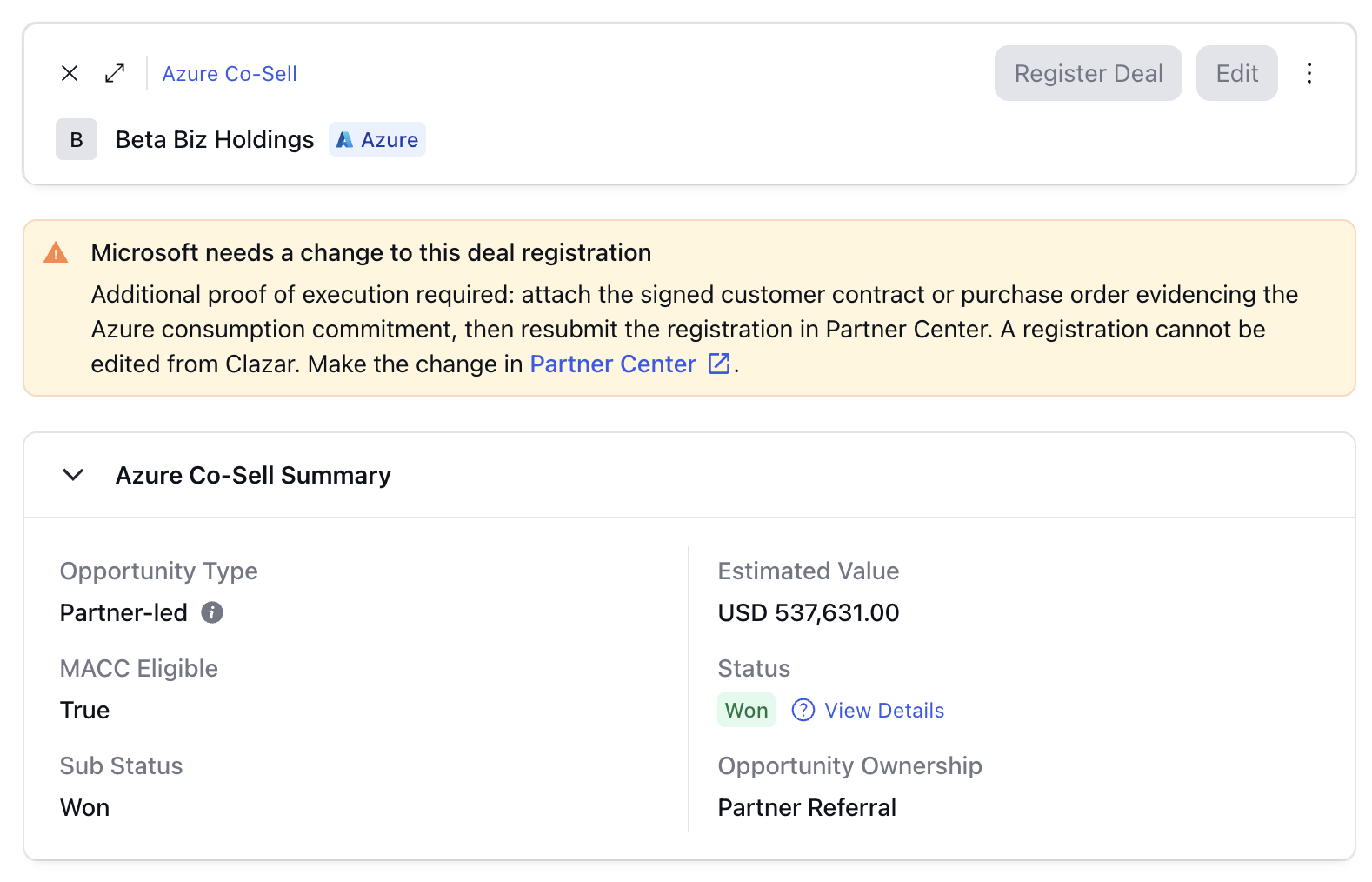
Microsoft's review for deal registration
Applicability: Registration covers solutions deployed on Azure only. It is rolling out account by account and requires a Partner Center account approved for Azure IP cosell deal registration. If an Azure cosell opportunity does not show the Register Deal button, reach out to your Clazar support contact to get this enabled.