Set discount or fixed price on Azure public plans in private and reseller offers
Last updated: November 4, 2026
Overview
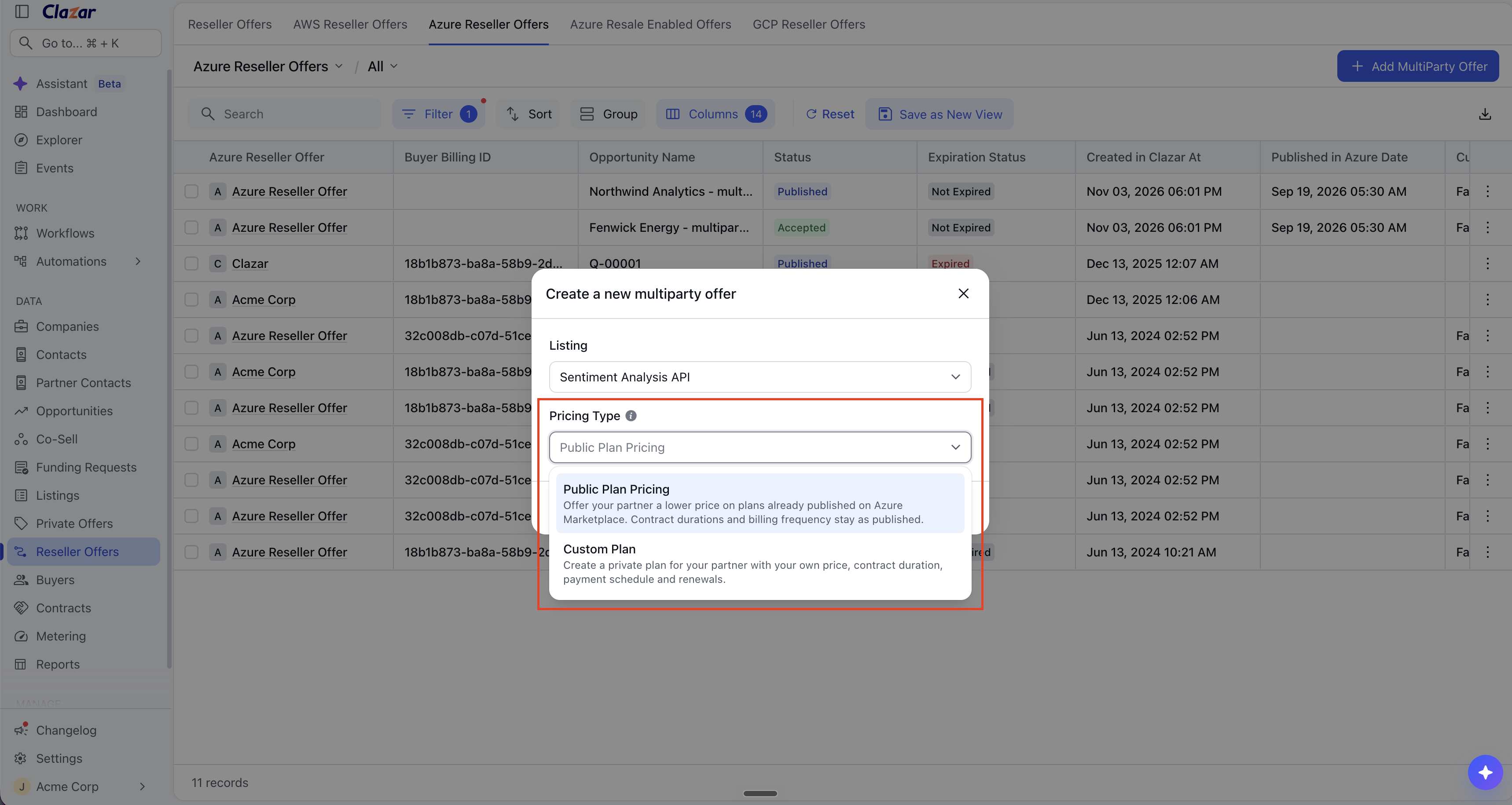
Azure private offers and reseller offers (multiparty private offers) can now start from the plans that you published on Azure Marketplace. When you create the offer, select a Pricing Type:
Public Plan Pricing: Start from a plan that you published on Azure Marketplace. Then set a lower price on it.
Custom Plan: Create a private plan with your own price, contract duration, payment schedule and renewals.
Value it drives
Plans from your listing: The offer uses the prices, contract durations and usage dimensions of the published plan.
Price adjustment for each plan: Each plan in the offer gets a Percentage Discount or a Fixed Price. One offer can use both types.
Plans with a free trial: You can add a plan with a free trial to the offer. Set a Percentage Discount on the plan.
Price preview: Below Price Adjustment, the plan shows the public price next to your price.
CRM mapping: Salesforce and HubSpot mappings for Azure private offers include Pricing Type and the pricing fields. Salesforce mappings for Azure reseller offers also include them.
How to get started
Create the offer: Open Private Offers or Reseller Offers. Create an Azure offer. Then select the listing.
Select the pricing type: In Pricing Type, select Public Plan Pricing or Custom Plan.
Set the price of each plan: For Public Plan Pricing, select a plan. In Price Adjustment, select one option:
Percentage Discount: Enter the discount. In a reseller offer, the field is Partner discount. The discount applies to every price on the plan. Your buyer selects the contract duration.
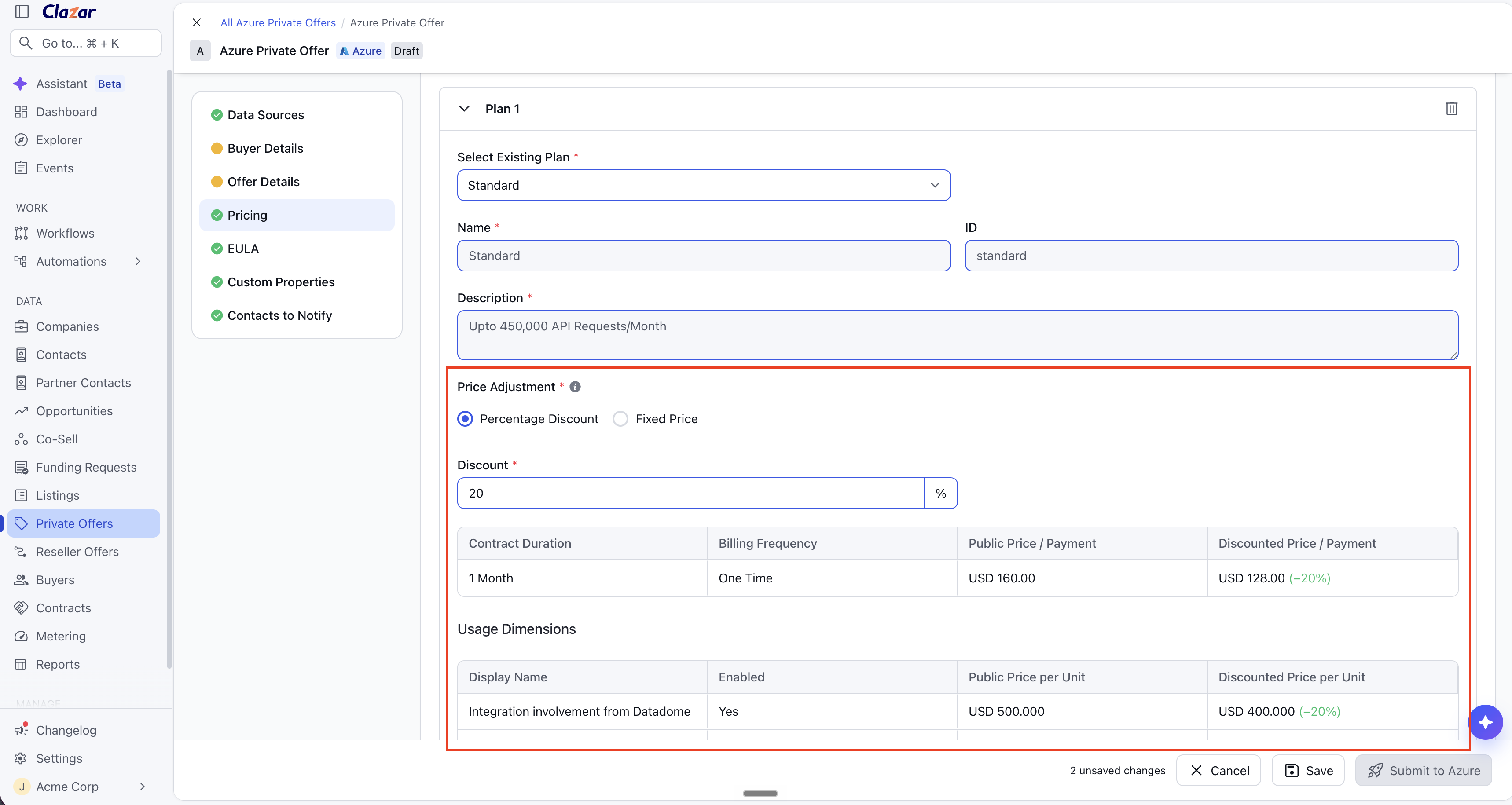
A Percentage Discount applies to every price on the plan. Fixed Price: Select one Contract Duration. Then enter the Price / Payment.
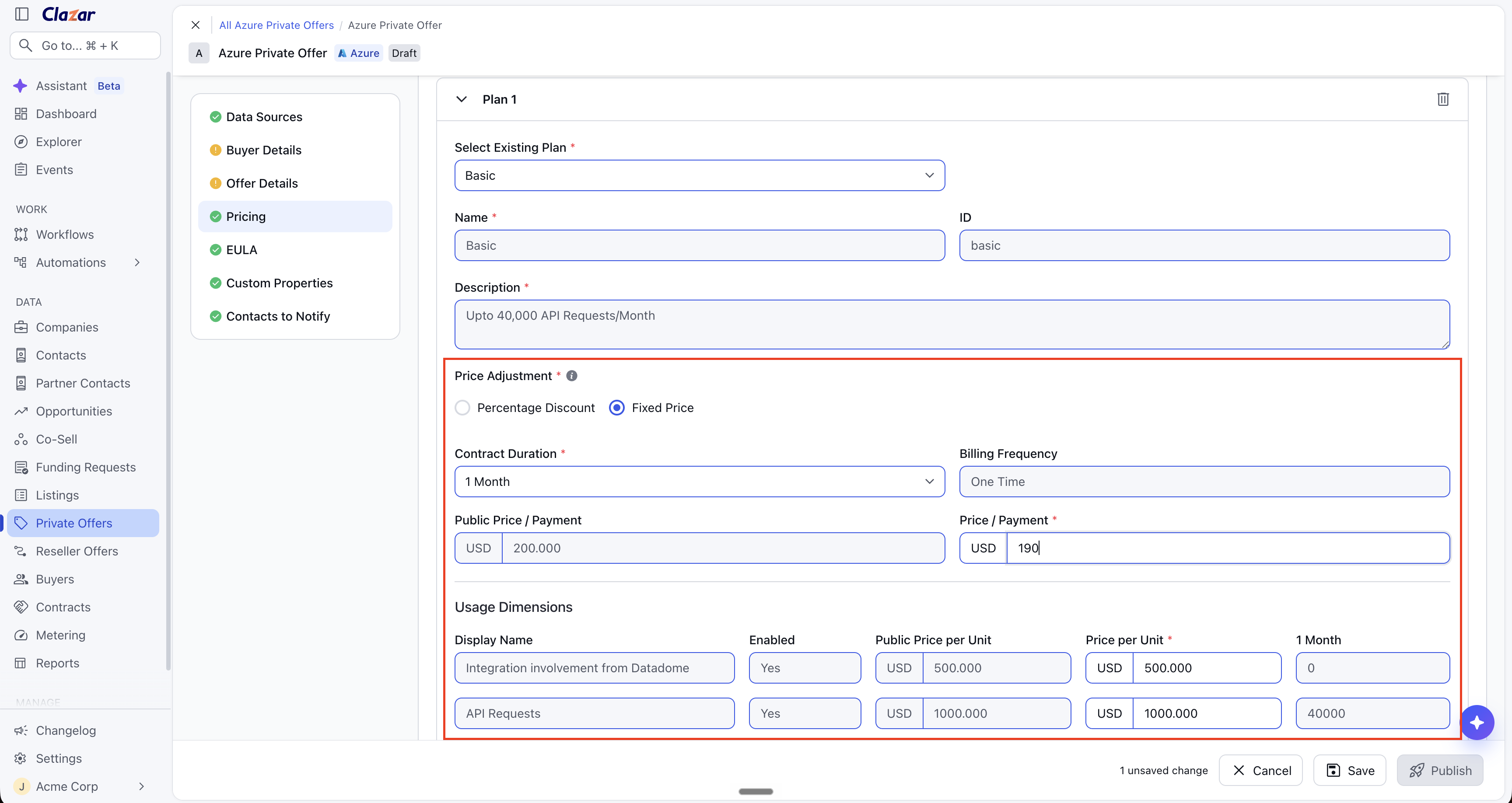
A Fixed Price sets the exact price for one contract duration.
For Custom Plan, create the plan. Enter its price, contract duration, payment schedule and renewals.
Check the preview: Below Price Adjustment, compare the public price with your price.
Map the CRM fields (optional): Open your Salesforce or HubSpot field mapping for Azure private offers. Map Pricing Type to a CRM field, or set a default value. For a Percentage Discount, map Plan Discount Percentage. For a Fixed Price, map Contract Duration (Month) and Price / Payment. For reseller offers, use the Salesforce field mapping for Azure reseller offers. There, the fields are Partner Discount Percentage and Contract Duration Price.
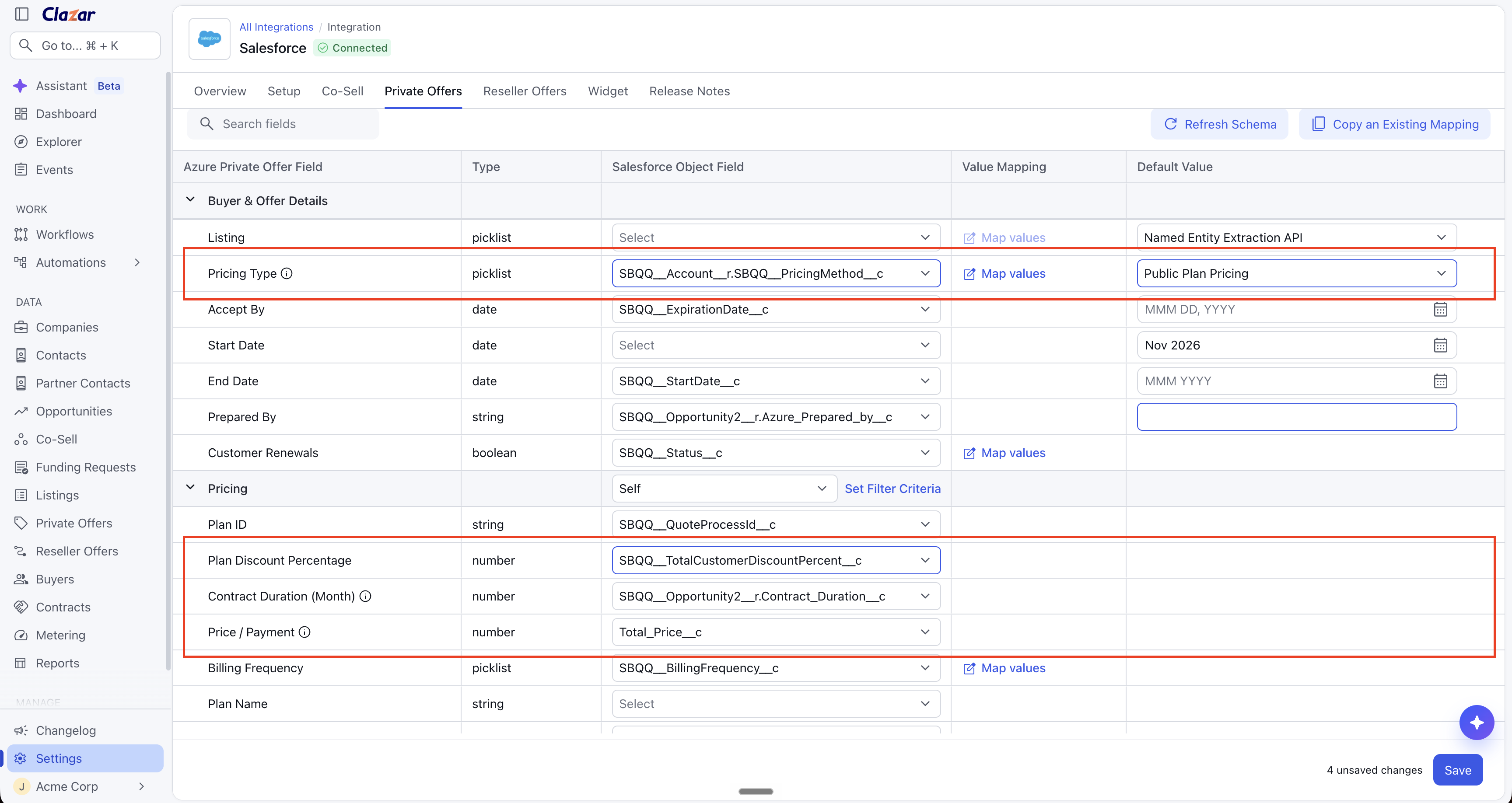
Map Pricing Type and the pricing fields in your CRM.
Things to note
Pricing type after creation: You cannot change the pricing type after you create the offer. To use a different pricing type, create a new offer.
VM plans: Microsoft allows only a Percentage Discount on VM plans. To set an exact software reservation price, select Custom Plan.
VM listings: Public Plan Pricing replaces the Discount option. Custom Plan replaces the Absolute option.
Partner discount: In a reseller offer, the Partner discount is the percentage that your partner receives off the list price of your plan. Your partner can add a markup in Microsoft Partner Center, up to this discount.