Mark custom properties as Required before publishing a private offer
Last updated: October 1, 2026
Overview
Custom properties on private offers have been optional, so an offer could be published to the cloud with them left blank. A custom property can now be marked Required. A private offer cannot be published until every Required property has a value, and drafts can still be saved without one.
Value it drives
Required toggle: A new Required toggle in the Basic Info section of the custom property form marks a property as needed before publishing.
Marker on the offer form: A property marked Required shows the required marker next to its label in the Custom Properties section of the private offer form.
Publish is blocked: Publishing a private offer while a Required property is empty fails with the message "This field is required to publish." next to that property.
Drafts stay saveable: A draft private offer can be saved with Required properties still empty, so an offer can be completed over more than one sitting.
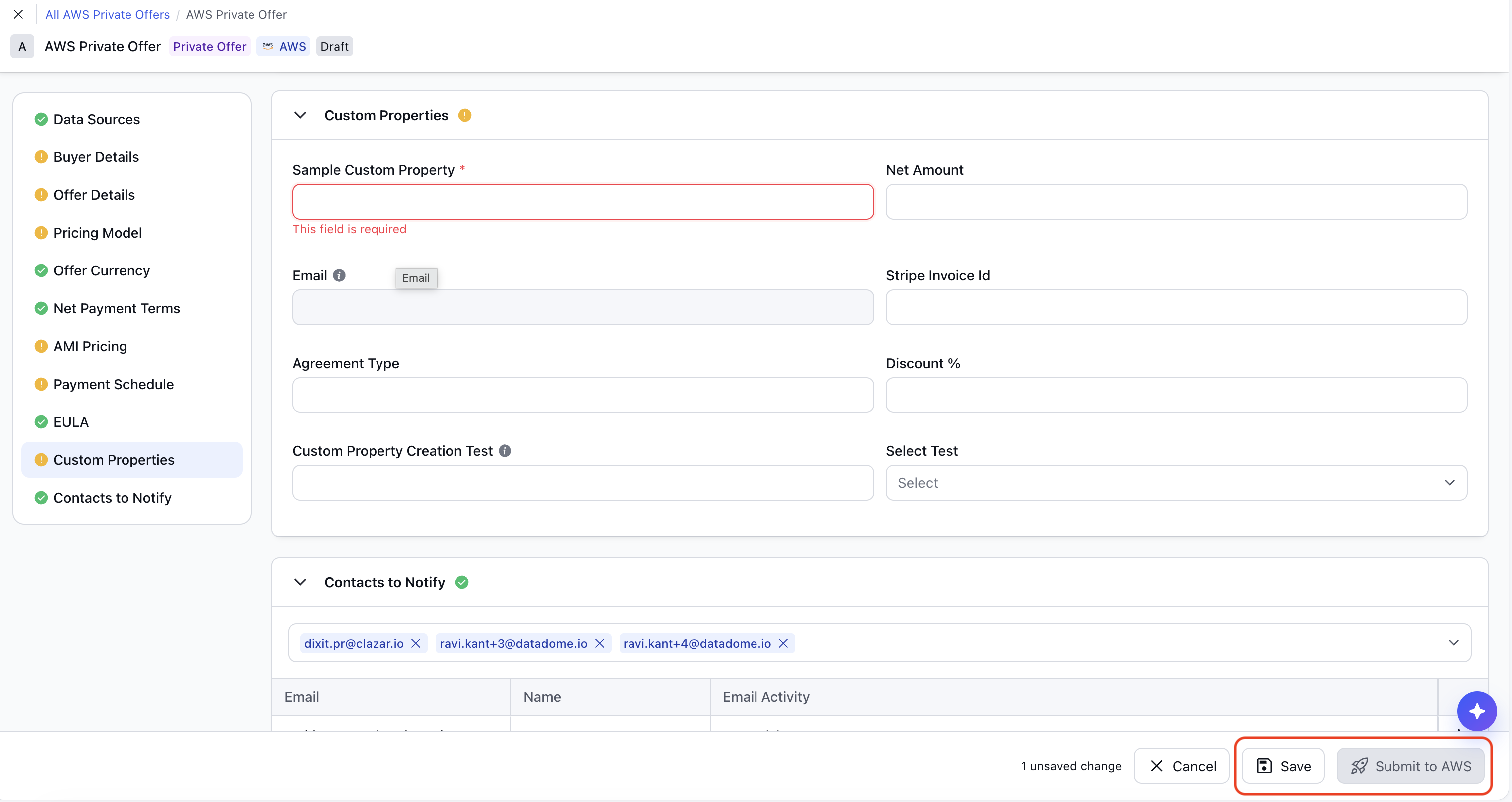
Required custom property on Private offer create/update page
How to get started
Open the property: Go to Settings, then Entities, then Private Offer, then the Properties tab. Click the custom property you want to make required, or create a new one.
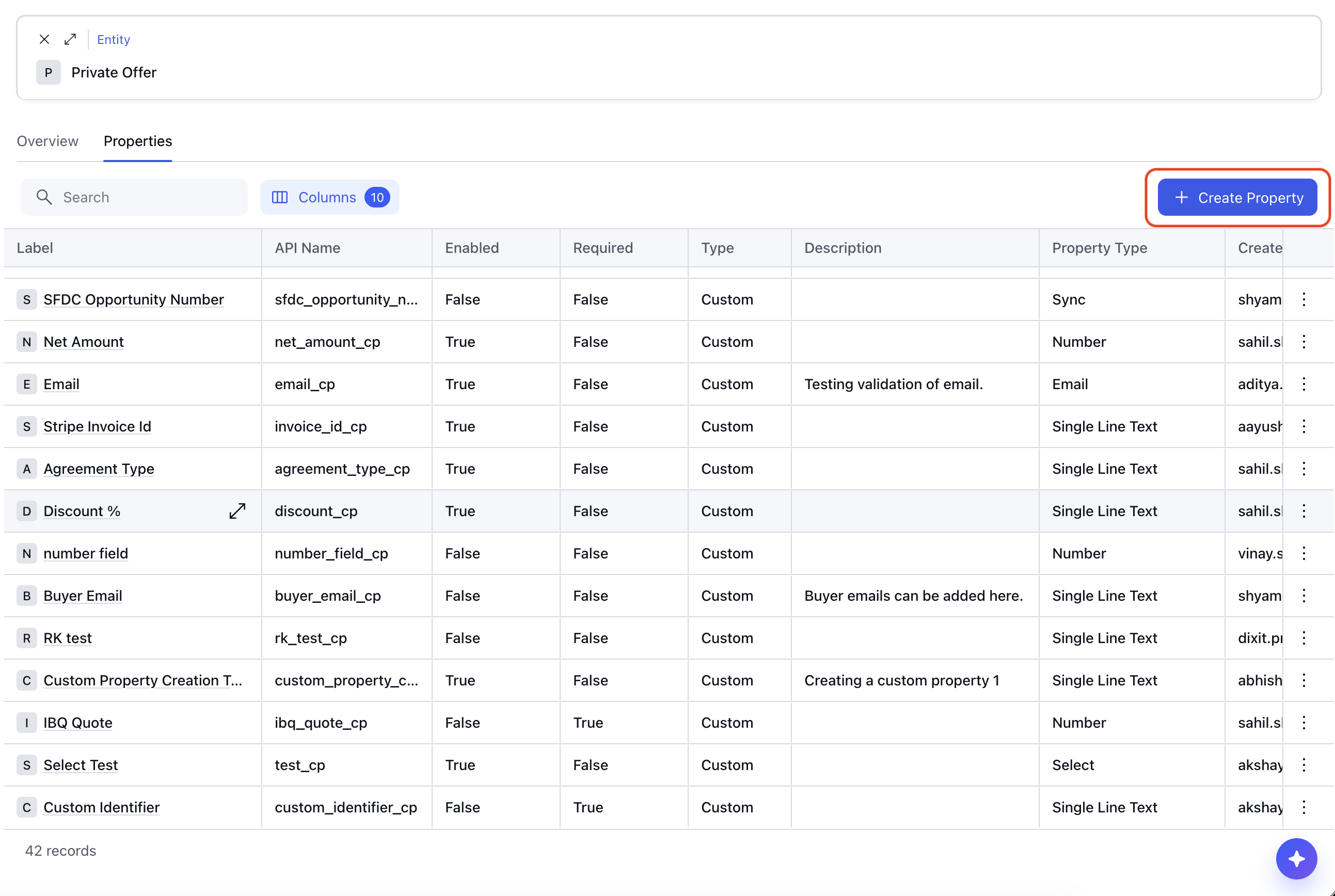
Create/Update a custom property Turn on Required: In the Basic Info section, turn on the Required toggle and save.
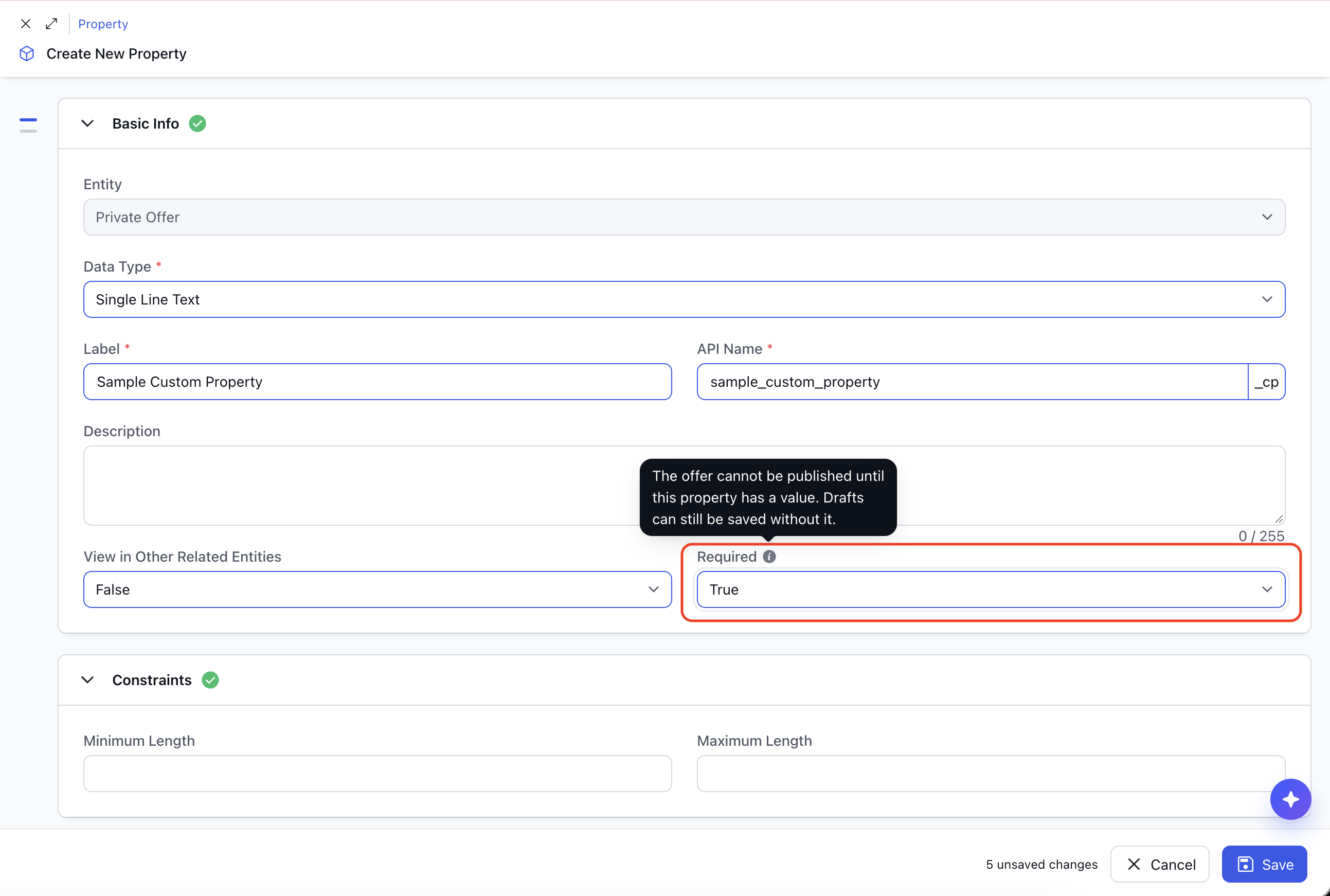
Mark required toggle True Check the offer form: Open a private offer. The property now shows the required marker in the Custom Properties section.
Things to note
Cloud availability: The check applies to AWS, GCP, Azure and Snowflake private offers. Custom properties are shared across clouds, so one toggle covers all four.
Offers already published: An offer that is already live in the cloud can still be updated when a Required property is empty. The check runs when an offer is first published.
Offers that sync in from the cloud: These are not blocked. The cloud does not hold Clazar custom property values, so a synced offer cannot carry them.
Custom properties only: The toggle is available on custom properties. Clazar's built-in private offer properties keep their existing required rules.