Predicted AWS Quality Score for Draft Opportunities
Last updated: October 14, 2026
Overview
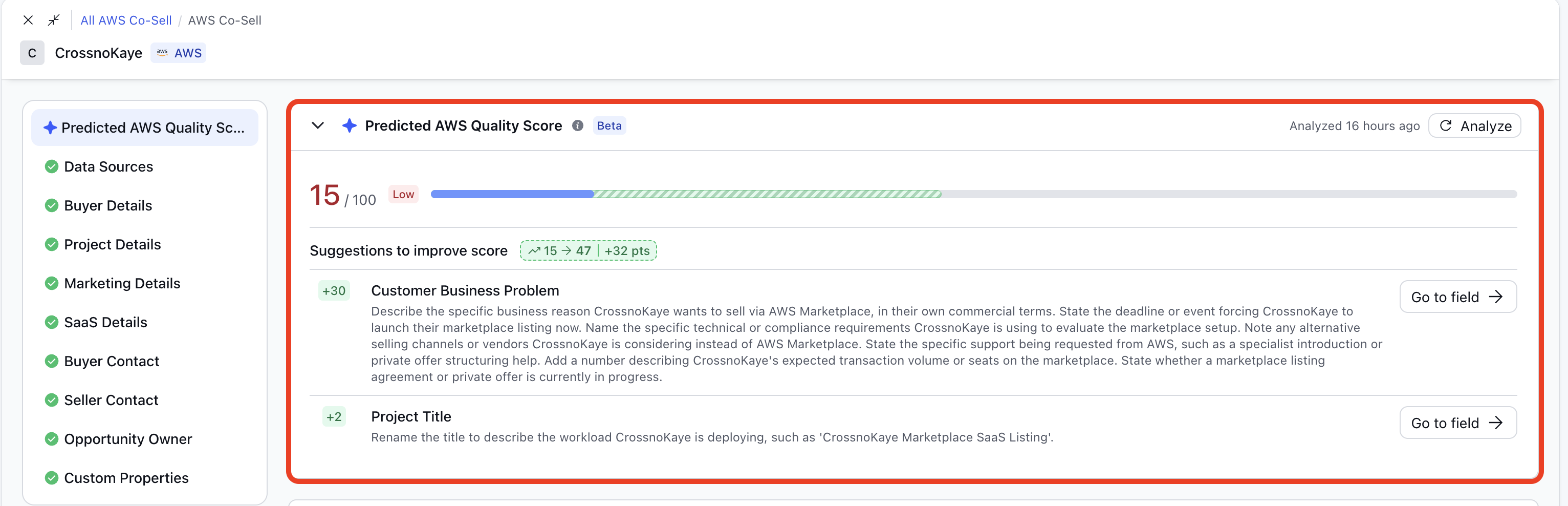
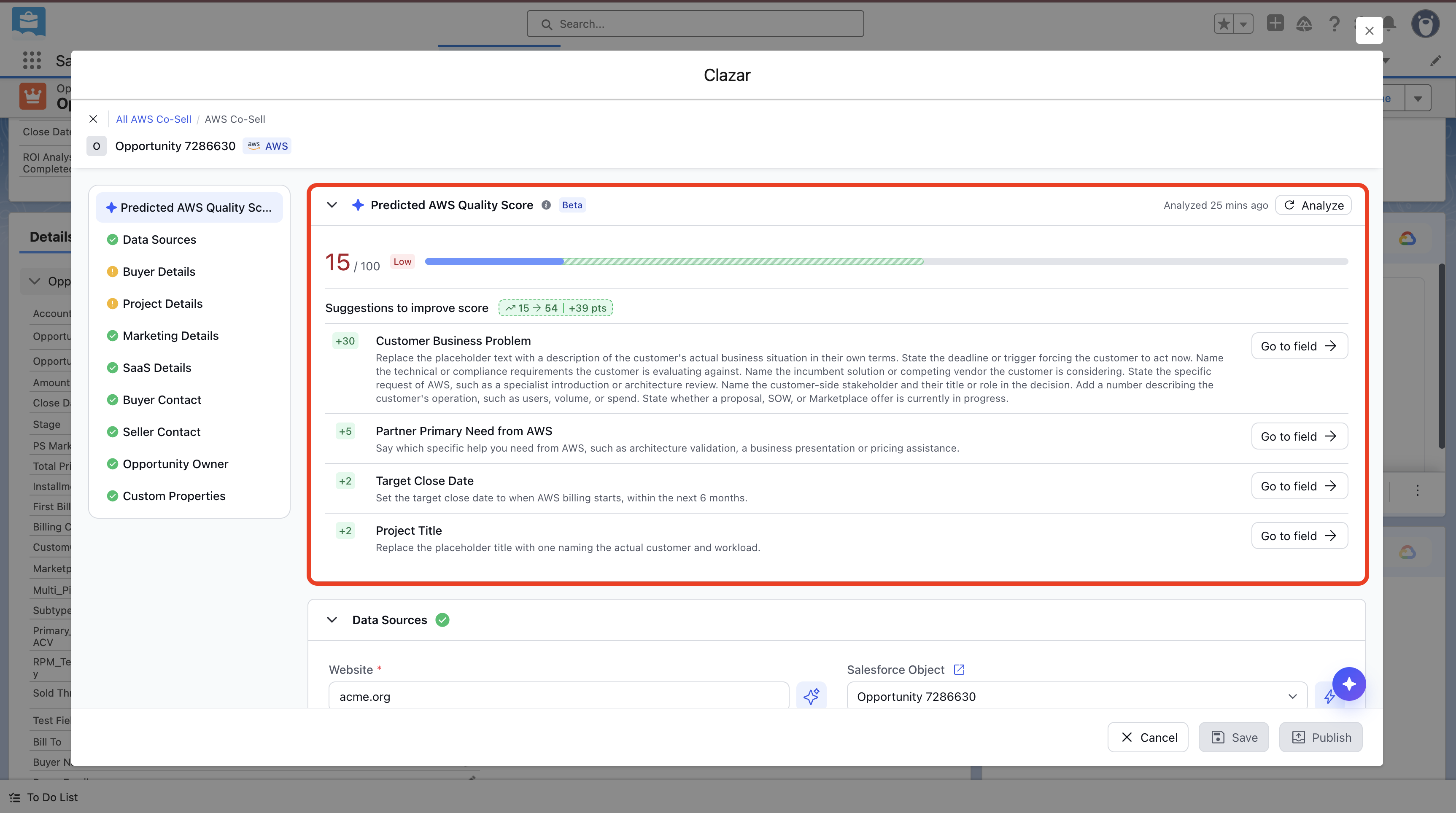
AWS rates every submitted co-sell opportunity with an Opportunity Quality score from 0 to 100. The score is based on the details in the opportunity, and AWS shows it in Partner Central with recommendations to improve it. A higher score increases the chance that AWS assigns a field seller to the opportunity. AWS does not score an opportunity while it is still a draft. The Predicted AWS Quality Score panel in Clazar shows the likely score on draft opportunities, with suggestions to improve it. Make these changes before you submit, and the opportunity goes to AWS with a better chance of a high score and a field seller assignment.

Value it drives
Know where a draft stands before you submit: You can see how strong an opportunity is before AWS reviews it. The panel shows a predicted score out of 100 and a band: Low (0–25), Medium (26–50) or High (51–100). A bar shows the current score and the projected score after the suggested changes, so you can see how much the changes add.
Enrich fields with recommendations: Enrichment gaps are found while the opportunity is still a draft and can still be fixed. The Customer Business Problem and the mandatory fields are checked against what AWS looks for in a high-quality opportunity. Each suggestion names the field to change and the points the change adds.
Submit with an up-to-date prediction: The prediction stays in step with your edits. When you edit fields after an analysis, a notice in the panel names the changed fields and asks you to analyze again. You can get an idea of the impact of the new edits to the score before you submit.
Things to note
A prediction, not AWS's score: The predicted score is Clazar's estimate. The actual score is determined by AWS. AWS does not publish how it calculates the score.
Draft and new opportunities only: The panel shows on new opportunities and on opportunities in Draft status. After you submit, the panel is hidden, and the actual score from AWS shows in the Opportunity Quality Score field.
When analysis runs: When you open a draft that has no prediction yet, an analysis runs automatically. A draft that was analyzed before shows its last result. Editing a field does not start a new analysis. To update the prediction after you make changes, click Analyze.
Where it is available: The panel is available on the AWS co-sell form in Clazar and in the Salesforce and HubSpot widgets.