Set auto-renewal terms on AWS private offers
Last updated: October 28, 2026
Overview
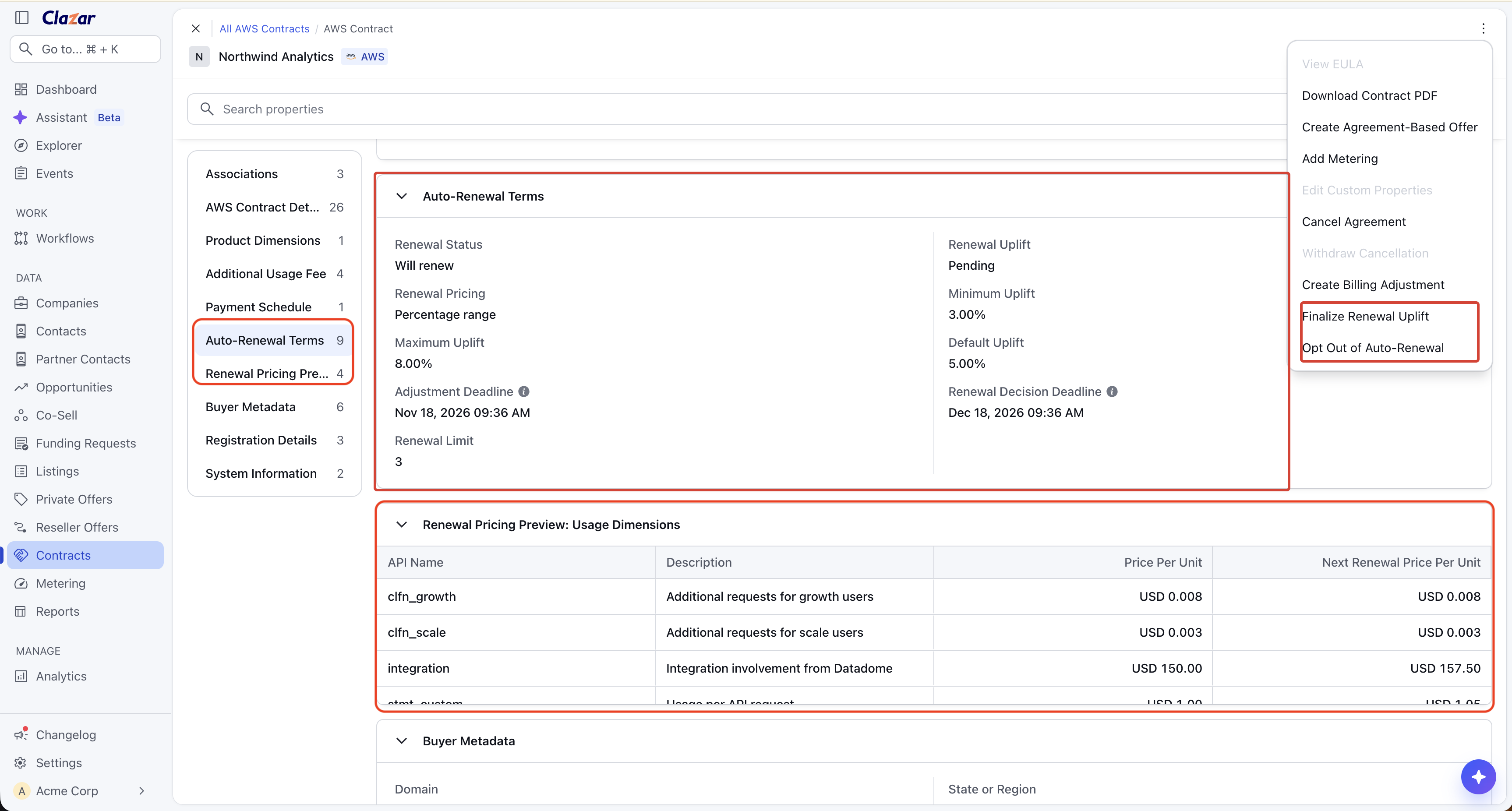
You can now add auto-renewal terms to your AWS private offers in Clazar. After the buyer accepts, the contract shows the renewal status and the key dates. You can set the final price increase or stop the renewal from the contract.
Value it drives
No new offer each year: When the contract ends, AWS renews it on the same terms.
Price increase set in advance: Set a fixed price increase (uplift) or a range. At each renewal, all prices go up by the uplift.
No missed deadlines: The contract shows the renewal status and the key dates. The Contracts list marks the contracts that need your decision soon.
Act from Clazar: Finalize the uplift or stop the renewal from the contract. Clazar sends the change to AWS.
Works with your tools: Use the new fields in Salesforce and HubSpot. Get renewal events in webhooks and automation builder. The contract PDF and the emails show the renewal details.
How to get started
Set up auto-renewal on an offer
Open an offer: Open a draft AWS private offer for a SaaS listing with contract pricing. Go to the Auto-Renewal section.
Choose the renewal pricing: Select No price uplift, Price uplift, or No renewal. For Price uplift, select Fixed percentage or Percentage range, then enter the values.
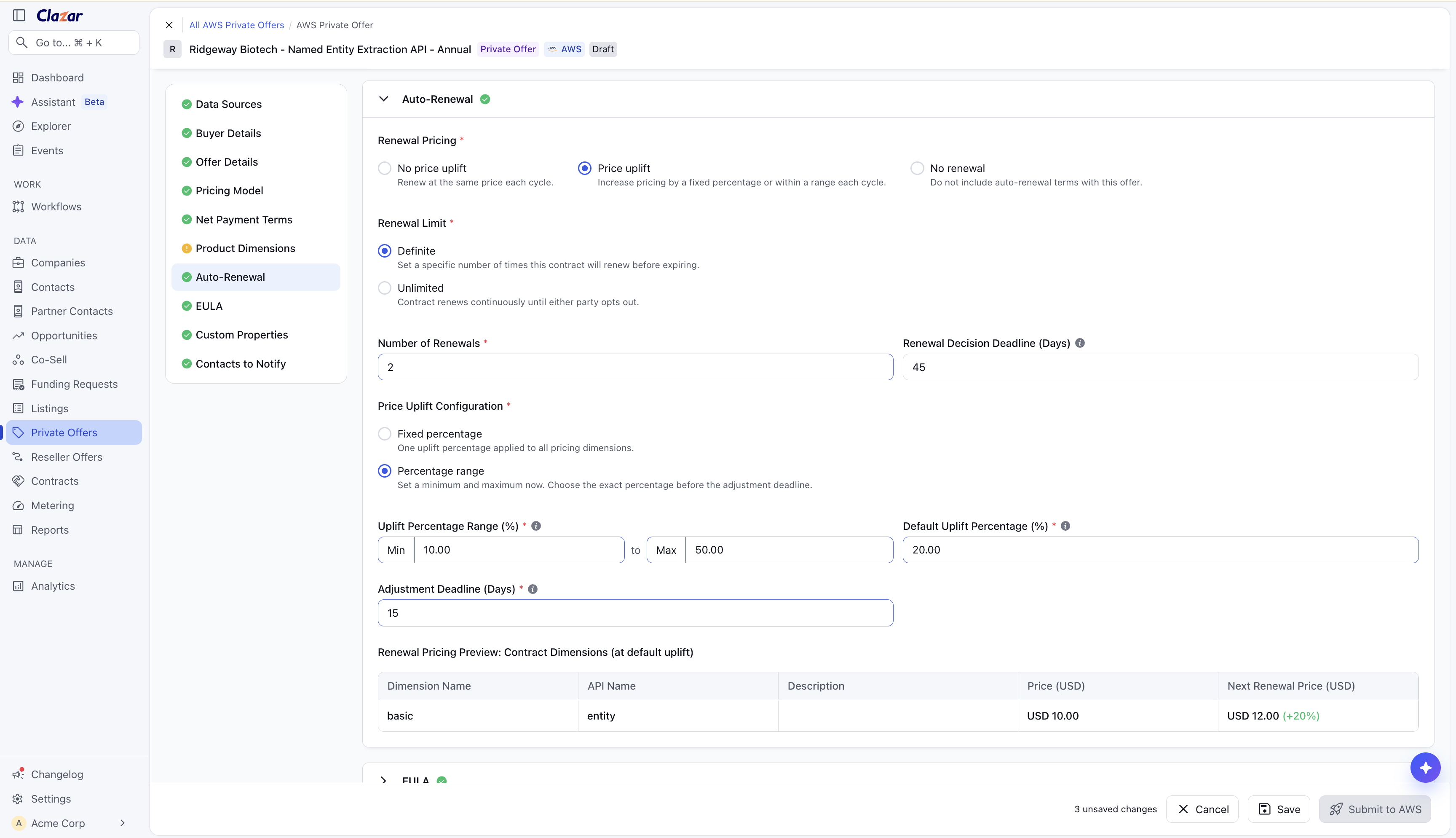
The Auto-Renewal section of an AWS private offer, with a percentage range. Set the limits: Select how many times the contract can renew. Enter the Renewal Decision Deadline (Days). If the offer uses installments, add the Renewal Installment Plan.
Publish: Check the price preview, then publish the offer.
Manage a renewal
Find the contracts that need a decision: In the Contracts list, a marker shows on the contracts that need an uplift decision 7 days before adjustment deadline. Hover over the marker to see the last date.
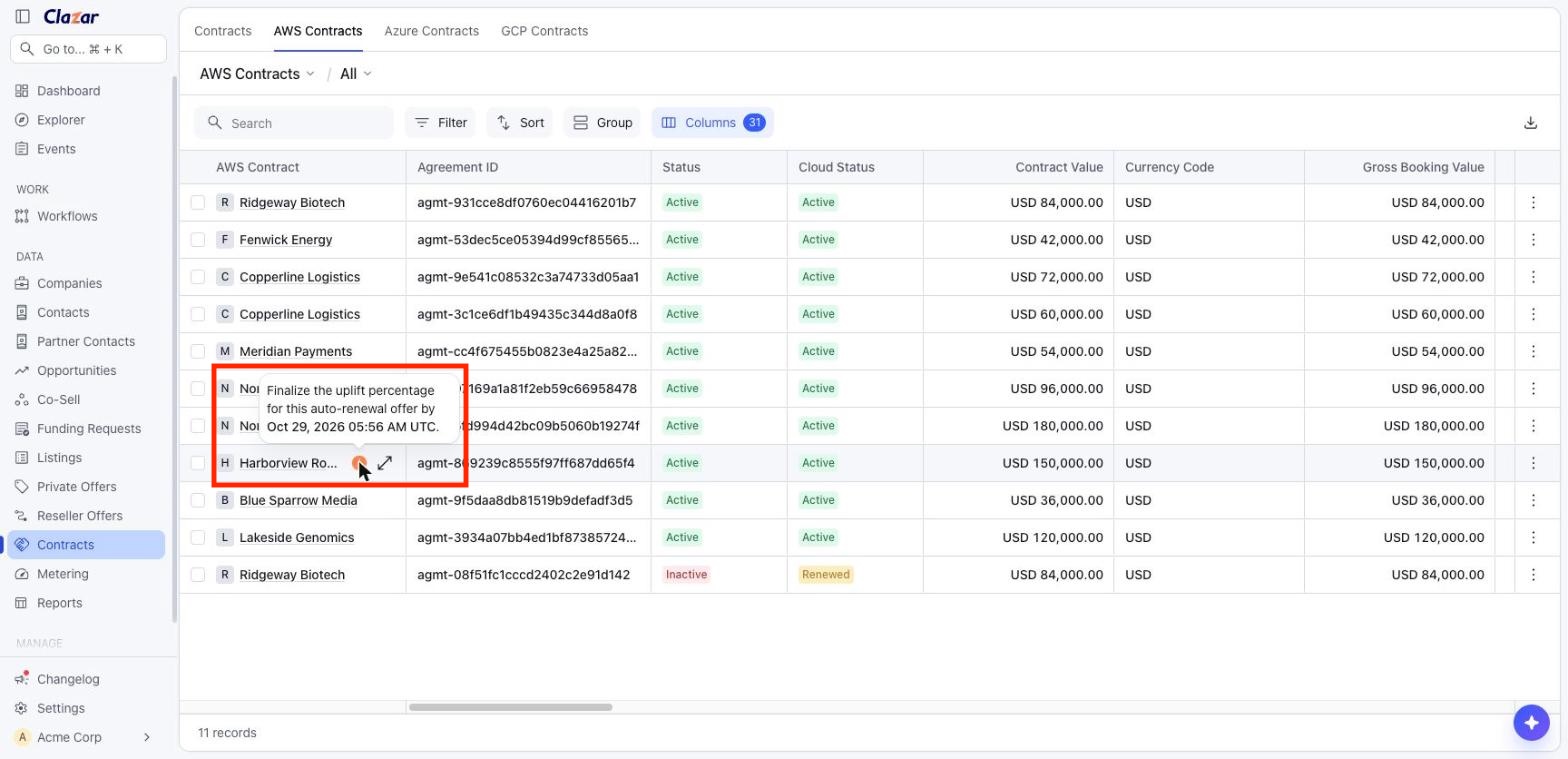
The marker in the Contracts list shows the last date to finalize. Finalize the uplift: Open the contract. Click Actions > Finalize Renewal Uplift. Enter a percentage in the range, then click Finalize.
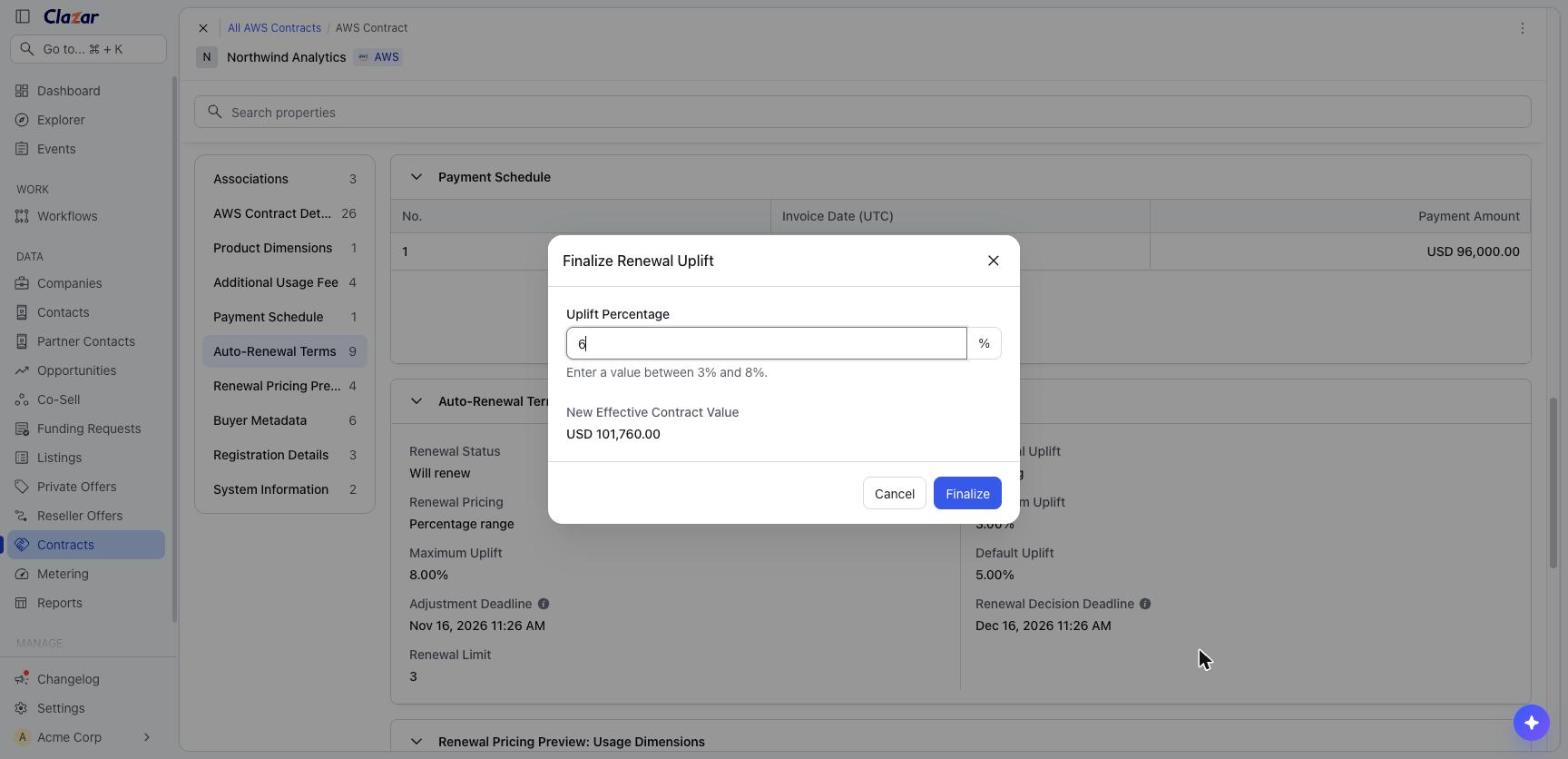
The Finalize Renewal Uplift window shows the new contract value. Stop the renewal: Open the contract. Click Actions > Opt Out of Auto-Renewal. Type CONFIRM, then click Confirm.
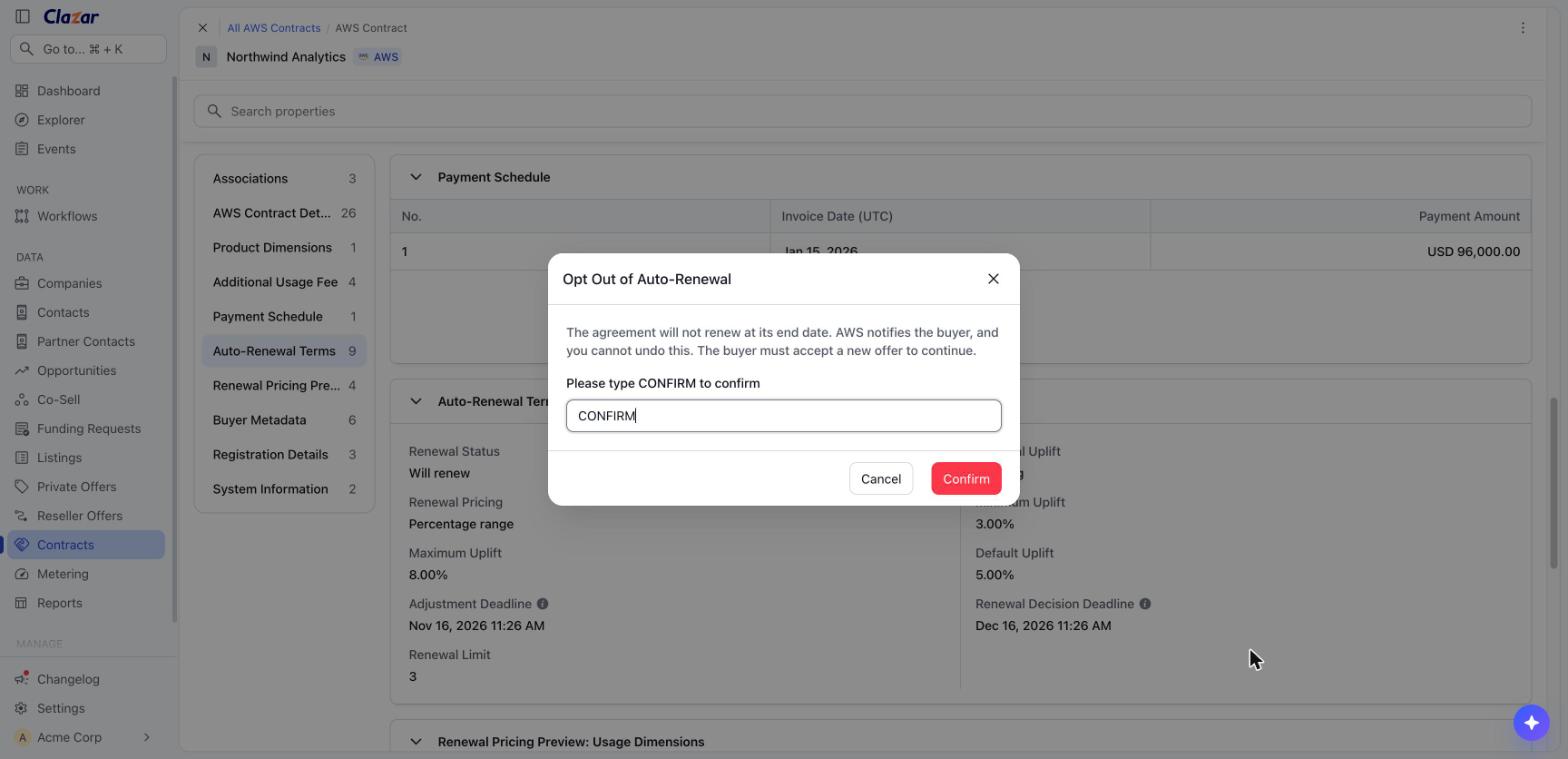
The Opt Out of Auto-Renewal window. You cannot undo this action. Find renewal offers: On the Private Offers page, filter Offer Type by Auto-Renewal Offer.
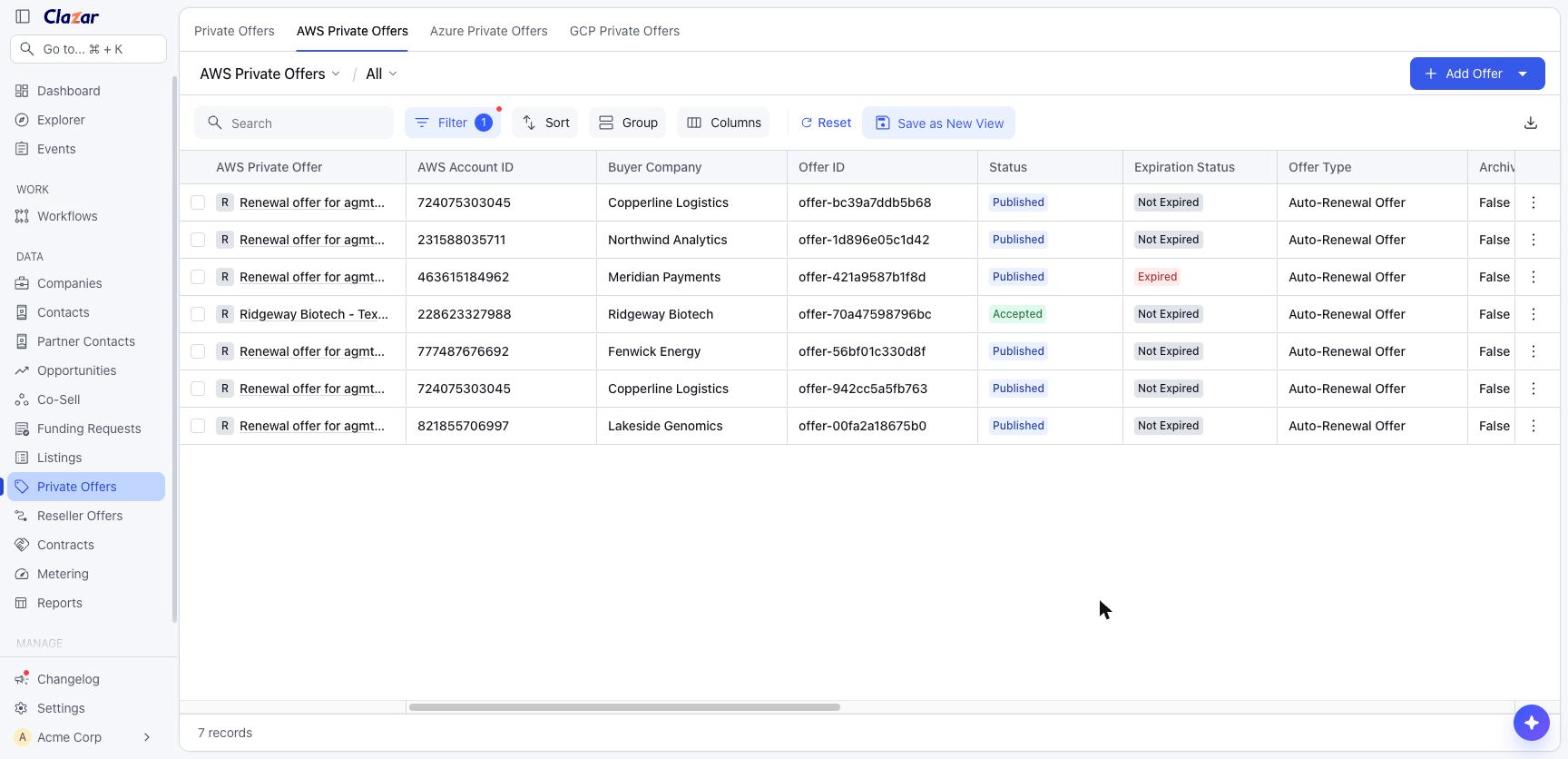
The Private Offers list, filtered to show only renewal offers.
Connect your tools
Map the CRM fields: Go to Integrations and open the Salesforce or HubSpot field mapping for AWS private offers. In the Auto-Renewal rows, select a CRM field or enter a Default Value. Click Save.
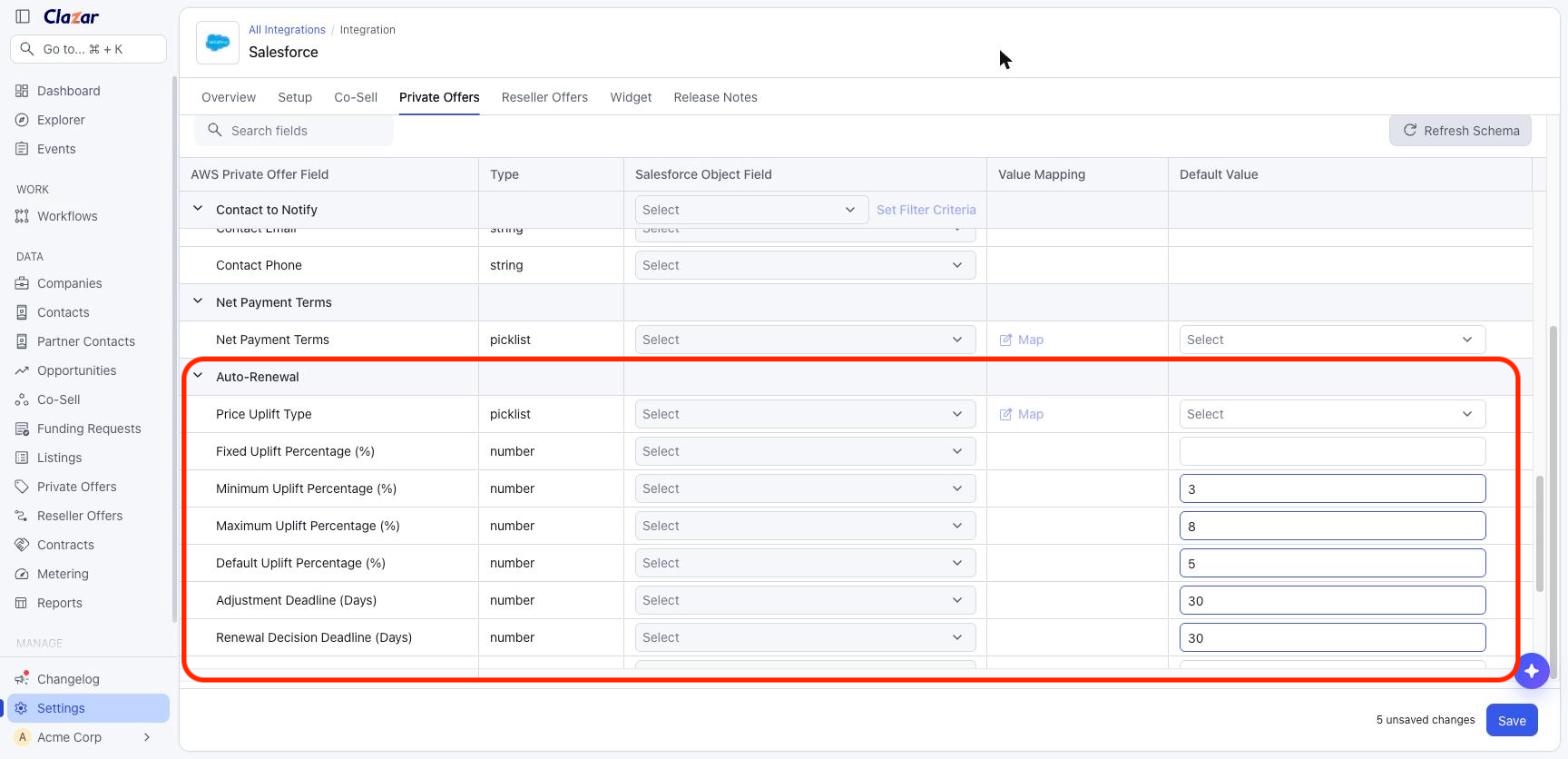
The Auto-Renewal fields in the Salesforce field mapping. Get renewal events: Subscribe your webhook or your automation builder recipe to the renewal events. In automation builder, use the AWS Contract Auto-Renewal Event trigger. AWS sends the renewal ending event 180, 120, 90, 60, and 30 days before the contract ends.
Things to note
You cannot undo these actions: After you finalize an uplift or opt out, you cannot change it.
Finalize on time: If you do not finalize a range uplift by the adjustment deadline, AWS uses the default percentage.
How the deadlines work: The renewal decision deadline is a number of days before the contract ends. The adjustment deadline is a number of days before the renewal decision deadline.
When Renewal offers show in Clazar: AWS creates the renewal offer after the buyer accepts. When it shows depends on the renewal pricing:
No price uplift or fixed percentage: Shows in Clazar a few minutes after the buyer accepts as Auto-Renewal Offer.
Percentage range: Shows after you finalize the uplift. Until then, AWS keeps it as a draft, which Clazar does not show.
After an opt-out: Stays in Clazar with the status Expired.
Auto-Renewal offers are read-only: You cannot edit or delete a renewal offer in Clazar. To change a renewal, use the actions on the contract.
Finalize in Clazar, not in AWS: If you finalize in the AWS portal, Clazar does not get the percentage. Until AWS releases the renewal offer, Clazar shows the prices with the default percentage.
CRM defaults apply to all new offers: If you set a default Price Uplift Type, every offer that you create from your CRM gets renewal terms.