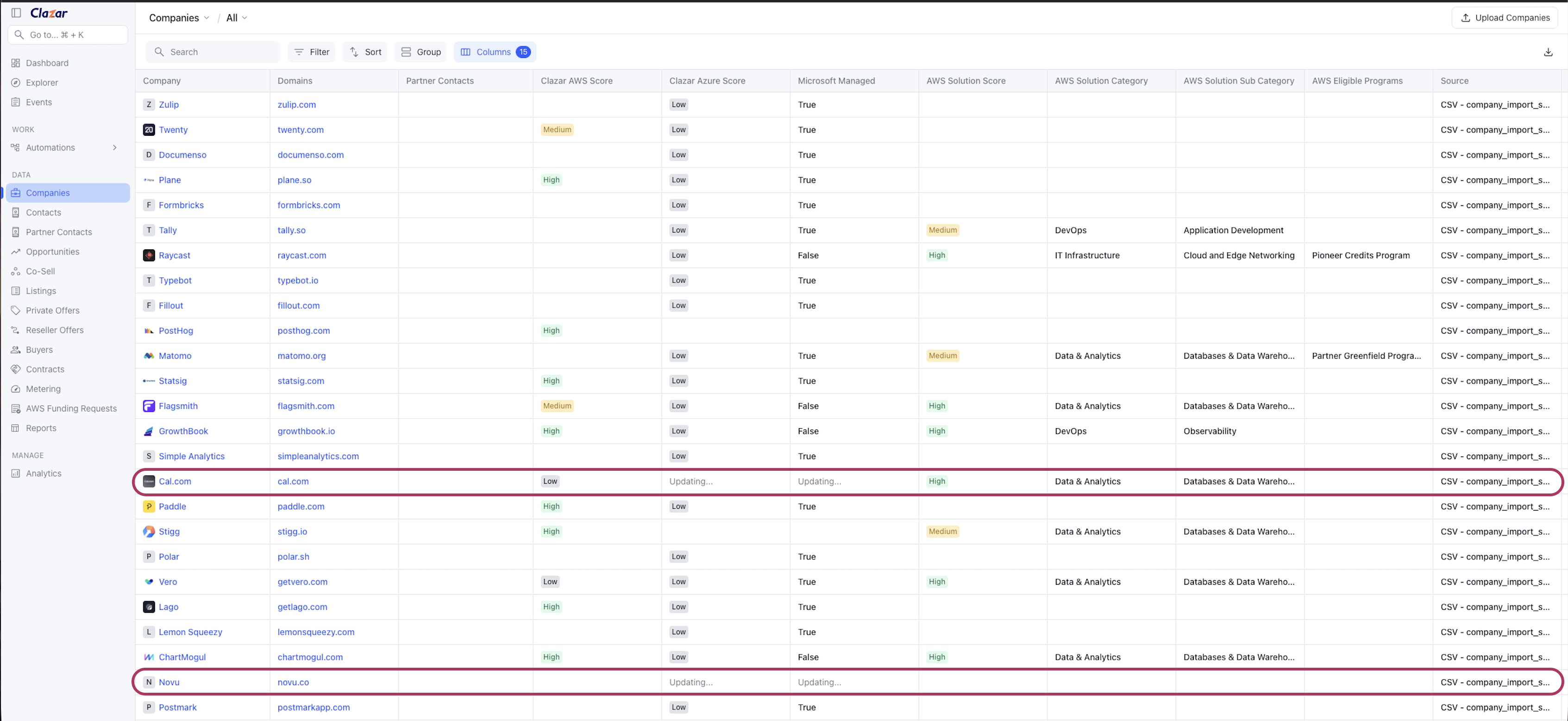
Adding AWS intelligence to Companies and enabling country-level Microsoft matching
Last updated: August 11, 2026
AWS solution intelligence on your companies
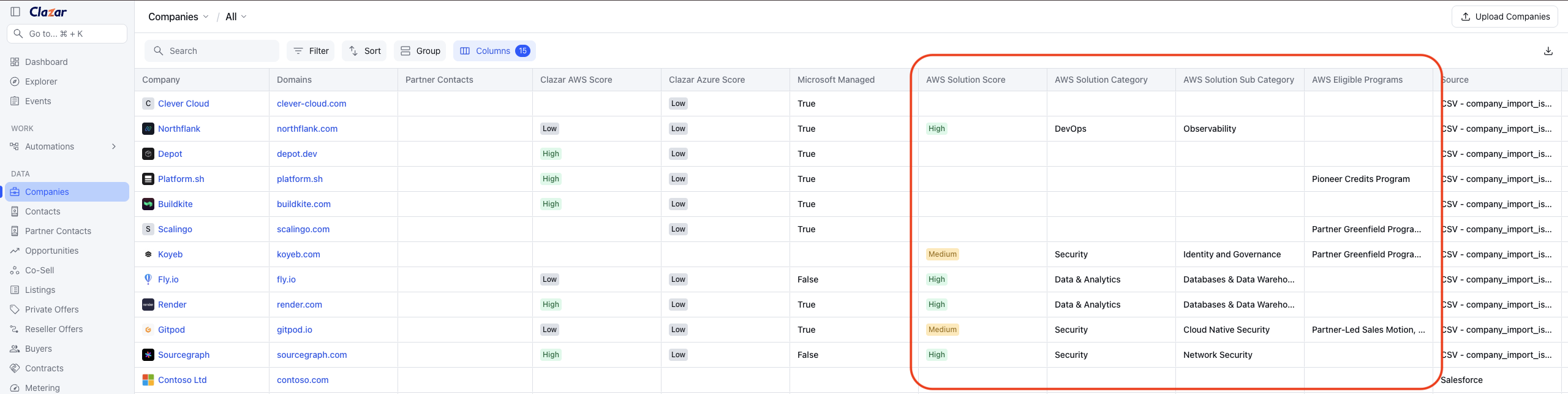
Companies now carry AWS's own read on an account as part of Companies entity:
Solution Score — how likely the account is to buy a given category of solution.
Solution Category and Solution Sub Category — the category in question, DevOps for example.
Eligible Programs — the AWS programs the account qualifies for.
Add them from the column picker on the Companies page to score and sort your pipeline, or read them on an individual company record. They come from AWS Partner Central's lead enrichment, matched against AWS's own CRM data.
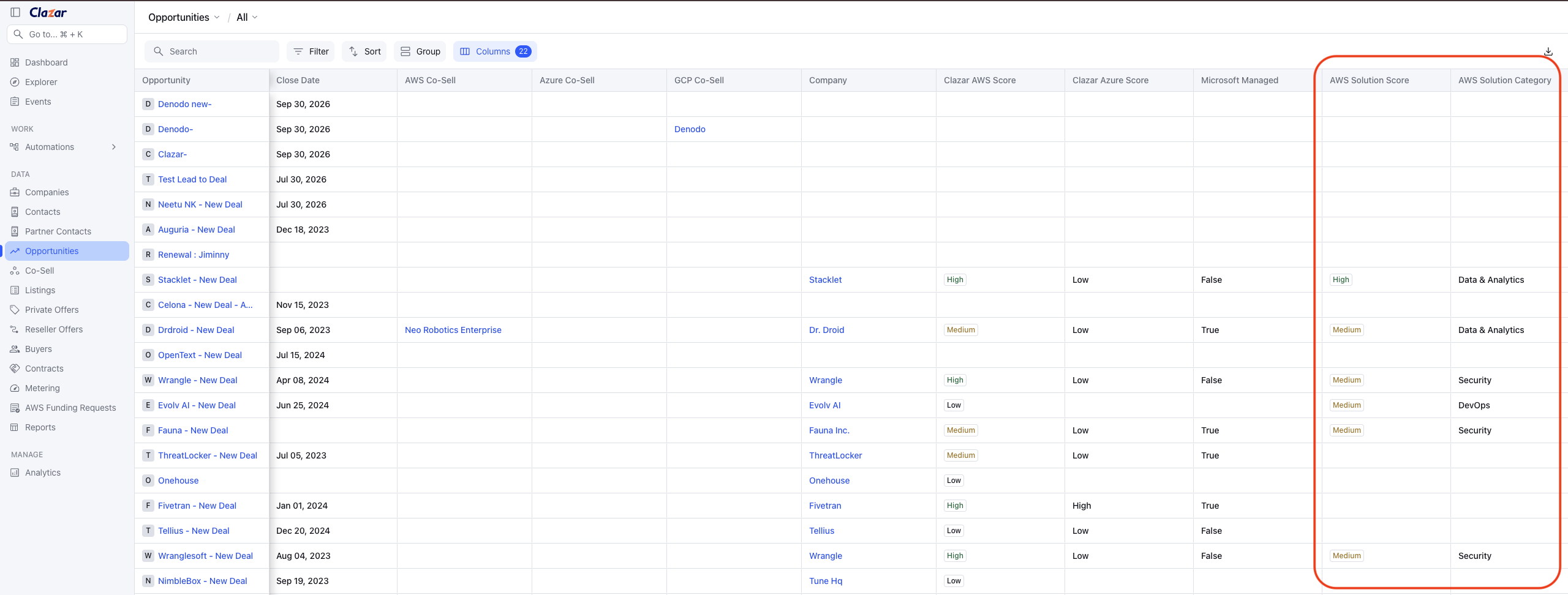
The same intelligence on your opportunities
The Opportunities tab shows these fields too, taken from the company behind each opportunity, so you can qualify a deal without leaving your pipeline. With opportunity sync switched on, each opportunity that syncs from your CRM brings its account's current data with it.
Microsoft matching at the country level
Microsoft data is now country-aware. Tell Clazar which country an account belongs to and it returns the Clazar Azure Score and managed status for that country, so a company operating across several markets shows the right picture in each one.
Country comes from your own data:
a Country column on your CSV upload
Billing Country in Salesforce, or Country in HubSpot, on sync
the enriched headquarters country, when you haven't supplied one
Where several Microsoft accounts match one domain, Clazar surfaces the strongest.
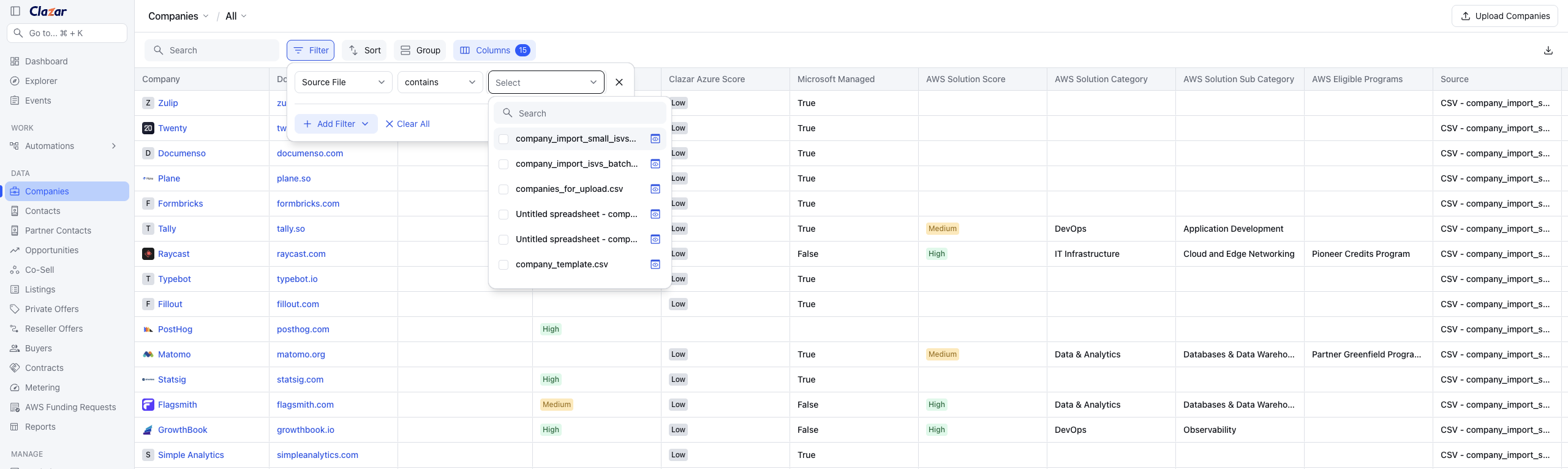
See where every company came from
The Source and Source File columns tell you how each company reached Clazar: the name of the CSV file it was uploaded in, or Salesforce, or HubSpot. Filter on it to work a batch at a time — pick one upload to review just those rows, or filter by CSV to see everything that arrived through any upload.
Know where enrichment stands
Each company shows an enrichment state per source. Updating on a cell means AWS or Microsoft is still being checked, and the state settles once the answer is back. When a cloud holds no data for an account that is recorded too, so a genuine no-match reads differently from a lookup still in progress. Large uploads fill in progressively while you carry on working.