Added registration fields to the contracts list and enable business-email validation for a registration field
Last updated: August 10, 2026
Registration details as columns on the contracts list
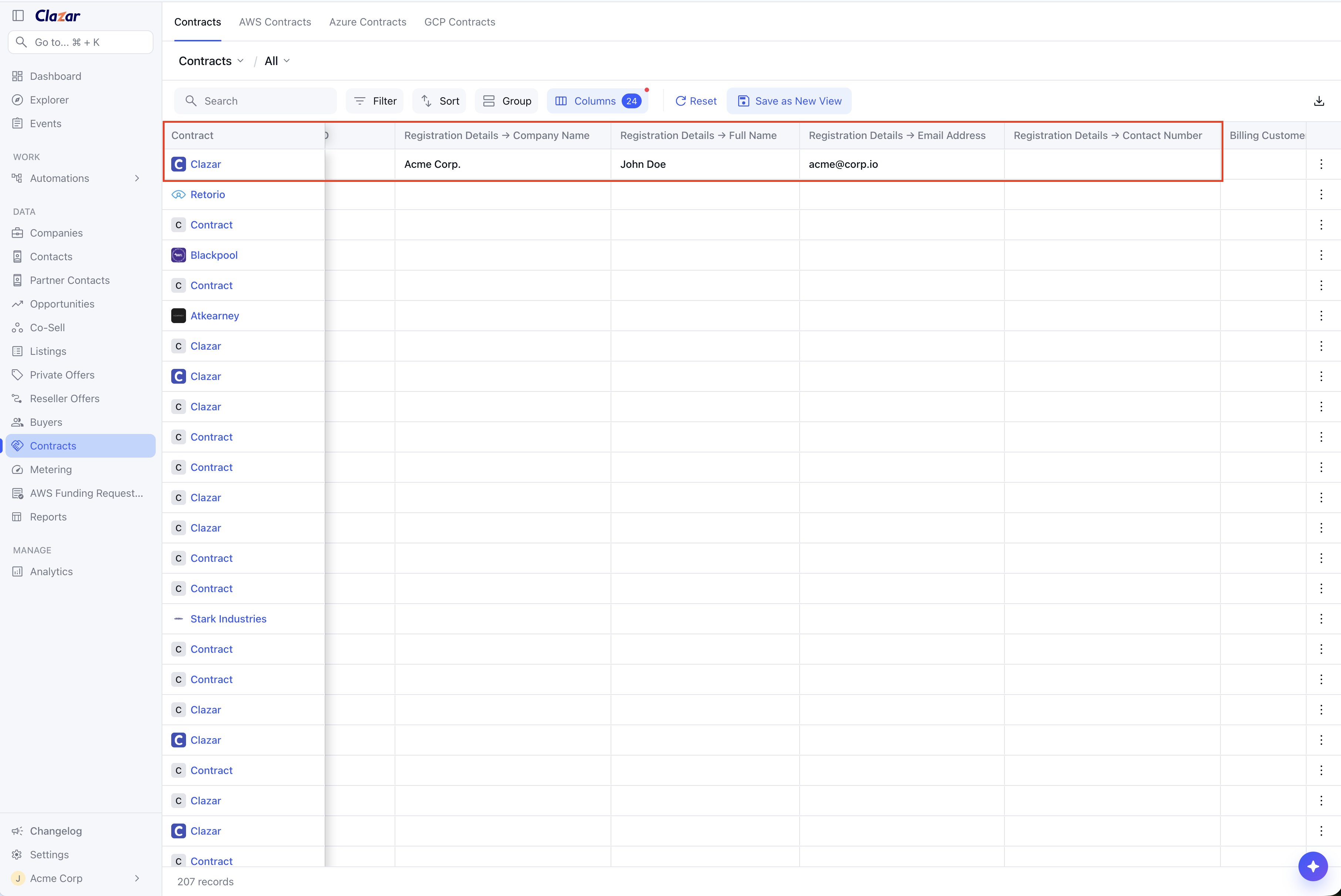
Every field on your registration page — Email Address, Company Name, and anything else you have configured — now appears as its own column on the Contracts list. Seeing who registered no longer means opening each contract or cross-referencing registration records by hand. The columns follow the fields you have enabled on your registration page, so they match your setup rather than a fixed list.
Columns show on the AWS, Azure, and GCP contract tabs as well as the combined Contracts tab. Values are editable in place: click a cell, type the correction, and it saves against the contract without reloading the list. Edits made on the contract detail page show up on the list immediately too.
Require a work email address at registration
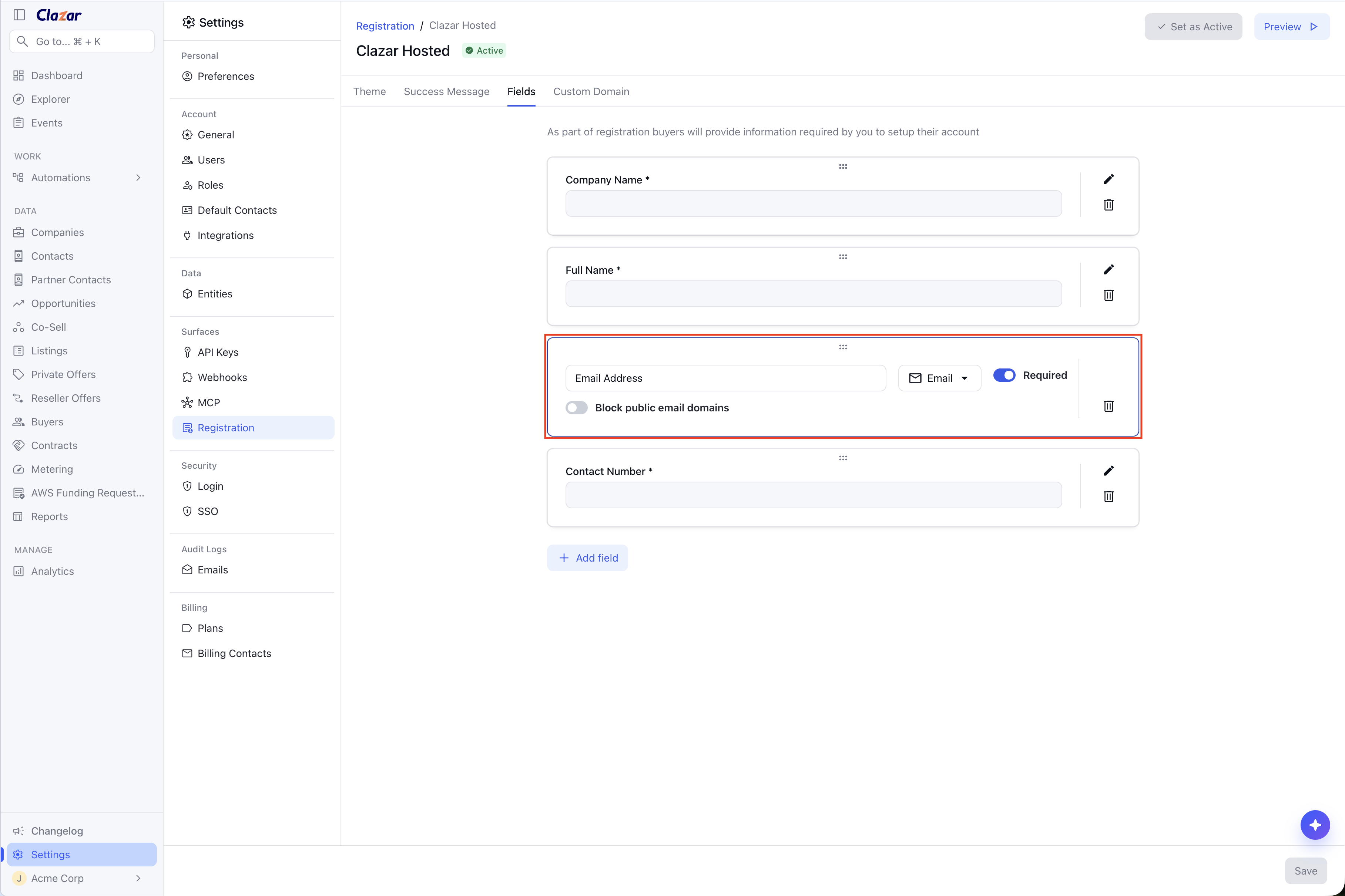
In the registration page editor (Settings → Surfaces → Registration page), each email field now has a Block public email domains switch directly under the field name. Turn it on and buyers who try to register with a free provider — gmail.com, yahoo.com, and thousands of others — are rejected with "Please register with your work email address." The field also shows an "Enter your work email address" placeholder so buyers know what is expected before they submit.
The check runs on Clazar's servers, not in the browser, so it cannot be bypassed by submitting the registration form directly. It applies to AWS, Azure, and GCP registration pages alike.
Test it on the preview page
Open Preview from the registration page editor and the same rule applies there. Enter a personal address and you see exactly the error your buyers would see, so you can confirm the restriction is set up the way you want before sharing the page.
Good to know
The email restriction is per field and off by default. Existing registration pages keep behaving exactly as they do today until you switch it on.
The rule gates registration, not the purchase. A buyer's contract is still created and stays active even if they have not completed registration — what is blocked is registering, and anything you have wired to the registration success page.
The blocked-domain list comes from HubSpot's public free-email-provider dataset and refreshes daily, so newly listed providers are picked up without waiting for a release.
GCP registration prefills the buyer's Google identity. If that is a personal Google account, the buyer is asked for a work email — the rule applies there as well.