Forecast AWS co-sell MRR from total contract value
Last updated: October 12, 2026
Overview
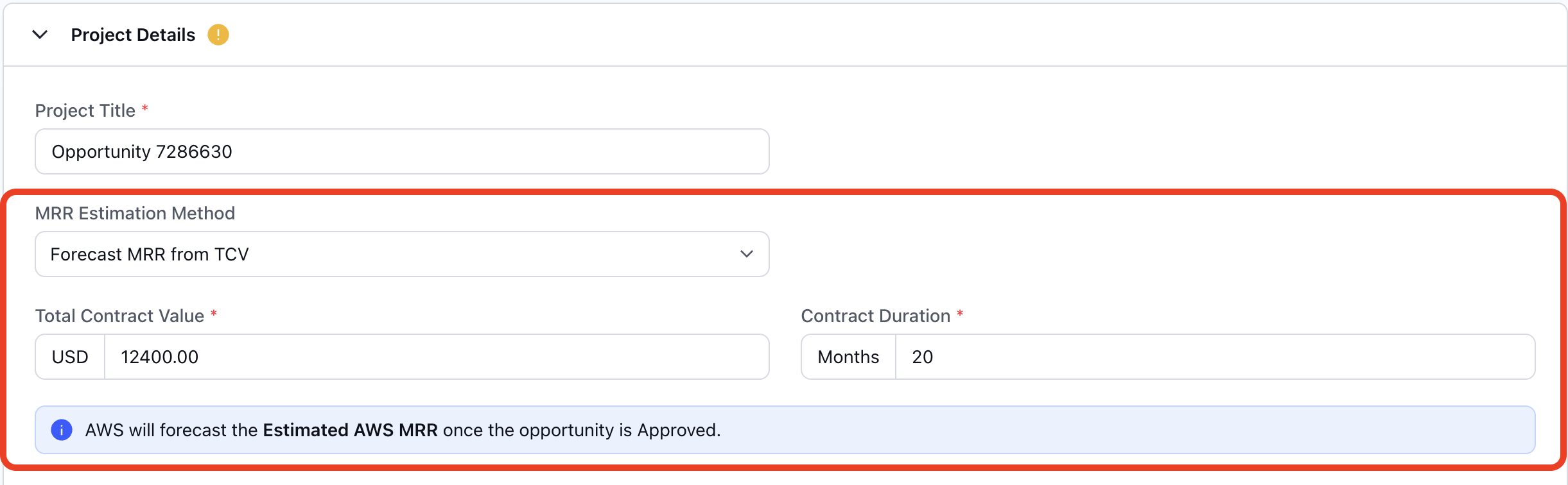
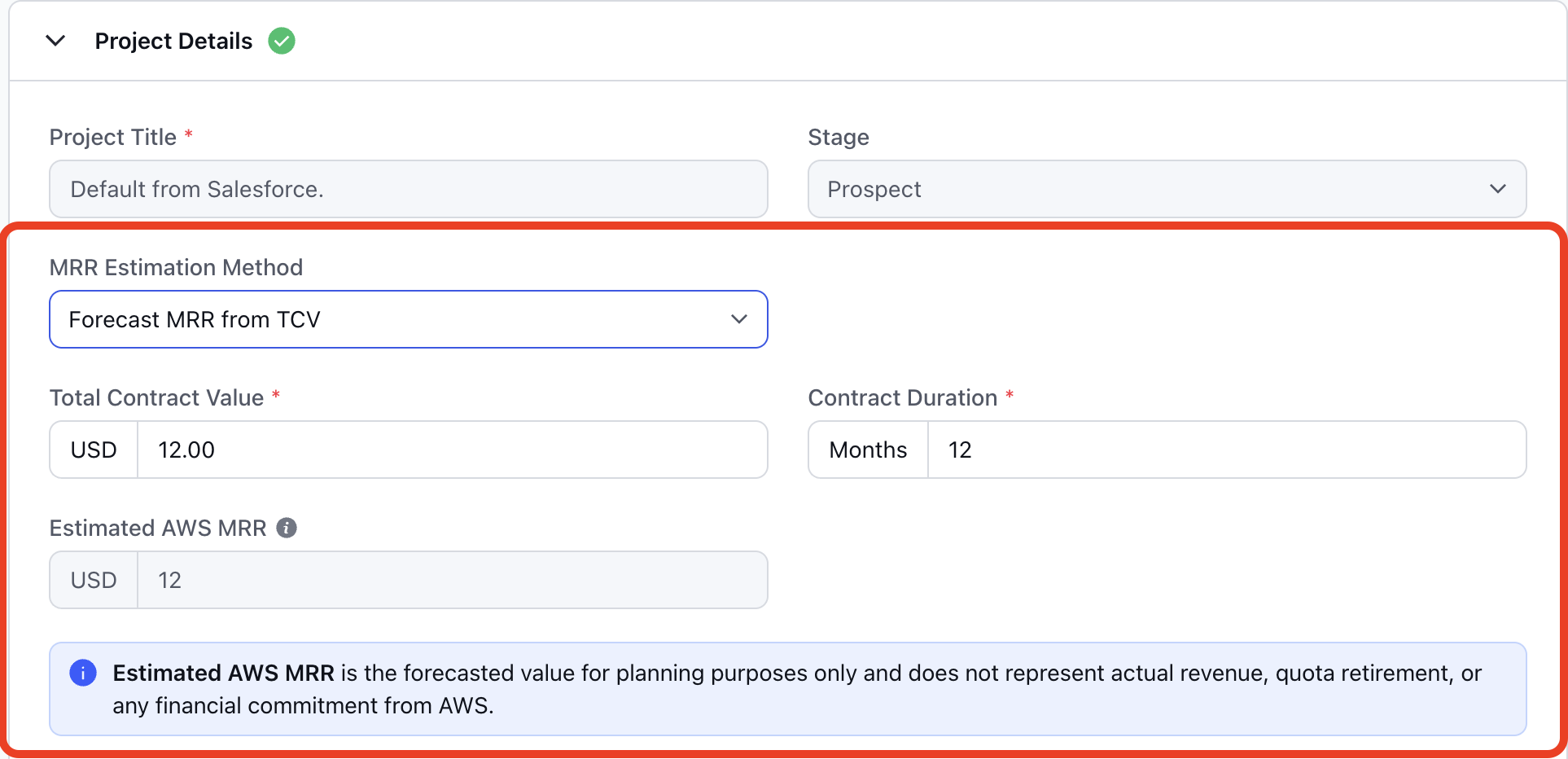
Until now, Estimated AWS MRR on an AWS co-sell opportunity could only be entered manually. Teams that size deals by contract value had to convert the contract into a monthly AWS figure themselves. AWS Partner Central has added new options to estimate MRR, which make deal sizing simpler. One of these options, forecast from total contract value (TCV), is now available in Clazar. A new MRR Estimation Method field on AWS co-sell opportunities supports two methods: Manual entry and Forecast from TCV. With the forecast method, you enter the Total Contract Value and the Contract Duration, and AWS calculates the forecasted MRR that is shown in Clazar.
Value it drives
No manual MRR conversion: Deals sized by contract value no longer need a monthly AWS figure calculated by hand. You enter the Total Contract Value and Contract Duration from the deal, and AWS calculates the MRR.
MRR that matches AWS: The Estimated AWS MRR in Clazar is the value that AWS calculates. It is the same MRR that AWS Partner Central uses for the opportunity.
AWS forecast without leaving Clazar: The AWS forecast is available on the Clazar co-sell form. Your sellers do not need to open AWS Partner Central to use it.
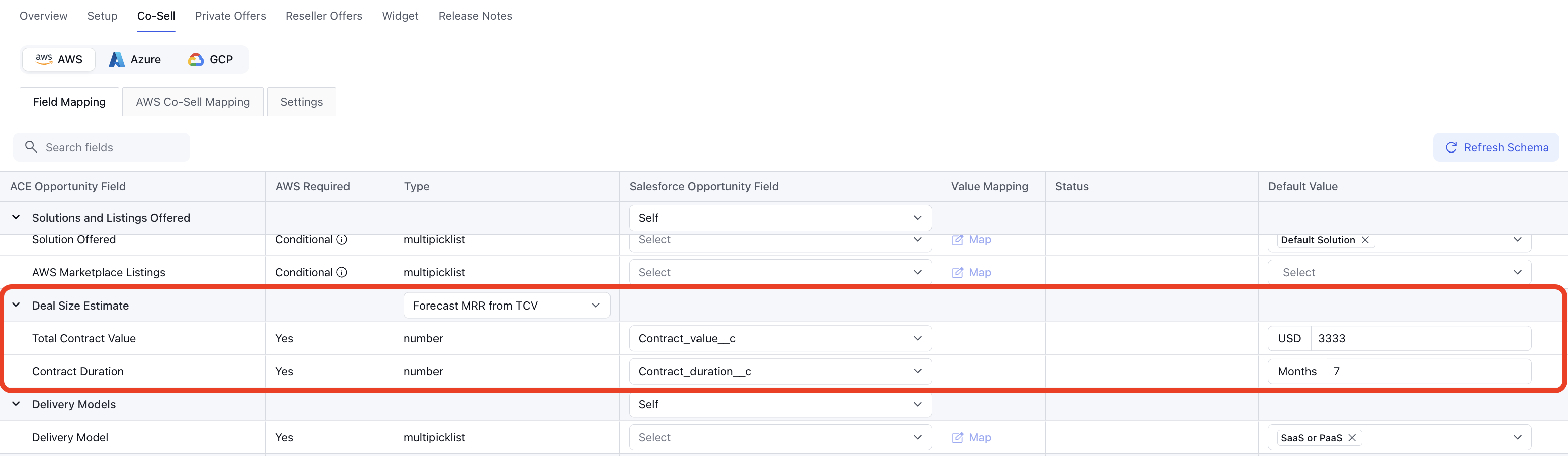
Deal sizing from your CRM: In the new Deal Size Estimate section of field mapping, you can map Total Contract Value and Contract Duration to fields on your CRM opportunity. Opportunities that auto create and auto update from your CRM then get these values without manual entry.
How to configure Forecasting MRR from TCV
Open the field mappings: Log in to Clazar and open your connected CRM integration. Go to the AWS Co-Sell field mappings.
Choose the method: In the Deal Size Estimate section, select an MRR estimation method from the dropdown.
Map the fields: Map each field shown for the selected method to the matching field in your CRM, and set the default values. To enable forecasting, select Forecast MRR from TCV from the dropdown and set field mapping and default values for the Total Contract Value and Contract Duration.
Turn on auto update (optional): To keep these values updated from your CRM, open the Auto Update settings and select the Deal Size Estimate section. Click Proceed, and then click Save.
Things to note
Available methods: Manual entry and Forecast from total contract value are supported. The AI-only forecast and the AWS Pricing Calculator import from AWS Partner Central are not available in Clazar.
Forecasted MRR Availability: AWS calculates the forecasted MRR after it receives the opportunity. Hence, the forecasted MRR surfaces in Clazar once the opportunity is approved.
Forecasted MRR value: AWS doesn't simply divide Total Contract Value by Contract Duration. It also factors in other details on the opportunity, so the forecasted MRR may differ from a straight monthly split. AWS doesn't publish the exact formula.
Contract duration: Contract Duration must be between 1 and 144 months (12 years). Enter the full committed term of the agreement.
Stage restrictions: Forecast from total contract value cannot be selected on opportunities in the Launched or Closed Lost stage.