See the full pricing breakdown on Azure and GCP contracts
Last updated: September 9, 2026
Overview
Azure and GCP contract details now include the full pricing picture for a contract. You can see the per-unit price of every metered dimension, the subscription fees for the plan that was purchased, and how payment is scheduled across the term. Every pricing row names the plan it belongs to, so a contract spanning more than one plan stays readable. The sections differ slightly between the two clouds, as described below.
On Azure contracts
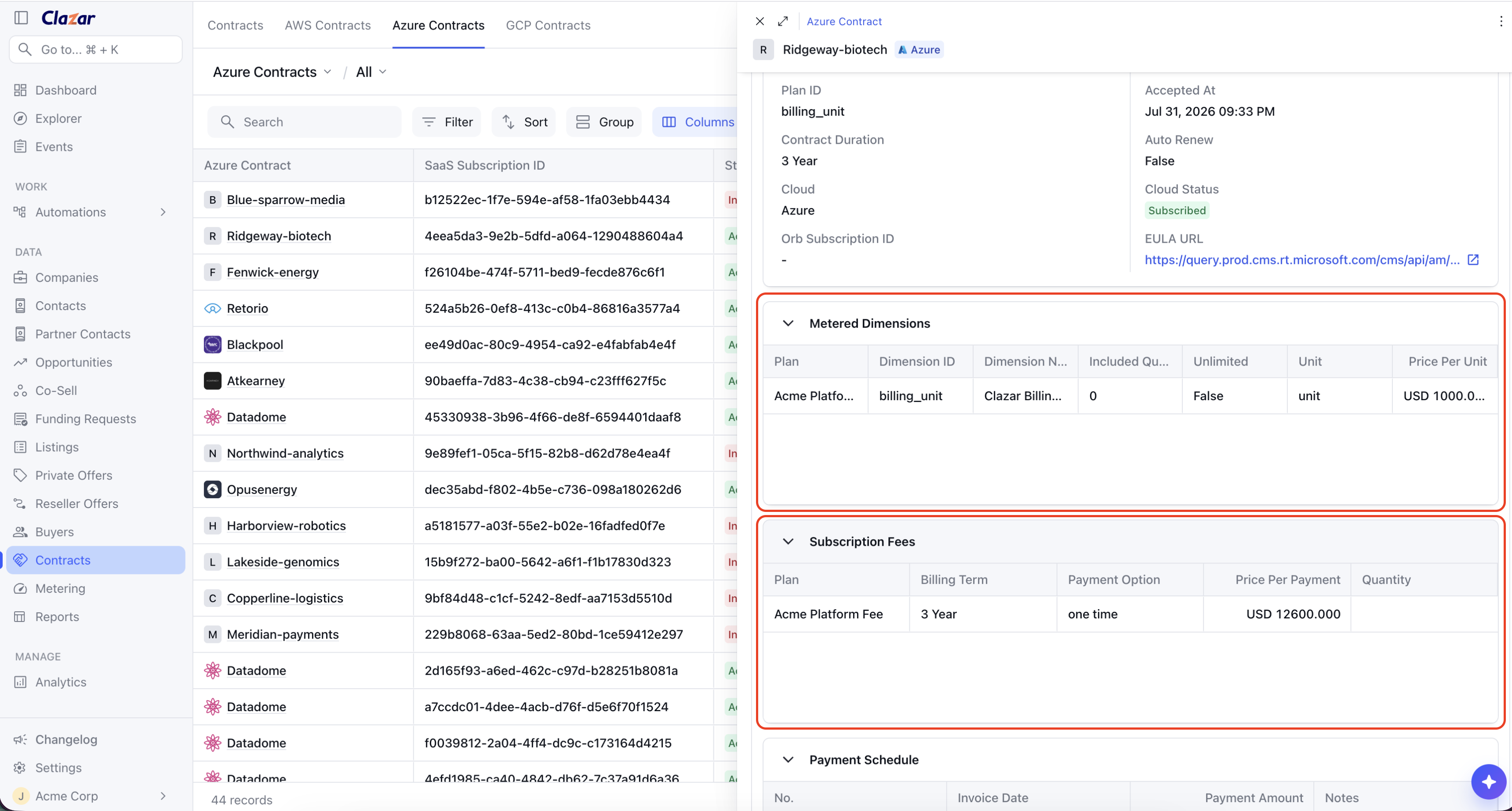
Metered Dimensions: Every metered dimension shows its unit, per-unit price, and the included quantity that comes with the plan.
Subscription Fees: The billing term, payment option, quantity, and price per payment for the plan the buyer purchased.
Payment Schedule: Each payment across the contract term, with its invoice date and payment amount.
On GCP contracts
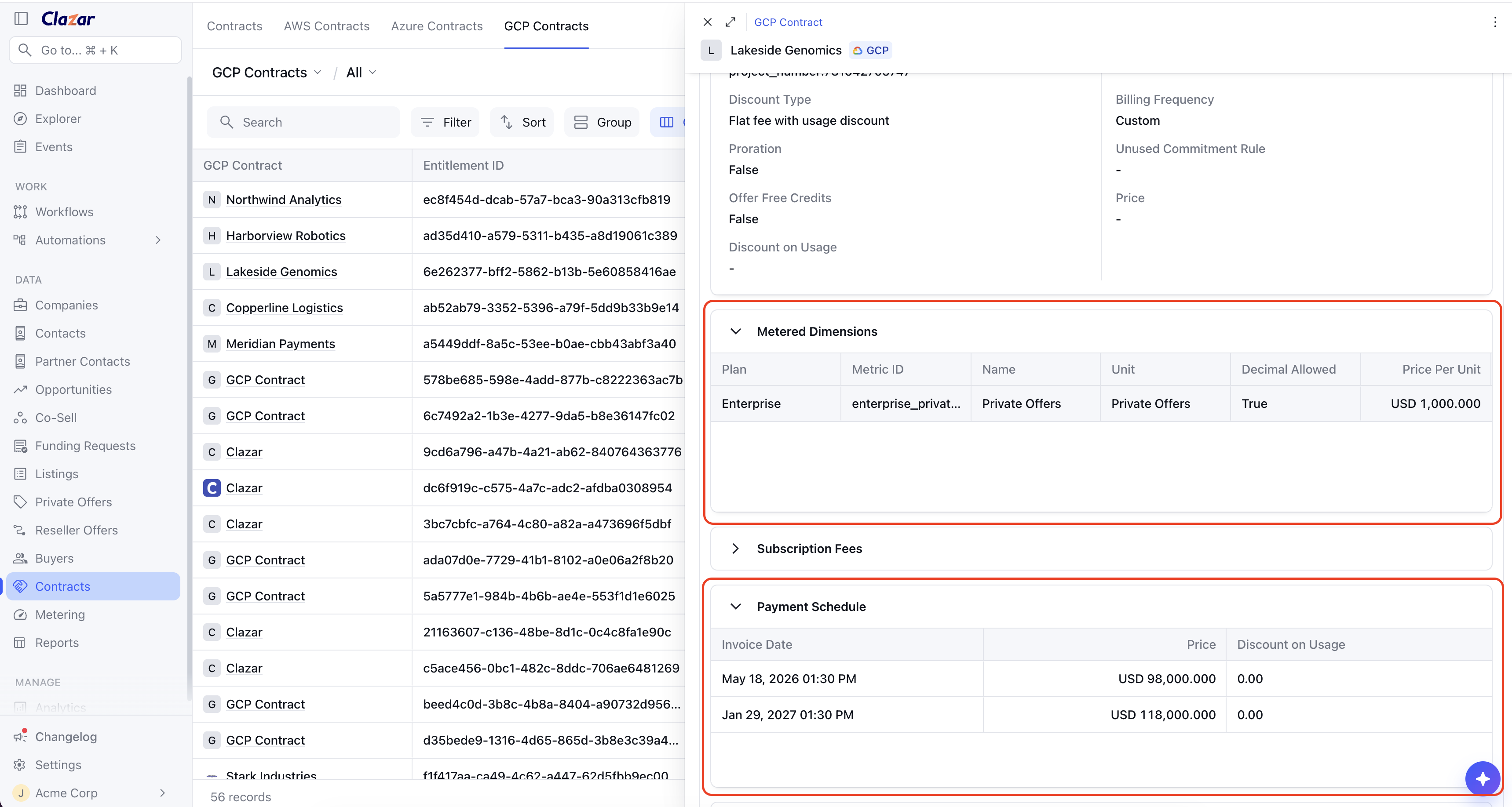
Metered Dimensions: Every metered dimension shows its unit and per-unit price.
Subscription Fees: The duration and price per month for the plan the buyer purchased.
Payment Schedule: Each payment across the contract term, with its invoice date and amount, along with any usage discount, committed amount, or free credits included in the offer.
How to get started
Open a contract: Go to the Contracts page and open an Azure or GCP contract.
Review the pricing: Scroll to Metered Dimensions, Subscription Fees, and Payment Schedule.