Enter a reseller's 12-digit AWS account ID on AWS reseller offers
Last updated: September 17, 2026
Overview
The Reseller Account ID field on an AWS reseller offer now accepts a typed account ID as well as a selection from a list. Previously it was a fixed dropdown, so any reseller missing from the list required a support request.
If the ID you type isn't a valid reseller account, you'll see an error message and can correct it before publishing. You can also enable a list of reseller accounts to choose from.
Value it drives
Improved user experience: Enter a reseller's 12-digit AWS account ID directly, or select a reseller from a list.
A list you control: Enable only certain reseller accounts to be selected from.
How to get started
Create an AWS reseller offer: Go to Reseller Offers and create a new AWS reseller offer.
Enter the reseller: In the Opportunity Details section, fill in Reseller Account ID. Type the 12-digit account ID, or search by name and pick a suggestion.
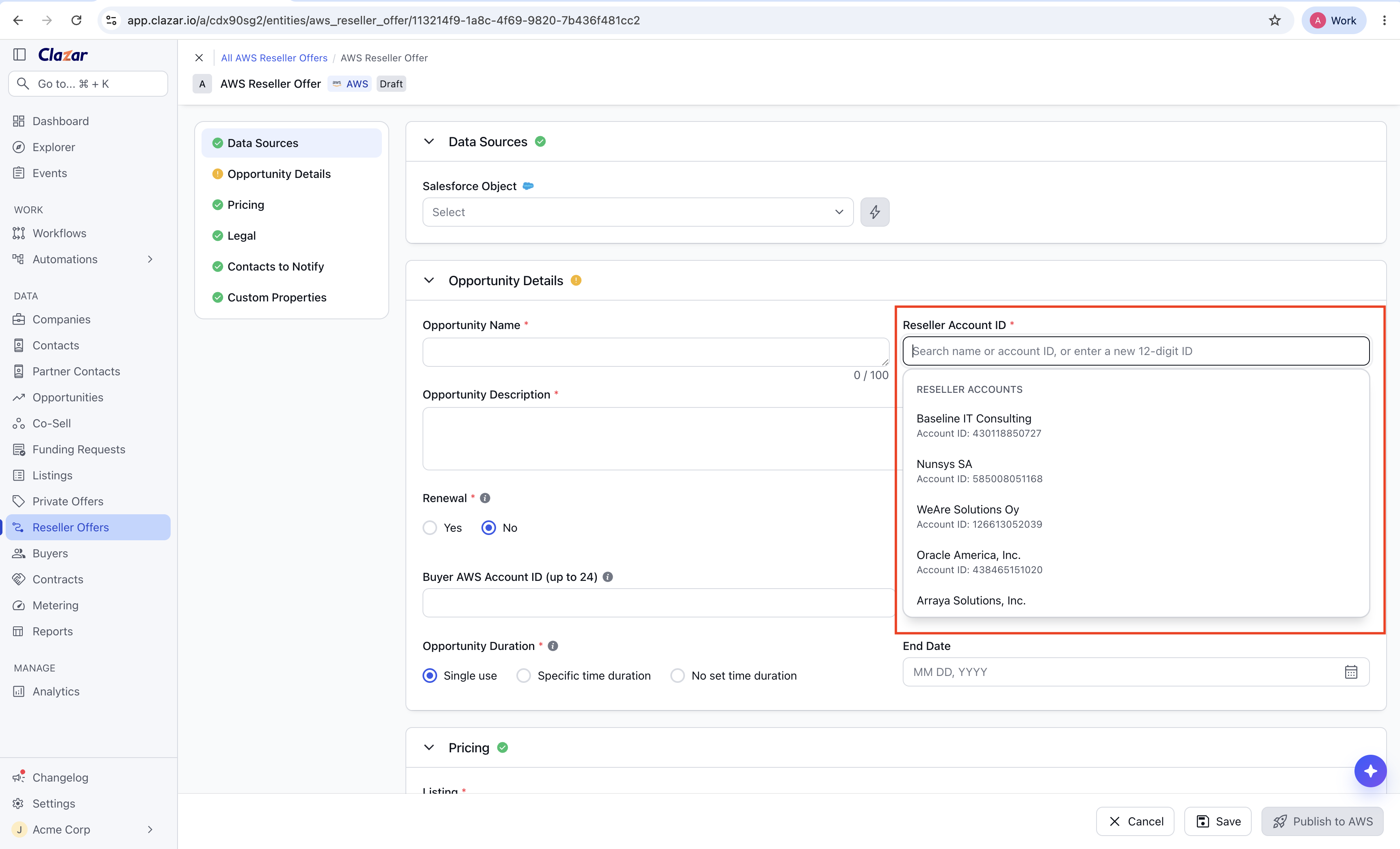
The Reseller Account ID field with its suggestion list open 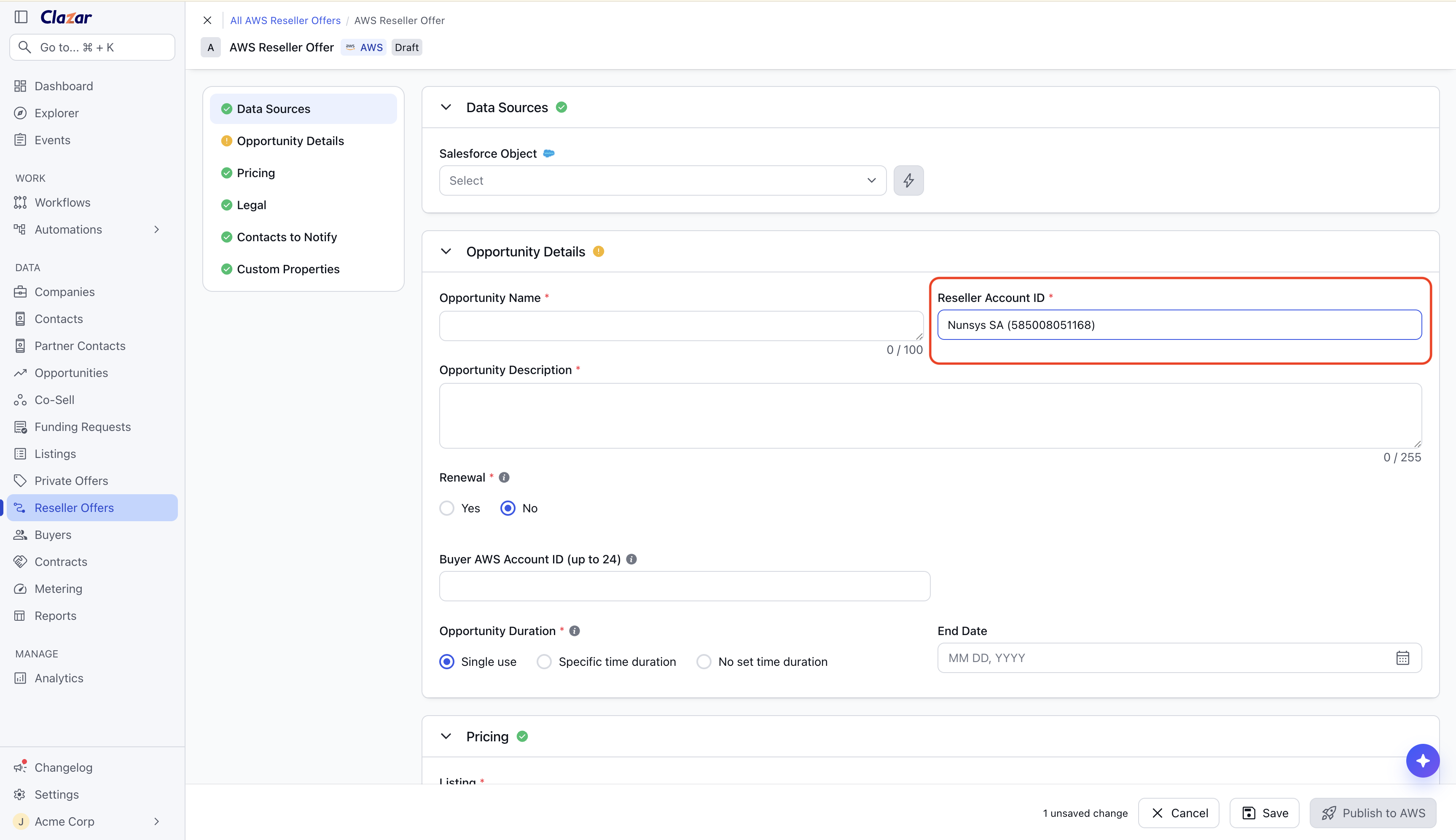
Selected reseller with name and ID Publish: Fill in the rest of the offer and publish. AWS confirms the reseller at this point.
Choose which resellers are suggested: Go to Settings, open Integrations, and select AWS Marketplace. On the Settings tab, find Default Reseller Accounts in the Reseller Offer card. Turn it on to suggest only your own accounts, then click Save. Leave it off to get suggestions on all reseller accounts available in Clazar.
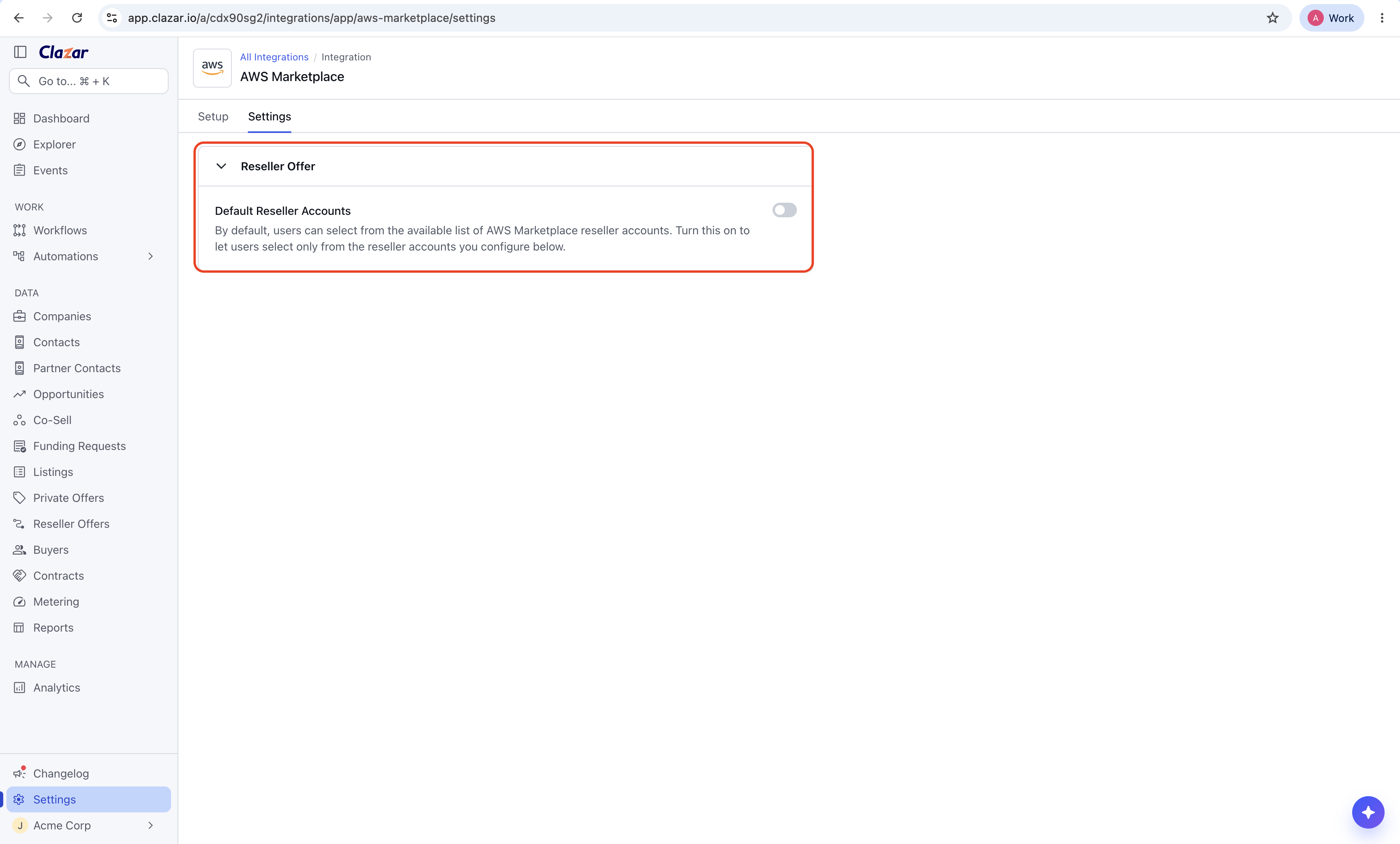
The Default Reseller Accounts setting, turned off Build your list: With the setting on, a table of your reseller accounts appears below it. Click Add to add an account.
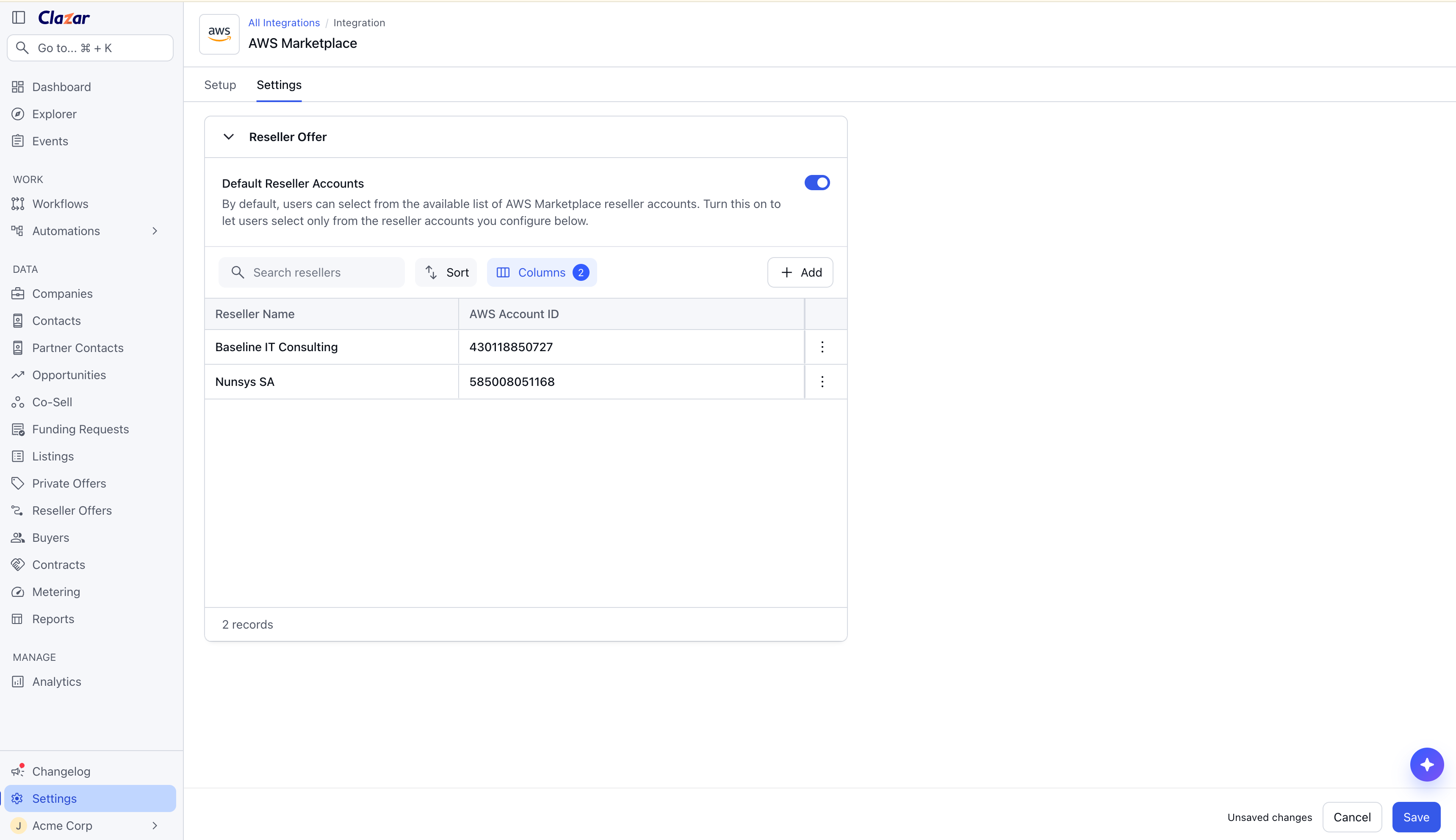
Your configured default reseller accounts, listed by reseller name and AWS account ID 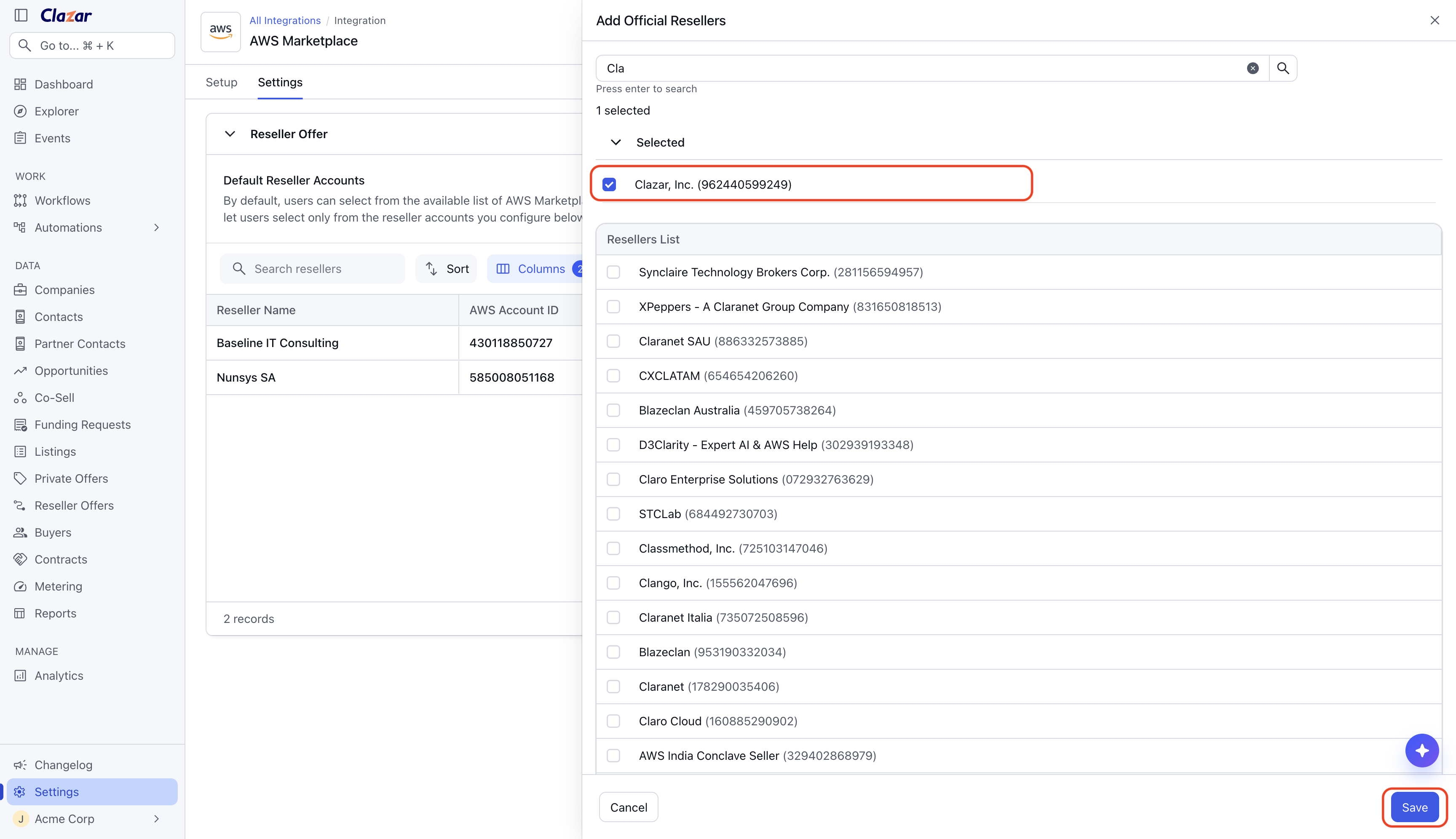
Adding a new default reseller to the list 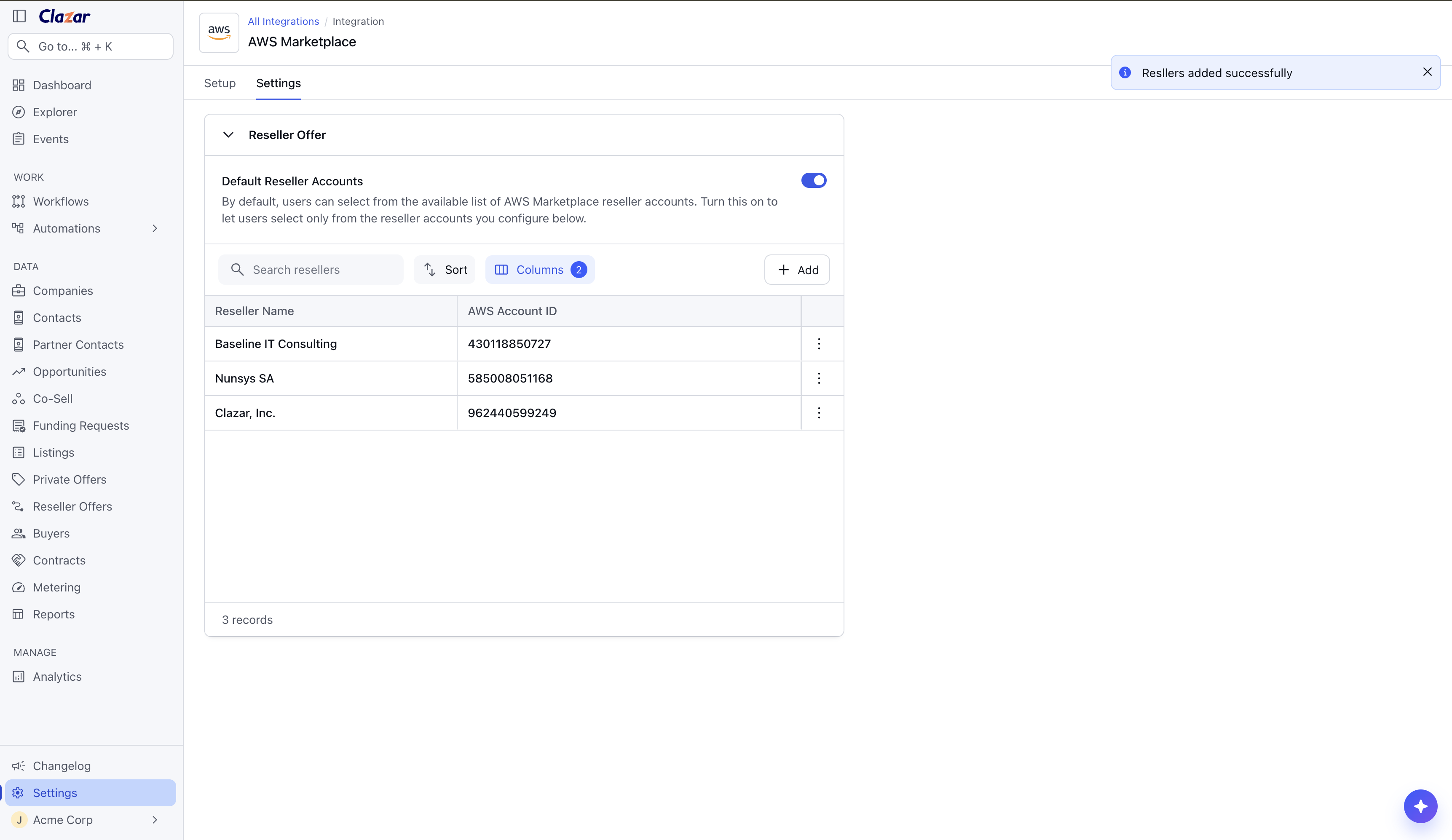
New default reseller account saved to the list
Things to note
Where the field appears: The field works the same way when you create an offer, when you edit an unpublished offer, and in the Clazar card inside Salesforce and HubSpot.
An empty list: If Default Reseller Accounts is on and you have not configured any accounts, the field shows no suggestions. Enter the account ID directly, or add accounts to your list first.