See estimated revenue and totals before submitting metering records
Last updated: September 9, 2026
Overview
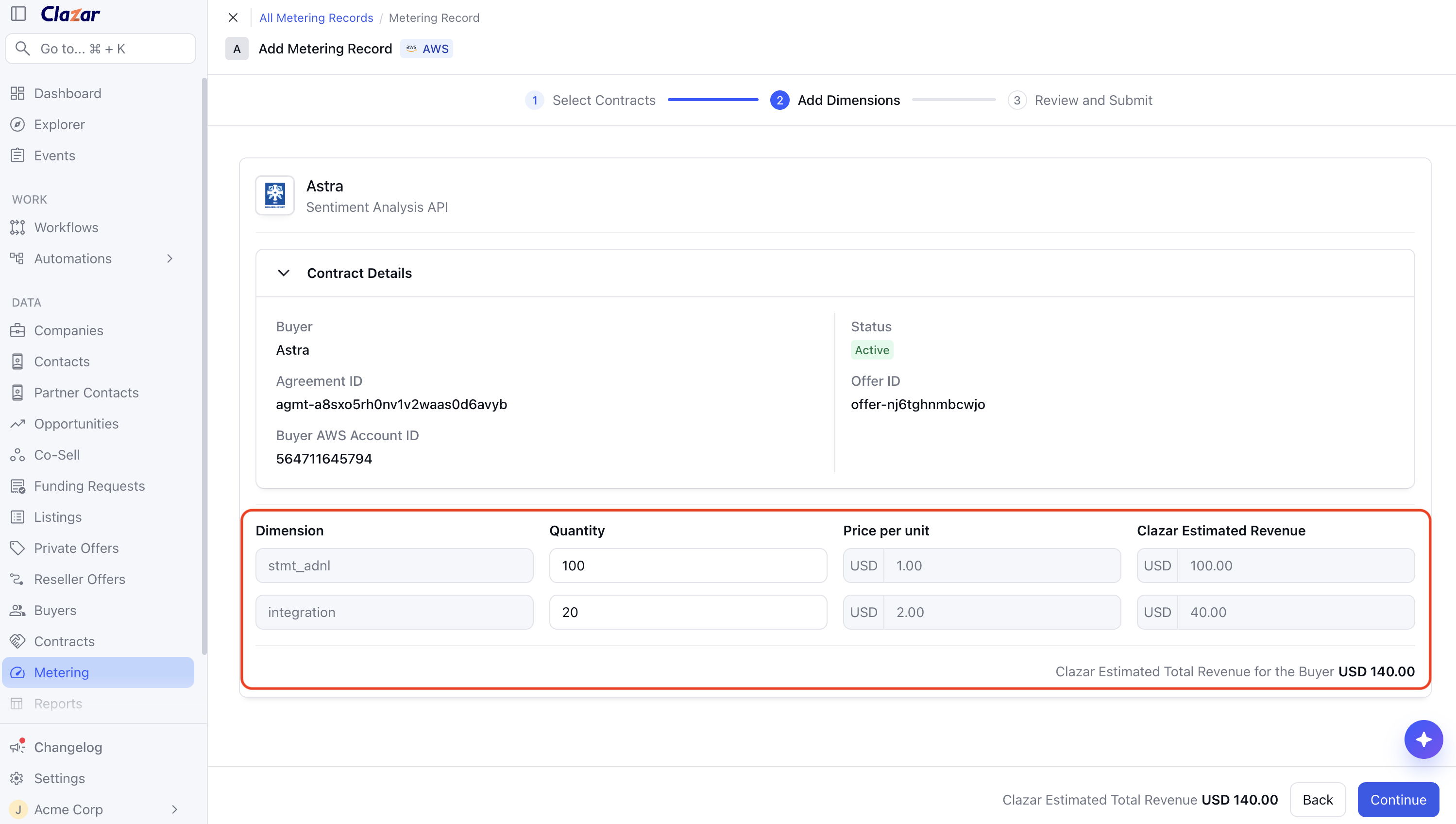
Before you submit a manual metering record on AWS, Azure or GCP, you can now see the per-unit price and Estimated Revenue for every dimension, along with the total for each contract you have selected. Estimated Revenue would also help in catching a potential wrong quantity or unit before the records are created since a metering record cannot be changed or reversed once submitted.
Value it drives
Price per unit: The Add Dimensions step shows the contract's price for each dimension next to the quantity field.
Estimated Revenue per row: Each dimension row shows its quantity multiplied by the price per unit, and updates as the quantity is changed.
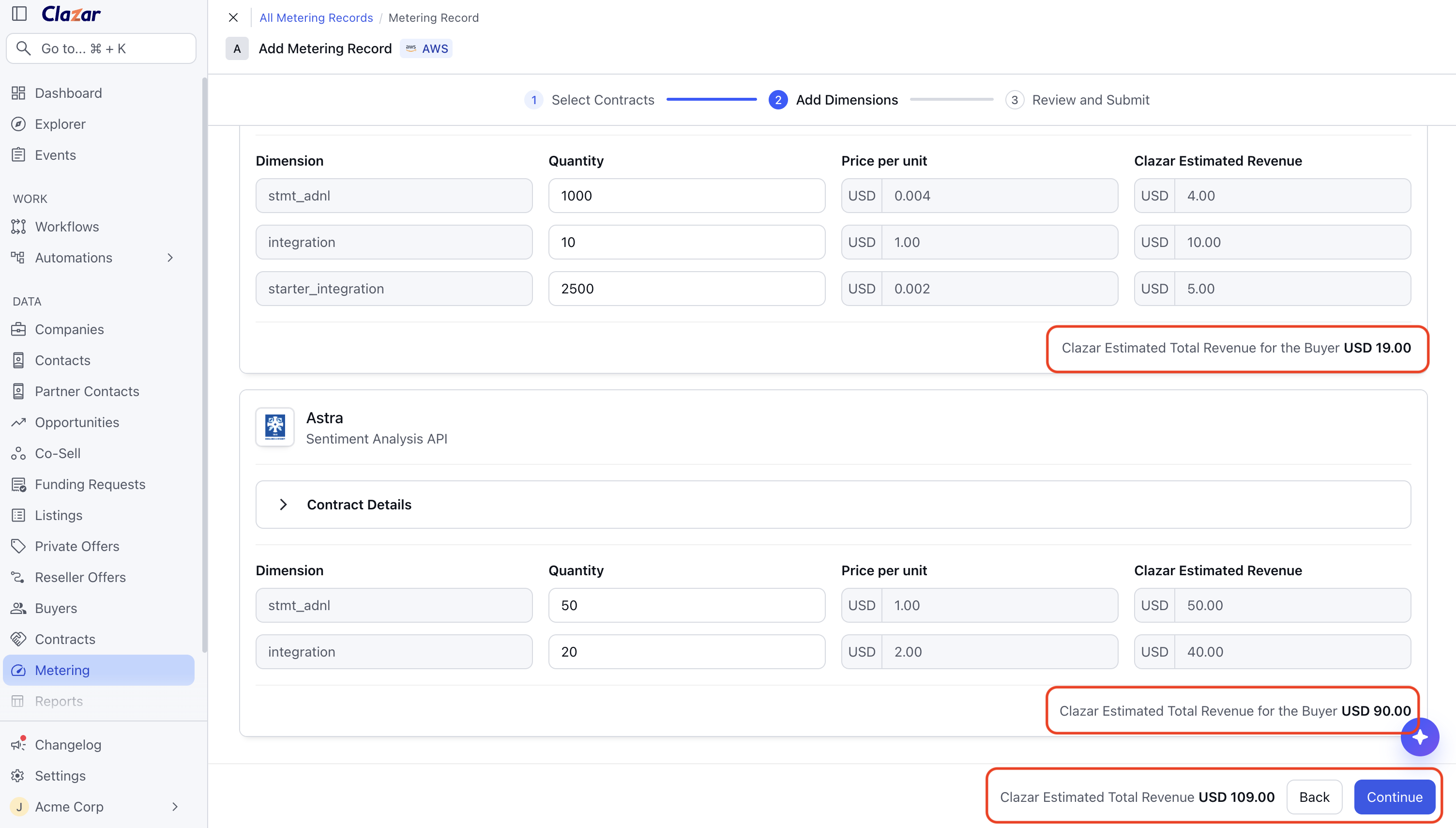
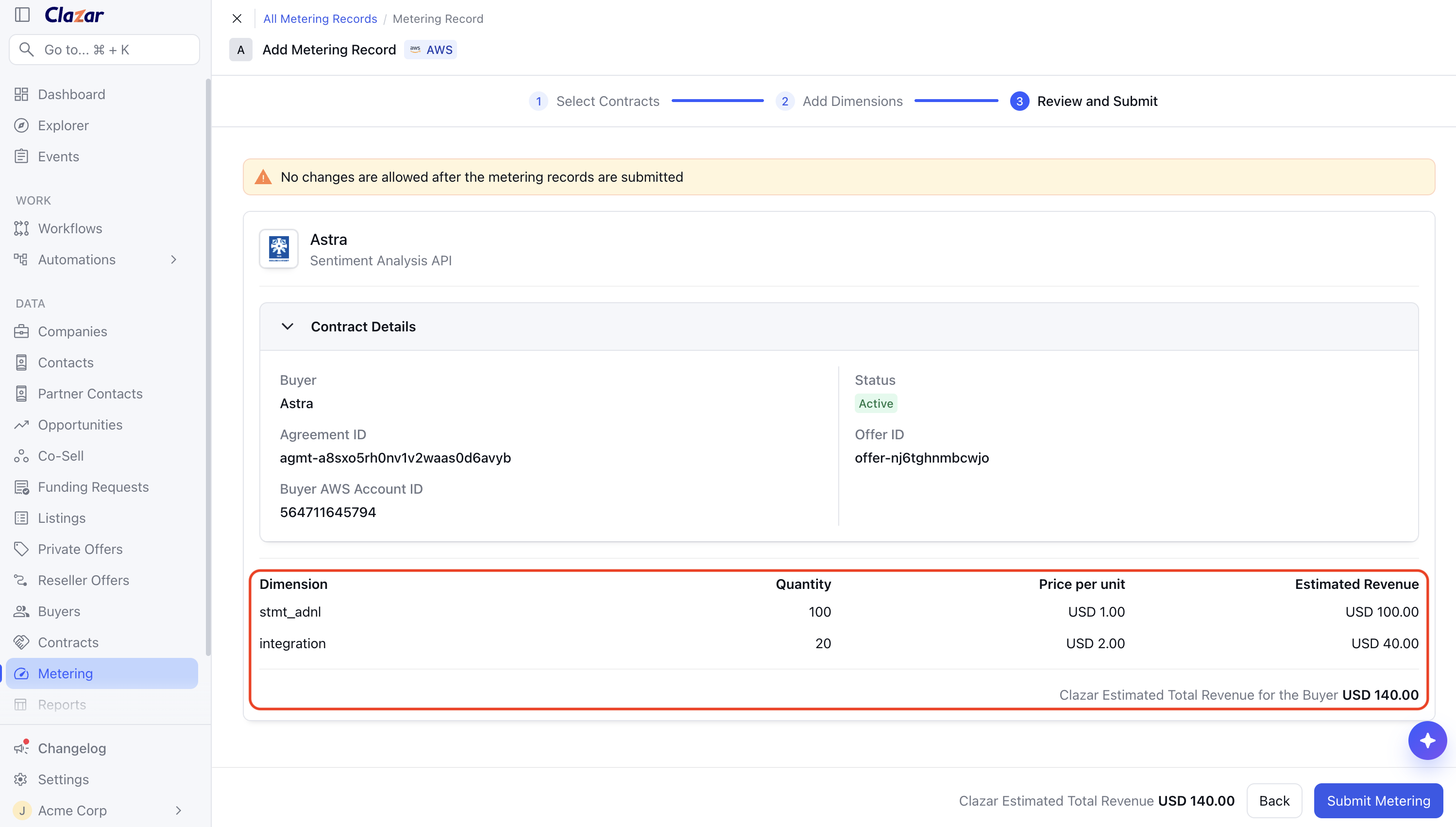
Subtotals and submission total: Each buyer card shows a subtotal for that contract, and the footer shows a total for every contract in the submission.
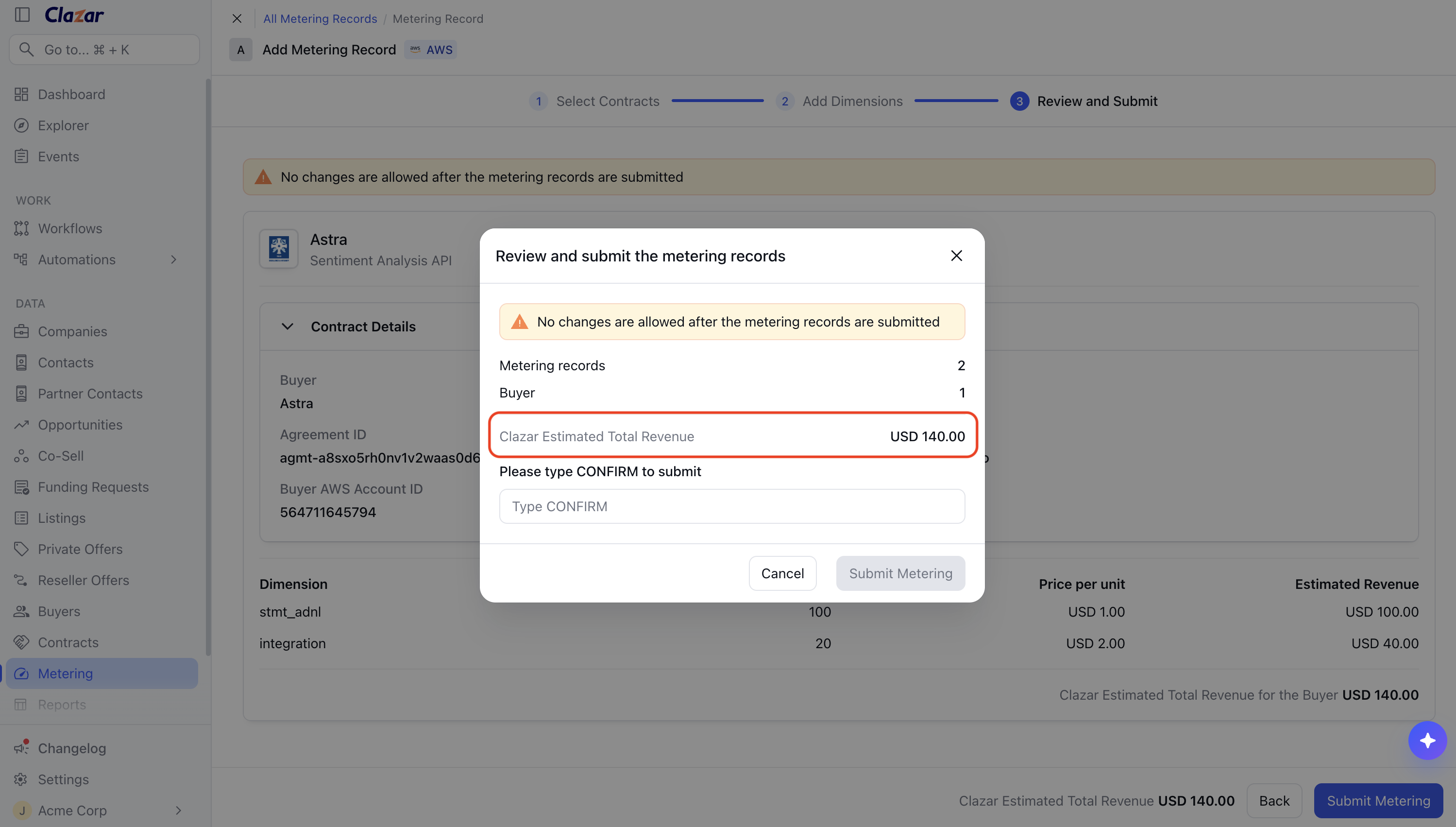
Total on the confirmation dialog: The confirmation dialog shows the estimated total and the number of records before the submission is confirmed.
How to get started
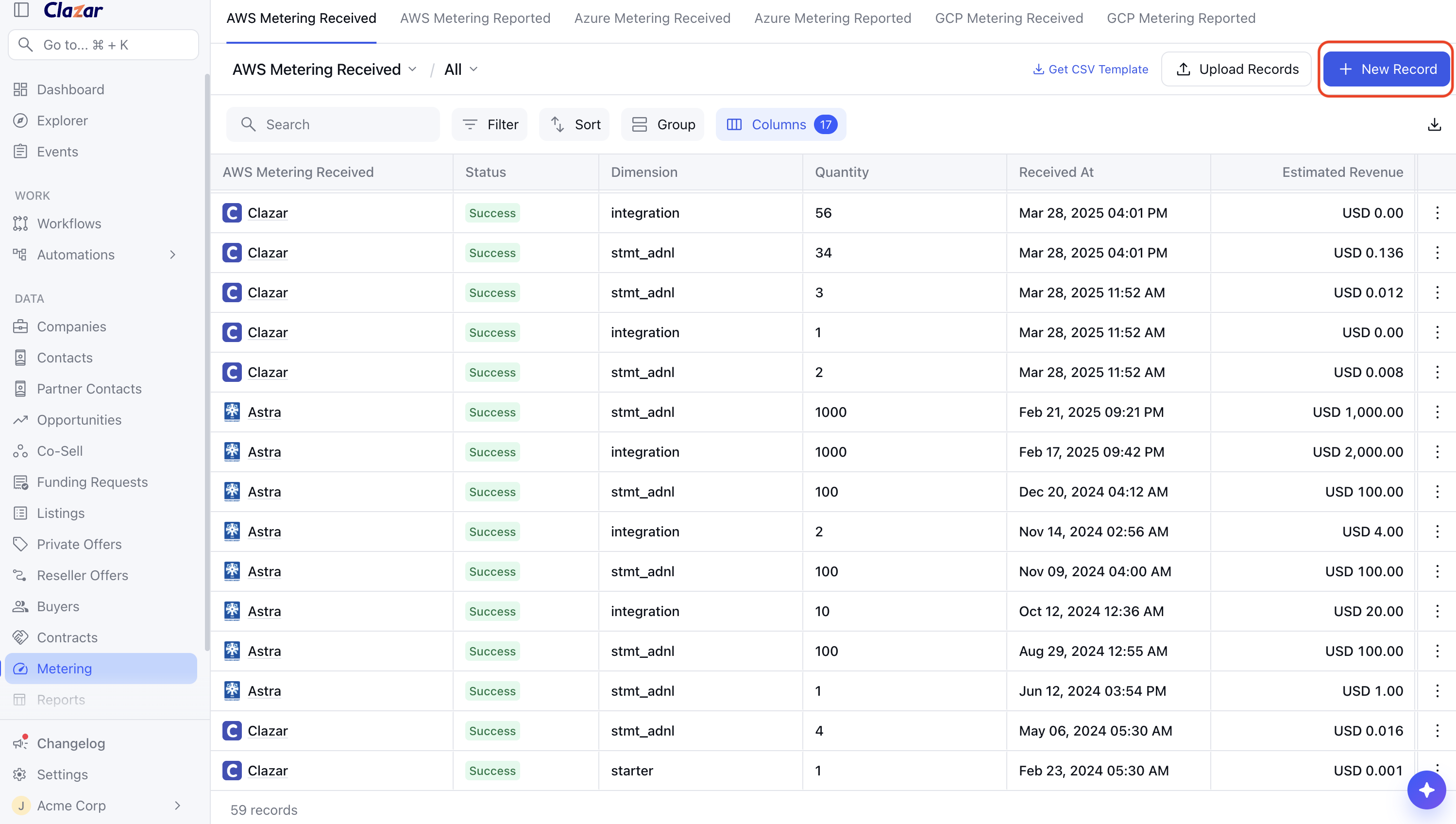
Open the create flow: On the Metering Received list for your cloud, click New Record.
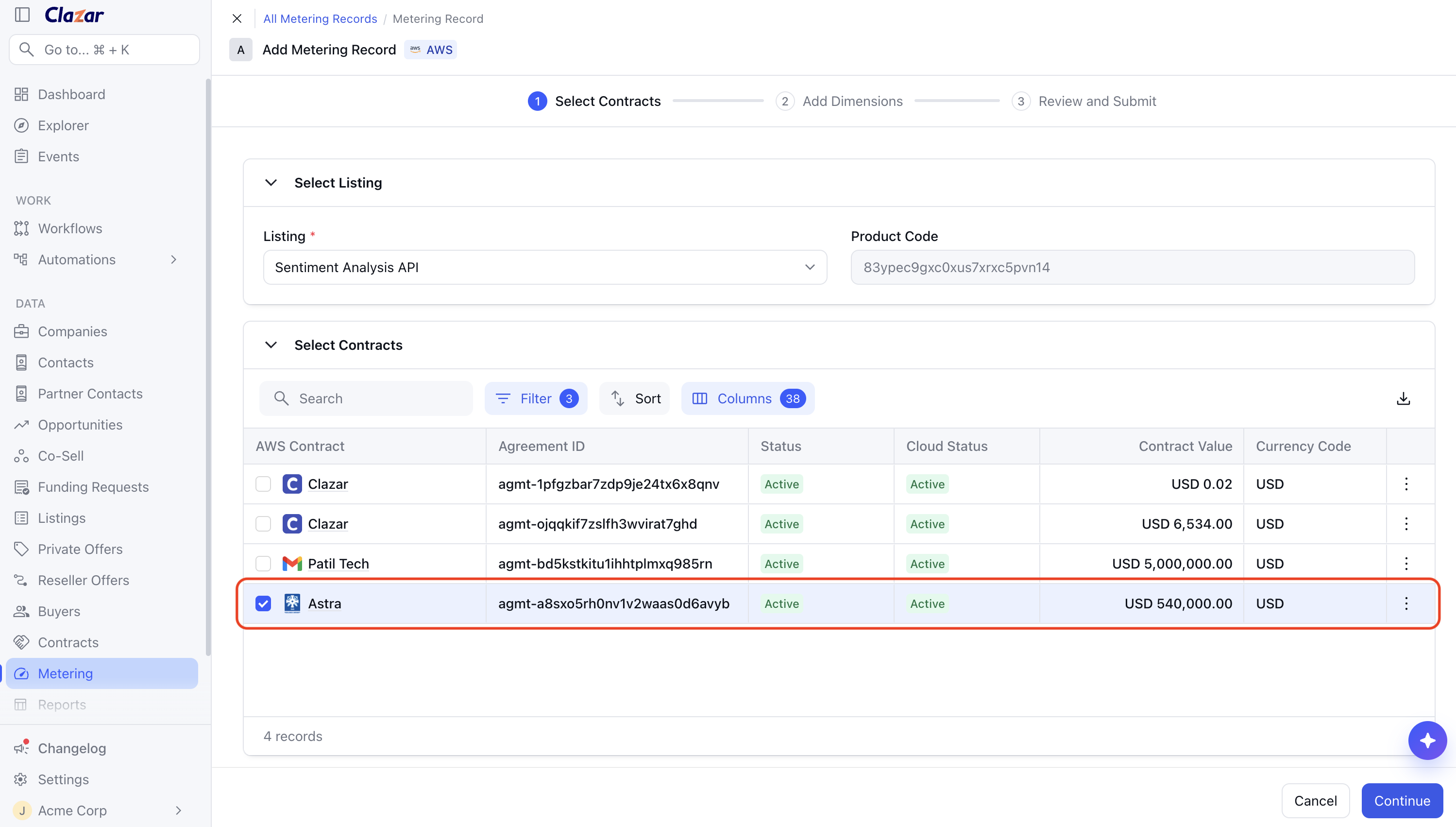
Select contracts: Select the contracts to meter, then click Continue.
Enter quantities and Review: On the Add Dimensions step, select a dimension and enter a quantity. The price per unit, the Estimated Revenue for that row, the buyer subtotal and the submission total are shown as the quantity is entered. On Review and Submit, check the amount for each contract and the total.
Confirm the submission: Click Confirm Submission, then type CONFIRM in the dialog.
Things to note
Gross amount: Estimated Revenue is the quantity multiplied by the contract's dimension price. It does not deduct marketplace listing fees or taxes.
Contract currency: Amounts are shown in the contract's own currency rather than always in US dollars.
Mixed currencies: When the selected contracts use different currencies, each buyer subtotal appears in its own currency and the combined total is omitted.