Project Description field name changed to Customer Business Problem in AWS cosell opportunity
Last updated: August 31, 2026
Overview
AWS Partner Central calls this field Customer Business Problem. Clazar called it Project Description, so the same field went by two different names depending on which tool you were in.
The field is now labelled Customer Business Problem everywhere in Clazar, matching Partner Central. It also carries AWS's own guidance as a tooltip, which the field previously had no help text for at all.
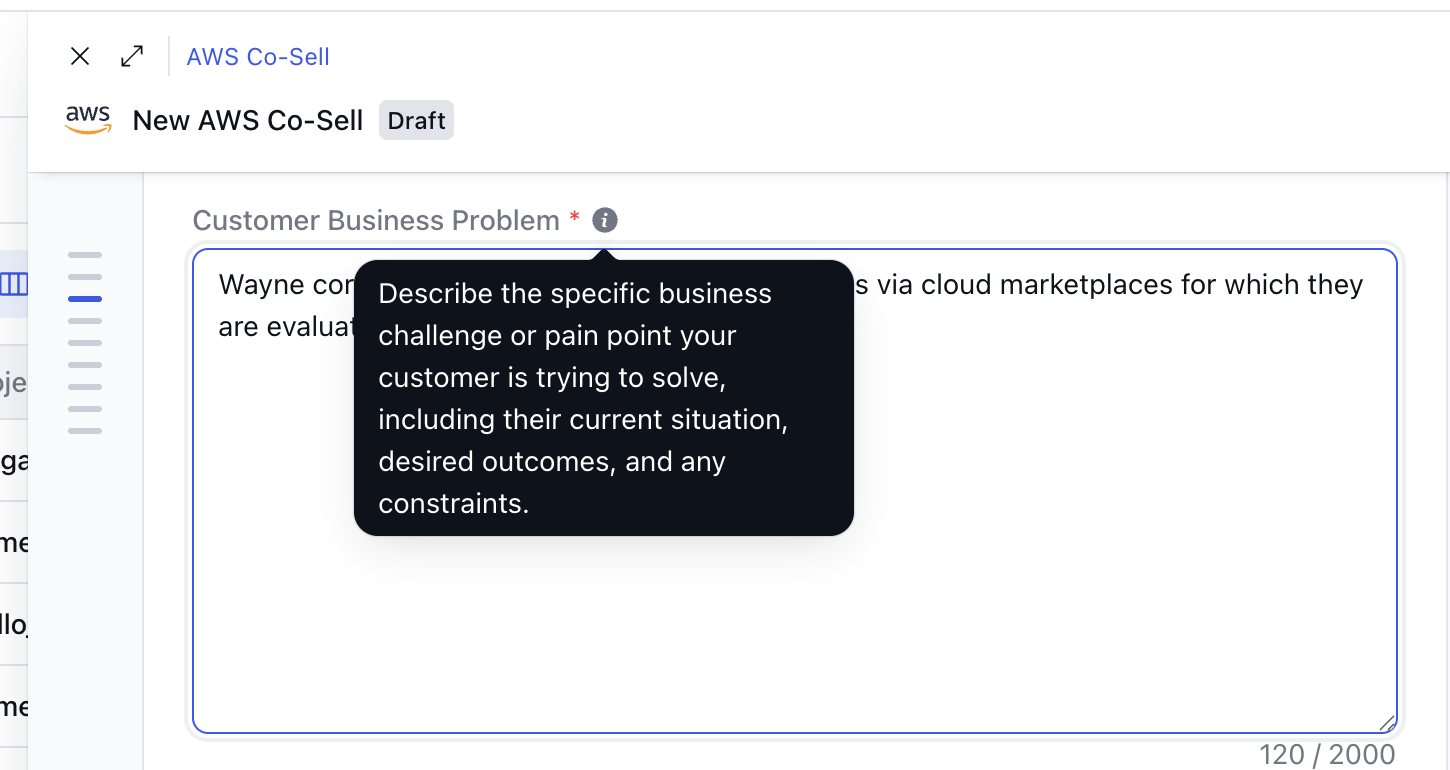
Value it drives
One name across both tools: Sellers moving between Clazar and Partner Central see the same label for the same field, and the name now says what the field is actually for — the customer's problem, not a description of your project.
Guidance on the field: Hovering the info icon beside the label shows AWS's own guidance: describe the specific business challenge or pain point your customer is trying to solve, including their current situation, desired outcomes and any constraints. Previously the only prompt was the minimum-character validation message that appeared after you typed too little.
Where you will see it
Co-sell opportunities: The detail view, the create form, and the opportunity list.
The Clazar view inside your CRM: The co-sell opportunity that opens in a Clazar iframe from the Salesforce and HubSpot cards.
CRM field mapping: The Clazar field is listed as Customer Business Problem when you map it to a CRM field.
The CSV import template: Newly downloaded templates use Customer Business Problem as the column header.
Things to note
Nothing was migrated: This is a label change only. The values stored on your opportunities are untouched, and no action is needed on your side.
Your CRM field mappings still work: Mappings are stored against the field's internal name, not its label, so existing mappings continue to sync without being re-saved.
Older CSV files still import: Import matches columns by header text. Files you downloaded before this change still carry a Project Description column, and that header is still accepted, so there is no need to re-download the template or re-key existing files.
The API field name is unchanged: The field is still
project_descriptionin the API and in event payloads. Only the label shown in the app has changed, so integrations built on the API need no update.