Redesigned contract PDFs built for revenue booking on AWS, Azure and GCP
Last updated: September 4, 2026
Overview
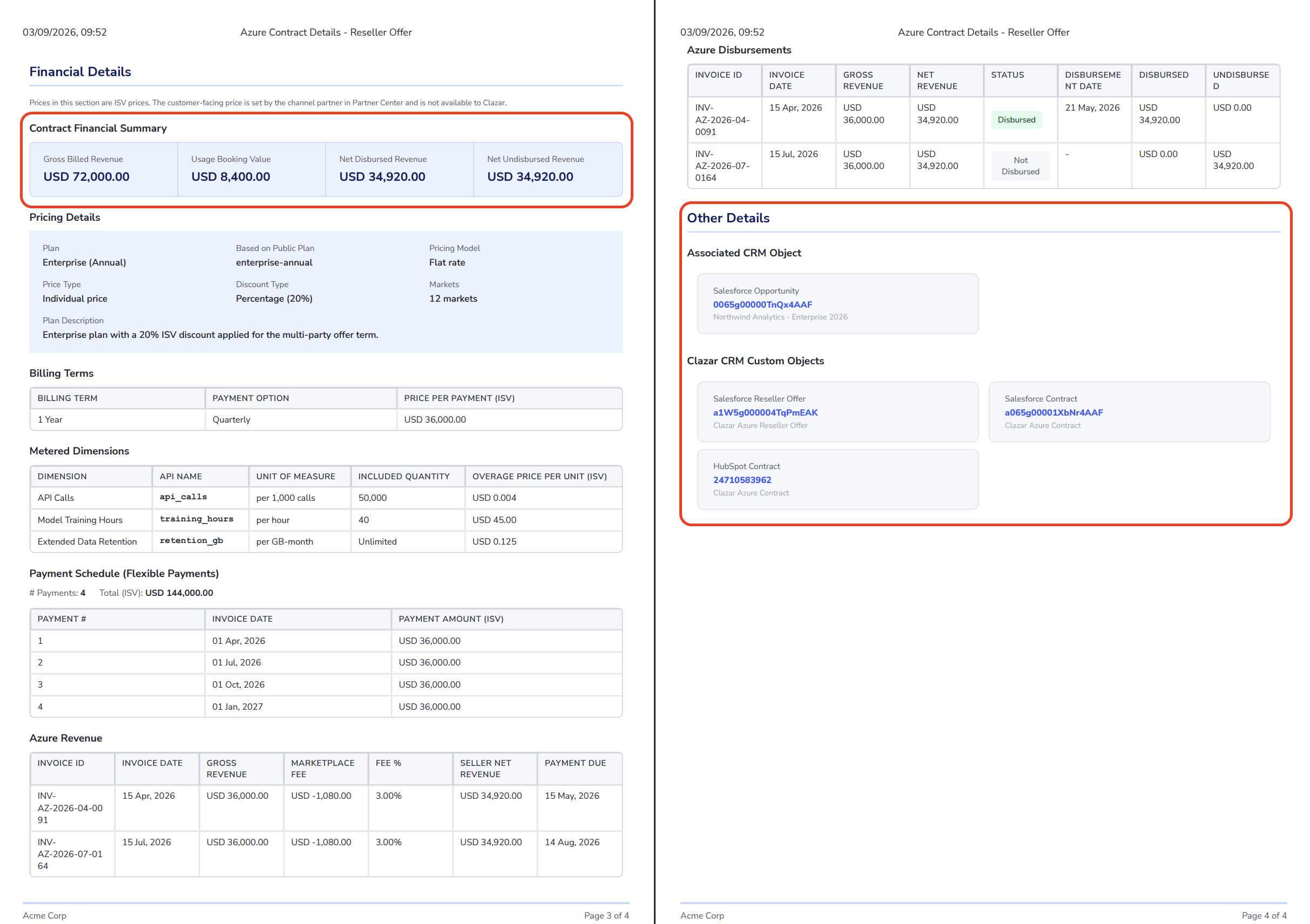
The contract PDF hands your RevOps and Finance teams the whole deal in a single file: what was sold, what was agreed, what it is worth, and what has been paid. Commercial terms, financial breakdown and CRM context arrive together, so a contract can go straight into revenue booking, an audit file, or a customer's inbox. It reads the same whether the deal closed on AWS, Azure or GCP, which gives a multi-cloud business one review process instead of three. Contract Details, Financial Details and Other Details appear on every PDF, and Offer Details is added whenever an offer is linked.
Value it drives
Built for the people who book the revenue: Financial Details gathers the summary totals, pricing, billing terms, metered dimensions with unit of measure and overage price, and the installment schedule. Every number Finance needs to recognise the deal sits on one page.
Richer than the marketplace's own paperwork: Your custom properties, contacts to notify, linked Salesforce and HubSpot objects, and revenue and disbursement line items all appear in the PDF. None of them exist on the cloud's own agreement document.
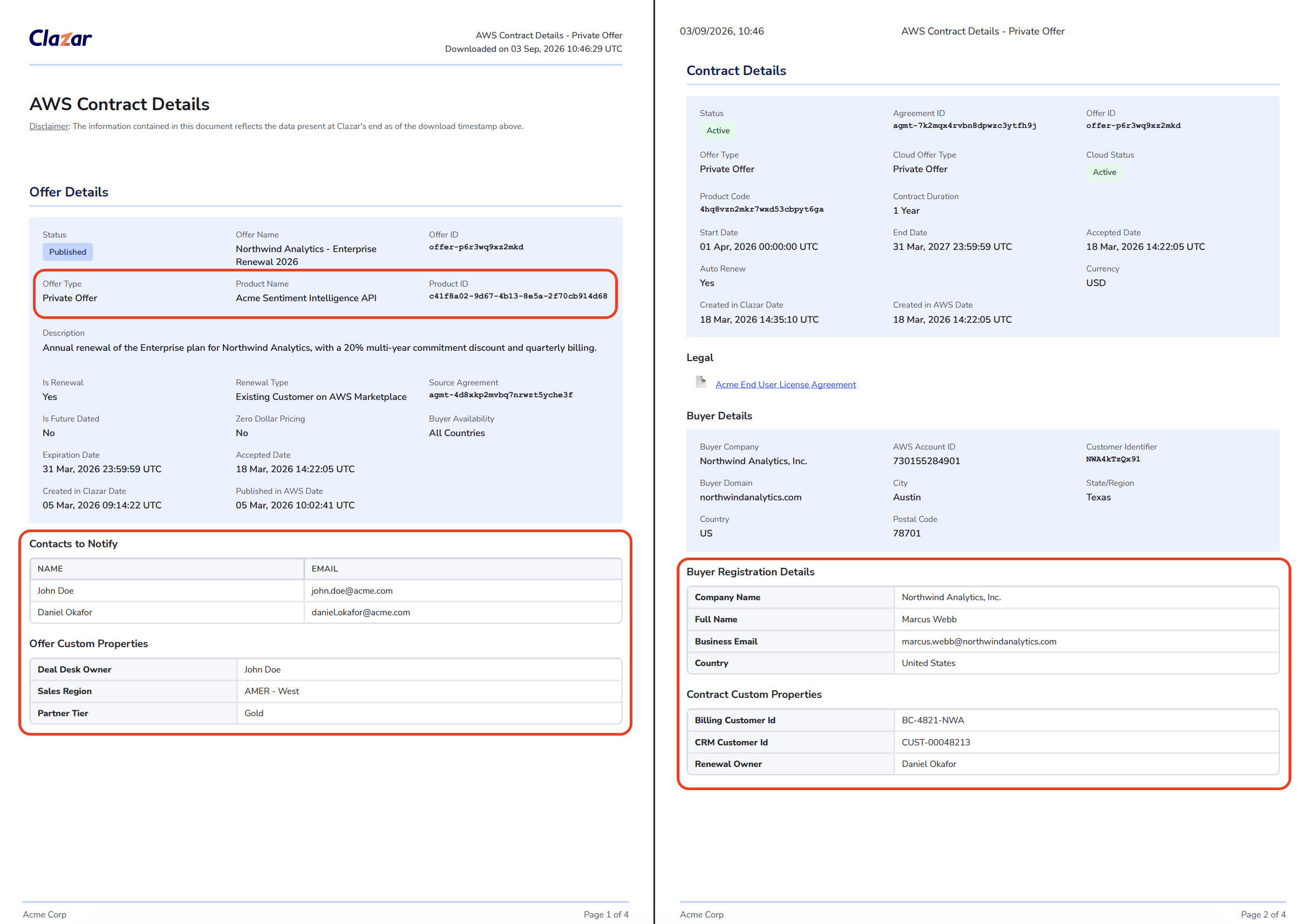
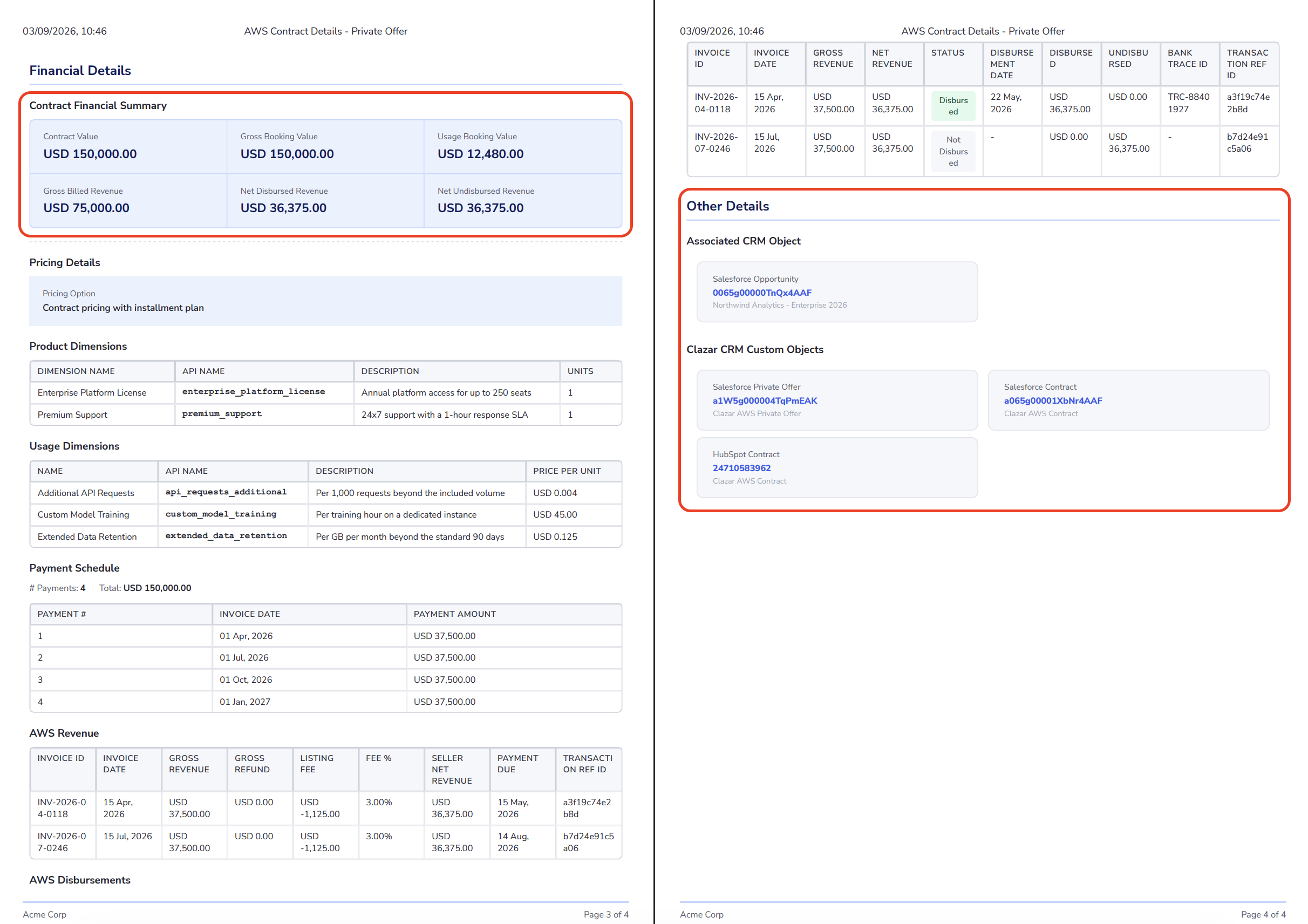
One document across three marketplaces: The same sections in the same order on AWS, Azure and GCP. A team selling across all three reviews every contract the same way, with Offer Details added whenever an offer is linked.
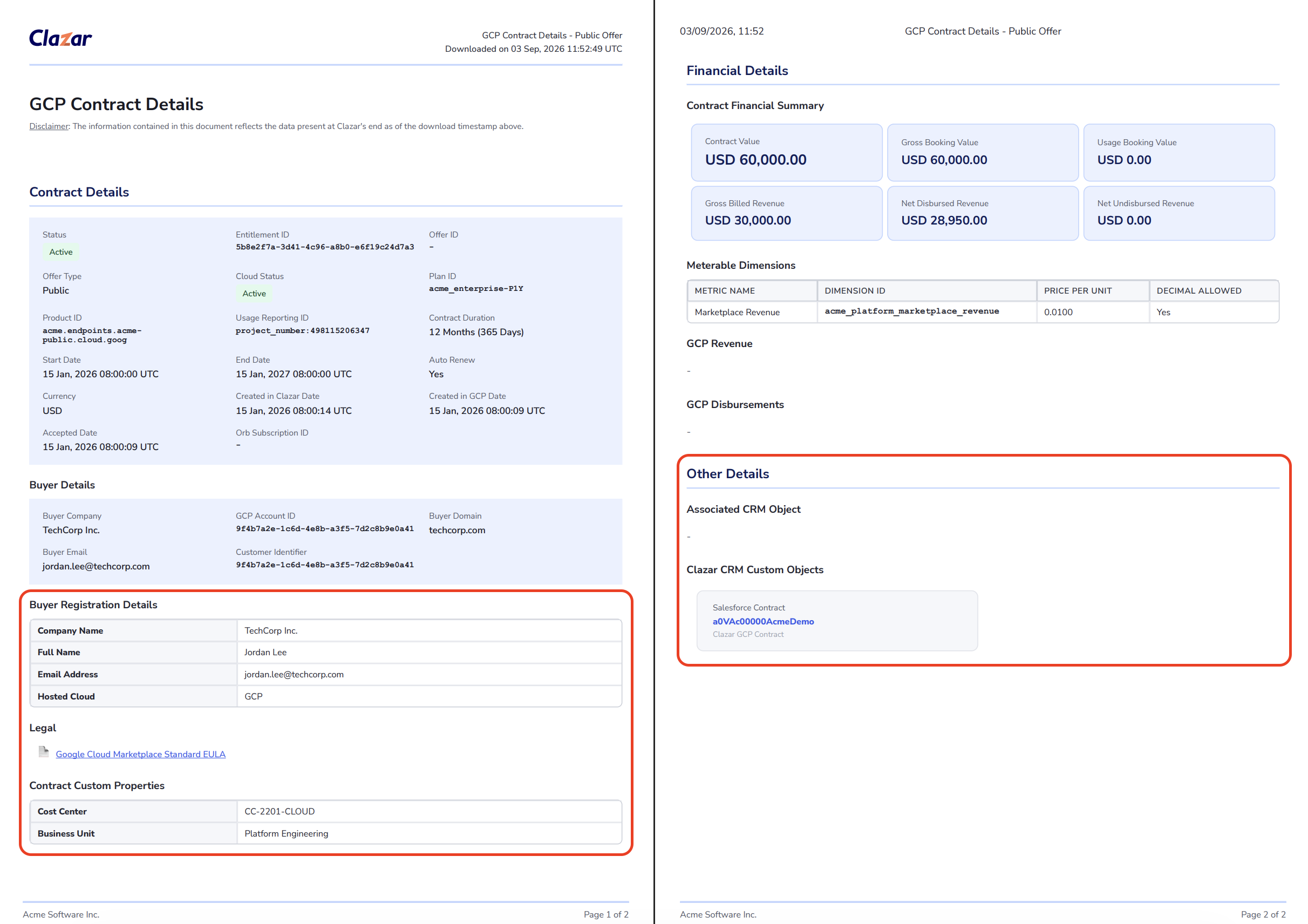
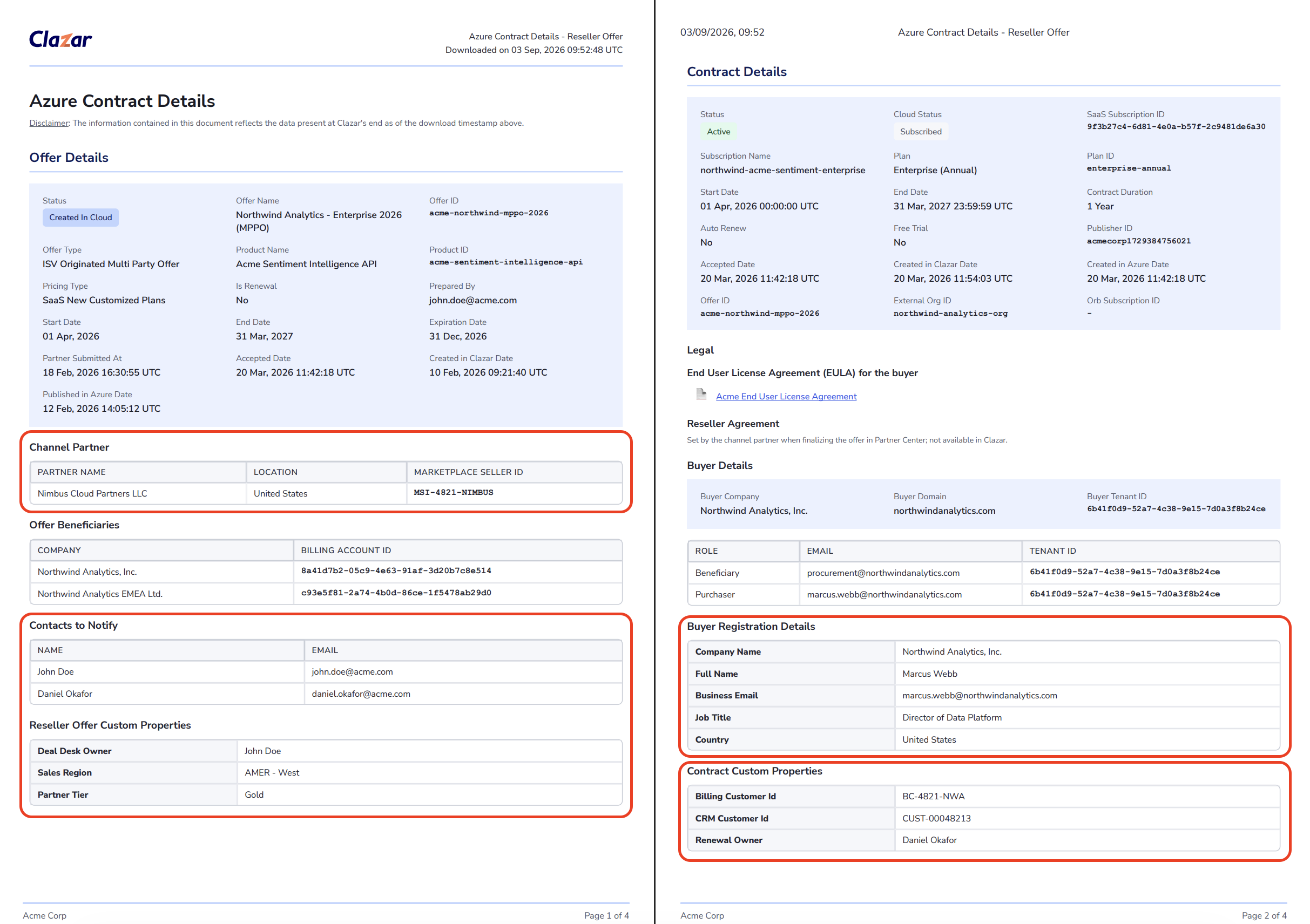
A variant that fits the deal: Private offer and reseller offer contracts each render their own layout, with channel partner details on Azure reseller contracts, a Reseller Private Offer Details section on GCP, and the EULA documents captured on the offer.
How to get started
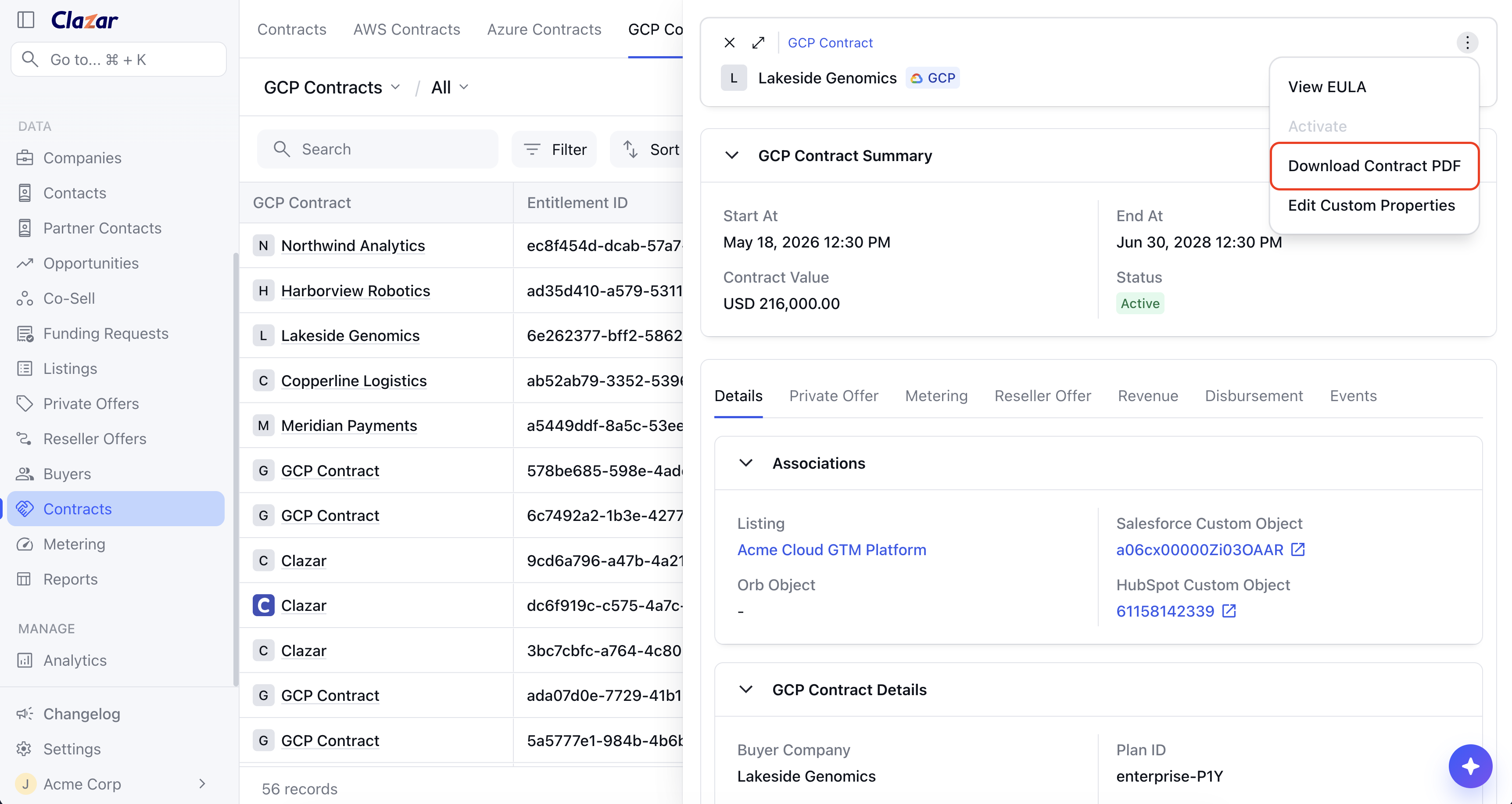
From a contract: Go to the Contracts page, open a contract, then select Download Contract PDF from the actions menu.
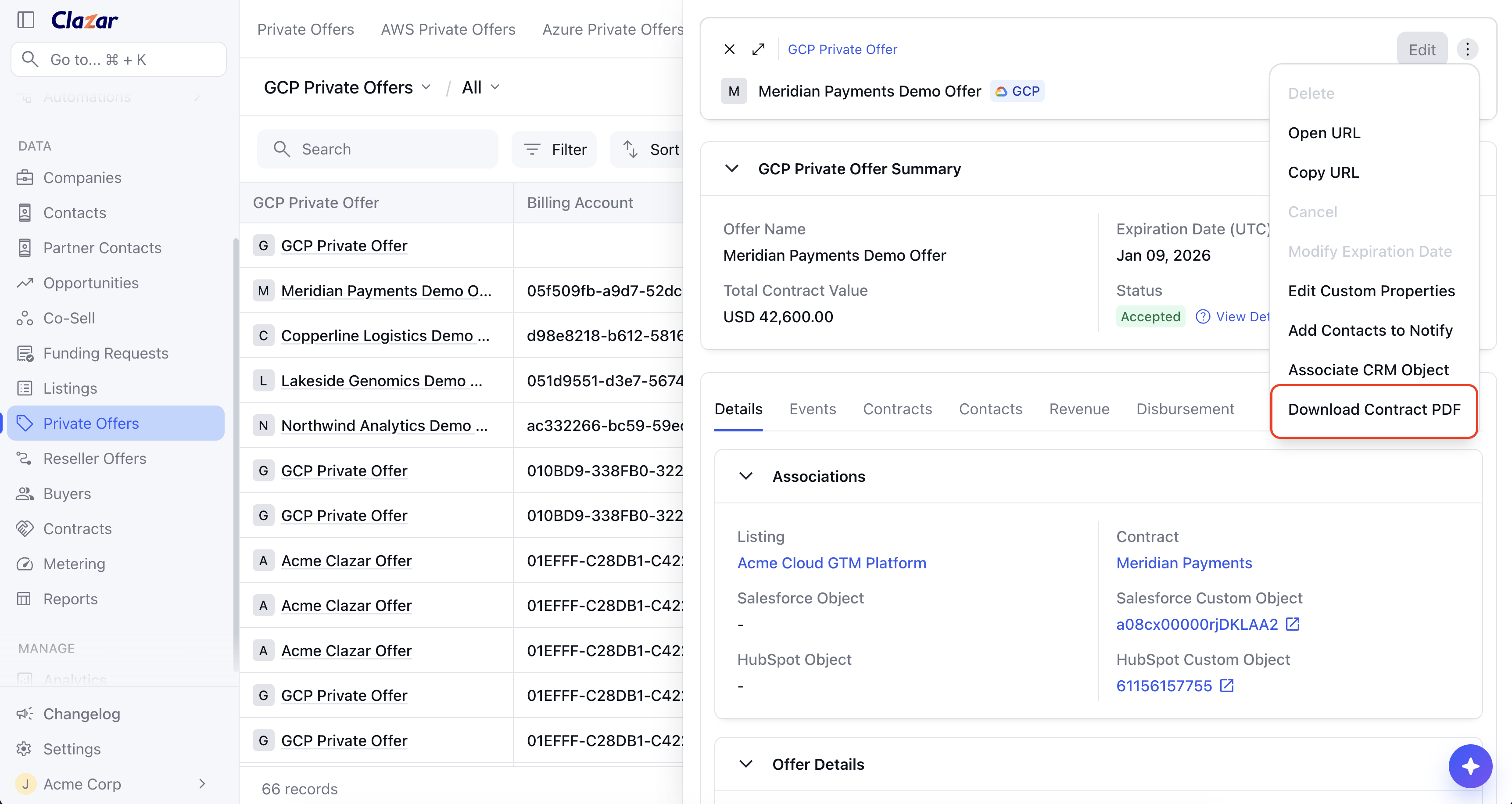
Download Contract PDF from a contract record From an offer: Open a record on the Private Offers or Reseller Offers page and select Download Contract PDF. You get the same document for the contract that offer created, without leaving the offer.
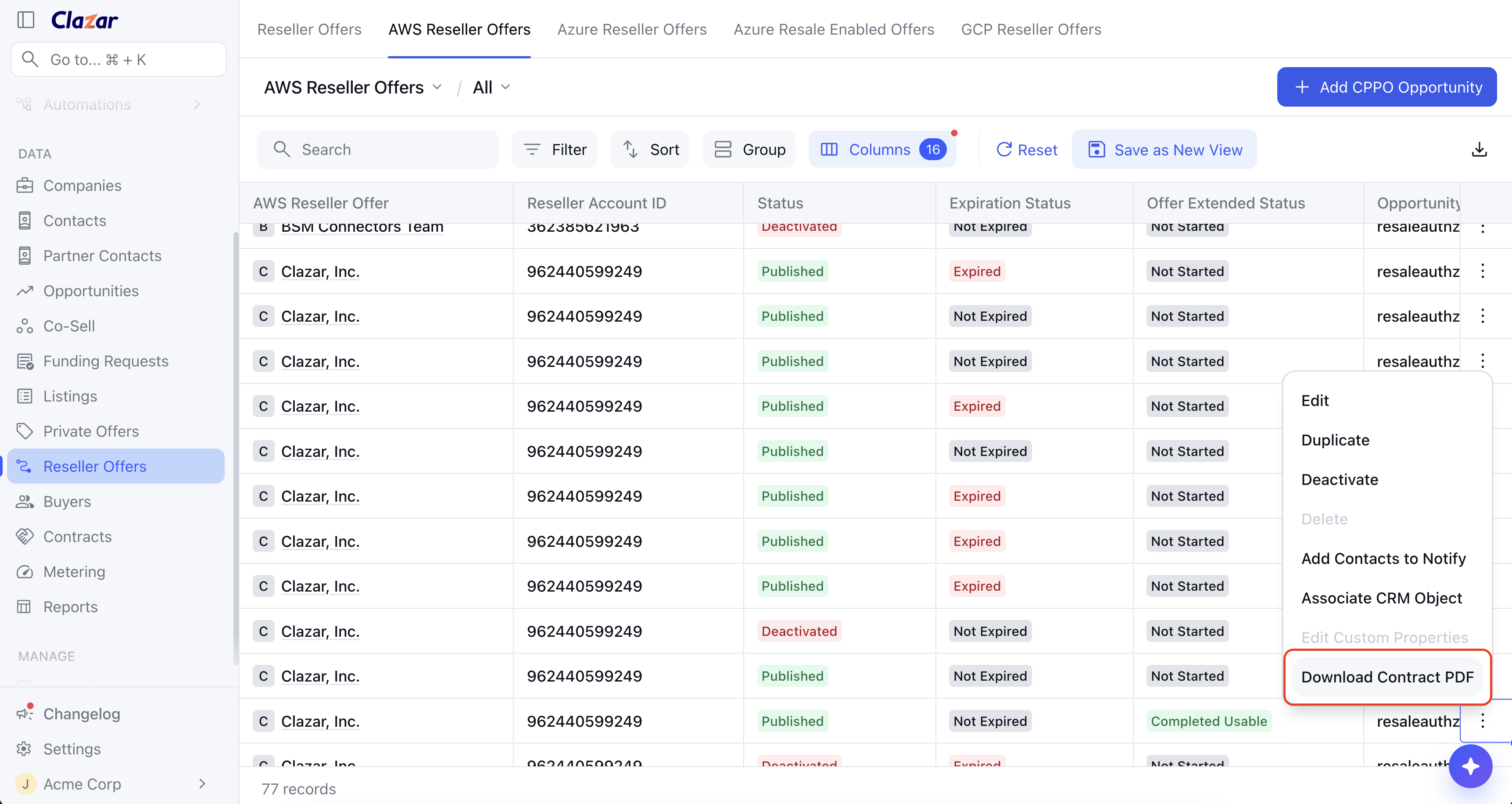
Download Contract PDF from a private offer record Straight from a list: The same action is on the row menu in the Reseller Offers, Private Offers, and Contracts lists, so you can pull a PDF without opening the record.
Download Contract PDF from the reseller offer list Inside Salesforce: The same action is on the offer card menu in the Clazar Offers widget, so you can download a contract without leaving the account.
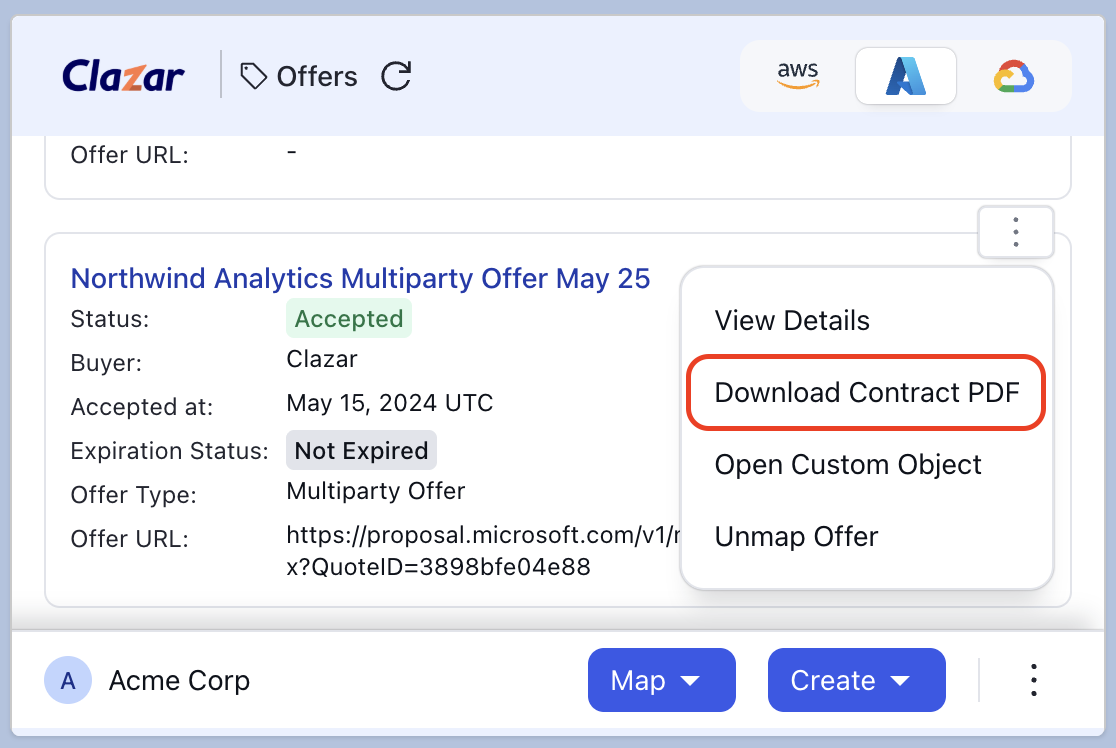
Download Contract PDF on an Azure multiparty offer in the Clazar Offers widget 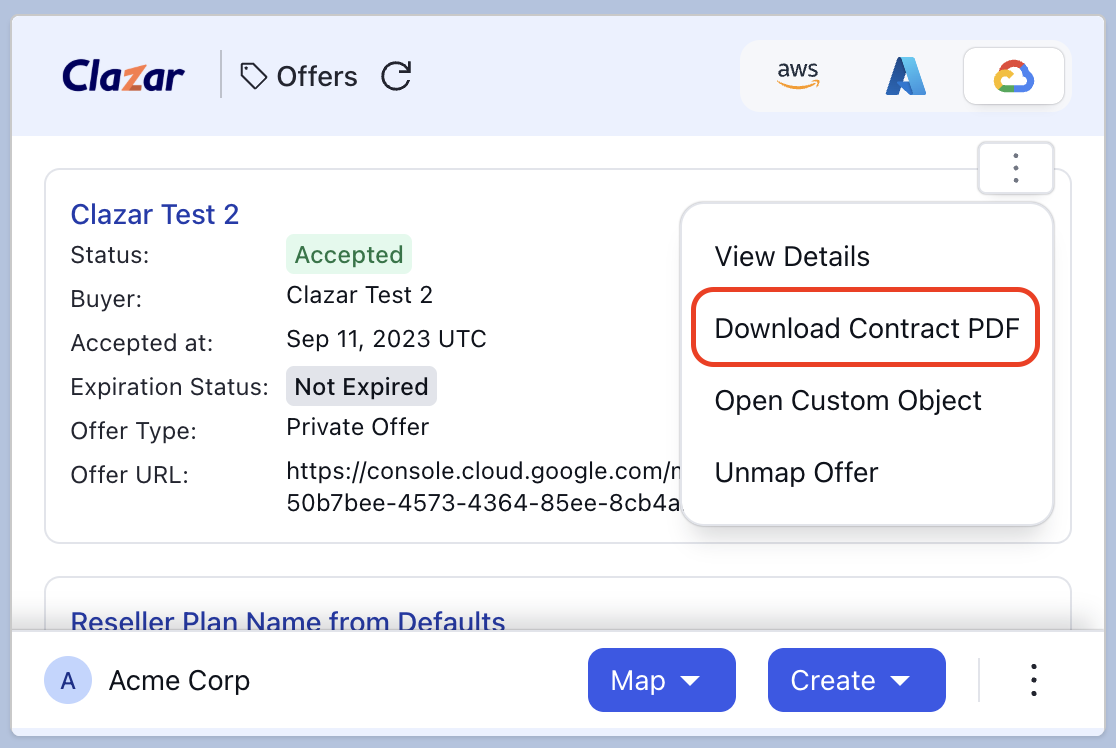
Download Contract PDF on a GCP private offer in the Clazar Offers widget
Things to note
Always current: Every PDF is built the moment you download it, from the data Clazar holds at that time, and stamped with the download timestamp. There is no cached copy waiting to go stale.
EULA documents: The PDF carries the EULA documents captured on the offer, so the terms in the file are the terms the buyer accepted. Reseller contracts list the buyer EULA and the reseller agreement separately. Azure partner terms stay in Partner Center and are not included.
Public offer contracts: These have no linked offer, so they carry no Offer Details section and are downloaded from the contract record. Their EULA appears under Legal in Contract Details.
Revenue and disbursement rows: These line items come from your marketplace payout data. A row renders as "-" where that data has not reached the contract yet.