Set custom contract duration and renewals on Azure private and multiparty offers (reseller offers)
Last updated: October 14, 2026
Overview
Before this change, Azure private offers and multiparty private offers (reseller offers) had only six fixed contract durations. Now you can set any contract duration that Azure accepts. The range is 1 to 120 months, or 1 to 10 years. SaaS plans also have a new Renewals block. This block sets what the contract renews into when it ends.
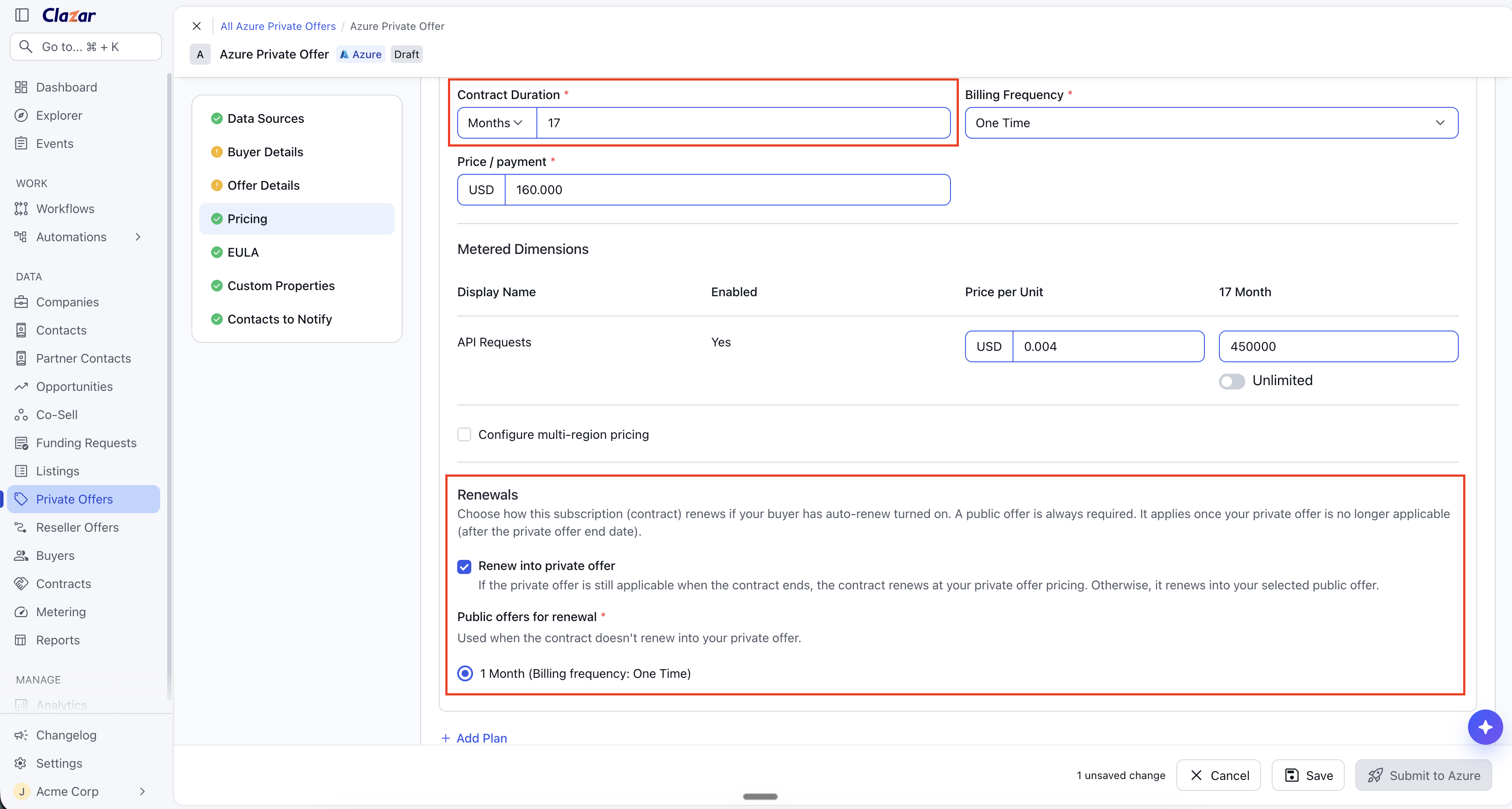
Value it drives
Contract duration: The Contract Duration field has a number and a unit. The unit is Months or Years. The field accepts 1 to 120 months, or 1 to 10 years.
Billing frequency: The Billing Frequency list shows only the frequencies that Azure accepts for the duration. Annual billing is available only when the duration is a whole number of years.
Renewals: The Renewals block sets what the contract renews into when it ends. You can renew the contract at your private offer pricing. You must also select a public offer for the renewal.
Where the values show: The offer detail page, contract detail page, offer emails and the contract PDF show the contract duration and the renewal settings. You can map both to Salesforce and HubSpot fields.
How to get started
Open the offer: For a private offer, go to Private Offers and select Azure. For a multiparty private offer (reseller offer), go to Reseller Offers and select Azure. Create an offer or edit an offer. The next steps are the same for both offer types.
Expand a plan: In the Pricing section, expand the plan.
Enter the contract duration: In Contract Duration, enter a number. Then select Months or Years. If Azure records the month count as years, a note shows below the field. Example: "24 Months is recorded as 2 Years".
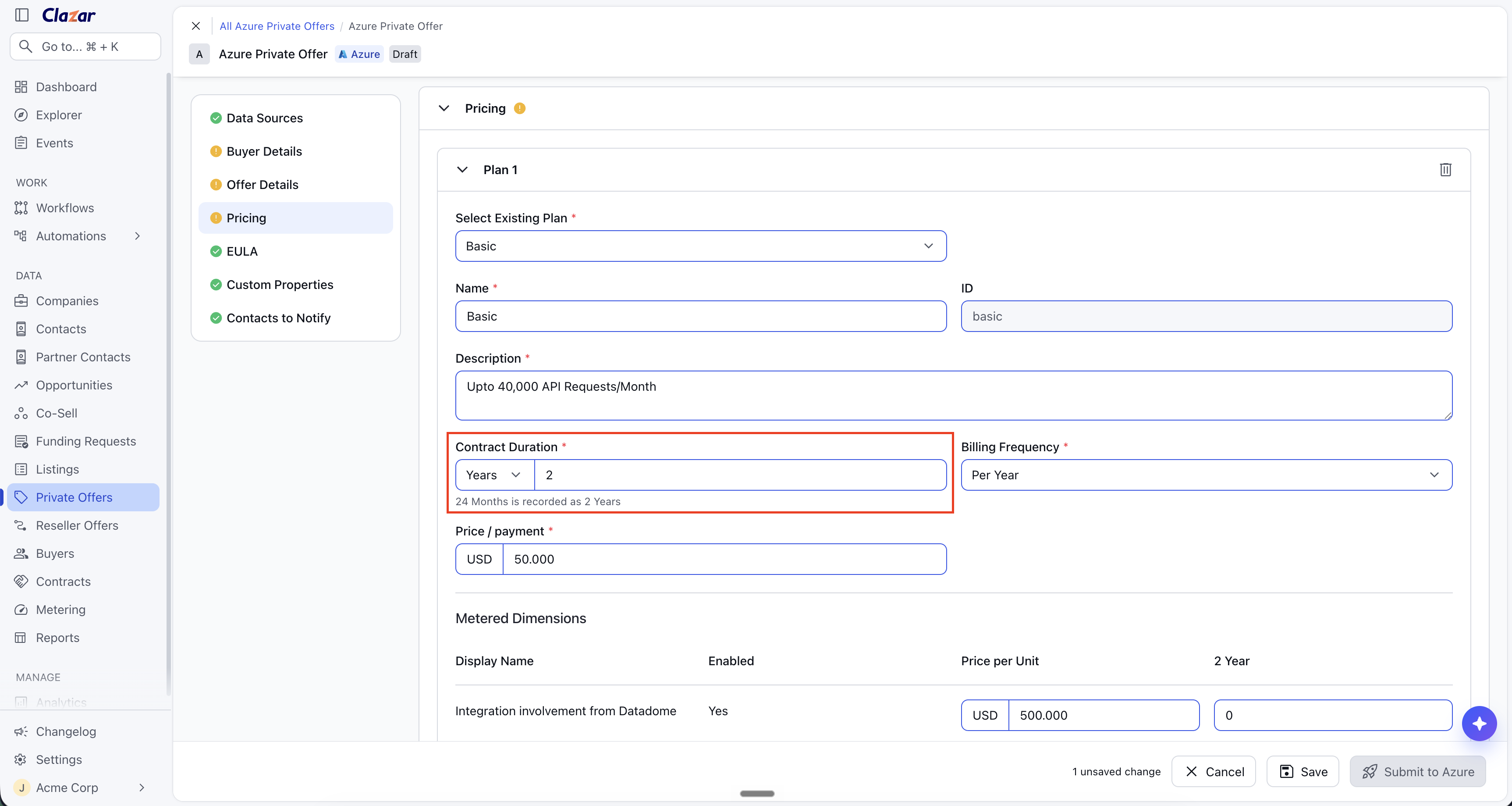
Azure records a duration of 24 Months as 2 Years. A note below the field shows this. Select the billing frequency: Select a frequency in the Billing Frequency list. The list shows only the frequencies that Azure accepts for the duration.
Set the renewal: In the Renewals block, select Renew into private offer if you want the contract to renew at your private offer pricing. This applies only if the private offer is still applicable when the contract ends. Then select one option in Public offers for renewal. The contract renews into this public offer if it does not renew at your private offer pricing. Each option shows the public term and its billing frequency. Example: "1 Year (Billing frequency: Per Month)".
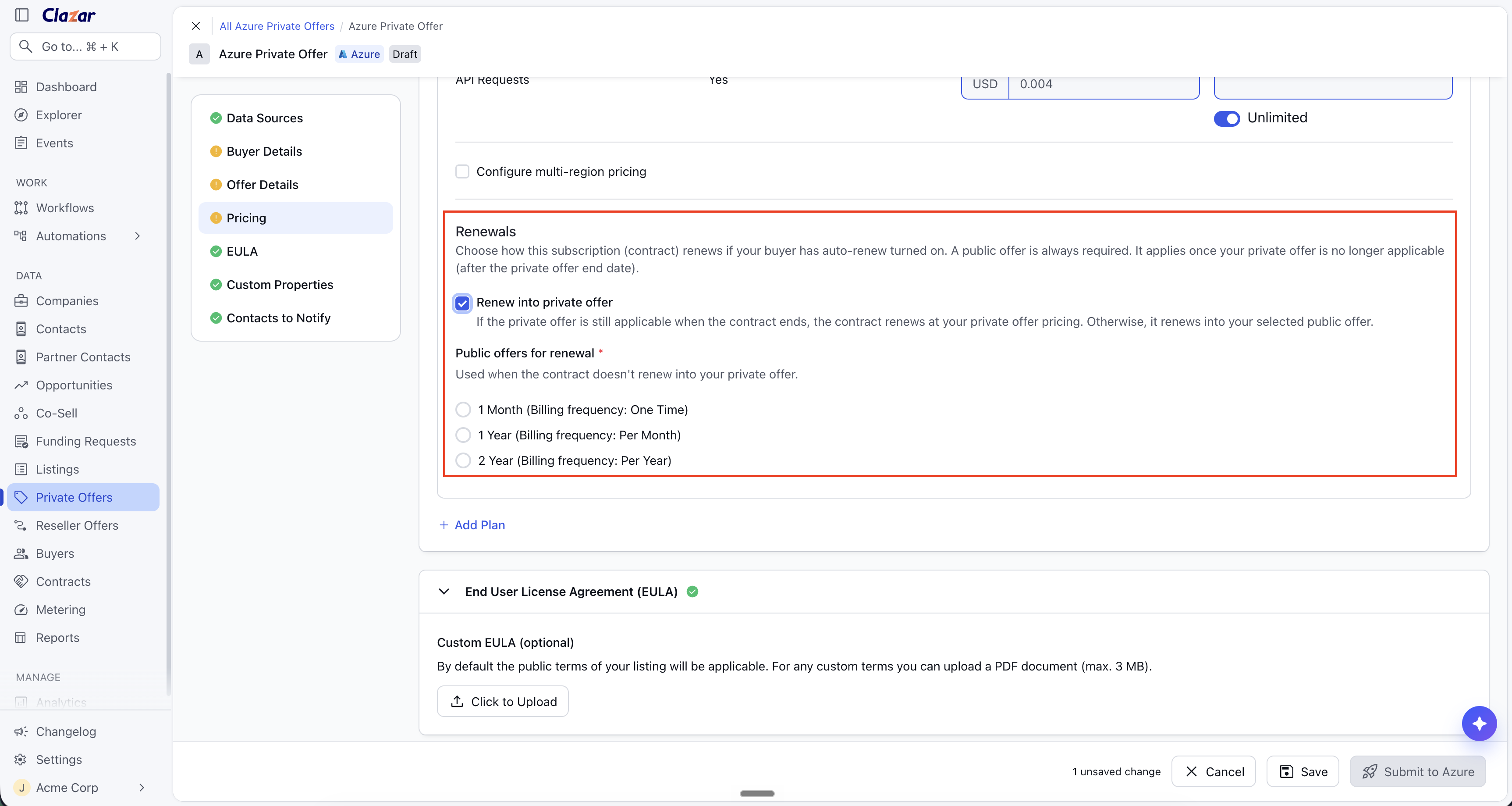
The two renewal paths. The checkbox renews the contract at your private offer pricing. The list sets the public offer for the renewal.
Things to note
Renewal scope: Microsoft supports renewal settings only on SaaS plans. Plans in VM listings do not have the Renewals block.
Public offer is required: You must select a public offer for renewal on every plan. The contract renews into this public offer if your private offer is not applicable when the contract ends. This is also true when you select Renew into private offer.
Whole-year durations: Azure records a month count that divides by 12 as years. For example, Azure records 12 months as 1 Year. Annual billing is then available. A 17 month duration stays a month term. Annual billing is not available for it.
Flexible payment schedules: A plan with a flexible payment schedule can renew only into a public offer. Microsoft does not allow these plans to renew into a private offer. On these plans, the Renew into private offer checkbox is disabled.
Renewals set in Partner Center: If you set a renewal directly in Partner Center, Clazar syncs it. The renewal then shows on the offer in Clazar.