October 2025 Release Highlights
Last updated: November 13, 2025
Auto-Create & Auto-Update Failure Alerts
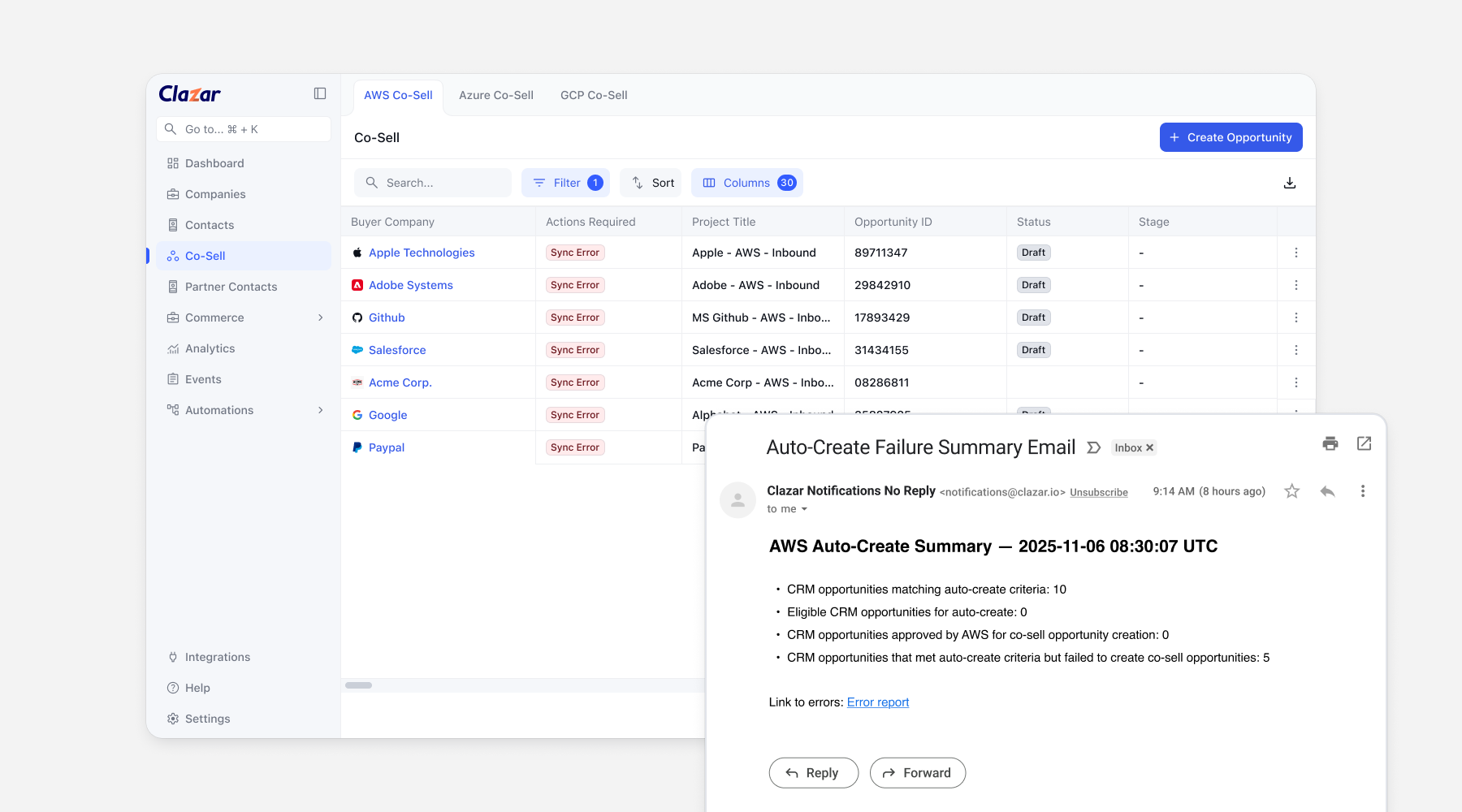
We’ve added more visibility into your auto-create and auto-update jobs! You’ll now receive an email notification whenever a job fails to run — with a summary of the errors and a direct link to the error report in Clazar.
This makes it easier to spot what went wrong (e.g., sync errors), fix issues in your CRM, and ensure your next batch runs smoothly. Keep your co-sell syncs error-free and on track.
Connect multiple Clazar accounts to one Salesforce instance
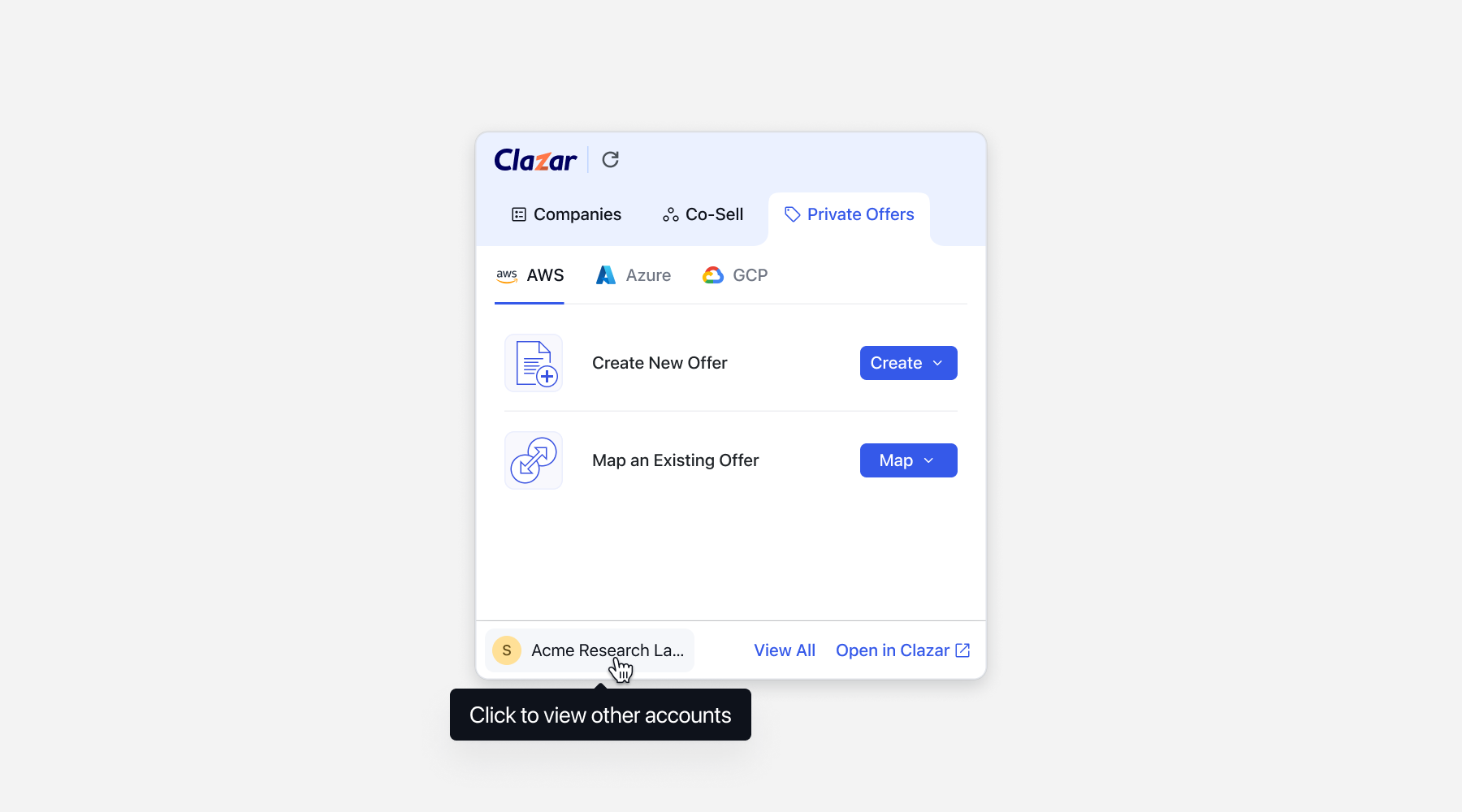
We’re rolling out multi‑account support for the Clazar Salesforce integration. Switch between multiple Clazar accounts on a single Salesforce instance right inside Salesforce. Widgets update automatically to show the selected account’s data.
This helps eliminate duplicate org setups when customers run multiple accounts, allowing them to quickly toggle context in Salesforce without re‑auth or page reloads.
How to get started
Connect additional Clazar accounts to the same Salesforce instance.
Complete manual user mapping in each account. Map a given Salesforce user to the same Clazar user across all connected accounts.
Use the account switcher in Salesforce to change context as needed.
We have also released the Salesforce app version 1.58 to support writeback data for multi-account setups.
GCP Vendor Net Revenue Percentage Visibility
In GCP Marketplace, each deal type is associated with a specific vendor net revenue percentage, representing the fee that GCP deducts. Depending on the deal type, this deduction can be 1.5%, 2%, or 3%. When creating a private offer in GCP, sellers can already select the applicable deal type from the available options.
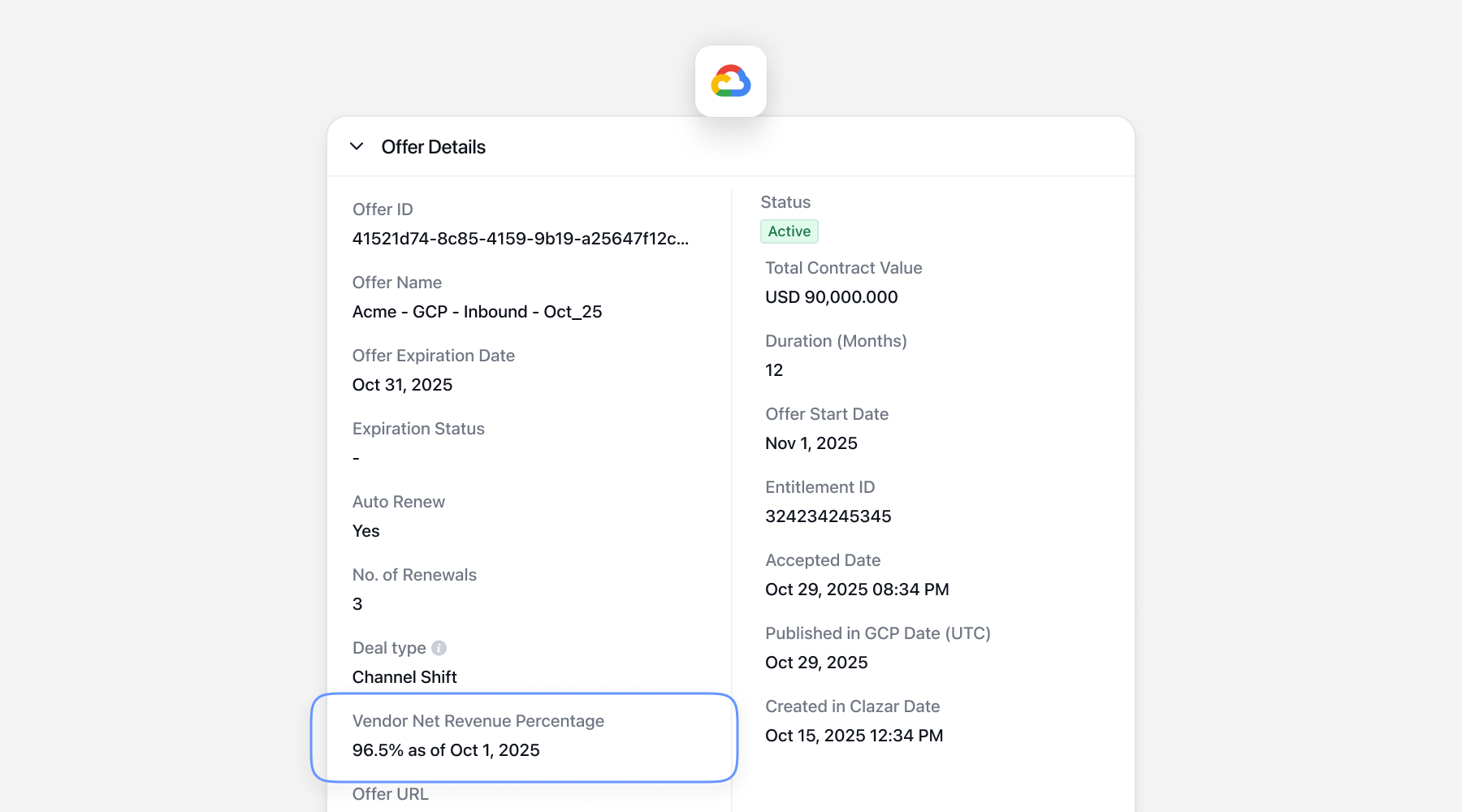
With this release, the Vendor Net Revenue Percentage (VNRP) data is now visible in the offer details after the offer is published.
This enhancement provides sellers with clearer visibility into the applicable GCP fee structure associated with their deal type. With this release:
Sellers can now verify the exact fee percentage deducted by GCP once the offer is published.
No change in workflow during offer creation — fee visibility is added post-publish in the offer details view.
After publishing a private offer, navigate to the Offer Details section to view the Vendor Net Revenue Percentage corresponding to the selected deal type.
New contract properties in AWS private offers
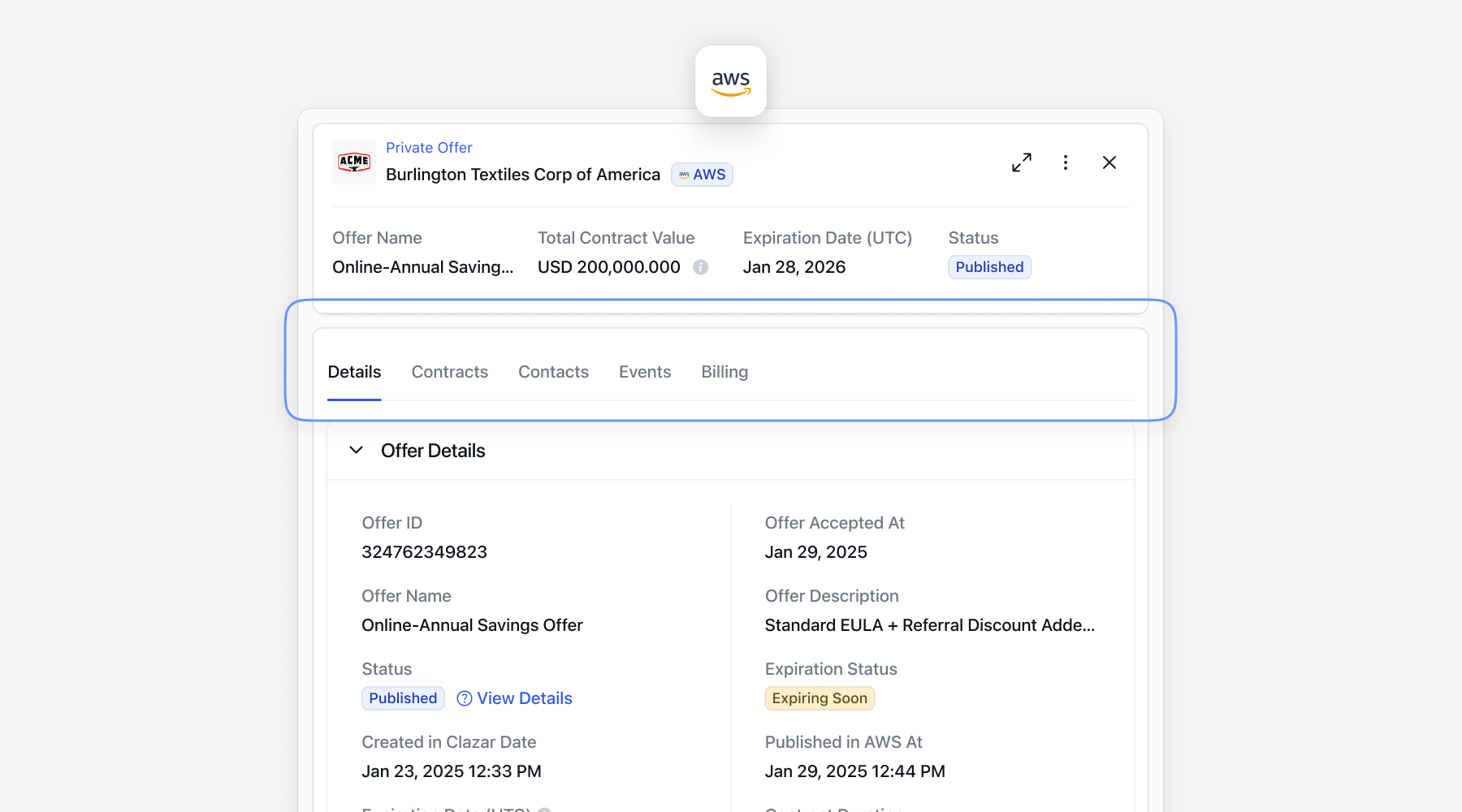
For AWS private offers, we have added a few details to the details screen to provide a holistic view of the offer and its associated contract. These include agreement ID, contract start date, end date, and revenue metrics such as gross booking value, gross revenue, and disbursed net revenue.
The buyer company name and their AWS account ID are also available in this view, so that sellers don’t need to switch to a different section for these details.
We've also introduced a new Billing tab alongside the Details and Events tabs. This displays booking values, disbursements, and other details for the agreement ID associated with the private offer.
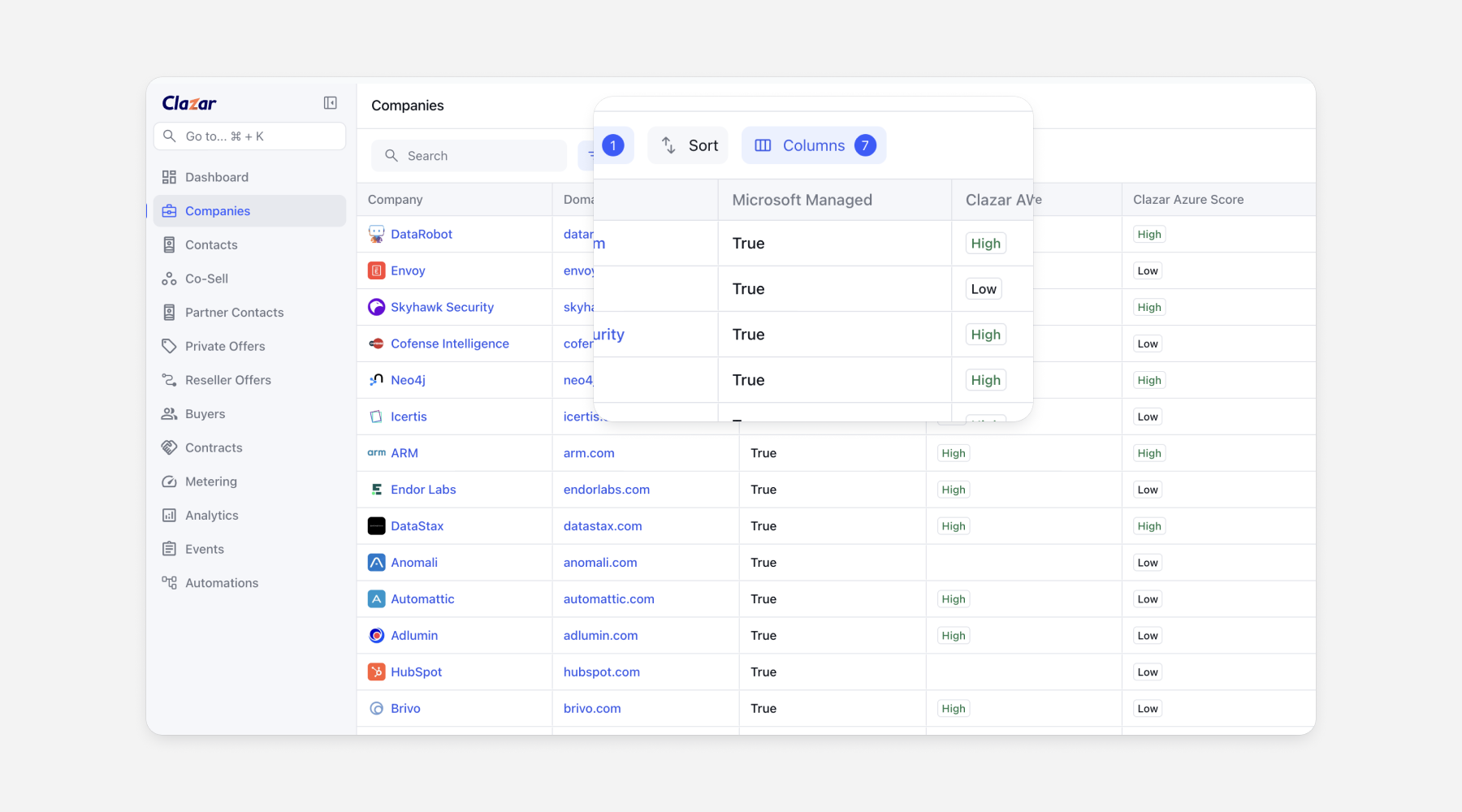
Microsoft Managed Property in Companies
You can now see if a company is directly managed by Microsoft’s account team — with the new “Microsoft Managed” property. This helps ISVs spot high-priority co-sell accounts and focus their efforts where Microsoft is actively engaged.