Uploading Architecture Diagrams in the AWS Marketplace Management Portal
Last updated: April 25, 2025
This guide walks you through uploading your architecture diagram to the AWS Marketplace Management Portal (AMMP), which is required for SaaS listing compliance and approval.
✅ Prerequisites
AWS Marketplace Management Portal access
AWS admin role or AWSMarketplaceFullAccess permissions
Architecture diagram ready for upload
🚀 Step-by-Step Instructions
Step 1: Navigate to Architecture Details
Action:
1. Log in to AWS Marketplace Management Portal
2. Go to Products → SaaS
3. Select your product listing
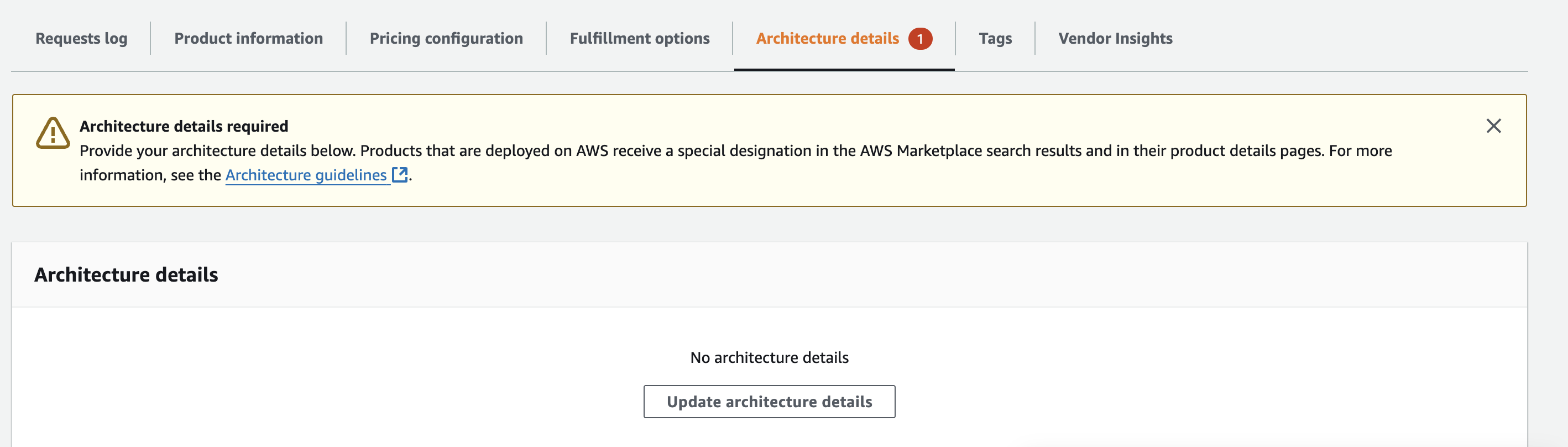
4. Navigate to Architecture Details section
Step 2: Upload Architecture Diagram
Action:
Upload your architecture diagram in the designated area within the Architecture Details section.
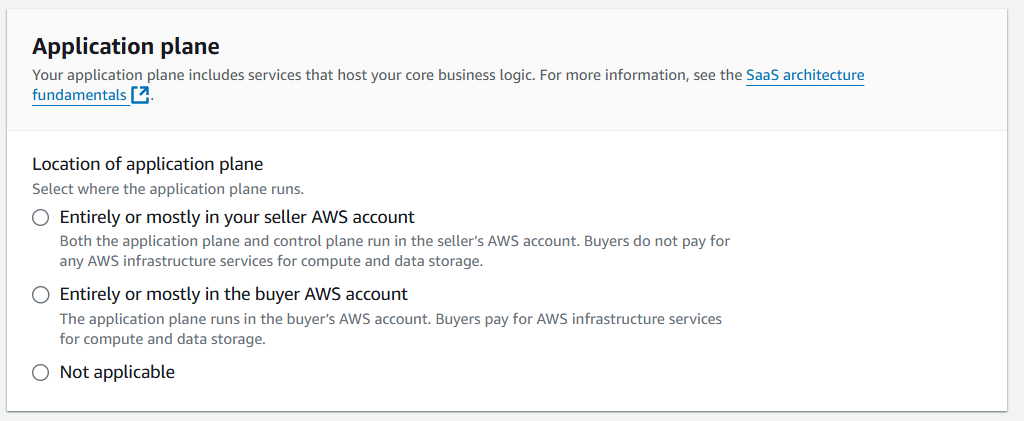
Here are other questions that AWS asks while you fill the details.
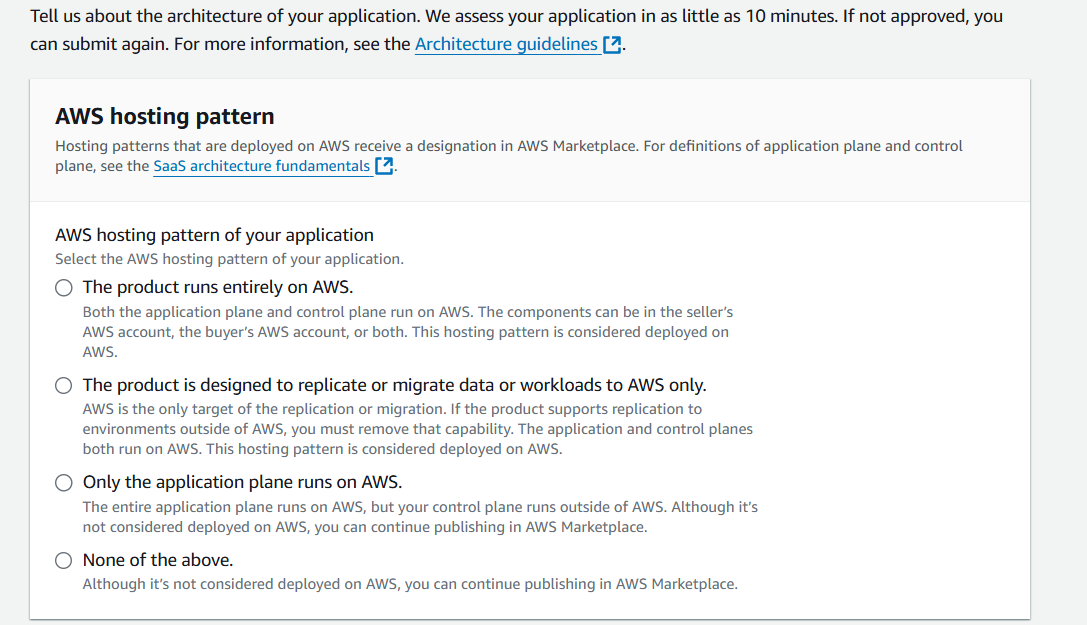
Ensure your architecture diagram demonstrates that your application runs on AWS infrastructure, as this is a key requirement for the SaaS policy update.
❓Troubleshooting / FAQs
Q: I can't edit my listing, what should I do?
A: You need either AWS admin privileges or the AWSMarketplaceFullAccess role. Contact your AWS administrator if you don't have the required permissions.
Q: What if I need help editing other parts of my listing?
A: Contact Clazar support team for assistance with general listing modifications beyond architecture diagram uploads.