November 2025 Release Highlights
Last updated: December 4, 2025
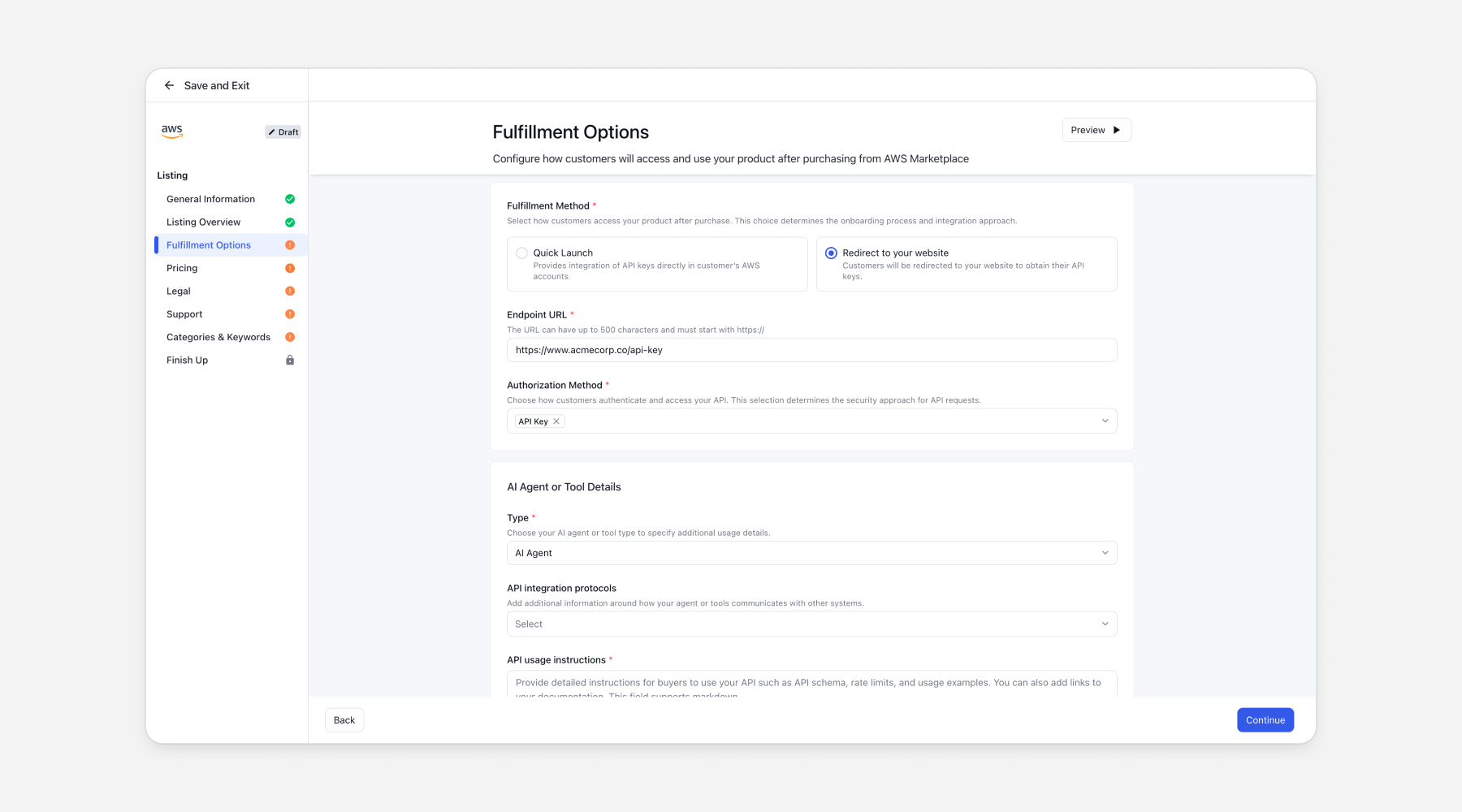
Launch API-based AI Agent listings on AWS with Clazar
Clazar now supports creating and syncing AWS AI Agent listings directly from the console.
You’ll see a new Delivery Method option where you can pick API Registration for agent-style products, choose a fulfillment method (Quick Launch or Redirect), set auth (API Keys / OAuth), define agent type, upload OpenAPI spec, and complete pricing + categories. Check out the
AWS Co-Sell Auto-Update now runs twice daily
We’re rolling out an enhancement to the AWS Co-Sell auto-update job. It will now run twice a day, helping eliminate issues where customer changes weren’t syncing to AWS due to past close date errors.
New run times:
• 09:30 AM UTC (01:30 AM PST)
• 10:30 PM UTC (02:30 PM PST)
This boosts data freshness and reduces sync failures across co-sell workflows.
A more intuitive List page experience
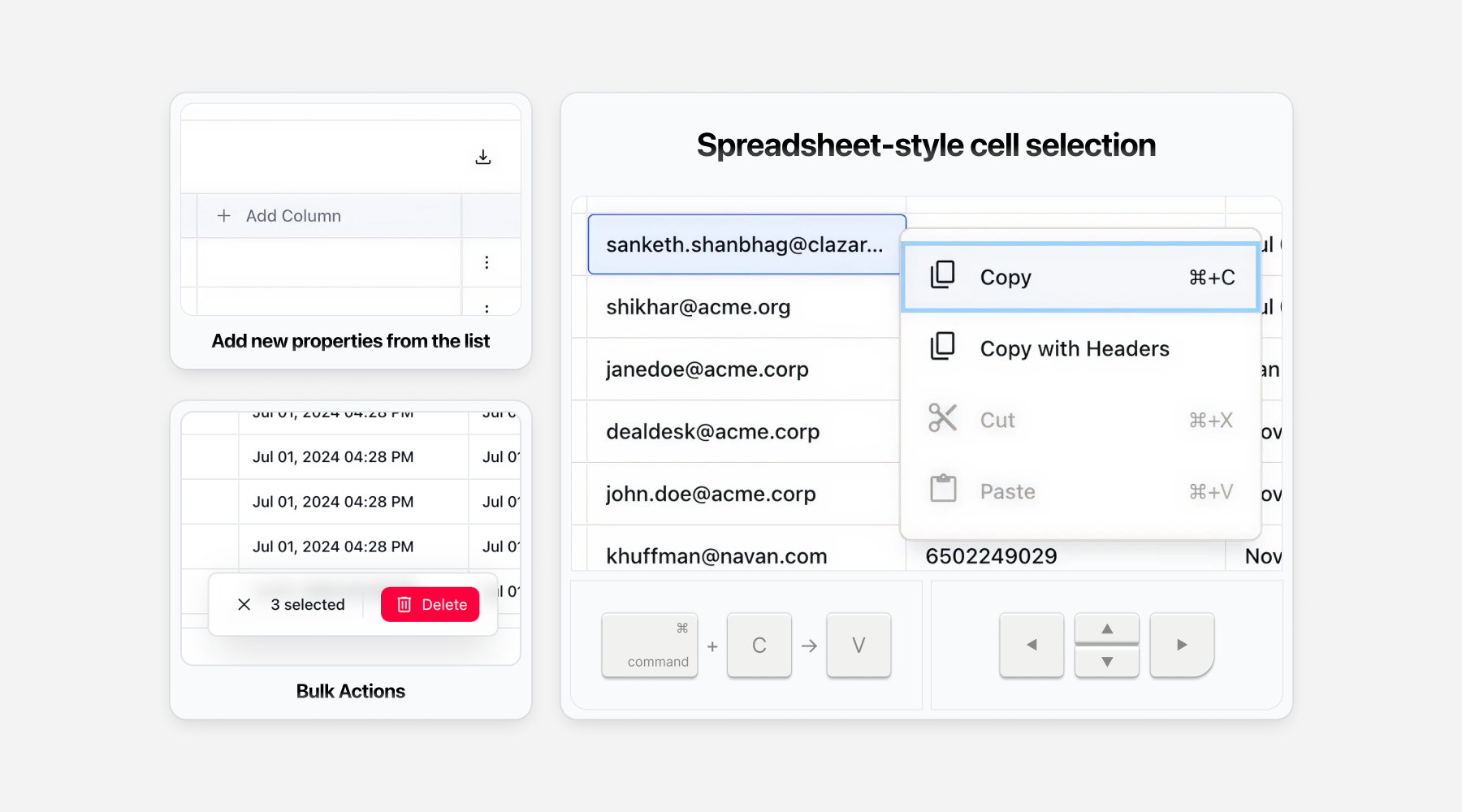
We’ve rolled out several improvements to make working with lists faster and more intuitive:
Inline Cell Editing
Edit custom property values directly in the list. Supports keyboard shortcuts and bulk editing (Cmd+C / Cmd+V across multiple cells).
Spreadsheet-style cell selection
Select multiple cells, navigate with arrow keys, and copy/paste just like you would in a sheet.
Add new properties from the list
Use the Add Column button at the end of the list to create new properties instantly. Edit or delete properties directly from the column header.
Bulk Actions
Select multiple records and perform actions like delete in one go. This is currently available for “Contacts” only. Rolling out to other entities soon.
These updates make working with lists smoother, faster, and a lot more powerful.
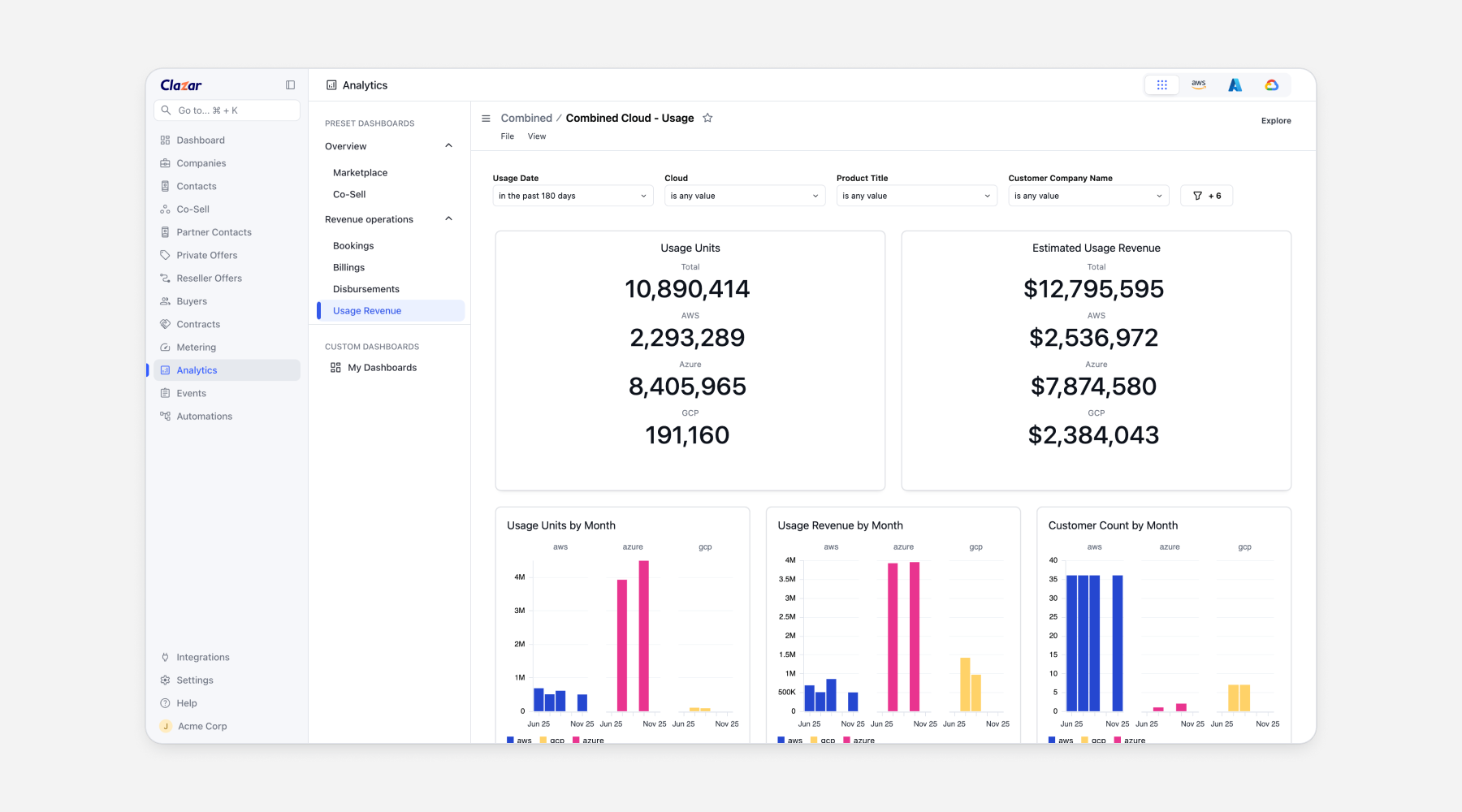
View combined cloud usage revenue dashboard for VM Listings
We’ve rolled out several improvements to the Combined Cloud – Usage Revenue dashboard These updates make it much easier to drill down by cloud and understand instance-hour, core-hour, and customer usage trends across offers and plans.
What’s new:
• Usage by units by month visualization
• Customer count by month to track unique active customers
• Top customers by Usage table
• Enhanced drill-downs now support offer ID, plan ID, and offer name
• Customer count is now shown on hover for all “by month”
These enhancements help teams identify which listings (and plans) drive the highest infra usage, user activity, and deployment volume across clouds.
Launching GCP Account Receivables dashboard
We've launched the GCP Account Receivables Dashboard to help finance teams and partnership personas monitor outstanding customer receivables for GCP.
What it shows:
Receivables at a glance: Track Gross and Net Account Receivables in real-time
Customer Breakdown: Detailed view of outstanding receivables by customer
Detailed records showing billed vs. undisbursed revenue with the associated customer and contract details
Note: GCP reports do not natively support reporting at an invoice level. So billing and disbursement data are aggregated and tracked at the contract level.
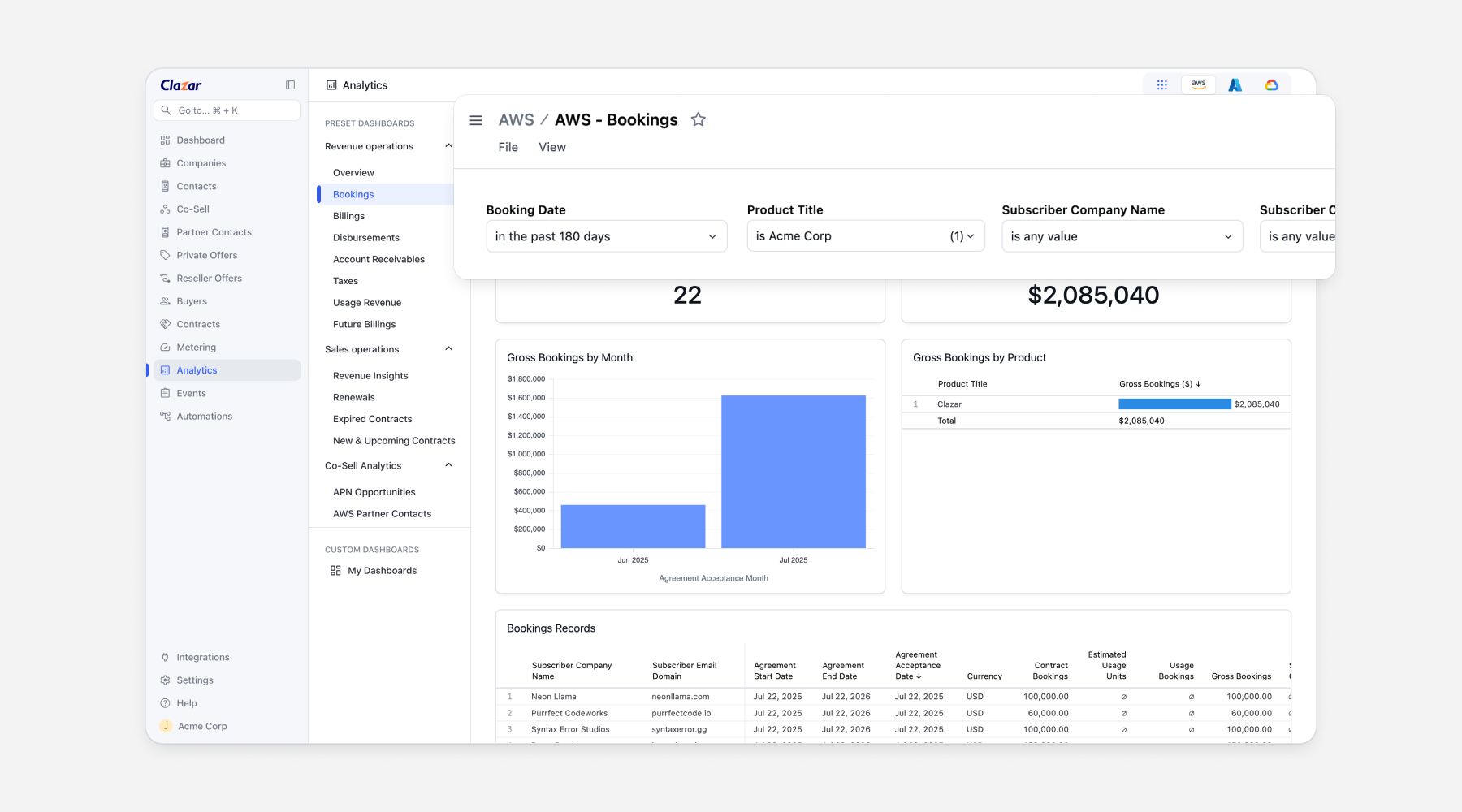
Save last applied filters on Analytics dashboard
We’ve now added support to save your last applied filters automatically, so you don’t have to reapply them every time you return. No setup or configuration needed - it just works out of the box. This enhancement makes recurring analysis smoother, reduces the need for repeated manual filtering, and helps teams gain insights faster.
Launching Aggregated Billing Properties for Azure and GCP Contracts
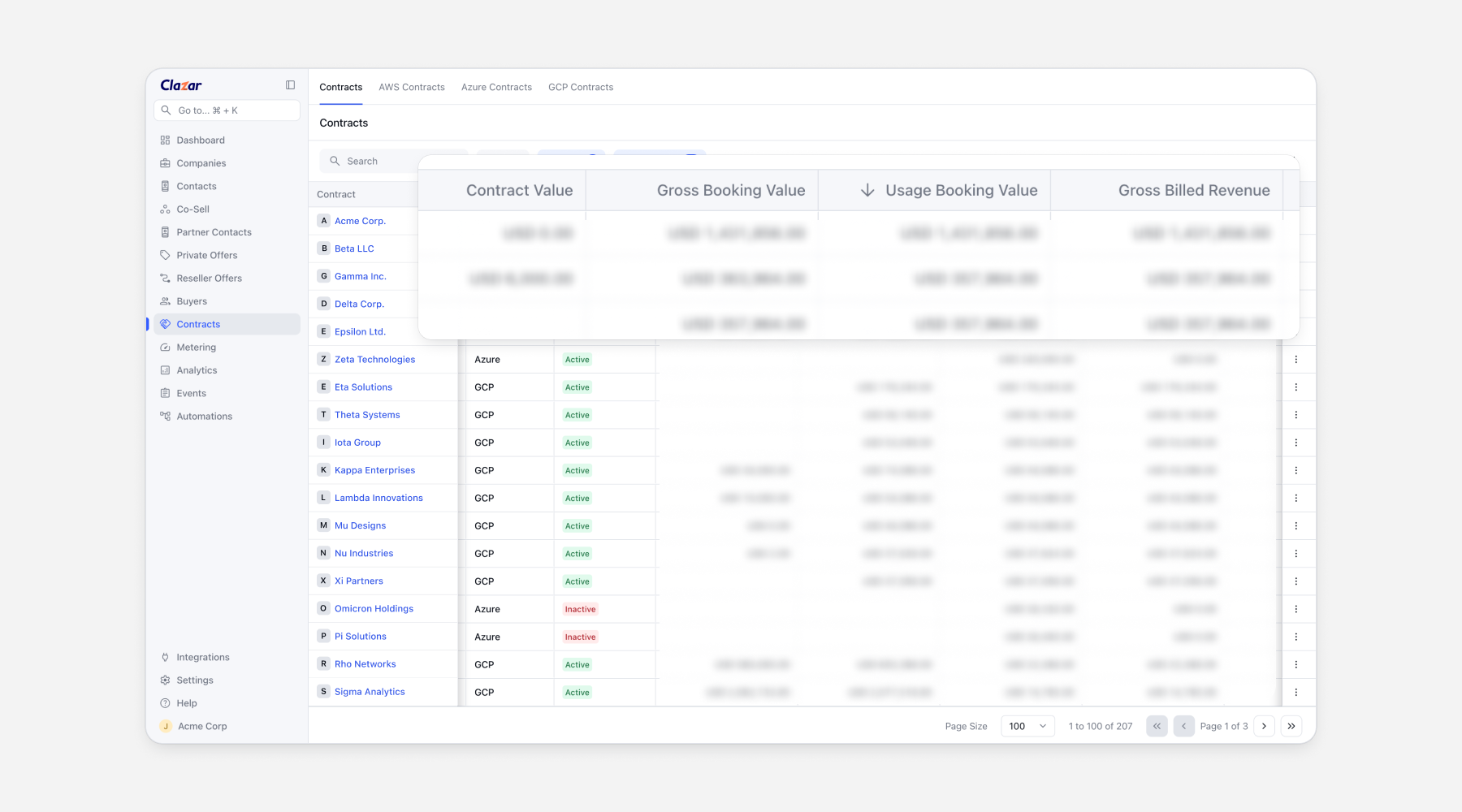
We’ve added new financial metrics to the Contracts view on Azure and GCP contracts to help sales and revenue ops teams assess contract performance at a glance.
Some of the new columns available for Contracts:
Usage Booking Value: value from metered/usage-based components.
Gross Booking Value: Contract Value + Usage Booking Value.
Gross Billed Revenue: billed portion of the Gross Booking Value.
Net Disbursed Revenue: billed revenue minus marketplace fees.
Contract Duration: duration of the contract term.
These metrics make it easier to understand total contract value, billed portions, and realized revenue, all in one place.
Launching Dark Mode
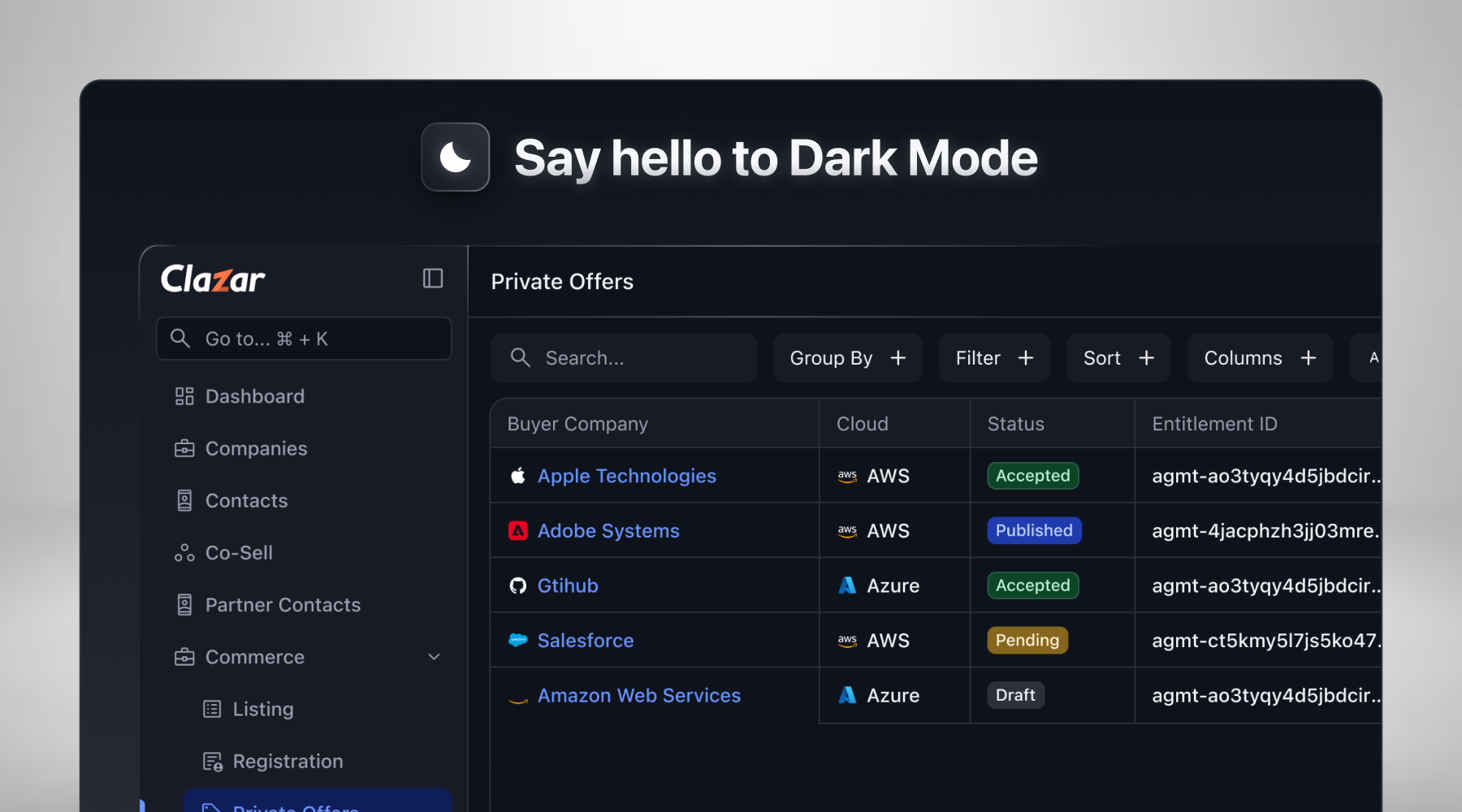
We have enabled dark mode for the Clazar app.
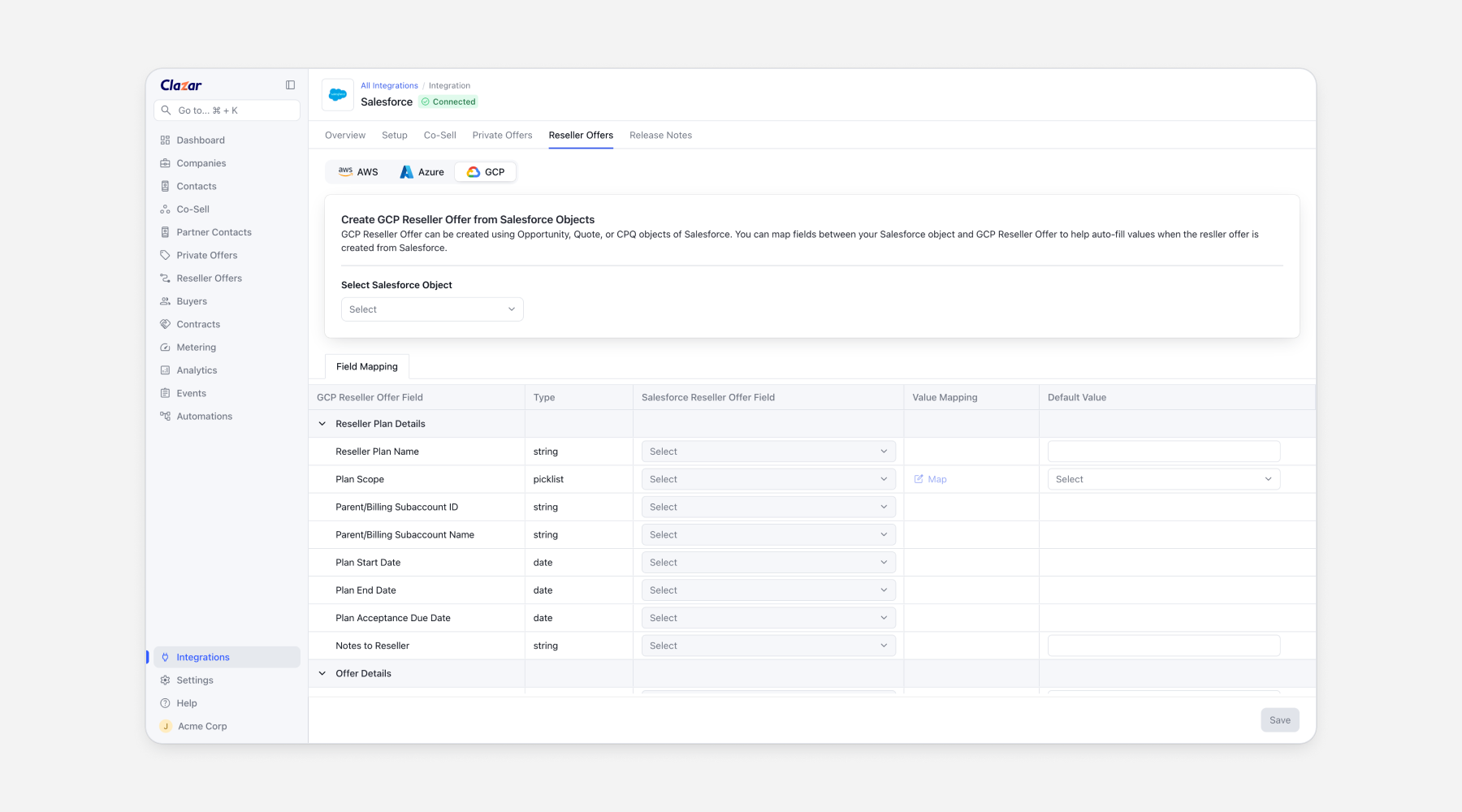
Support for GCP reseller offers with Salesforce field mapping
We now support GCP Reseller Offers with complete field mapping in Salesforce, along with default values.