Fix Azure SaaS Fulfillment & Metering API error
Last updated: October 9, 2025
Goal: Update your Azure AD app to Single tenant, enable App instance property lock → All properties, and turn off Public client flows.
Who should do this
An Azure Application Administrator or Global Administrator in the tenant that owns the app registration.
⚠ Important Deadline Information
**These configuration changes are mandatory and must be completed by the deadline specified in your Microsoft notification.** According to Azure's official response: *"Failure to complete these actions may result in your product no longer being discoverable in the marketplace."*
If you received a notification from Microsoft about your listing not meeting SaaS Fulfillment and Metering API requirements, complete these steps immediately and notify your marketplace provider once finished.
Steps (Azure portal)
Sign in to the Azure portal: https://portal.azure.com
Go to Microsoft Entra ID (formerly Azure Active Directory).
Select App registrations → Owned applications (or All applications).
Open the app you created during the Marketplace cloud setup.
A) Set the app to Single tenant
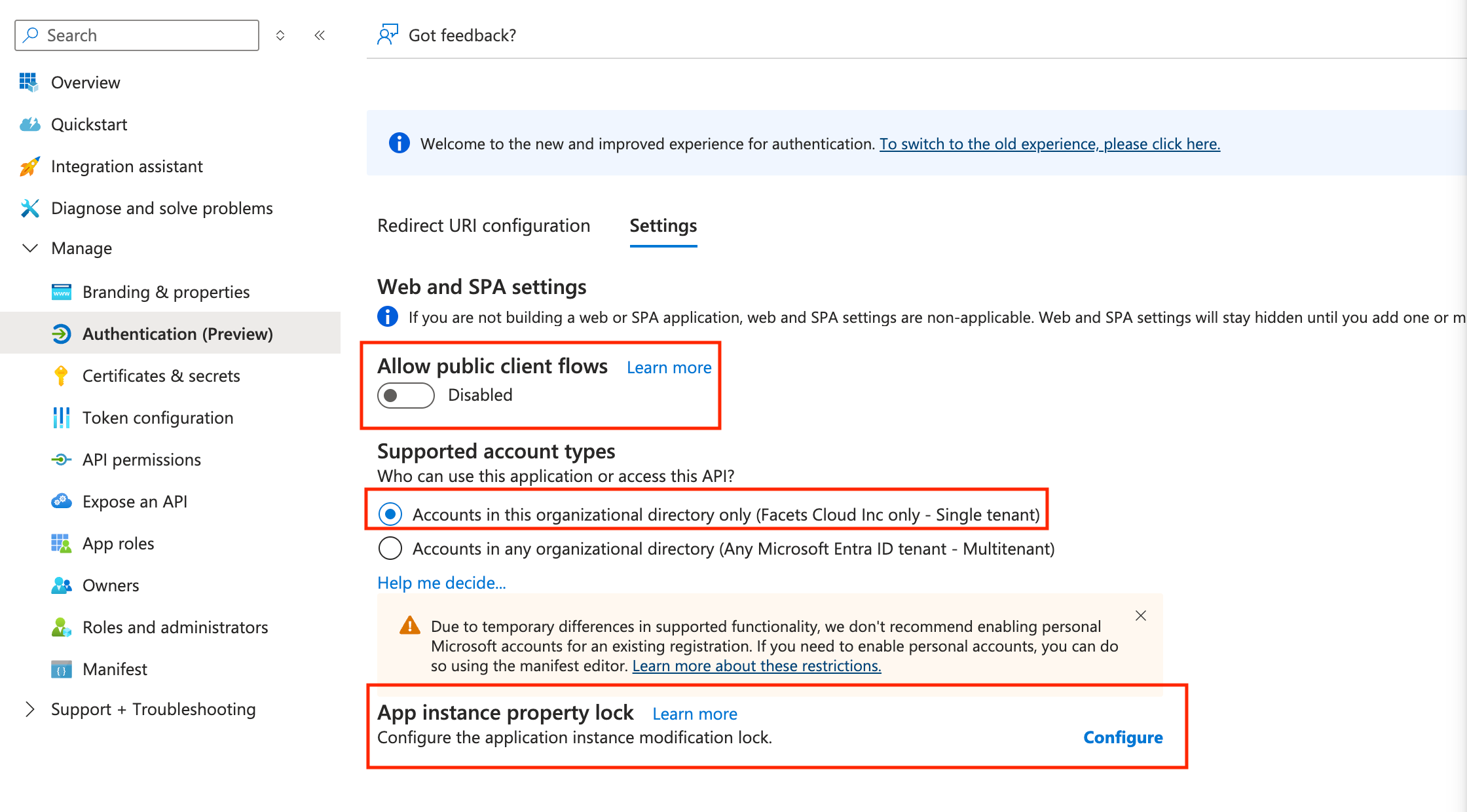
In the left menu under Manage, select Authentication.
Under Supported account types, choose:
Accounts in this organizational directory only (Single tenant).
B) Set App instance property lock
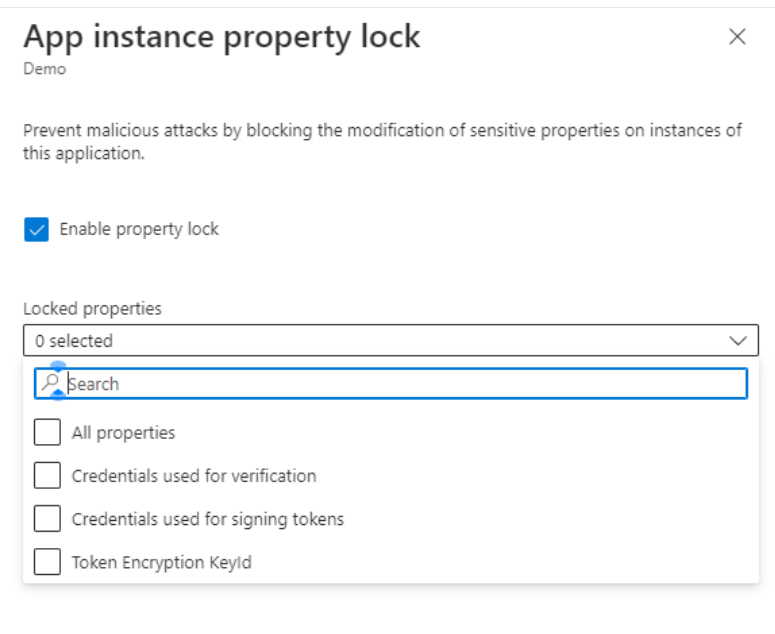
On the same page, find App instance property lock and click Configure.
In the pop-up, select All properties (as shown in your screenshot).
C) Turn off Public client flows
Still on the Authentication page, locate Public client flows (aka Allow public client flows).
Toggle it to Disabled.
Save changes
Once you’ve completed all the above updates, click Save at the top of the page.
Finalize
After saving, please let us know so we can proceed with updating the Marketplace listing.