Changing the Super Admin Role in Clazar: A Quick Guide
Last updated: April 18, 2025
Context
When a super admin leaves your organization, you'll need to transfer these permissions to another team member to maintain administrative control of your Clazar account.
Answer
When your organization's super admin leaves, you'll need to contact Clazar Support to transfer super admin access. Only Clazar Support can modify super admin permissions.
To request a super admin transfer:
Contact Clazar Support through your designated support channel
Provide:
The email address of the departing super admin
The email address of the new intended super admin
Once Clazar Support processes your request, they will:
Assign super admin permissions to the new user
Deactivate the former employee's account
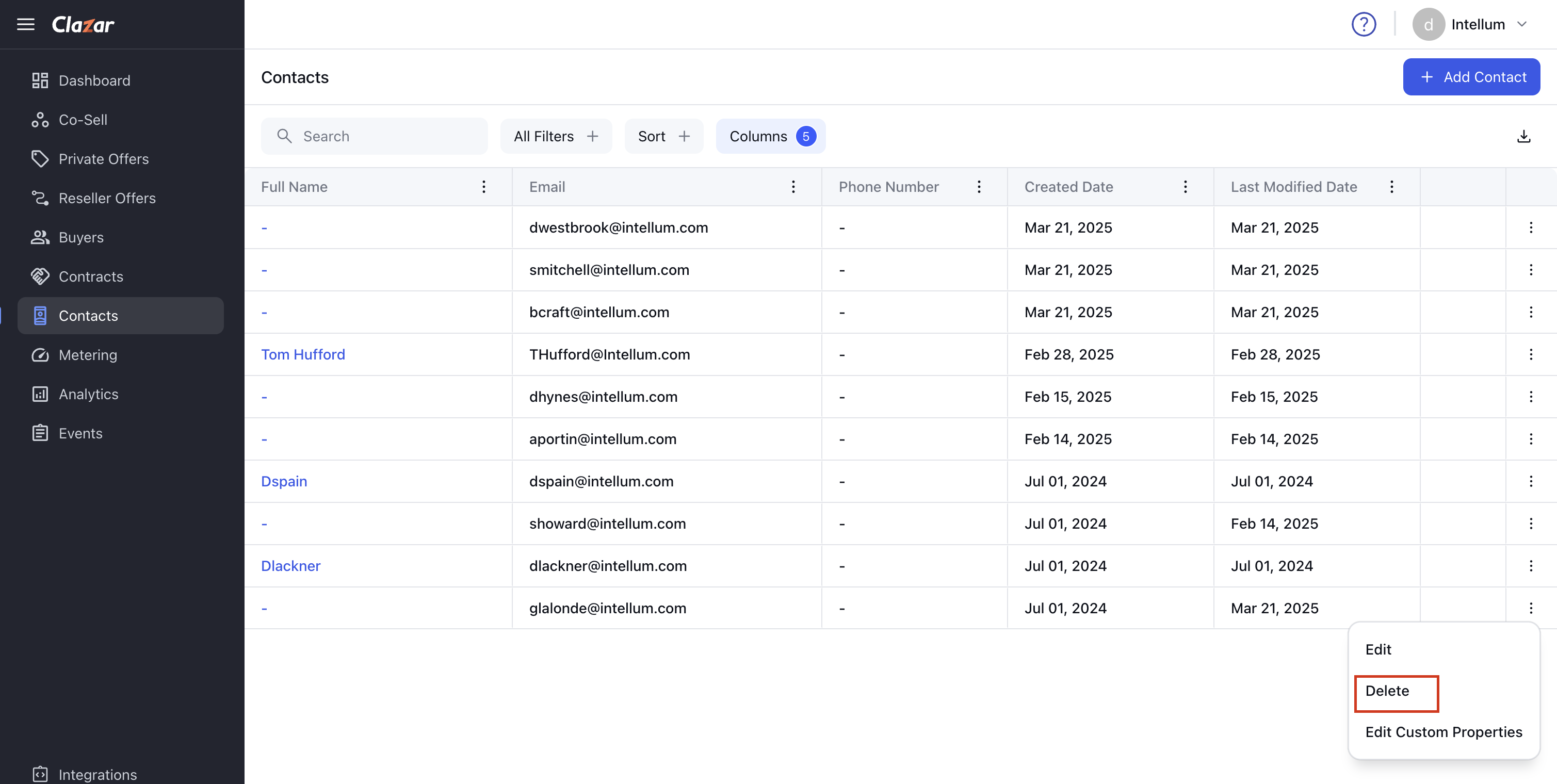
After receiving super admin access, you can manage other users' permissions directly through the Clazar platform:
Navigate to Contacts in the left-hand menu
Find the user you want to manage
Click the three dots on the far right of their entry
Select the appropriate action (Edit permissions or Delete)