August 2025 Release Highlights
Last updated: September 11, 2025
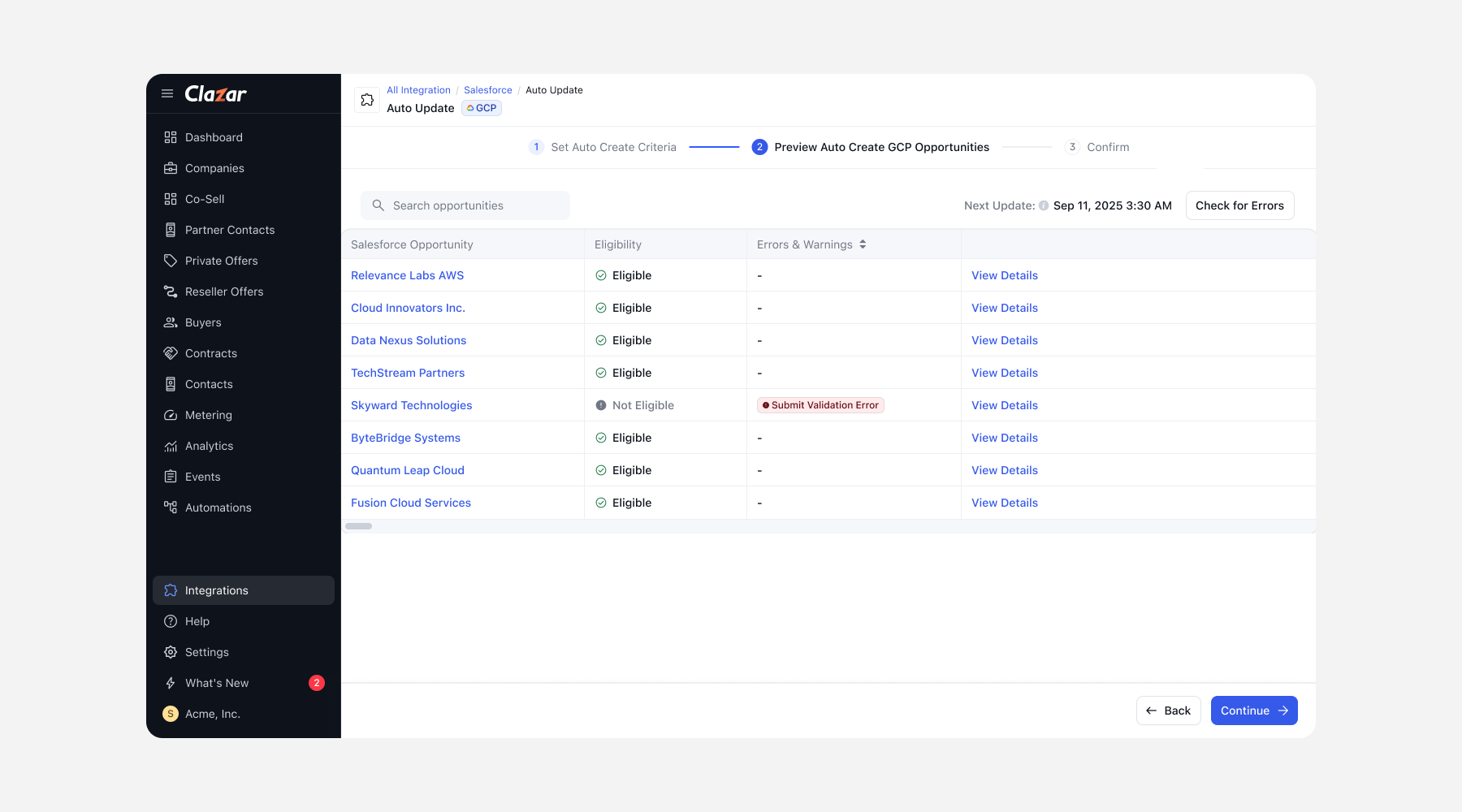
Run GCP co-sell on auto-pilot
We’re excited to announce that the Co-Sell Auto-create and Auto-update experience is now available for GCP, bringing the same functionality you’ve been using for AWS and Azure. Why it matters: No more manual work or missed updates — you can now manage GCP Co-Sell opportunities as seamlessly as AWS and Azure, saving time and reducing errors.
Now, you can:
AutoCreate: Define standard or SOQL-based filters (e.g., Stage Name = Qualification) to automatically create GCP opportunities in Salesforce.
AutoUpdate: Keep GCP opportunities up to date by enabling updates to opportunity details, fields, and custom properties — all in just a few clicks.
Error Handling: Validation errors are surfaced clearly, so you can quickly fix issues before enabling Auto-create or Auto-update.
Know more: Enabling GCP AutoCreate and AutoUpdate for Salesforce Integration
View combined cloud analytics in one neat dashboard
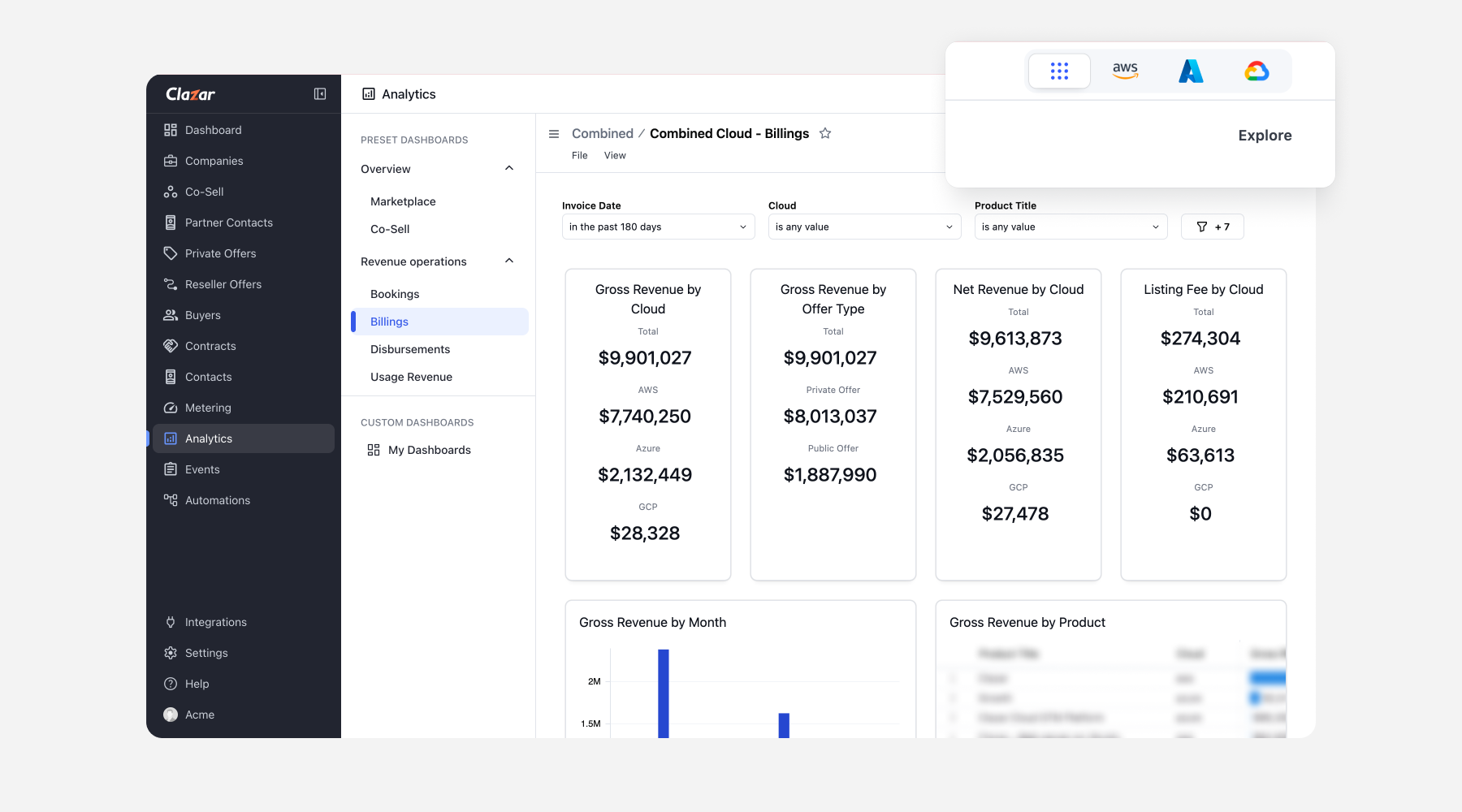
We’re excited to announce the launch of our new Combined Analytics Dashboard giving you a single, clean view of analytics across all three clouds. Instead of juggling multiple dashboards and stitching together reports, you now have everything you need in one powerful view, whether you’re heading into a board meeting, analyzing partner performance, or streamlining finance workflows.
With this dashboard, you can analyze:
Bookings: View gross bookings, contracts by cloud, product segmentation, and drill down into detailed contract records.
Billings: Access gross and net revenue by cloud, listing fees, product-line breakdowns, offer types (public/private), and all billing records in one place.
Disbursements: Simplify revenue recognition with consolidated disbursement data by cloud and downloadable record tables.
Usage Analytics: Track usage revenue, units consumed, per-unit costs, and contract-level details across clouds.
Know more: Introducing the New Combined Analytics Dashboard for Enhanced Insights! 📊
Set validation rules on GCP Private offer creation
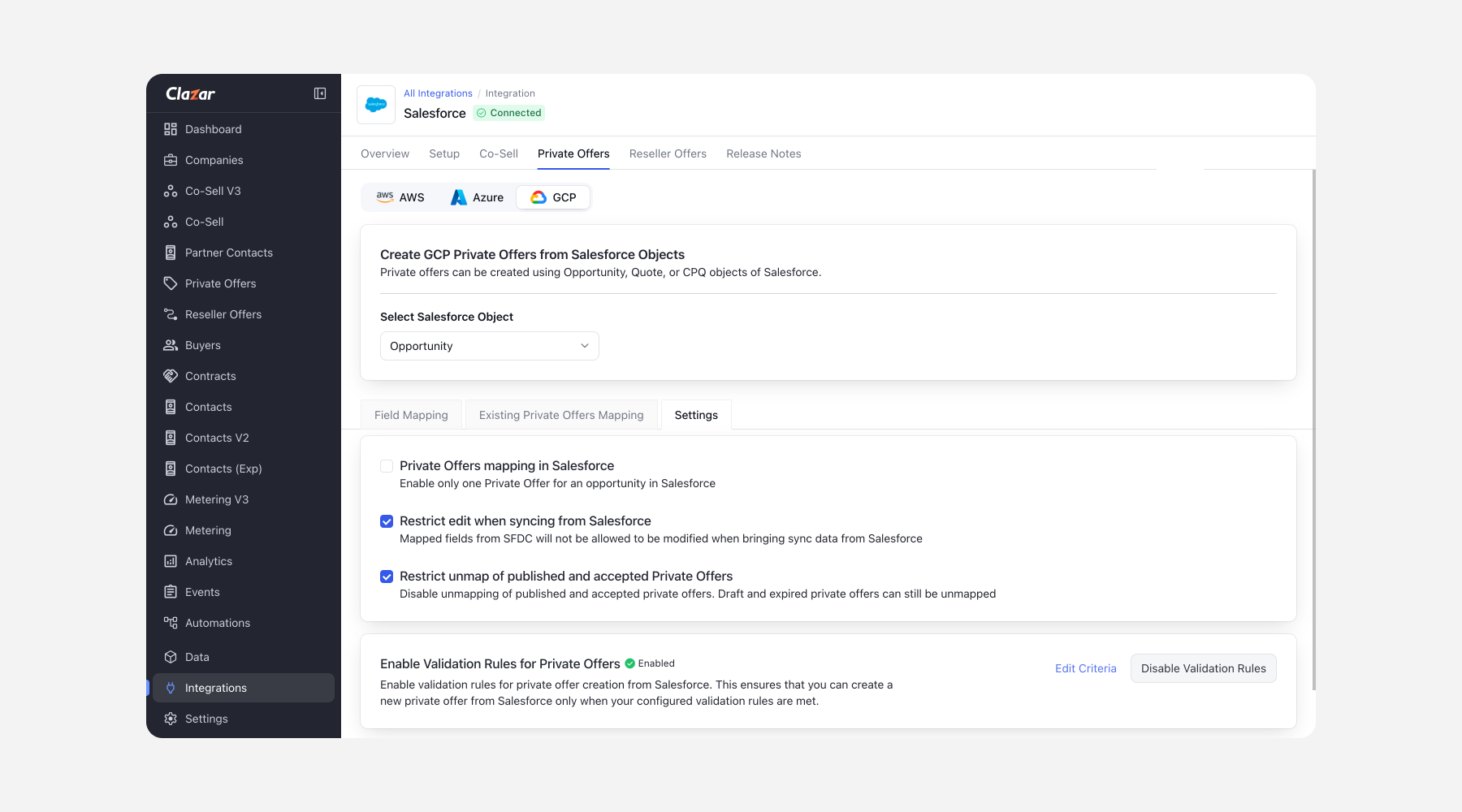
We’ve rolled out new validation rules for GCP private offers. Here’s what you can now do:
Restrict to one private offer per quote (works for both Opportunities and CPQ quotes).
Restrict edits when syncing from Salesforce — When bringing sync data from Salesforce, mapped fields from SFDC cannot be modified.
Prevent unmapping of published/accepted POs — Disable unmapping of published and accepted private offers. Draft and expired private offers can still be unmapped.
Custom validation rules - set your own (e.g., Billing City ≠ New York), and they’ll automatically block invalid PO creation.
These rules ensure consistency, reduce errors, and give you more control over private offers synced with Salesforce. When rules are triggered, validation error messages will appear in Clazar and the Salesforce widget, making it clear what needs fixing.
Know more: New Validation Rules for GCP Integration 🚀
Support for CUD pricing on GCP private offers
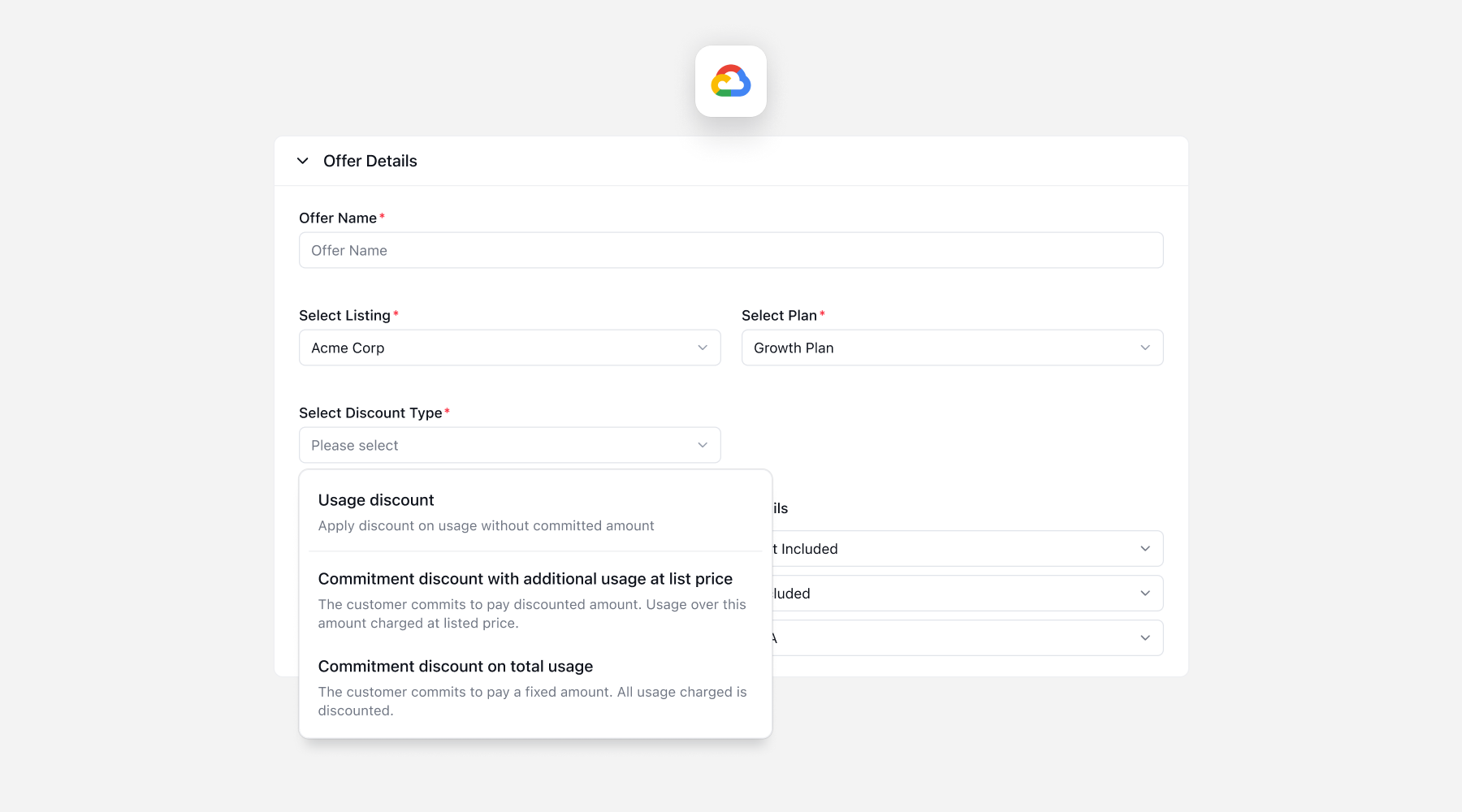
To bring greater flexibility to GCP private offers, we have launched support for Committed Use Discount (CUD) pricing. This will enable ISVs that offer usage-based plans to offer the following two new discount types:
Commitment discount with additional usage at list price – Customer commits to a fixed amount; overages at list price
Commitment with all usage discounted – All usage is discounted against a fixed commitment
Option to offer free credits with custom plans is also available. You can now submit offers with these new options enabled from both the Clazar UI and Salesforce.
Know more: GCP CUD Pricing
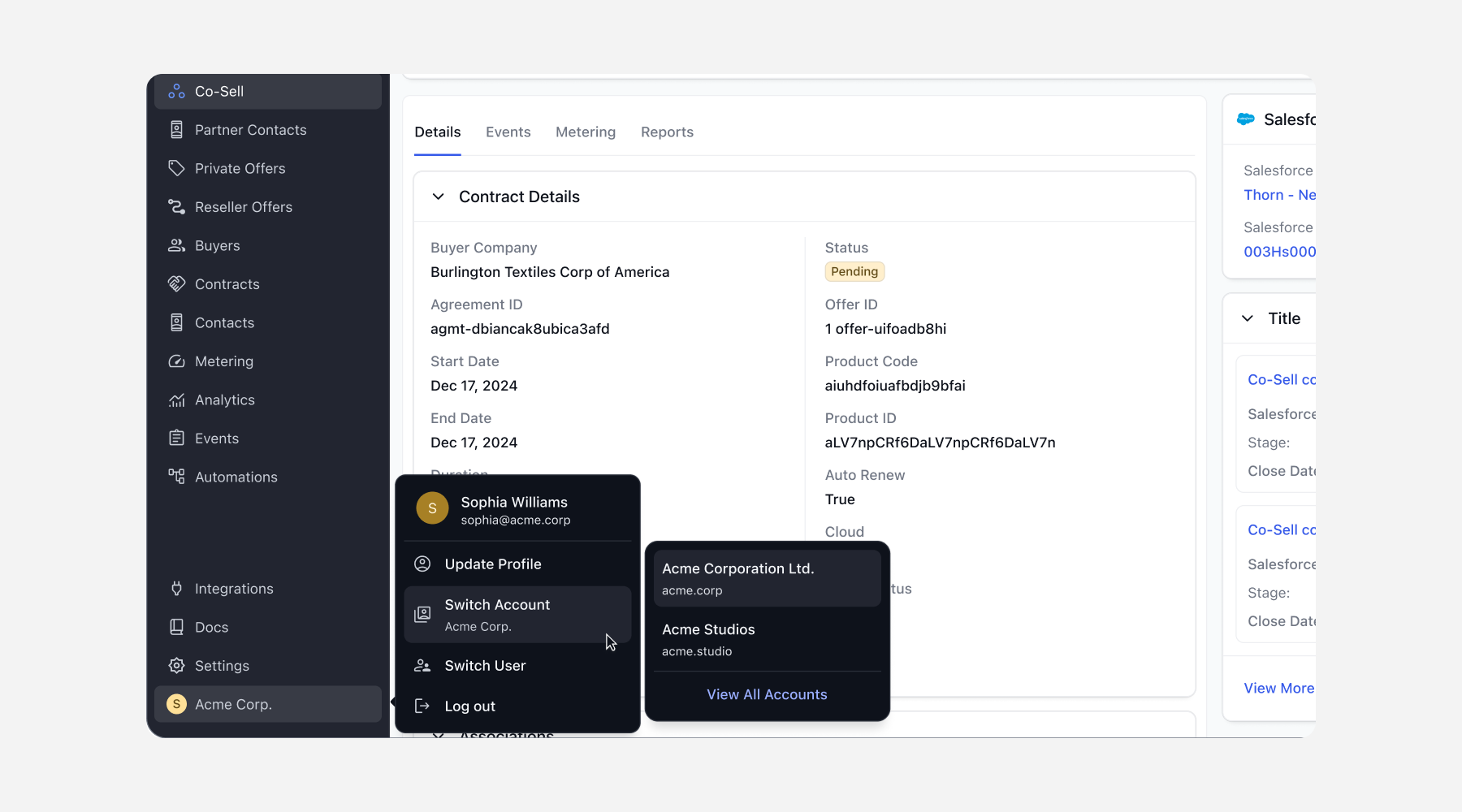
Launching support for multi-account setup
We’ve introduced multi-account setup in Clazar to simplify management for enterprises and partners. With this launch, we can support the need for enterprises to have multiple accounts. Some of the use cases are:
Enterprises often manage multiple marketplace accounts or environments (Sandbox & Production)
Acquisitions or restructurings require multiple accounts to be consolidated under one umbrella
External consultants and partners need access to an ISVs cloud GTM stack
With Clazar, you can now:
Seamlessly switch between multiple accounts from a single login
Manage roles and permissions separately per account (e.g., Admin in one, Viewer in another)
Note: Currently, this feature can be enabled by raising a support ticket
Know more: Multi-account setup
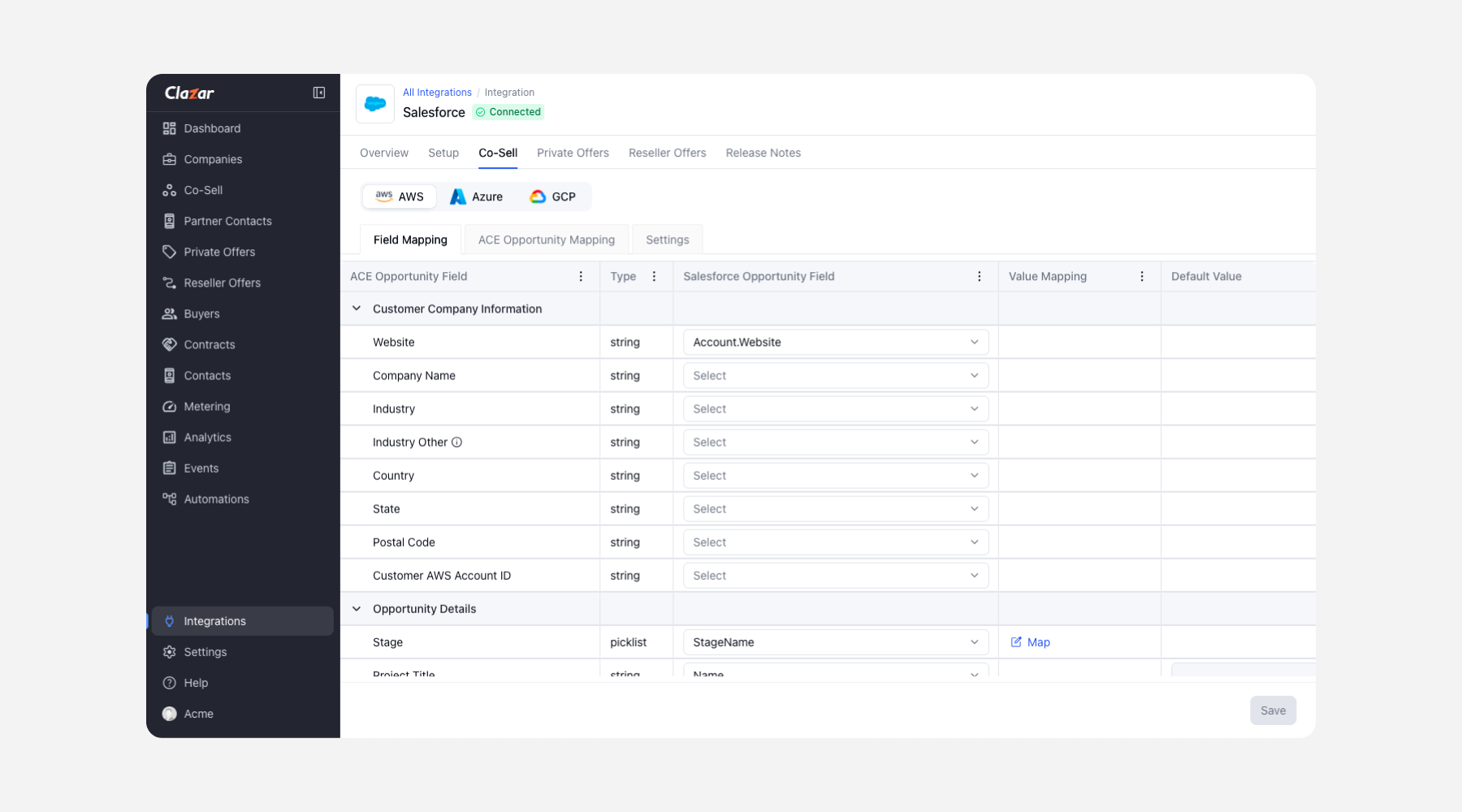
Co-Sell Field Mapping UX Enhancements
We’ve rolled out a set of improvements to make the co-sell flow cleaner, more intuitive, and easier to navigate.
What’s new:
Improved Navigation – Clear indicators show which cloud’s field mapping (AWS, Azure, etc.) you’re working on, with easy return to Salesforce/HubSpot while retaining context
Stepper Redesign – Numbers and text now display side-by-side in a cleaner layout with more screen space
Modernized Tables – Updated entity tables deliver a consistent, user-friendly experience across the platform
Change Warning Modal – Get a confirmation prompt before leaving field mapping setup, helping prevent accidental data loss
Know more: Exciting UX Updates on CoSell Experience 🚀
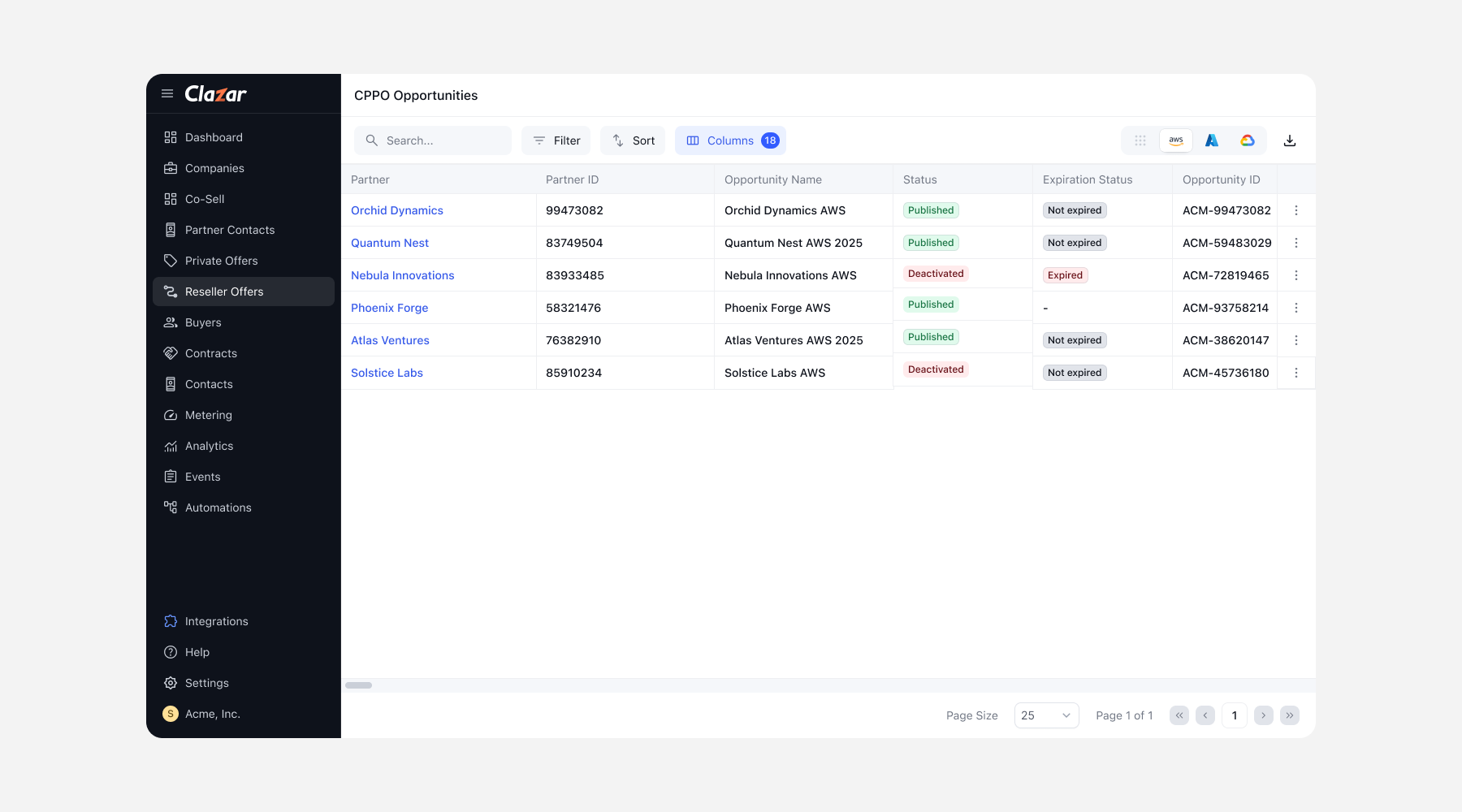
All new list and detail page for Reseller Offers
Reseller Offers’ updated list page brings enhanced filters, improved search, and customizable columns for a more streamlined experience. In addition, all non-draft Reseller Offers now open in a dedicated Detail Page, giving you a clear, organized view of offer information. Actions are easily accessible from the triple-dot menu next to the edit button, making reviewing and managing offers faster.
Upload companies via CSV on Clazar
We’ve made it easier to get started with propensity scoring — even if you haven’t connected your CRM to help you get insights immediately with a manual upload.
What’s new:
Download a CSV template directly from the portal
Add company names and domains (max file size: 5MB, up to 10,000 rows)
Upload the CSV and review any errors (e.g., duplicate domains)
Submit and instantly see companies added with their propensity scores
Download scored data for further analysis
PO and ABO Events and Enhancements
We’re rolling out multiple updates across AWS, Azure, and GCP that improve automation workflows and audit logs.
Automation & Event Enhancements
Event Trigger – PO Withdrawn (AWS/Azure/GCP): Automations can now be triggered when a PO is withdrawn.
GCP PO Creation – Publish Events: Publishing events is now supported at the time of GCP PO creation.
Failure Alerts for GCP:
Event is logged if a withdrawal didn’t occur.
Event if publishing didn’t happen.
These alerts provide visibility and ensure the reliability of automation flows.
Agreement & Contract Improvements
Agreement-Based Offers: Contract selection is now limited to active agreements only, reducing the risk of errors and keeping workflows cleaner.
Other Enhancements
Offer Creation – Renewal Field: When creating a new offer, the Renewal field will now default to blank, instead of auto-selecting a value.
EULA Link Validity: The EULA link sent via PO email automation will now remain valid for 72 hours (previously 24 hours).
These changes improve automation reliability, ensure better data integrity, and simplify offer management.