How to Create a Custom Private Offer in Google Cloud Marketplace
Last updated: October 9, 2025
This guide explains how to create a custom-priced private offer for customers through Google Cloud Marketplace.
Prerequisites
Access to Google Cloud Console Producer Portal. To grant team members access to manage private offers:
Refer to the official GCP documentation for detailed information about specific role requirements and permissions needed for managing private offers.
Access to Google Cloud Console Producer Portal. To grant team members access to manage private offers:
Prerequisites
Customer's **direct** billing account number (not a reseller billing account)
Customer contact information
Important: Private offers require the customer's direct Google Cloud billing account, not a reseller billing account. If you receive an error notification after submitting a private offer, verify that you're using the correct billing account type. For offers that need to go through a reseller, you'll need to create a reseller offer instead of a standard private offer.
Creating the Private Offer
Navigate to the Private Offers section in Google Cloud Console Producer Portal
Click "Create New Offer"
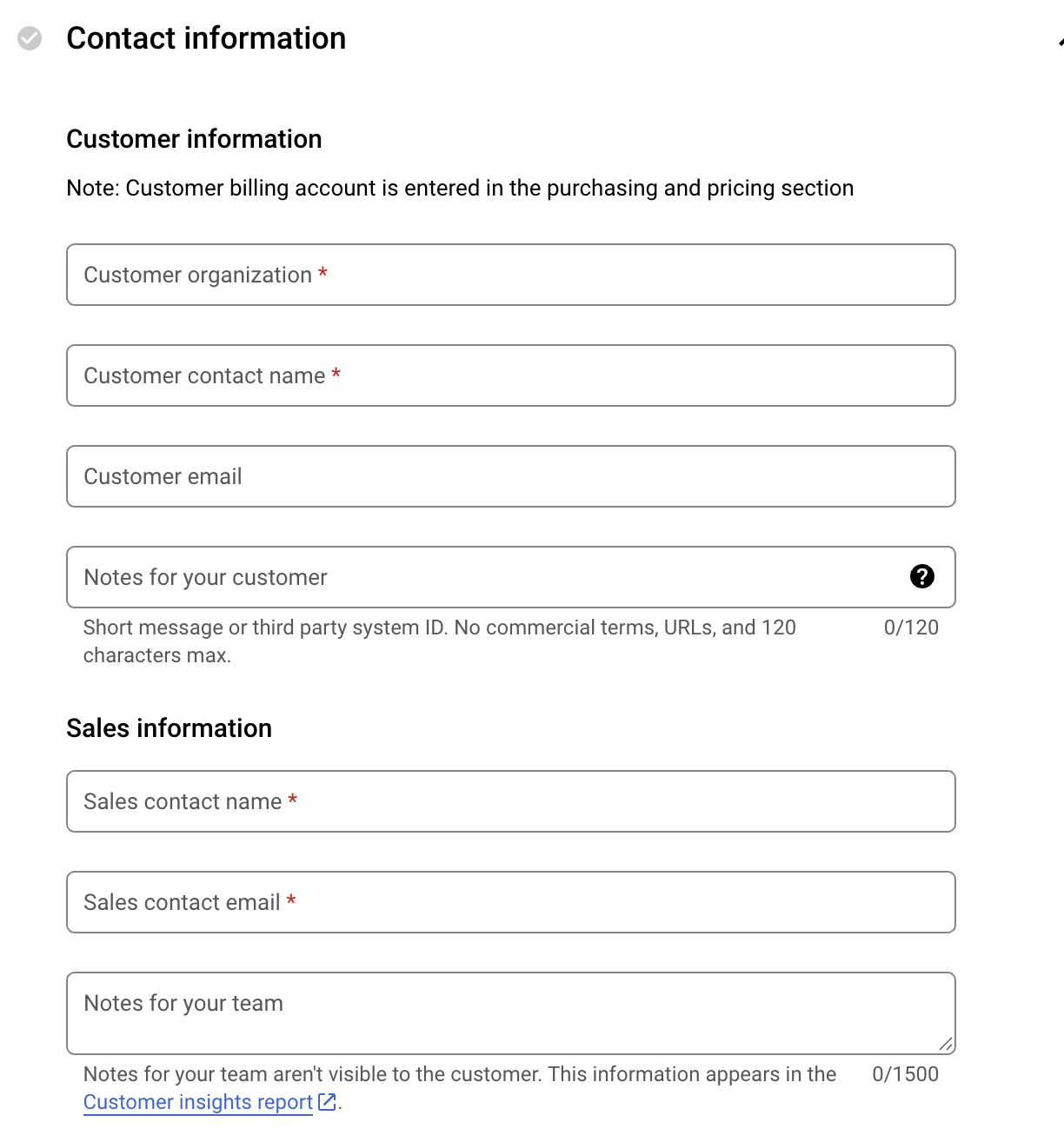
Fill out the customer contact information form with:
Customer organization name
Customer contact name and email
Sales contact information
Any relevant notes
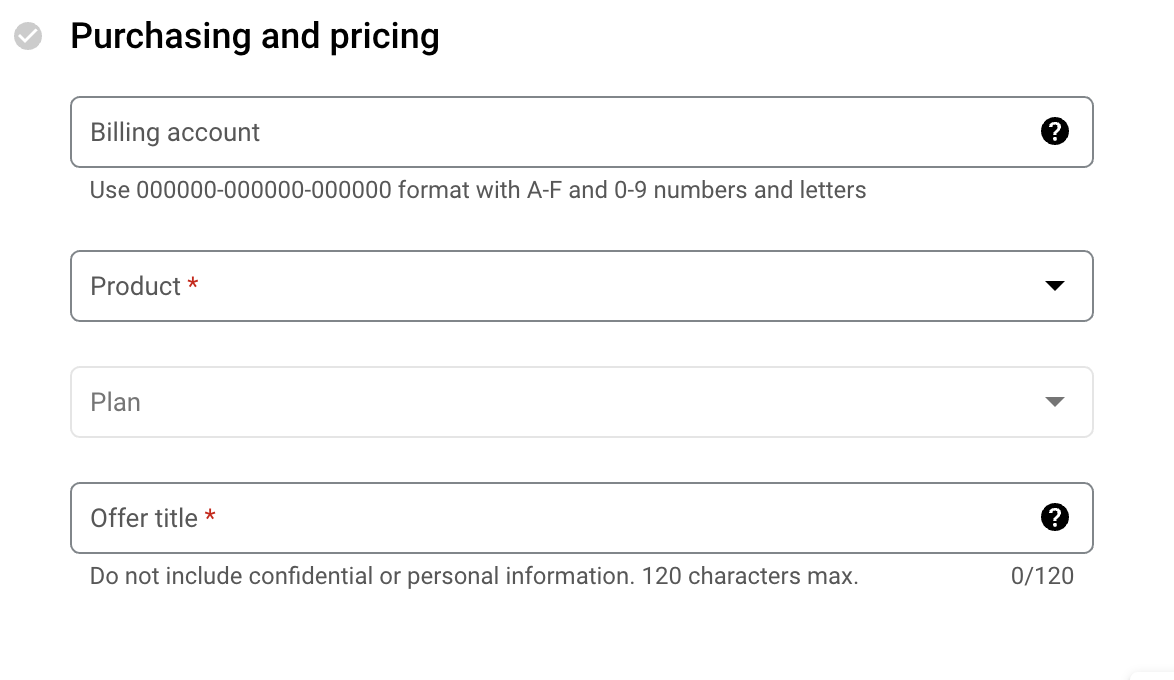
Next fill out the Purchasing and Pricing information with:
Billing account of the Buyer.
Select the product and plan that will serve as the base for your custom offer
Provide an Offer title.
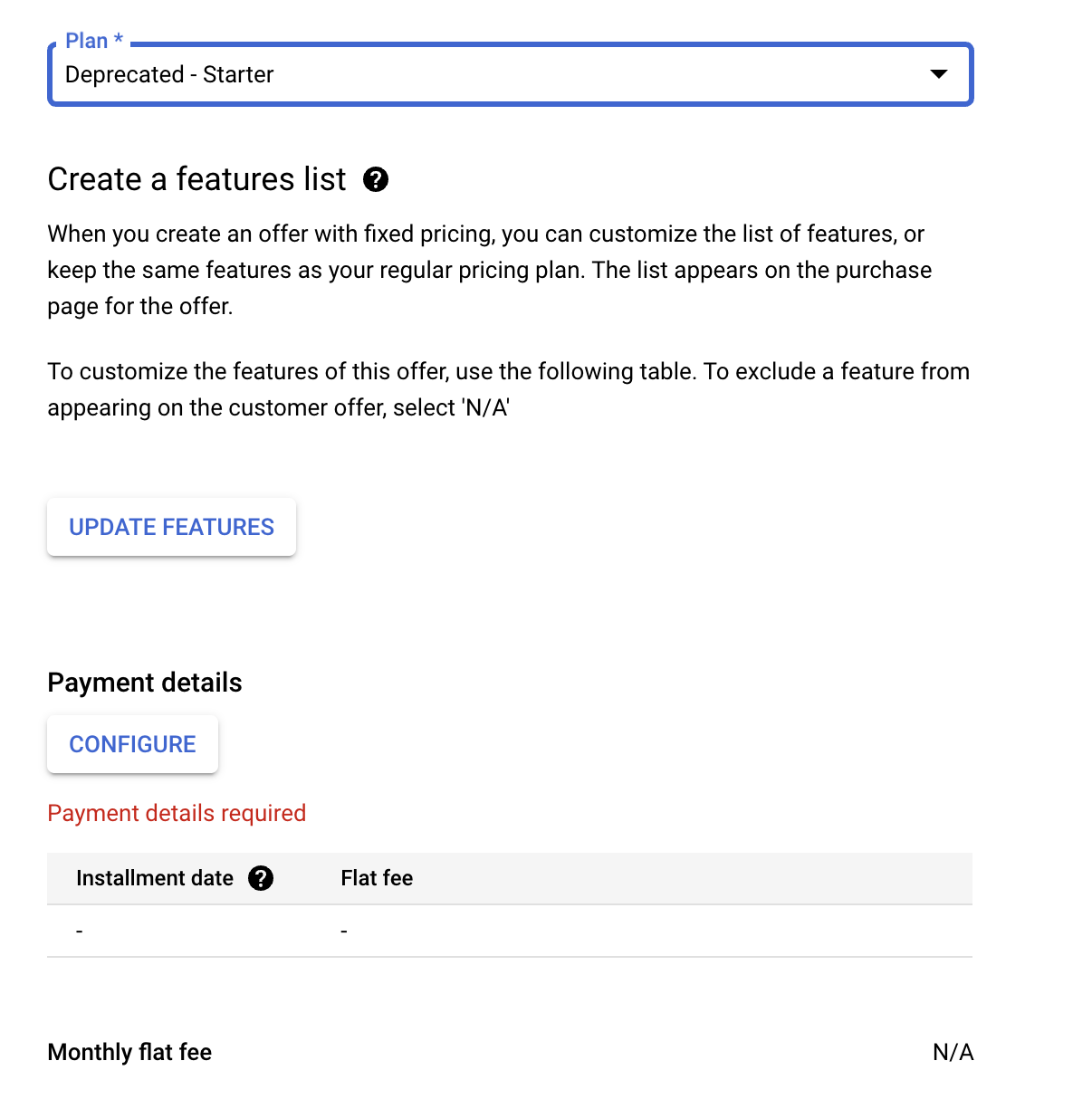
After entering the above details, under Payment Details, click the "Configure" button to set your custom pricing:
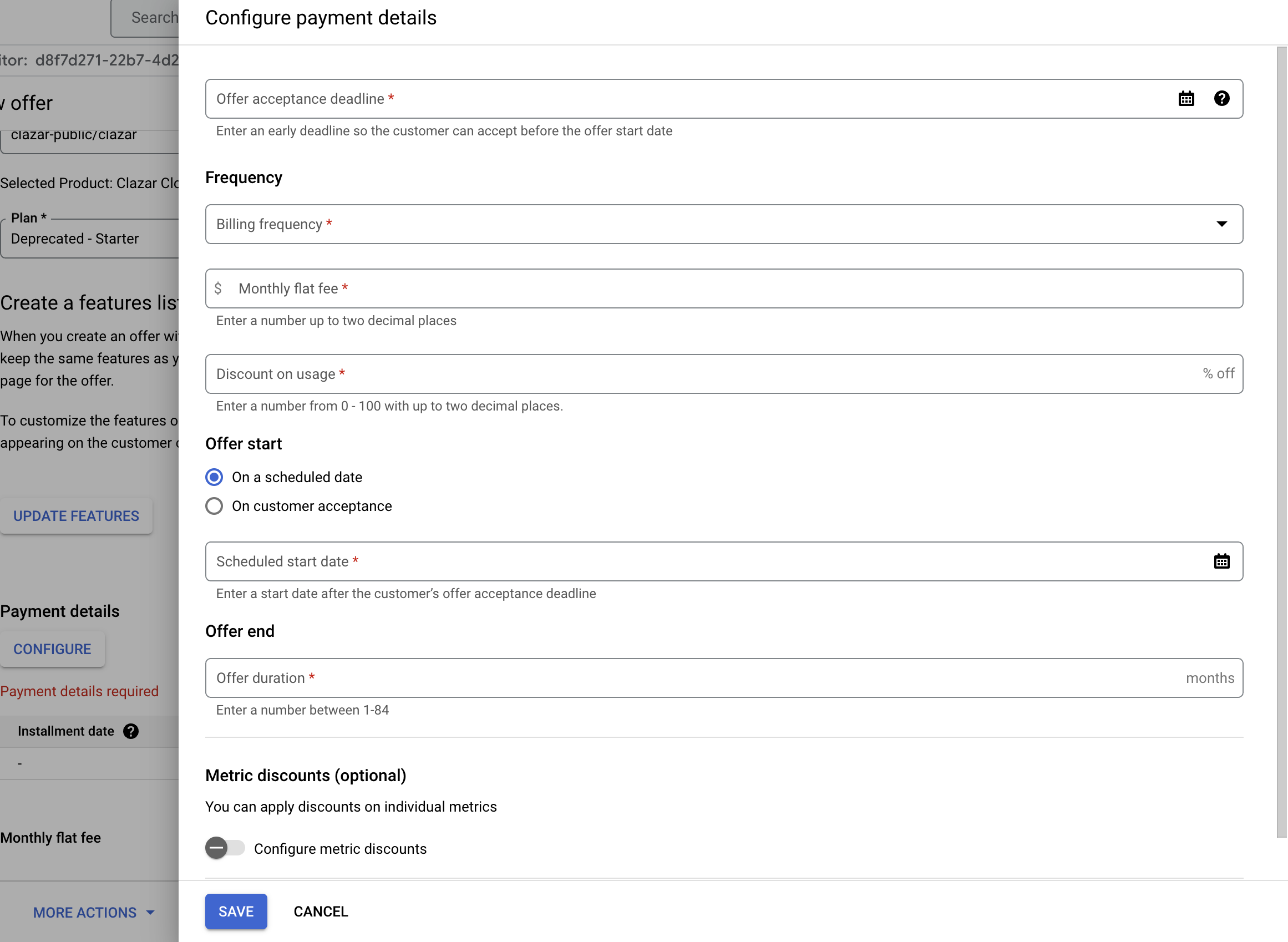
Enter the custom price amount
billing frequency (monthly/annual)
Specify offer start date
Set the duration of the offer
Finalizing the Offer
Once all details are configured, review the offer details and submit it for customer approval. The customer will receive an email with the private offer for their acceptance.
Note: Make sure you have the correct direct billing account number from the customer before creating the offer, as this cannot be changed after submission. Using a reseller billing account will result in an error notification.