How to Raise an AWS Marketplace Support Ticket
Last updated: August 20, 2026
1. Log in to the AWS Marketplace Partner Center console. You'll land on the main dashboard - the navigation menu is on the left.
2. Scroll to the bottom of the left-hand navigation and click Marketplace Support.
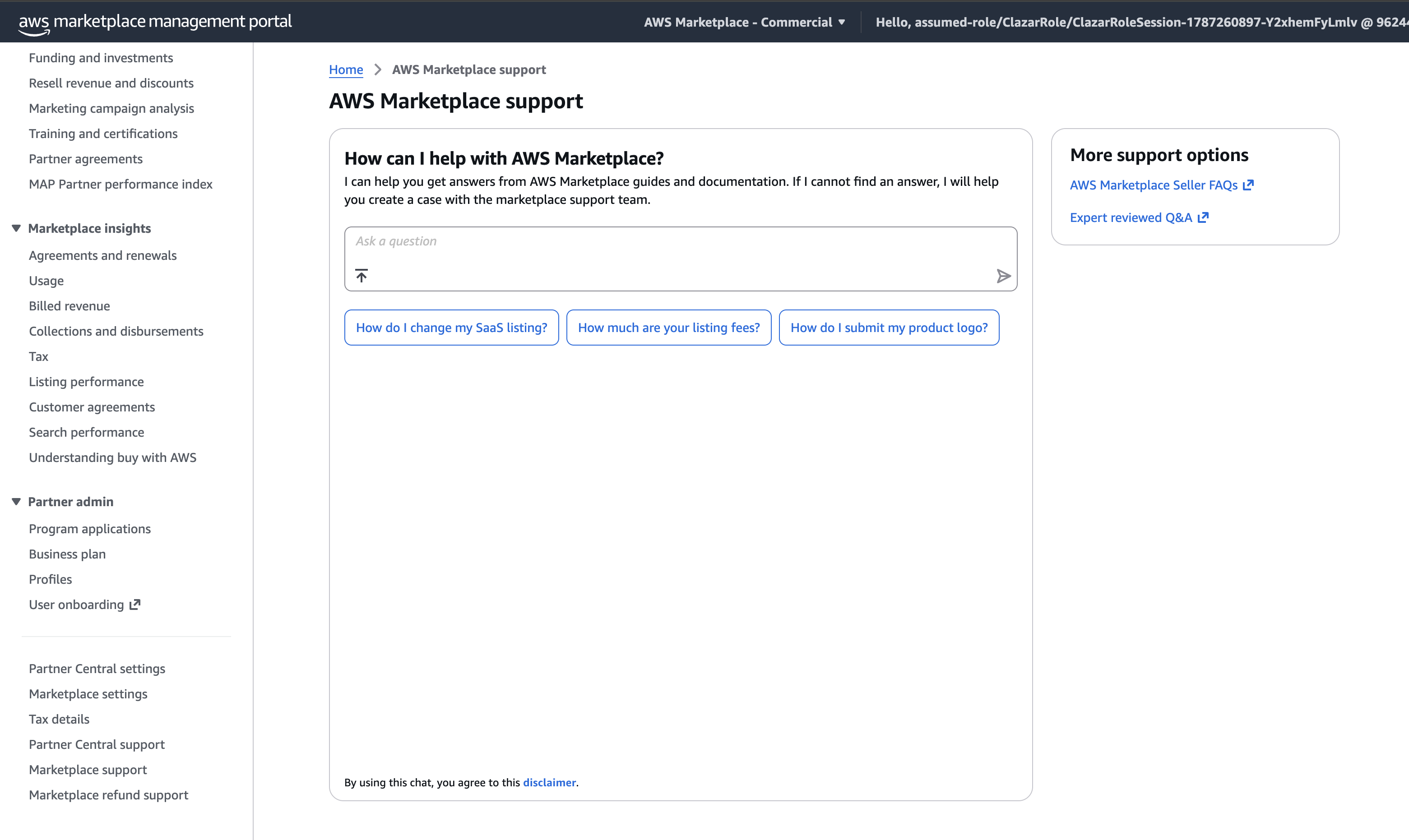
3. On the support screen, you'll see an AI chat box. Type Support ticket and send it.
4. The assistant replies with a link to raise a case.
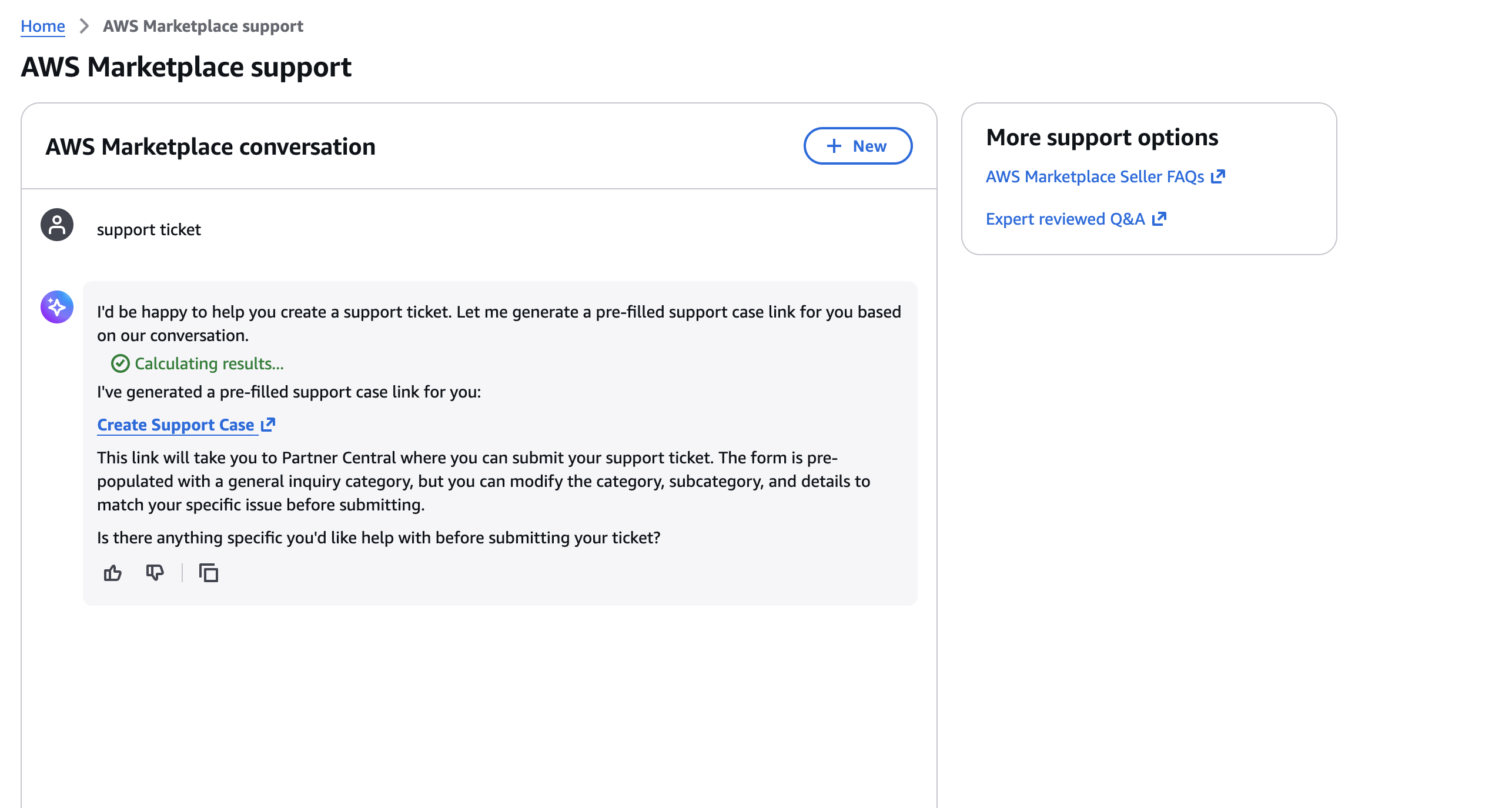
5. Click Create support case. This redirects you to the case creation page.
6. Fill in the form fields and select the category that best describes your issue. Picking the right category routes the case to the correct AWS team and speeds up the first response.
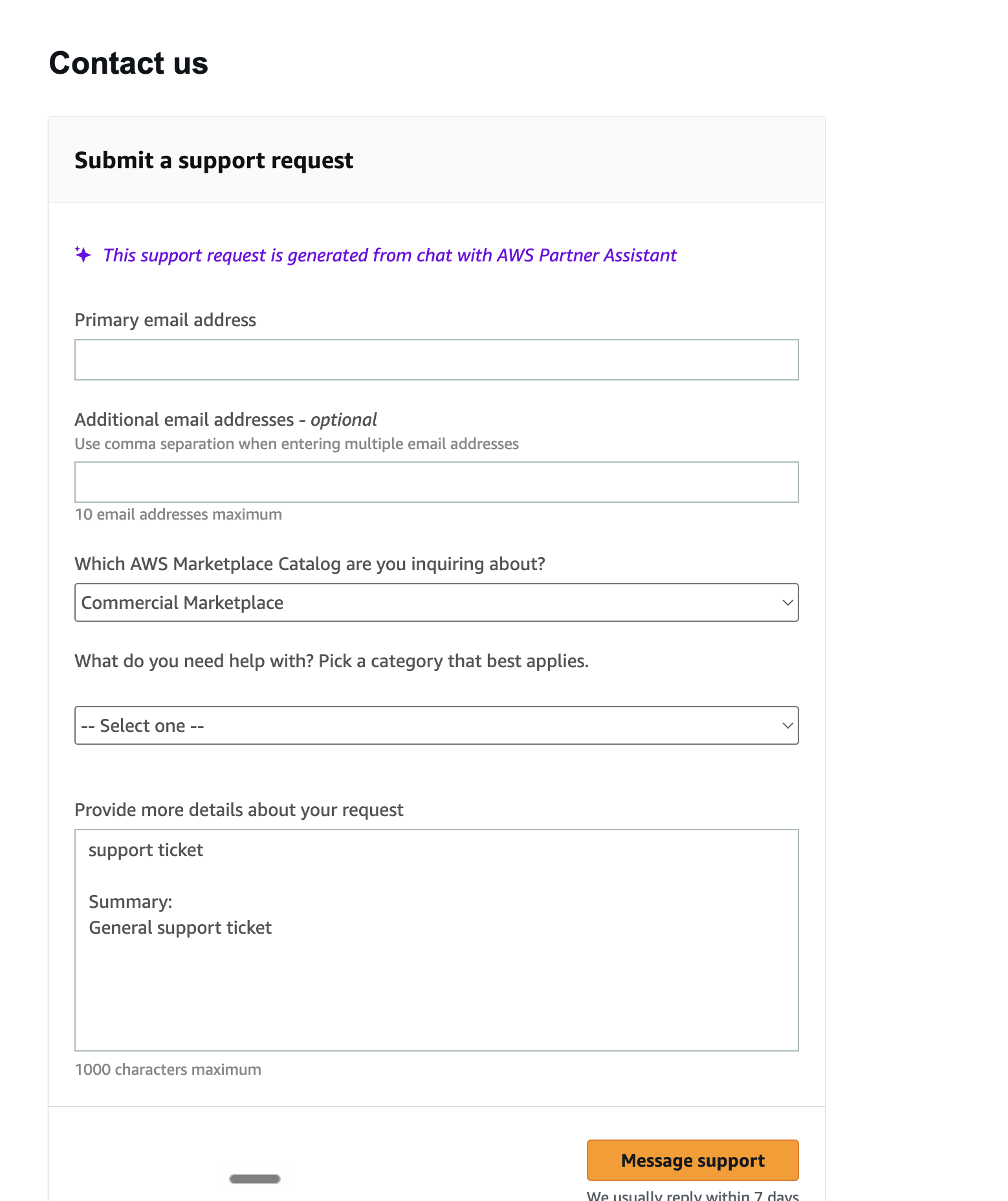
7. Click Message support to submit. AWS will respond in the case thread