Deployed on AWS’ Status - Updating SaaS Hosting Details in AWS Marketplace
Last updated: October 9, 2025
For AWS Marketplace to recognize your product as deployed on AWS, your SaaS application must align with one of the AWS hosting patterns listed below. Products that meet this criterion receive a special designation in AWS Marketplace search results and on their product details pages.
Updating AWS Deployment Details
To update your product's deployment details in AWS Marketplace, follow these steps:
Access AWS Marketplace Management Portal (AMMP)
Log in to your AWS Marketplace Management Portal.
Navigate to SaaS Product Listings
Click on Products > SaaS and select the live listing of your product.
Update Architecture Details
Locate and select the Architecture details section.
Click Update Architecture details to modify the deployment information.
Select the Appropriate Hosting Pattern
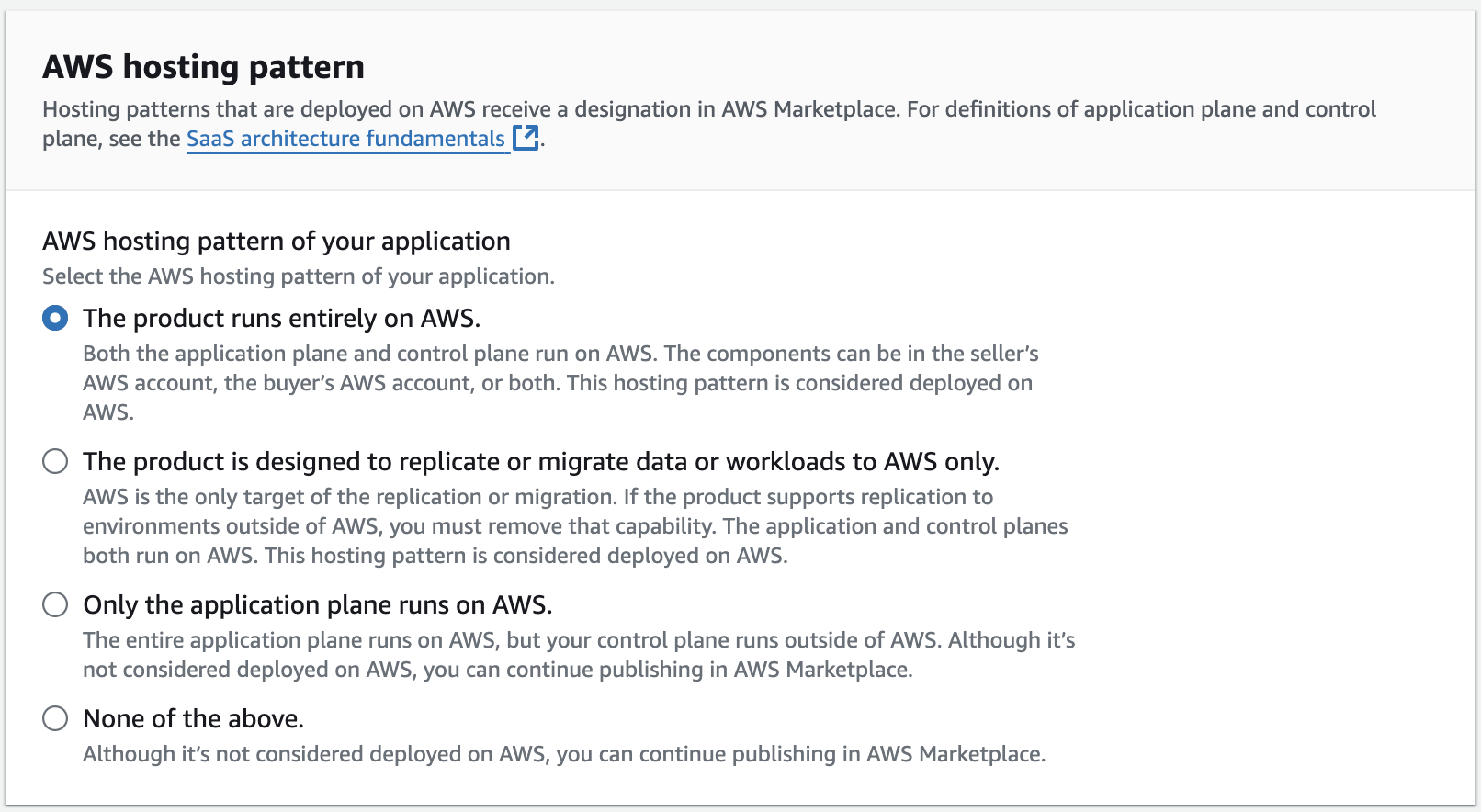
Upon clicking Update, you will be presented with four hosting options to choose from. Ensure that you select the most appropriate pattern that aligns with your product’s deployment on AWS.
Note: Updates to your AWS Marketplace listing typically take 1-2 hours to take effect. If changes don't appear immediately, wait up to an hour as this can sometimes occur due to AWS caching.
The product runs entirely on AWS. This includes both the application and control planes. The application plane can run in the seller's AWS account, the buyer's AWS account, or both. The SaaS application can use content delivery networks (CDNs), domain name systems (DNSs), and corporate identity providers (IdPs) from other providers.
The product is designed to replicate data or migrate workloads to AWS only. Except for clients and gateways running outside of AWS, the application and control planes must run on AWS. AWS must be the only available target. If the product also supports replication to environments outside of AWS, you must remove that capability and publish a separate product with that capability. AWS Marketplace won't consider that second product as deployed on AWS.
Only the application plane runs on AWS. The entire application plane runs on AWS, but your control plane runs outside of AWS. Although it’s not considered deployed on AWS, you can continue publishing in AWS Marketplace.
None of the above. Although it’s not considered deployed on AWS, you can continue publishing in AWS Marketplace.
If you select option 1 or 2, please follow the guidelines below to provide an Architecture program:
Upload an architecture diagram depicting your application components. Group and label components either as the application plane or control plane. Indicate whether the component is in the seller's AWS account or the buyer's AWS account.
The diagram should be in .png or .jpg format with a recommended size of 1100 x 700 pixels, not exceeding 5 MB.
Level of detail
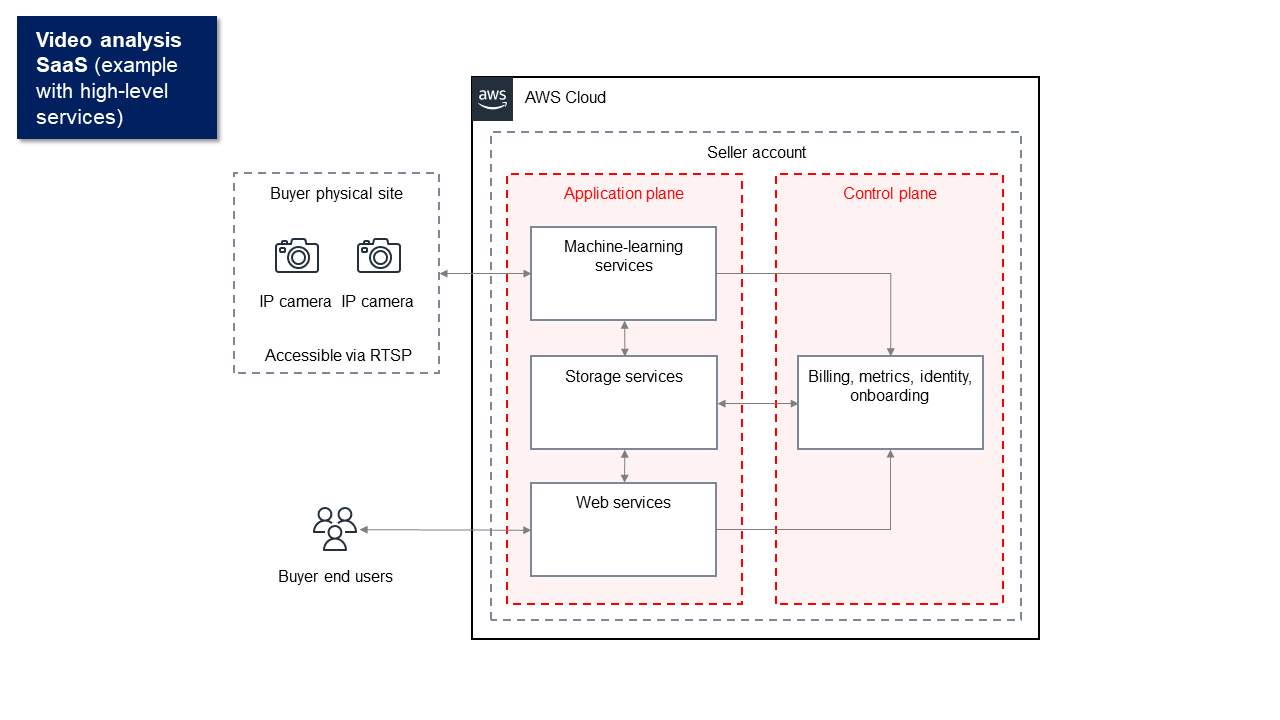
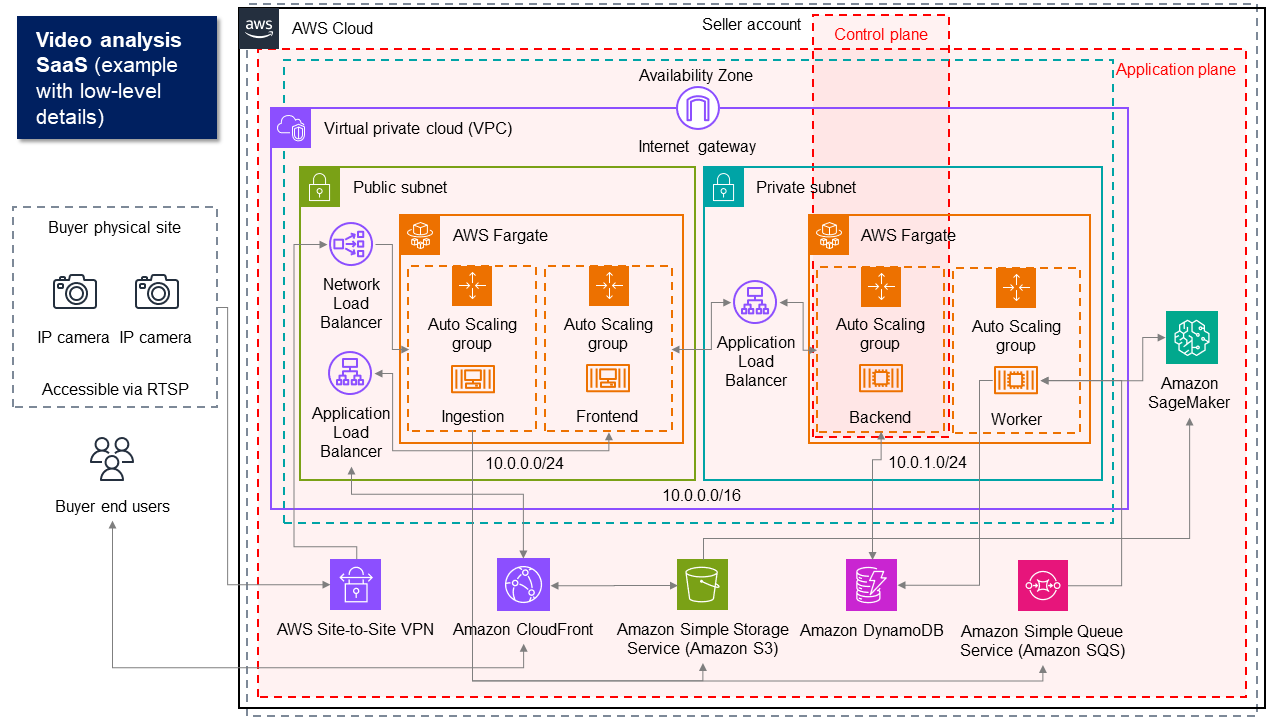
You can create a high-level diagram that shows main system components, includes basic data flows, and focuses on the application plane and control plane services. Or you can create a low-level, detailed diagram that breaks down each component, shows specific connections, and includes technical specifications with different levels of detail.
The following diagrams show the architecture of a hypothetical video-analysis SaaS application. Each shows a different level of detail. Both are acceptable. Use them as examples for the level of detail to include in your own diagrams.
The following is an example of a high-level diagram.
The following is an example of a low-level, detailed diagram.
For additional information, please consult the documentation or contact Clazar Support for assistance.