GCP Analytics
Last updated: August 7, 2025
GCP Analytics with Clazar
Clazar provides seamless integration with Google Cloud Marketplace to help vendors monitor and analyze usage, revenue, and disbursement data. This article explains how to interpret the Analytics tab and related reports once your Marketplace project is configured.
Prerequisites
Before you begin using the Analytics features, ensure you've completed the Setup Marketplace Project section under GCP Cloud Setup. This establishes the foundational access needed for fetching Marketplace reports.
Data Sources
Google Cloud Platform (GCP) offers multiple reports covering:
Buyer details
Usage metrics
Revenue
Disbursements
These reports are stored in a Google Cloud Storage bucket, from where Clazar retrieves them for processing. Once processed, they’re made available via the Analytics tab on the Clazar platform.
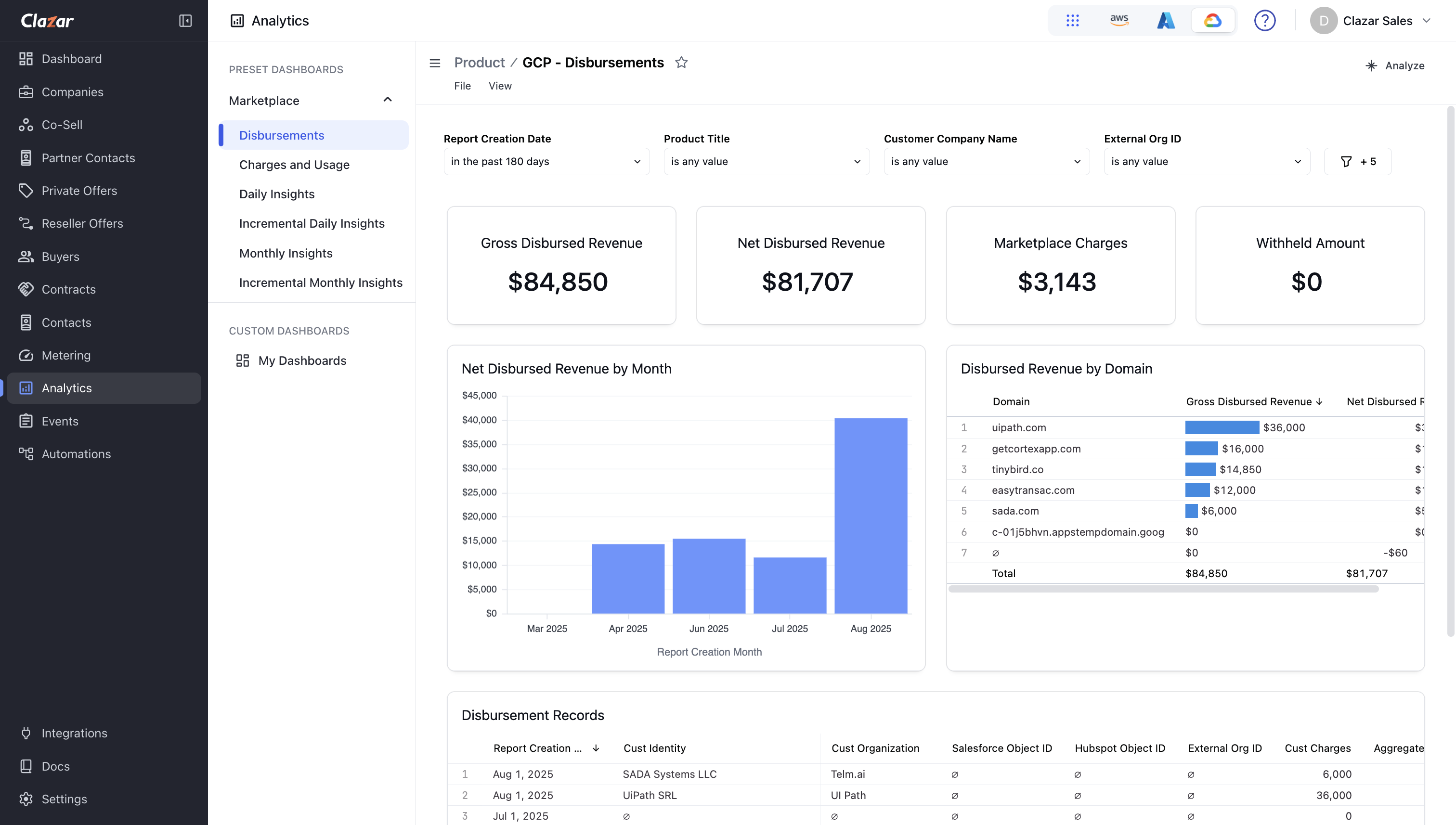
Example: Contract Fees Revenue Dataset
The Analytics tab provides visual dashboards and downloadable datasets to help you inspect marketplace performance, broken down by contracts, customers, time periods, and more.
Data Delivery
Daily reports (e.g., Daily Insights, Incremental Daily Insights) are delayed by 2–4 days. For instance, usage data from August 1st may only appear around August 4th.
Monthly reports (e.g., Monthly Insights, Charges and Usage) are generated on the second calendar day of each month.
Charges and Usage reports are finalized by the tenth business day of the month.
Available Reports
The following datasets are available in the left panel of the Analytics tab:
Charges and Usage – Usage and revenue data per SKU per buyer for the previous month.
Disbursement – Details of collected and disbursed funds, including refunds and abandoned payouts.
Daily Insights – Daily breakdown of usage and revenue.
Incremental Daily Insights – Captures delayed or corrected usage data.
Monthly Insights – Aggregated monthly usage and revenue.
Incremental Monthly Insights – Adds late-reported data to monthly aggregates.
Detailed Report Descriptions
Charges and Usage
This report shows SKU-level usage and revenue per buyer. You can use the Insights Account Id to track usage per customer.
Disbursement
Includes monthly:
Disbursement data
Refunds
Abandoned payouts (payouts marked uncollectible by Google)
Reference: Detailed field definitions are available in Google's documentation.
Daily Insights
Presents per-customer usage and revenue data daily. Delayed by at least 2 days.
Note: Sometimes, the delay extends to 3–4 days, so keep checking regularly for updates.
Note: Rows with n/a in customer details typically indicate users with personal billing accounts. Due to privacy policies, Google only provides full customer details for business accounts.
Incremental Daily Insights
This report fills gaps caused by delayed or corrected usage reporting.
For example:
If you report usage from April 13 on April 20, it will appear in the April 20 report.
Date= April 13 (actual usage)Report Date= April 20 (when received by GCP)
By default, Clazar sorts this data byDate.
Caution: If Customer Incremental Insights are not enabled in GCP, you may miss late-reported usage in Customer Insights reports.
Tip: To reconcile by report date, sort the report using the
Report Datecolumn.
Monthly Insights
Contains monthly aggregated data. Typically available on the second business day of each month.
Reference: Specific field details are available in GCP’s reporting documentation.
Incremental Monthly Insights
Like the daily version, this includes late or corrected usage reports with both:
Date(actual usage date)Report Date(report delivery date)
Useful for reconciliation and correcting billing anomalies.