Metering in GCP Marketplace with Clazar
Last updated: August 7, 2025
Accurate measurement and billing are essential for monitoring customer usage and generating invoices within the Google Cloud Platform (GCP) Marketplace. Clazar offers a streamlined solution for vendors to incorporate metering features, enabling precise tracking and reporting of how buyers utilize their services.
This guide serves as a resource for understanding and leveraging Clazar’s metering capabilities in collaboration with GCP, helping sellers efficiently monetize their SaaS products.
🧠 Key Concepts
🔹 Metering
The process of collecting and recording buyer usage data—such as API request count, data storage consumed, or other usage indicators. It enables accurate quantification of how buyers use a product.
🔹 Usage Metrics
These define the pricing structure of a SaaS product. Metrics can include:
Data transfer volume
Compute usage
Any other measurable cost-driving dimensions
🔹 Quantity
Represents the numerical value of buyer usage. This may be:
Number of API calls
Gigabytes of storage
Compute time (in hours)
Note: Quantity can be a decimal value, depending on what was specified during the listing submission process.
ℹ Prerequisites
Before using Clazar's metering features, ensure the following:
Familiarity with your GCP listing to associate metering records
Buyer-specific usage metrics and quantities are available
You have access credentials for Clazar platform or API
📘 Integration Testing During Listing Submission
When submitting a listing to GCP, there is a mandatory 72-hour integration testing window where test metering records must be submitted.
✅ Clazar handles this process automatically.
No manual action is required from sellers.
❗ Caution
Once metering records are submitted, they cannot be reversed.
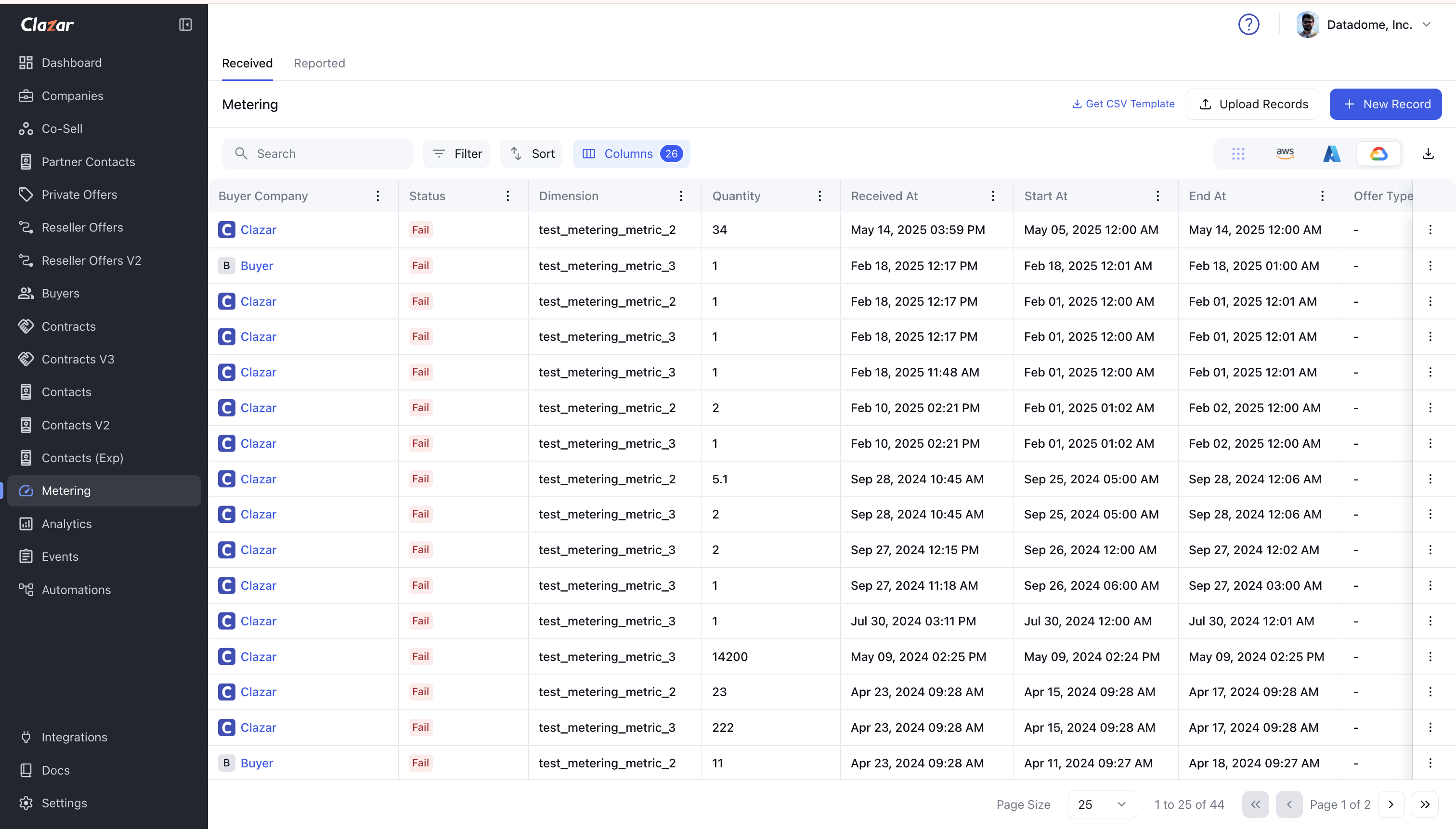
📊 Viewing Metering Records
To view metering records submitted for GCP:
Navigate to Metering.
Select GCP from the top-right corner.
🧾 Submitting Metering Records
Follow these steps to submit new metering records:
Go to Metering → click + New Records
Select the listing to be metered
Select the buyer(s) (contracts) to meter
Select dimensions and quantity for each buyer
Review the metering record(s)
Type
CONFIRMand click Submit
⚡ 1-Click Port
If you're already selling on GCP Marketplace, you can port previous records of metered usage to Clazar with a single click.
📘 External Resource
To learn more about GCP metering:
🔗 Visit the official Google Cloud documentation
❓ Frequently Asked Questions (FAQs)
What are "Usage Metrics"?
Usage Metrics are the elements that shape your product’s pricing model. They include measurable usage types like:
API calls
Compute hours
Data transfer
These metrics allow accurate billing and reporting.
Why is it important to track "Quantity" accurately?
Quantity reflects the exact level of buyer activity. It may be measured in units such as:
API calls
GBs of storage
Hours of compute
Precise tracking of quantity ensures accurate billing and buyer trust.
Can metering records be reversed?
❌ No.
Once submitted, metering records cannot be reversed. Always verify the data before submission.
👍 Need More Help?
Have more questions or need support?
Reach out to our support team for further guidance and assistance.