How to Share Private Offers on GCP Marketplace
Last updated: March 28, 2025
This article explains how to share private offers with customers through the Google Cloud Platform (GCP) Marketplace.
Sending a Private Offer
After creating your private offer in GCP Marketplace:
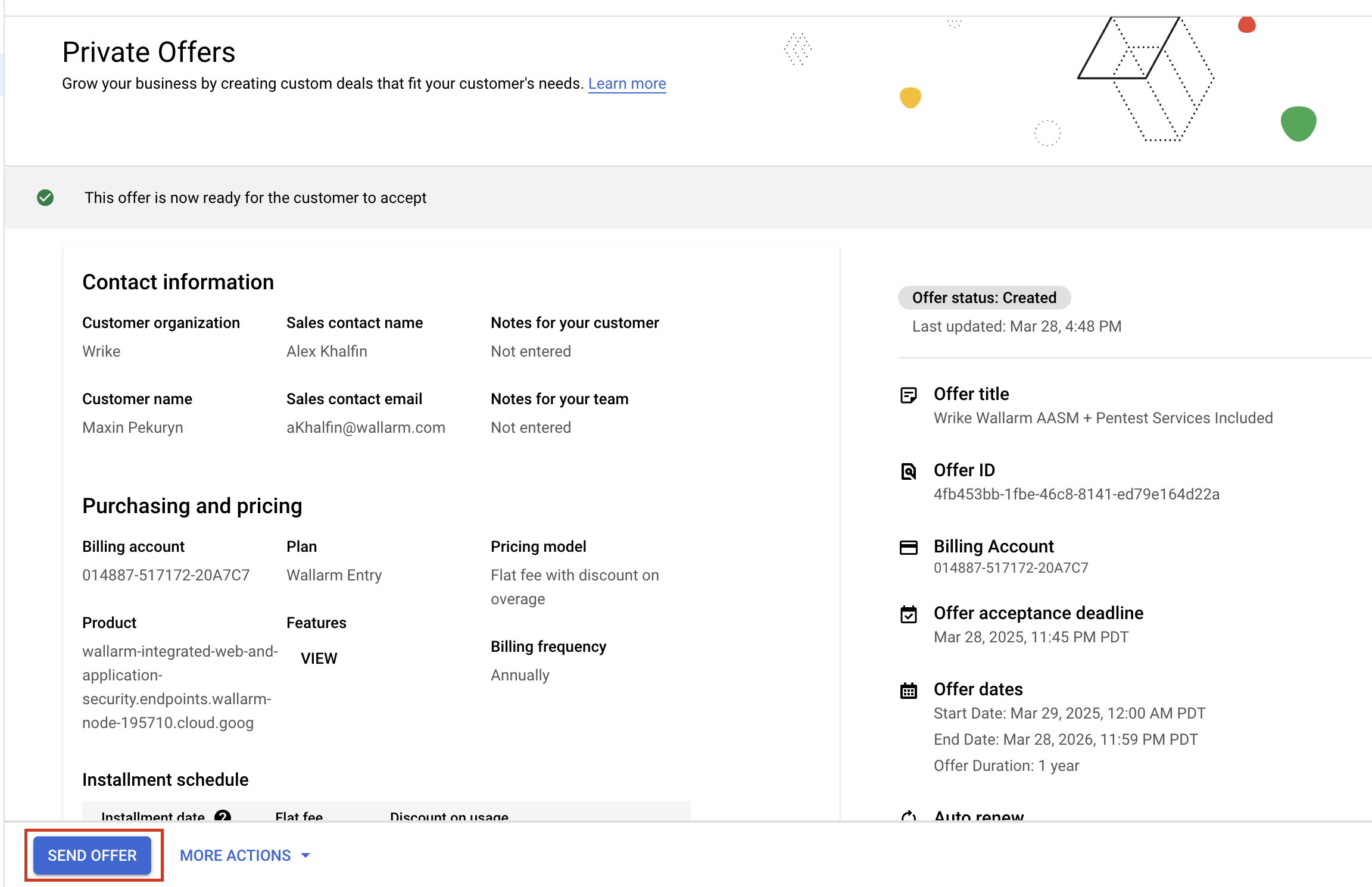
Locate the offer in your GCP Marketplace dashboard
Click the "Send Offer" button to generate a shareable offer link
Share the generated link with your customer
Customer Acceptance Process
The customer will need to complete these steps to accept the offer:
Log in to GCP Marketplace
Navigate to "Billing > Private Offers"
Review the offer details, including pricing and terms
Select the appropriate billing account
Accept the offer
Deploy and begin using the service
Managing Access Rights
To grant team members access to manage private offers:
Refer to the official GCP documentation for detailed information about specific role requirements and permissions needed for managing private offers.
Ensure that team members who need to manage offers are granted the appropriate roles in your GCP organization. They should have the same level of access as other team members who manage private offers.