Assign User Profiles to the Clazar Salesforce App
Last updated: August 1, 2025
This Step is only required if Clazar App is not visible in Salesforce App Launcher
Instructions
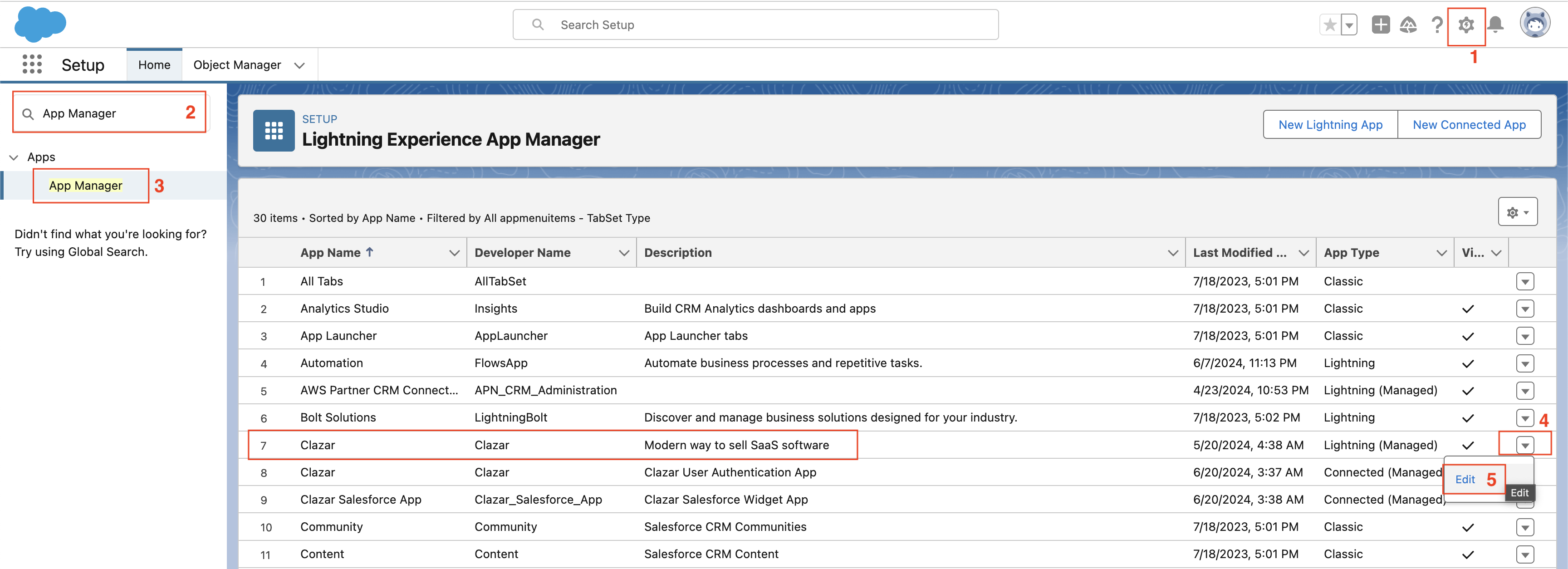
Navigate to Setup in Salesforce.
Use the Quick Findsearch bar to locate App Manager.
In the App Manager, find the Clazar App and click on Edit.
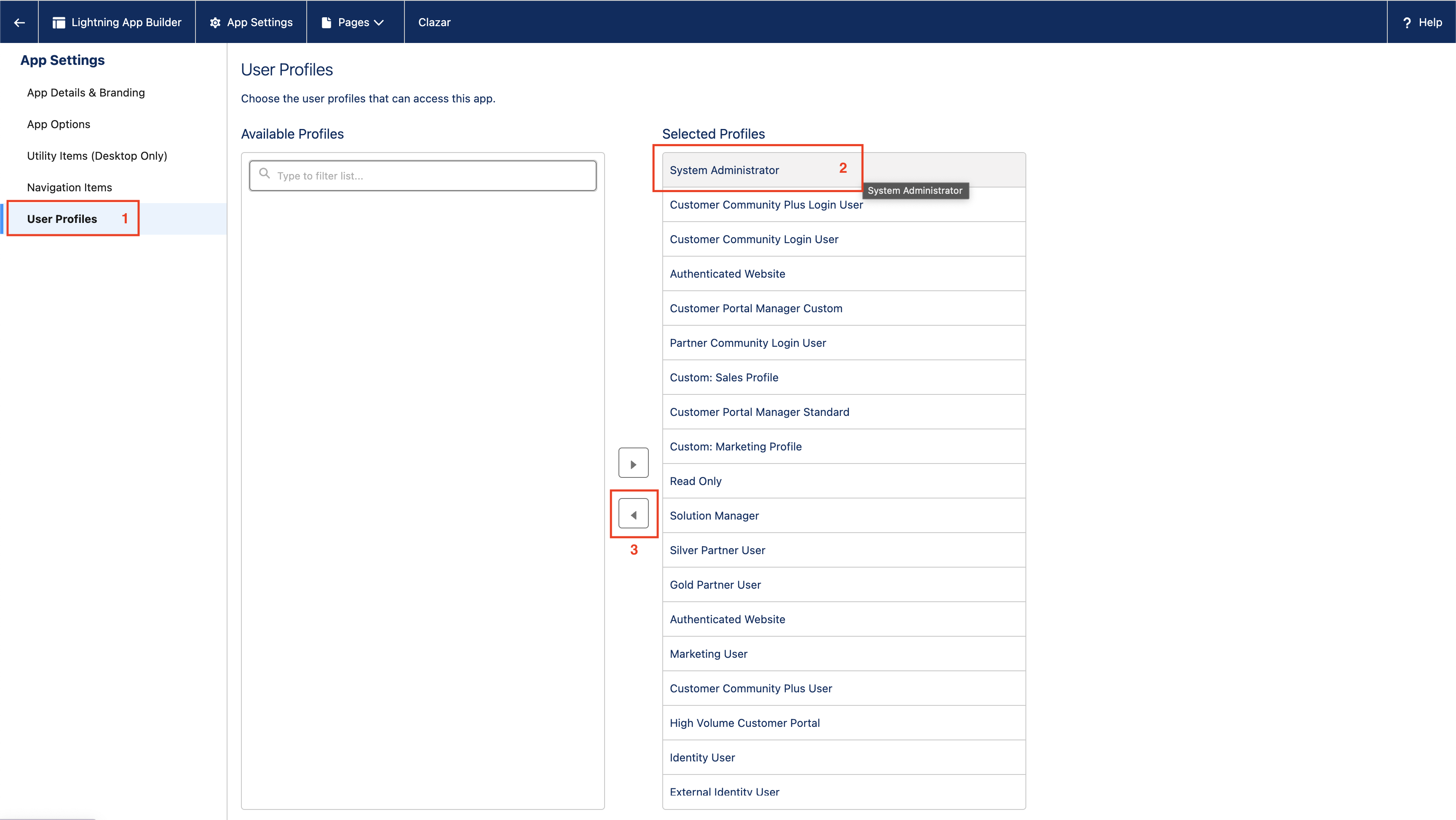
Go to the User Profiles section.
Select the desired Profile from the Selected Profiles
Use the < to move the selected profile(s) to the Available Profiles list.
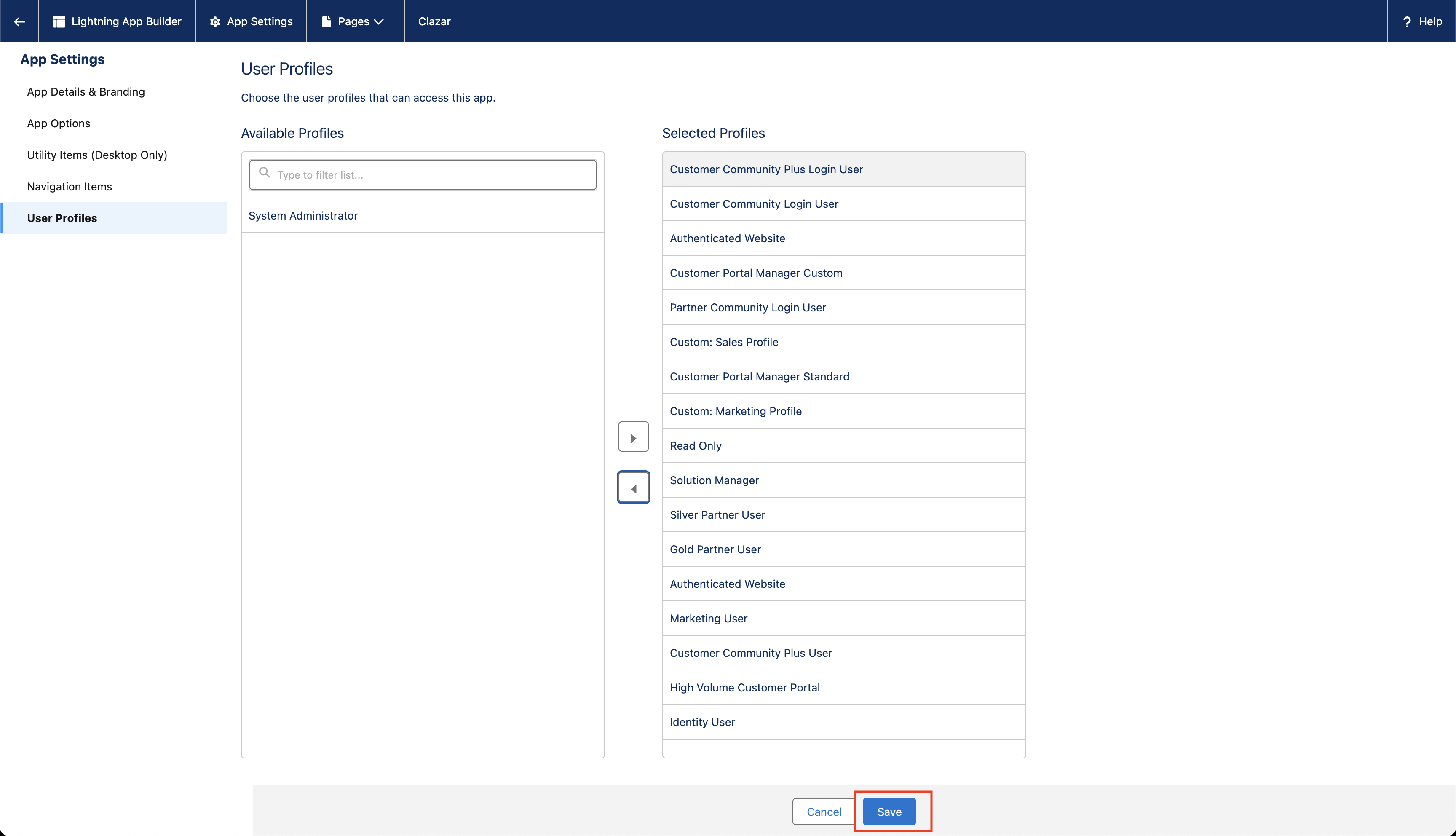
Click Save to apply the changes.
Notes
Ensure you have the necessary administrative permissions to access and modify the App Manager settings.
Moving profiles to the Available Profiles list ensures that users associated with those profiles can access the Clazar App through the App Launcher.